
Time Doctor vs. WebWork Time Tracker
| Product | Rating | Most Used By | Product Summary | Starting Price |
|---|---|---|---|---|
 Time Doctor | Score8.8 out of 10 | N/A | Time Doctor offers in-depth productivity analytics, giving business owners insight on how to improve performance and scale. Going beyond tracking and monitoring, Time Doctor’s suite of tools put data-driven improvement front and center, helping to ensure that teams of all sizes are actively working on the right things while also offering actionable insights to maximize performance and efficiency. Time Doctor tracks the collective hours a team puts in. But it also provides a… | $7 per month per user |
 WebWork Time Tracker | Score9.8 out of 10 | N/A | WebWork is a time tracker and employee monitoring platform designed to enhance employee productivity, automate operations, and streamline payroll from a single dashboard. It helps businesses monitor work hours, manage tasks, and gain actionable insights into team performance. With features like real-time activity analysis, automated timesheets, and distraction alerts, WebWork empowers teams to detect productivity gaps, prevent burnout, and balance workloads effectively. Use cases might… | $4.99 per month per user |
| Time Doctor | WebWork Time Tracker | |||||||||||||||
|---|---|---|---|---|---|---|---|---|---|---|---|---|---|---|---|---|
| Editions & Modules |
|
| ||||||||||||||
| Offerings |
| |||||||||||||||
| Entry-level Setup Fee | $9.99 per user | No setup fee | ||||||||||||||
| Additional Details | — | 14-day free trial for all pricing plans. No credit card is required. Discount available for annual pricing. | ||||||||||||||
| More Pricing Information | ||||||||||||||||
| Time Doctor | WebWork Time Tracker | |
|---|---|---|
| Considered Both Products | No answer on this topic | No answer on this topic |
| Key User Insights | ||
| Would buy again | ||
78% Would buy again 7 Answers | No answers on this topic | |
| Delivers good value for the price | ||
67% Delivers good value for the price 4 Answers | No answers on this topic | |
| Happy with the feature set | ||
78% Happy with the feature set 7 Answers | No answers on this topic | |
| Lived up to sales and marketing promises | ||
83% Lived up to sales and marketing promises 5 Answers | No answers on this topic | |
| Implementation went as expected | ||
88% Implementation went as expected 7 Answers | No answers on this topic | |
| Time Doctor | WebWork Time Tracker | |
|---|---|---|
| Small Businesses |  Traqq Score9.1 out of 10 | Time Doctor Score8.8 out of 10 |
| Medium-sized Companies |  Toggl Track Score9 out of 10 | Toggl Track Score9 out of 10 |
| Enterprises |  TimeCamp Score8.3 out of 10 | TimeCamp Score8.3 out of 10 |
| All Alternatives | View all alternatives | View all alternatives |
| Time Doctor | WebWork Time Tracker | |
|---|---|---|
| Likelihood to Recommend | 8.0 | 10.0 |
| Likelihood to Renew | 10.0 | - |
| Usability | 10.0 | - |
| Support Rating | 5.0 | - |
| Implementation Rating | 10.0 | - |
| Time Doctor | WebWork Time Tracker | |
|---|---|---|
| Likelihood to Recommend |
|
|
| Pros |
|
|
| Cons |
|
|
| Likelihood to Renew |
| No answers on this topic |
| Usability |
| No answers on this topic |
| Support Rating |
| No answers on this topic |
| Implementation Rating |
| No answers on this topic |
| Alternatives Considered |
| No answers on this topic |
| Return on Investment |
|
|
| ScreenShots | Time Doctor Screenshots     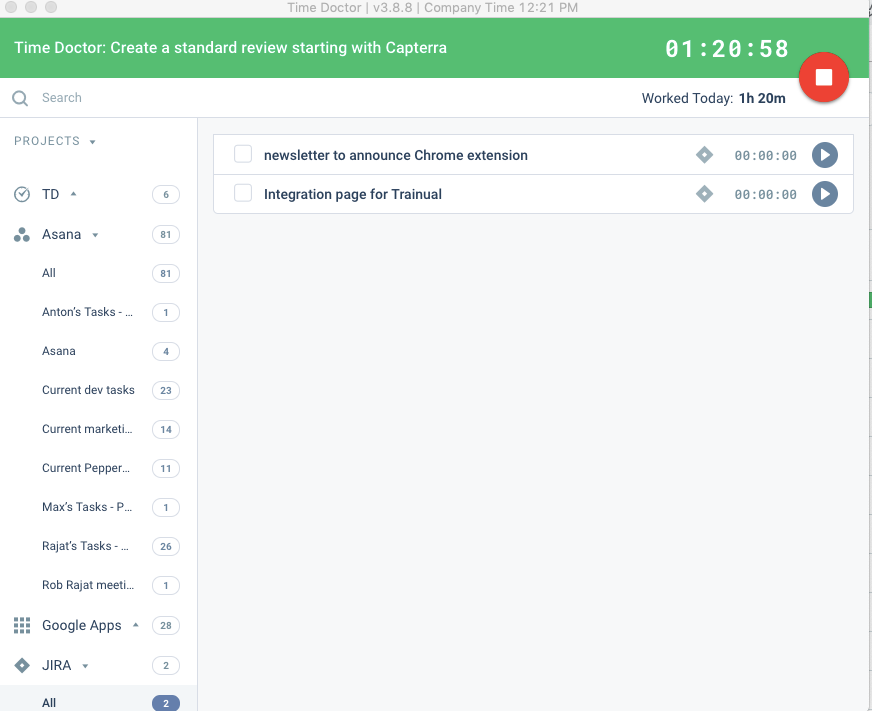 | WebWork Time Tracker Screenshots      |



