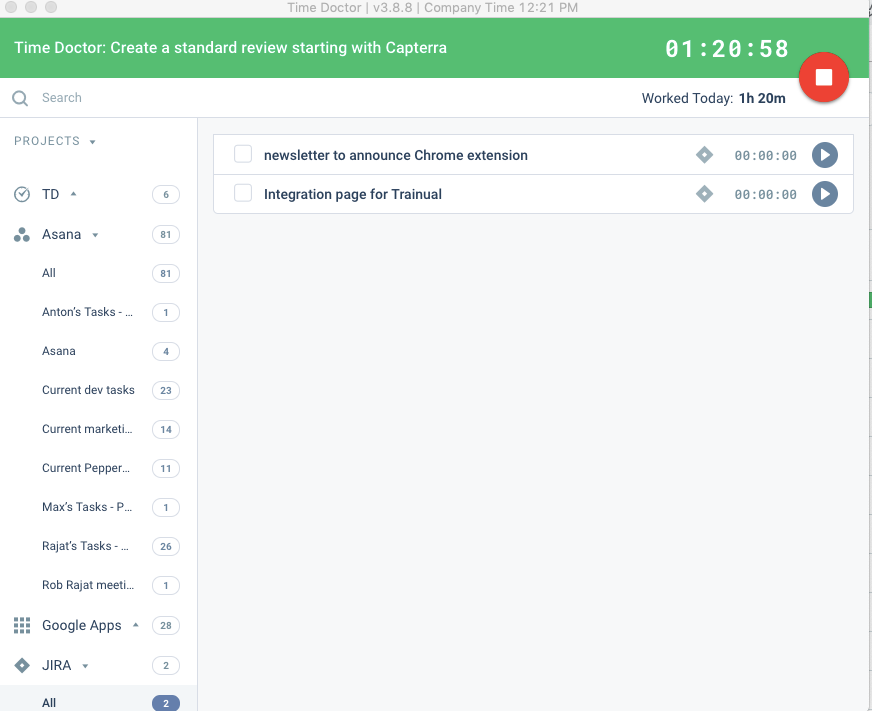
Time Doctor offers in-depth productivity analytics, giving business owners insight on how to improve performance and scale. Going beyond tracking and monitoring, Time Doctor’s suite of tools put data-driven improvement front and center, helping to ensure that teams of all sizes are actively working on the right things while also offering actionable insights to maximize performance and efficiency. Time Doctor tracks the collective hours a team puts in. But it also provides a…
$7
per month per user
TimeClock Plus
Score9.5 out of 10
N/A
TimeClock Plus is a time tracking and attendance solution from Data Management Incorporated (DMI) in San Angelo, Texas. The Express edition is targeted at small businesses, Standard and Pro at larger businesses, and finally TimeClock Plus OnDemand is a complete cloud-based solution.
Time Doctor is well suited for certain businesses where some or many of the employees are now working remotely due to the pandemic and post-pandemic times. It is a good way for the employer to keep track of activity and (more or less) keep people honest. For businesses and employees where there are a lot of site visits, travel, etc., Time Doctor is a little impractical since it requires the employee to manually enter in whatever time was spent on tasks performed away from the computer. If an employer is hoping to track that activity, they still need to rely on the employees' honor systems to enter in times and tasks.
A de minimis incentive was given to thank the reviewer for their time. The incentive was not used to bias or drive a particular response, nor was the incentive contingent on a positive endorsement. More Info
I think the best place for TimeClock Plus to work would be at a restaurant or a busy business that has a lot of people to track and needs a robust dashboard to keep things in order. For my organization, we only have around 10 people max per location and it was a bit too expensive and complex for our needs. We could use a simpler system.
A de minimis incentive was given to thank the reviewer for their time. The incentive was not used to bias or drive a particular response, nor was the incentive contingent on a positive endorsement. More Info
A de minimis incentive was given to thank the reviewer for their time. The incentive was not used to bias or drive a particular response, nor was the incentive contingent on a positive endorsement. More Info
One thing I would love to see is integration with my cell phone. Time Doctor already has an app, but I want it to automatically capture the time I spend on my phone with clients. For now I have to manually enter in this time and must note when the call started and when it ended.
Integration into Wave apps where I generate my invoices. I'd like to be able to select a project from Time Doctor in my invoice and have it automatically populate the time I spent on it and the dates I worked on the project rather than manually finding and entering this information.
A de minimis incentive was given to thank the reviewer for their time. The incentive was not used to bias or drive a particular response, nor was the incentive contingent on a positive endorsement. More Info
A de minimis incentive was given to thank the reviewer for their time. The incentive was not used to bias or drive a particular response, nor was the incentive contingent on a positive endorsement. More Info
A de minimis incentive was given to thank the reviewer for their time. The incentive was not used to bias or drive a particular response, nor was the incentive contingent on a positive endorsement. More Info
It's robust and does what we need it to do in terms of tracking worked time, also unworked time. It has a detailed Employee Profiles section but mostly it's because it keeps track of hours
A de minimis incentive was given to thank the reviewer for their time. The incentive was not used to bias or drive a particular response, nor was the incentive contingent on a positive endorsement. More Info
A de minimis incentive was given to thank the reviewer for their time. The incentive was not used to bias or drive a particular response, nor was the incentive contingent on a positive endorsement. More Info
I absolutely love the ability to customize TCP to what you need it to be. There's lots of settings and areas where you get to decide how to want the system to operate. For every situation our team has said "I wish TCP would do it this way" we have been able to find a setting to adjust to make it do that. There are very minor adjustments I would like to make like hiding drop down menu items that we won't ever use.
A de minimis incentive was given to thank the reviewer for their time. The incentive was not used to bias or drive a particular response, nor was the incentive contingent on a positive endorsement. More Info
A de minimis incentive was given to thank the reviewer for their time. The incentive was not used to bias or drive a particular response, nor was the incentive contingent on a positive endorsement. More Info
Great performance, pages load quickly and reports generate quickly. They do take some time to complete if they're covering a large Start - Stop date, eg months but that's not an issue, they still complete fairly quickly.
A de minimis incentive was given to thank the reviewer for their time. The incentive was not used to bias or drive a particular response, nor was the incentive contingent on a positive endorsement. More Info
The support was terrible! They never responded in sufficient time and their assistance was always super vague. I never felt like they had an actual solution to my concerns. They were nice, but I don't feel like they were trained in their own system. It felt like I was talking to a wall.
A de minimis incentive was given to thank the reviewer for their time. The incentive was not used to bias or drive a particular response, nor was the incentive contingent on a positive endorsement. More Info
A de minimis incentive was given to thank the reviewer for their time. The incentive was not used to bias or drive a particular response, nor was the incentive contingent on a positive endorsement. More Info
A de minimis incentive was given to thank the reviewer for their time. The incentive was not used to bias or drive a particular response, nor was the incentive contingent on a positive endorsement. More Info
I still use Rescue Time for different reasons. I review my stats once a week by email. I think it's a totally different product. My egg timer keeps me more on task, but it doesn't record my times
A de minimis incentive was given to thank the reviewer for their time. The incentive was not used to bias or drive a particular response, nor was the incentive contingent on a positive endorsement. More Info
TimeClock Plus is extremely easy to use for all employees!!! We want platforms that every employee feels comfortable using. Again, it is effortless to log hours on a day-to-day basis. I love that our employees have the ability to keep track of their hour details, such as paid time off, volunteerism, holiday, etc. This portal helps our team to stay compliant!!!
A de minimis incentive was given to thank the reviewer for their time. The incentive was not used to bias or drive a particular response, nor was the incentive contingent on a positive endorsement. More Info
A de minimis incentive was given to thank the reviewer for their time. The incentive was not used to bias or drive a particular response, nor was the incentive contingent on a positive endorsement. More Info
For a small amount each month I believe I get a huge return on investment in form of traceability of my hours spent. The major factor that made me choose Time Doctor was the price and the value. I don't think I would still be interested if it was more expensive.
A de minimis incentive was given to thank the reviewer for their time. The incentive was not used to bias or drive a particular response, nor was the incentive contingent on a positive endorsement. More Info
A de minimis incentive was given to thank the reviewer for their time. The incentive was not used to bias or drive a particular response, nor was the incentive contingent on a positive endorsement. More Info