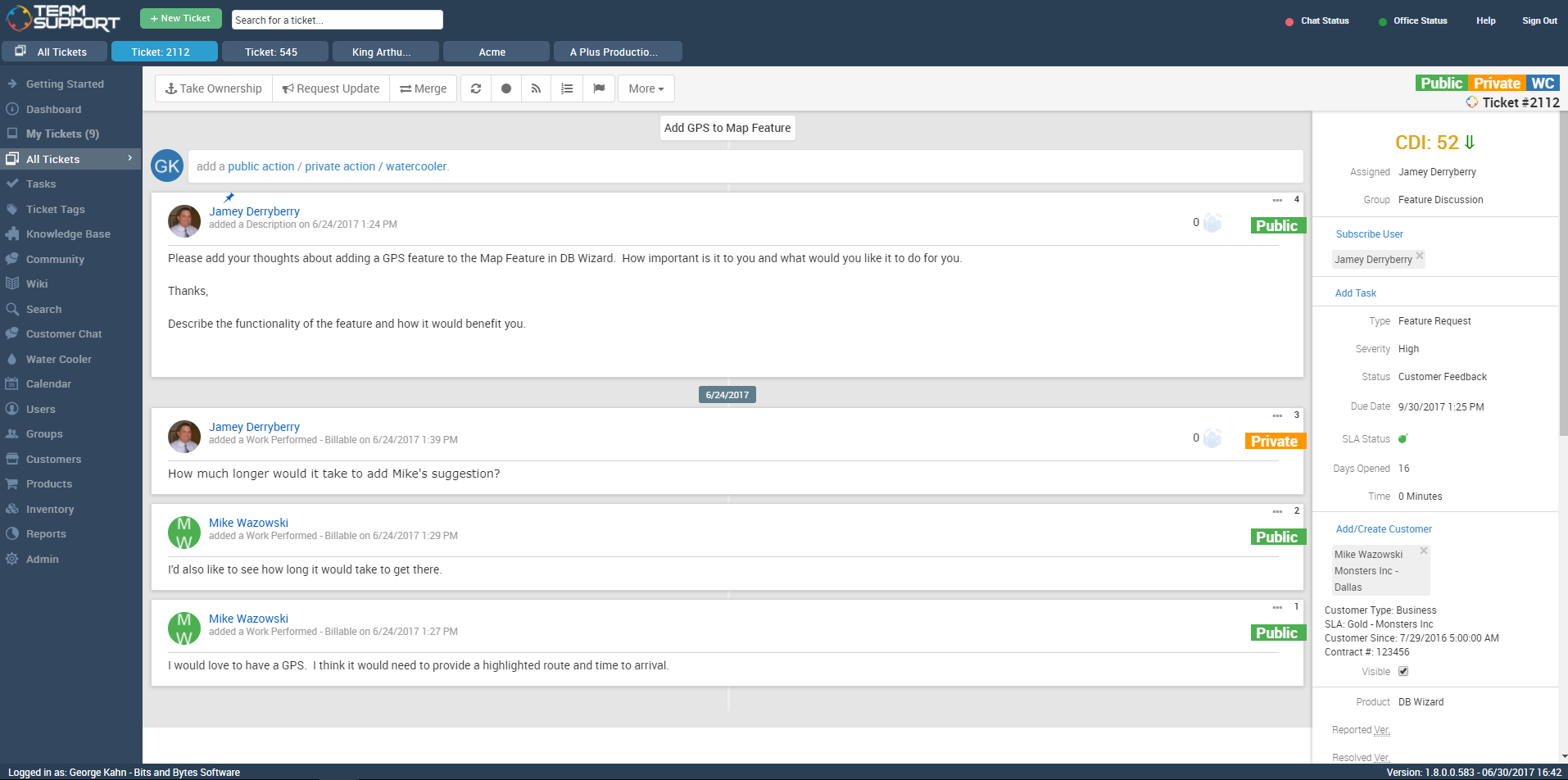
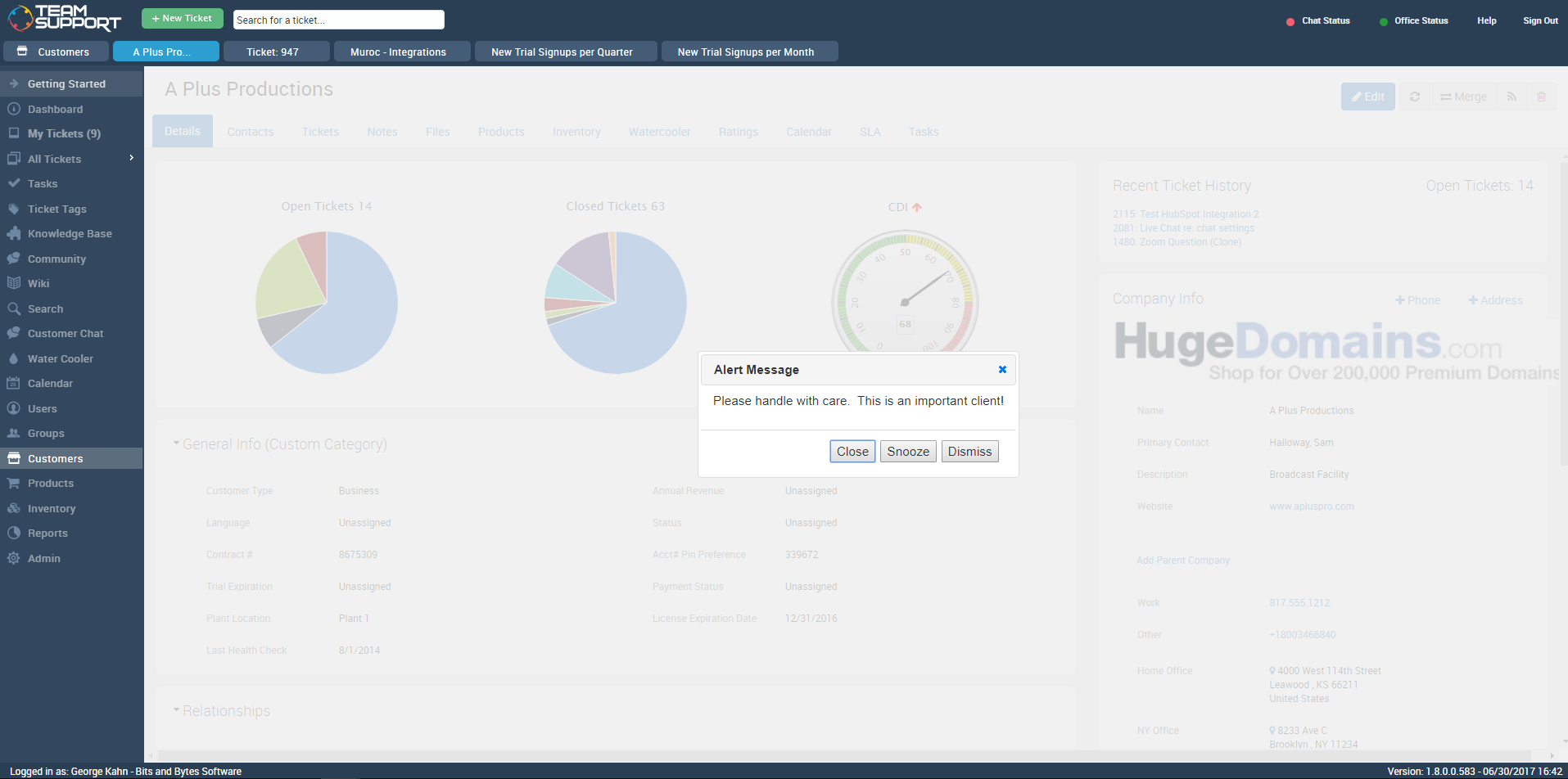
TeamSupport is customer support software built for B2B software and technology companies. The solution offers ticket management, a customer and contact database, reporting and analytics, multi-channel support, built-in collaboration tools, and many native integrations.
A de minimis incentive was given to thank the reviewer for their time. The incentive was not used to bias or drive a particular response, nor was the incentive contingent on a positive endorsement. More Info
Verified User
Chose TeamSupport
We have looked into Zendesk and previously moved from Axosoft to TeamSupport. TeamSupport is definitely better than Axosoft when it comes to fuctionality and ease of use. Zendesk is probably the best and widely used but of course that comes with a price. If the organization is …
A de minimis incentive was given to thank the reviewer for their time. The incentive was not used to bias or drive a particular response, nor was the incentive contingent on a positive endorsement. More Info
IT Manager in Information Technology at Signature Consultants (Information Technology & Services, 501-1000 employees)
Chose TeamSupport
Way more functionality than the platform we previously used. The easy of use and customization allowed us to get up and running quickly. The intuitiveness of the software made creating better reports a breeze. From a cost perspective we were able to get our per ticket support …
A de minimis incentive was given to thank the reviewer for their time. The incentive was not used to bias or drive a particular response, nor was the incentive contingent on a positive endorsement. More Info
Supervisor, Application Support in Information Technology at Progeny Genetics, LLC (Computer Software, 11-50 employees)
Chose TeamSupport
TeamSupport has many features that my company was looking for in a help desk management software. It allows multiple users to communicate with customers, as well as the transparency for users to see the communication that takes place with other individuals in the company. It …
A de minimis incentive was given to thank the reviewer for their time. The incentive was not used to bias or drive a particular response, nor was the incentive contingent on a positive endorsement. More Info
Verified User
Chose TeamSupport
TeamSupport provides an easy to set up, easy to manage ticketing platform for our company. While SolarWinds and ConnectWise offer more bells and whistles, they also require a great deal of setup and configuration and more time managing. TeamSupport also comes in a very …
A de minimis incentive was given to thank the reviewer for their time. The incentive was not used to bias or drive a particular response, nor was the incentive contingent on a positive endorsement. More Info
Verified User
Chose TeamSupport
TeamSupport is the clear leader for Customer Support software. I've used numerous other software that pales in comparison. There are aspects of the software that could use improvement, like the overall speed of the system, but we are happy with the software and I don't …
A de minimis incentive was given to thank the reviewer for their time. The incentive was not used to bias or drive a particular response, nor was the incentive contingent on a positive endorsement. More Info
Sales Supervisor in Sales at ICANotes LLC (Computer Software, 11-50 employees)
Chose TeamSupport
We found that TeamSupport did everything we needed to house our clients information as well as our general KB's and Wiki's. It's also the best way to house current clients, whereas we use another CRM for prospective customers to keep them separated. As a company, we decided to …
A de minimis incentive was given to thank the reviewer for their time. The incentive was not used to bias or drive a particular response, nor was the incentive contingent on a positive endorsement. More Info
Managing Director in Corporate at Lord Heritage Inc (Education Management, 1-10 employees)
Chose TeamSupport
I was referred to Zendesk, but upon further investigation found TeamSupport. To be honest, the name helped direct me. I felt that I was looking more for "team support" than a "zen desk." Once I made contact with the TeamSupport staff, I was impressed with their personal …
A de minimis incentive was given to thank the reviewer for their time. The incentive was not used to bias or drive a particular response, nor was the incentive contingent on a positive endorsement. TR verified that a representative sample of customers was invited. More Info
Staff Applications Engineer in Customer Service at Intersil Corporation (Semiconductors, 1001-5000 employees)
Chose TeamSupport
We were running for many years the RightNow solution in a self-hosted type solution. We were being forced to the cloud to get updates to the software which prompted us to evaluate other products. RightNow Cloud and TeamSupport came out on top of our list of features we wanted. …
A de minimis incentive was given to thank the reviewer for their time. The incentive was not used to bias or drive a particular response, nor was the incentive contingent on a positive endorsement. TR verified that a representative sample of customers was invited. More Info
A de minimis incentive was given to thank the reviewer for their time. The incentive was not used to bias or drive a particular response, nor was the incentive contingent on a positive endorsement. TR verified that a representative sample of customers was invited. More Info
Verified User
Chose TeamSupport
Previous to TeamSupport, we used a product called Request Tracker (RT.) It had absolutely no way for sorting or organizing tickets, so TeamSupport is definitely a better product in that regard.
I was not involved in the TeamSupport selection process, so I can't speak to that.
A de minimis incentive was given to thank the reviewer for their time. The incentive was not used to bias or drive a particular response, nor was the incentive contingent on a positive endorsement. TR verified that a representative sample of customers was invited. More Info
Supervisor in Customer Service at Heartland Campus Solutions ECSI (Financial Services, 1001-5000 employees)
Chose TeamSupport
The only other system we used was IssueView and it was very clunky. It wasn't cloud based and really restricted our work flow. TeamSupport is a huge improvement to that old dying system. Access from anywhere is super important to get things done on the spot and from anywhere.
A de minimis incentive was given to thank the reviewer for their time. The incentive was not used to bias or drive a particular response, nor was the incentive contingent on a positive endorsement. TR verified that a representative sample of customers was invited. More Info
Verified User
Chose TeamSupport
TeamSupport is a much more modern, intuitive and user-friendly version of NetSuite with many additional bells and whistles. NetSuite has a business only facade with a rather clunky interface and system. TeamSupport compares favorably and meets business needs while being a much …
A de minimis incentive was given to thank the reviewer for their time. The incentive was not used to bias or drive a particular response, nor was the incentive contingent on a positive endorsement. TR verified that a representative sample of customers was invited. More Info
A de minimis incentive was given to thank the reviewer for their time. The incentive was not used to bias or drive a particular response, nor was the incentive contingent on a positive endorsement. TR verified that a representative sample of customers was invited. More Info
A de minimis incentive was given to thank the reviewer for their time. The incentive was not used to bias or drive a particular response, nor was the incentive contingent on a positive endorsement. TR verified that a representative sample of customers was invited. More Info
Implementation Project Specialist in Customer Service at Tenmast Software (Computer Software, 51-200 employees)
Chose TeamSupport
JIRA is used more for development and for agile project managing. We personally use JIRA in other departments and for different tracking and management needs. TeamSupport is more user friendly to the typical user and overall provides more of what we need in a ticketing system …
A de minimis incentive was given to thank the reviewer for their time. The incentive was not used to bias or drive a particular response, nor was the incentive contingent on a positive endorsement. TR verified that a representative sample of customers was invited. More Info
Verified User
Chose TeamSupport
My previous manager selectd TeamSupport as I was not really involved in that decision. This does stack up better than the others as it has more functionality and one thing I like is that it has an email to ticket function which allows for a more streamlined workflow.
A de minimis incentive was given to thank the reviewer for their time. The incentive was not used to bias or drive a particular response, nor was the incentive contingent on a positive endorsement. TR verified that a representative sample of customers was invited. More Info
Training and Client Support Specialist in Customer Service at Controltec (Computer Software, 11-50 employees)
Chose TeamSupport
We initially were looking at Zendesk and even went as far to purchase one license. After some testing, we realized Zendesk was too focused on emails. Every customer had to have an email address. This would not work with our business process so we began looking for alternatives. …
A de minimis incentive was given to thank the reviewer for their time. The incentive was not used to bias or drive a particular response, nor was the incentive contingent on a positive endorsement. TR verified that a representative sample of customers was invited. More Info
A de minimis incentive was given to thank the reviewer for their time. The incentive was not used to bias or drive a particular response, nor was the incentive contingent on a positive endorsement. TR verified that a representative sample of customers was invited. More Info
Verified User
Chose TeamSupport
I belive that ticket tracking service of Salesforce was another name when we evaluated it but TeamSupport provides a robust solution that works with SaaS providers at a fraction of the cost.
A de minimis incentive was given to thank the reviewer for their time. The incentive was not used to bias or drive a particular response, nor was the incentive contingent on a positive endorsement. TR verified that a representative sample of customers was invited. More Info
Technical Support Executive in Customer Service at FISCAL Technologies (Computer Software, 51-200 employees)
Chose TeamSupport
Our main reason for choosing TeamSupport was the functionality was equal or better to other software trialled but also there was the added bonus of being able to synchronise with Salesforce CRM without the need to upgrade Salesforce as was the case with other help desk …
A de minimis incentive was given to thank the reviewer for their time. The incentive was not used to bias or drive a particular response, nor was the incentive contingent on a positive endorsement. TR verified that a representative sample of customers was invited. More Info
A de minimis incentive was given to thank the reviewer for their time. The incentive was not used to bias or drive a particular response, nor was the incentive contingent on a positive endorsement. TR verified that a representative sample of customers was invited. More Info
Verified User
Chose TeamSupport
Less customizability, but much less expensive to implement. The web based architecture is a benefit to TeamSupport, the last version of Remedy I used required a locally installed copy. TeamSupport also has a minimalistic user interface which results in a smaller learning curve …
A de minimis incentive was given to thank the reviewer for their time. The incentive was not used to bias or drive a particular response, nor was the incentive contingent on a positive endorsement. TR verified that a representative sample of customers was invited. More Info
A de minimis incentive was given to thank the reviewer for their time. The incentive was not used to bias or drive a particular response, nor was the incentive contingent on a positive endorsement. TR verified that a representative sample of customers was invited. More Info
TeamSupport is a great ticketing/help desk platform for small companies. It gets the job done and allows for multiple teams to manage workloads. It is not best for bigger organizations as there are lots of lacking features (mobile app, integrations, robust Jira/Confluence like system). The support for TeamSupport is great too. They usually get in touch with customers quickly when the system is down and they resolve issues quickly as well.
A de minimis incentive was given to thank the reviewer for their time. The incentive was not used to bias or drive a particular response, nor was the incentive contingent on a positive endorsement. More Info
There were other customer support software companies that I looked into at first, however TeamSupport provided exceptional customer service themselves. I paid close attention to how they handled me as a customer to see if they were a company that would understand my desire to give exceptional customer service to my clients and if they had the tools to make the experience easy. Every interaction with them was very positive.
Since we needed TeamSupport's software embedded into our software application to give our users easy access to the support tools, the staff at TeamSupport needed to answer many questions and work with our developers to make this possible. They were always willing to take the extra step to ensure a smooth set up.
As we continue with TeamSupport, I am especially impressed with the sincerity of the CEO, Robert C. Johnson, and his commitment to us so that together we can deliver exceptional customer support.
A de minimis incentive was given to thank the reviewer for their time. The incentive was not used to bias or drive a particular response, nor was the incentive contingent on a positive endorsement. TR verified that a representative sample of customers was invited. More Info
We would like to see a structure to the ticket numbering system. In a previous system we had a numbering system like this mmddyy-xxxxxx This was very easy to see when a ticket was created based on just it's number. Currently with TeamSupport they assign a random number to tickets that is not very informative without a created date field.
Reports are nice but lack some rollup capabilities that are needed. Any given report can only work against two data tables at max. This is a limitation that we had to create custom contact fields to get around. They store phone, address and base contact info in separate tables. This makes it impossible with a standard system to create a report of all tickets along with the ticket and contact information in one report. The previous system we were on, allowed you to tie as many related data tables together that was needed to create one high level report.
Need Ability to notify external users of ticket activity in regions. So what I mean is we have FAE's in the field that want to know what their customers are asking for their region. They don't want or need a TeamSupport account but want simple e-mails of activity. This has been a lost feature for us going to a new system. I have to create a manual report each week and forward to the people that want this kind of information.
Ticket Automation rules will only run against a ticket one time. I understand why they did this to prevent uncontrolled loops but it would be nice to be able to set a limit that was greater than one. This limitation often causes us to have to write multiple rules to handle certain ticket cases.
A de minimis incentive was given to thank the reviewer for their time. The incentive was not used to bias or drive a particular response, nor was the incentive contingent on a positive endorsement. TR verified that a representative sample of customers was invited. More Info
We are very likely to renew. We have been using TeamSupport for years and have tested a few other ticketing software solutions. We utilize several project management solutions to date and are always looking for better more efficient ways. Team Support is great at working with us and allows us to report issues well.
A de minimis incentive was given to thank the reviewer for their time. The incentive was not used to bias or drive a particular response, nor was the incentive contingent on a positive endorsement. TR verified that a representative sample of customers was invited. More Info
I think some things could be a little more user-friendly: specifically the dashboard. Although it's fantastic and makes life so much nicer, I'd like to have more control on it's customization. I'd like to be able to default what's collapsed and what's expanded...instead of everything expanding by default each time I load it. But the portal offers great tools and guides on workarounds.
TeamSupport's ease of use and the way it benefited our company overall. From cost improvements, ROI, and overall management of team members it gets high marks. We are better able to support our customer base by providing improved support in a more timely fashion. The End User view of IT Support overall has improved just through using this platform in our company.
A de minimis incentive was given to thank the reviewer for their time. The incentive was not used to bias or drive a particular response, nor was the incentive contingent on a positive endorsement. More Info
Data import was the most difficult hurdle for us to get over. The mass import was handled through an Excel spreadsheet. TeamSupport doesn't use Microsoft Office products for the most part so they were relying on Google Docs which has limitations over Excel. Special characters and html in import cells can be a issue with importing. When creating a data export from your current system, special care needs to be taken so that the data is able to be processed into TeamSupport without issues.
A de minimis incentive was given to thank the reviewer for their time. The incentive was not used to bias or drive a particular response, nor was the incentive contingent on a positive endorsement. TR verified that a representative sample of customers was invited. More Info
TeamSupport is a much more modern, intuitive and user-friendly version of NetSuite with many additional bells and whistles. NetSuite has a business only facade with a rather clunky interface and system. TeamSupport compares favorably and meets business needs while being a much more advanced and modern solution.
A de minimis incentive was given to thank the reviewer for their time. The incentive was not used to bias or drive a particular response, nor was the incentive contingent on a positive endorsement. TR verified that a representative sample of customers was invited. More Info
TS keeps adding new features without making sure the program is reliable as-is. The program is frequently offline which makes for significant frustration on my part
A de minimis incentive was given to thank the reviewer for their time. The incentive was not used to bias or drive a particular response, nor was the incentive contingent on a positive endorsement. TR verified that a representative sample of customers was invited. More Info