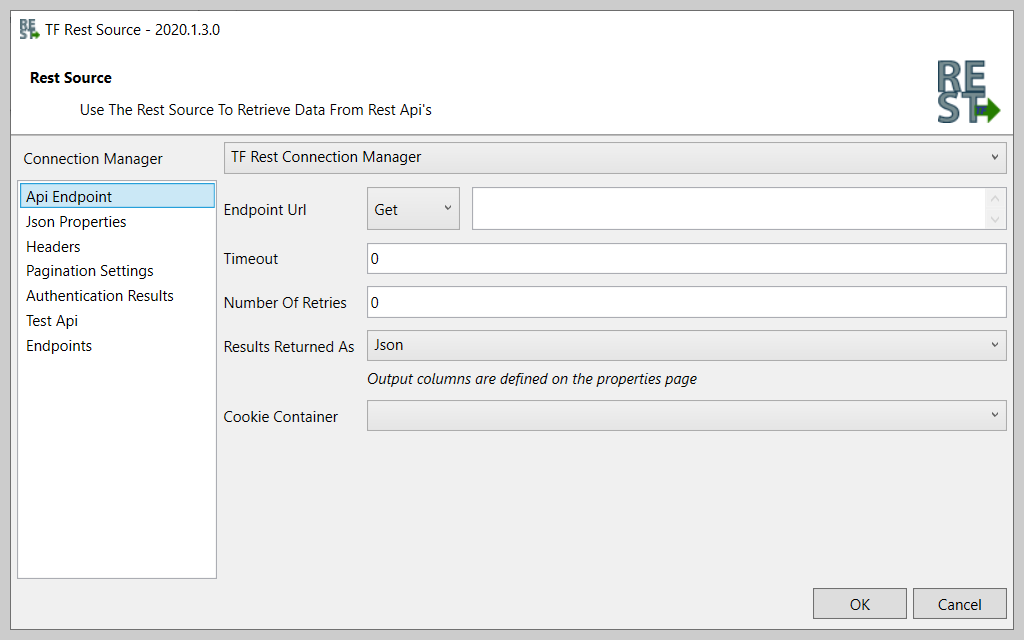
According to the vendor, SolarWinds Task Factory saves time managing tedious ELT/ETL tasks with high-performing SQL Server Integration Services (SSIS) components that can be used within the Visual Studio environment to connect to nearly any data source. Task Factory’s components and tasks have been optimized to ensure fast performance of data-centric applications, and the user can run Task Factory…
N/A
TIBCO Integration (including BusinessWorks and Flogo)
Score8.9 out of 10
N/A
TIBCO Integration is used to connect diverse business solutions, data sources, and devices into a single, seamless system.
N/A
Pricing
SolarWinds Task Factory
TIBCO Integration (including BusinessWorks and Flogo)
Editions & Modules
Task Factory
1,245 (annual subscription license)
per server
Task Factory Azure Data Factory
1,495 (annual subscription license)
per ADF node
No answers on this topic
Offerings
Pricing Offerings
SolarWinds Task Factory
TIBCO Integration (including BusinessWorks and Flogo)
Free Trial
Yes
No
Free/Freemium Version
Yes
No
Premium Consulting/Integration Services
No
Yes
Entry-level Setup Fee
No setup fee
Optional
Additional Details
—
—
More Pricing Information
Community Pulse
SolarWinds Task Factory
TIBCO Integration (including BusinessWorks and Flogo)
TIBCO Integration (including BusinessWorks and Flogo)
Likelihood to Recommend
SolarWinds
Since I started working with this great tool all data analysis programs have been running effectively. Implementation of projects and tasks have been effective and reliable. Data collected from each department gives us working plan on better management of various programs. The Dimension Merge SCD Transform helps us to load large volumes of data within a short period of time.
A de minimis incentive was given to thank the reviewer for their time. The incentive was not used to bias or drive a particular response, nor was the incentive contingent on a positive endorsement. More Info
In BusinessWorks it is quite easy to develop applications and monitor where as it is not similar with Scribe. The data which successfully processed in Scribe is quite difficult to view. I think the Scribe console tool should have better view for the data it has processed.At times we founds some of our sales orders are missing which are unable to update/insert in the DB, after investigation found the issue is in Scribe tool. A case has been raised 02129657 for the same and as per the guidelines from the Scribe support engineer we did changes in the shutdown interval to zero. ''update SCRIBEINTERNAL.SCRIBE.KSYNC set keyvalue= 0 where KEYNAME = 'SETTINGS.SHUTDOWNINTERVAL''. Later this change we started getting alert emails like ''Fatal error 325 occurred: Message processor shutting down - defined maximum memory usage (900MB) exceeded. Please contact Scribe support at support@scribesoft.com if this problem persists''. We found this issue is a critical one as the occurrences of it is decreased but still it is persist.
A de minimis incentive was given to thank the reviewer for their time. The incentive was not used to bias or drive a particular response, nor was the incentive contingent on a positive endorsement. More Info
The single most beneficial component to Task Factory is the Upsert component. If you're familiar with writing MERGE statements in T-SQL, you'll appreciate the Upsert component. Drag the component into your Data Flow and a few clicks later you have a MERGE without the code complexities.
Where some native SSIS components leave you wanting more, Task Factory extends on many of these components as well as support for data sources not native to SSIS components.
The number of extra components that come in the Task Factory tool kit will expand your tool belt to do just about anything you need or want to accomplish in SSIS.
A de minimis incentive was given to thank the reviewer for their time. The incentive was not used to bias or drive a particular response, nor was the incentive contingent on a positive endorsement. More Info
The UI is easy to navigate and map flows are intuitive and easy to build upon after some basic training. However, a user should have some basic knowledge of writing nested statements.
Very responsive customer support.
The debug feature is a great tool for troubleshooting. You can easily identify where the issue is in your flow. At each debug step, it returns the expected value, and when there isn't the expected value, you know when to modify your flow.
A de minimis incentive was given to thank the reviewer for their time. The incentive was not used to bias or drive a particular response, nor was the incentive contingent on a positive endorsement. More Info
It was built by Pragmatic Works who sold it to SentryOne and now Solar Winds, concerned about future support. SolarWinds is discontinuing support for related products such as BiXpress.
Had issues with connecting to certain versions of SQL Server - would fail when deploying one package - had to deploy the entire solutions.
Occasional random failures observed with the Filter tranform.
A de minimis incentive was given to thank the reviewer for their time. The incentive was not used to bias or drive a particular response, nor was the incentive contingent on a positive endorsement. More Info
Missing functionality: We like to run all the files available in the FTP when clicking the run button. Right now, we have to click the run button several times (or have multiple solutions) in order to run files from our FTP site one at a time.
Generating column fields every time a file changes from the source in the FTP is very tedious. Working in integrations makes me have to go back and forth a lot of the time, and doing this is incredibly annoying.
The security is horrendous. We installed an on-premise agent on the customer side, but we don't want them even touching the ETL tool at all. The only knowledge we are fine with knowing and being able to see is that they installed the agent, not the solutions themselves.
Our company's connector would have to point to the dataset name rather than dataset ID. It was very frustrating because we change the dataset name a lot, and then we'd have to repoint it.
It's very difficult to monitor the different integrations that go on because there isn't a consolidated dashboard.
A de minimis incentive was given to thank the reviewer for their time. The incentive was not used to bias or drive a particular response, nor was the incentive contingent on a positive endorsement. More Info
Task Factory has become a key product for our use of doing ETL work in SSIS. Their custom SSIS components allow us to work simply on the data engineering side of things. We can ignore the lower level work needed to connect to disparate data sources. This allows us to work faster and provide more value to the business
A de minimis incentive was given to thank the reviewer for their time. The incentive was not used to bias or drive a particular response, nor was the incentive contingent on a positive endorsement. More Info
We are deeply entrenched in using Tibco Scribe capabilities, and we are only expanding our usage. It would be one thing if we used it only for a one-time data load, but we have several Scribe maps running constantly, keeping business-critical data up to date. And the ease of use for the occasional, mass data update or upload is simply icing on the cake. I'm a big Microsoft fan, so there is potential down the road to convert our Scribe data integrations to Microsoft Flow (or Power Automate as it is now called). But for now, the functionality just isn't there with Flow (Power Automate), plus the work involved to change all our current integrations would be a large undertaking. So for now and the foreseeable future, Scribe will remain our data integration tool of choice.
A de minimis incentive was given to thank the reviewer for their time. The incentive was not used to bias or drive a particular response, nor was the incentive contingent on a positive endorsement. More Info
A de minimis incentive was given to thank the reviewer for their time. The incentive was not used to bias or drive a particular response, nor was the incentive contingent on a positive endorsement. More Info
As mentioned in the previous sections, setup and maintenance is extremely easy. We don't have many issues for which we need support and there is no need for deep technical skills to use Tibco Cloud Integration platform. The solution provides everything we need for our specific use case, being the replication of our Microsoft Dynamics 365 CRM data to our on premise database for reporting.
A de minimis incentive was given to thank the reviewer for their time. The incentive was not used to bias or drive a particular response, nor was the incentive contingent on a positive endorsement. More Info
We have not had any issues with TIBCO not being available when needed. I have only had to contact support less than 5 times in about 5 year time frame due to syncing issues or a problem with the agent. Support is very quick to respond as well as very helpful.
A de minimis incentive was given to thank the reviewer for their time. The incentive was not used to bias or drive a particular response, nor was the incentive contingent on a positive endorsement. More Info
TIBCO Cloud Integration (including BusinessWorks and Scribe)'s performance of the user interface are not to be complained about. The user interface is swift and is a pleasant user experience. The replication jobs take some time to finish but that is because the number of records to be updated/created on a daily basis is quite big. I did split up the jobs between highrunners (entities with a lot of changes) I update on a daily basis and quite stable entities that I update weekly. That solved my issue of a way to long replication.
A de minimis incentive was given to thank the reviewer for their time. The incentive was not used to bias or drive a particular response, nor was the incentive contingent on a positive endorsement. More Info
Overall, the best vendor we currently have on the data side of the house. No issues, issues are resolved very quickly and upgrades go without any issues.
A de minimis incentive was given to thank the reviewer for their time. The incentive was not used to bias or drive a particular response, nor was the incentive contingent on a positive endorsement. More Info
For creating new process, you have lots of palettes to do every develop you need. For created process it is easy to understand even if you have ever seen before it. You can analyze your process in all their detail. User Experience is positive for beginner and expertise people. Just debug mode is still raw, but better in TIBCO BusinessWorks 6.x than TIBCO BusinessWorks 5.x .
A de minimis incentive was given to thank the reviewer for their time. The incentive was not used to bias or drive a particular response, nor was the incentive contingent on a positive endorsement. More Info
Before using TIBCO Businessworks, I participated an official training with a specialized instructor. In this training, I learned what I needed to know to build some applications or web services and how to manage its. It was been very important to me. I understood many technical stuff to familiarize with this powerful platform. I can advice TIBCO Educational Services.
A de minimis incentive was given to thank the reviewer for their time. The incentive was not used to bias or drive a particular response, nor was the incentive contingent on a positive endorsement. More Info
A de minimis incentive was given to thank the reviewer for their time. The incentive was not used to bias or drive a particular response, nor was the incentive contingent on a positive endorsement. More Info
A de minimis incentive was given to thank the reviewer for their time. The incentive was not used to bias or drive a particular response, nor was the incentive contingent on a positive endorsement. More Info
If we don't design the process correctly, it can do lot of damage (like deleting files or data etc.,) and might assume product issue rather than a design flaw. So it is always recommended to do thorough unit testing , QA and a design review even for a small process to avoid major problems.
A de minimis incentive was given to thank the reviewer for their time. The incentive was not used to bias or drive a particular response, nor was the incentive contingent on a positive endorsement. More Info
ZappySys is an alternative provider that we tested. However, we found the ease of use, set up and installation to be much simplier and quicker using Task Factory. ZappySys has a number of the same connectors but are more difficult to setup and the GUI is not as intuitive and simple to use.
A de minimis incentive was given to thank the reviewer for their time. The incentive was not used to bias or drive a particular response, nor was the incentive contingent on a positive endorsement. More Info
Used TIBCO for migration of our data for our learning management system.TIBCO, succesful Content ,data migration(courses, classes, registrations, transcripts etc.) ,User migration(Internal users and Partner migration)and Report migrationIntegrations with different applications Workday,Single Sign-On,CertTracker,Okta,Partner contact sync and Questionmark is succesful.LOD: Learn on demand is a third party vendor application where all Virtual classes are delivered by the vendor application. Learning management system sends the class and registration events to learn on demand via real time web service call through TIBCO
A de minimis incentive was given to thank the reviewer for their time. The incentive was not used to bias or drive a particular response, nor was the incentive contingent on a positive endorsement. More Info
We could easily add multiple agents and new systems. This had no impact on the performance. We had some issues because flows cannot be splitted and called by each other. So you have lots of flows which are the same. It would be great if this was improved. Also transferring values via variables between flows seems to be impossible. You can only use global lists with dictionaries.
A de minimis incentive was given to thank the reviewer for their time. The incentive was not used to bias or drive a particular response, nor was the incentive contingent on a positive endorsement. More Info
We were able to support our developers with Task Factory features and reduce the development time by 40%.
Recently Task Factory has changed their pricing module and it seems to be pretty costly for our process. Our business team has started to evaluate whether this is worth it going forward.
A de minimis incentive was given to thank the reviewer for their time. The incentive was not used to bias or drive a particular response, nor was the incentive contingent on a positive endorsement. More Info
A de minimis incentive was given to thank the reviewer for their time. The incentive was not used to bias or drive a particular response, nor was the incentive contingent on a positive endorsement. More Info