Robin vs. TableAir

Overview
ProductRatingMost Used ByProduct SummaryStarting Price
Robin
Score 9.4 out of 10
N/A
Robin helps companies simplify workplace management with software for desk and room booking, in-office scheduling, visitor management and analytics to support decision making.N/A
TableAir
Score 0.0 out of 10
N/A
TableAir helps companies manage hybrid offices by providing integrated smart workplace solutions. From a simple workspace booking to a full hybrid office management: - Booking apps for desk reservation - Meeting room booking solution - Remote work booking solution - Office parking space booking and management -Analytics for insights - Workspace occupancy sensors - Meeting room displays - Smart…N/A
Pricing
RobinTableAir
Editions & Modules
No answers on this topic
Offerings
Pricing Offerings
RobinTableAir
Free Trial
YesYes
Free/Freemium Version
NoNo
Premium Consulting/Integration Services
NoNo
Entry-level Setup FeeNo setup fee$500 null
Additional DetailsPrimary solution (Desk and Room Booking) includes 25 user licenses. Additional user licenses and add-ons are available for purchase. Add-ons: Visitor Management, Advanced Analytics, Priority Support, and Advanced Authentication and Security Integrations.- Free 30-day trial - Initial System setup starts from EUR 500 - The user number is unlimited - Mobile app for free - The launch of the account within 1-2 workdays - Pricing per resource, not users - Licenses either annually or monthly
More Pricing Information
Community Pulse
RobinTableAir
Best Alternatives
RobinTableAir
Small Businesses
Zoho Calendar
Zoho Calendar
Score 9.7 out of 10
Zoho Calendar
Zoho Calendar
Score 9.7 out of 10
Medium-sized Companies
Zoom Rooms
Zoom Rooms
Score 8.7 out of 10
Zoom Rooms
Zoom Rooms
Score 8.7 out of 10
Enterprises

No answers on this topic

No answers on this topic

All AlternativesView all alternativesView all alternatives
User Ratings
RobinTableAir
Likelihood to Recommend
9.0
(0 ratings)
-
(0 ratings)
Likelihood to Renew
8.2
(0 ratings)
-
(0 ratings)
Usability
8.7
(0 ratings)
-
(0 ratings)
Support Rating
10.0
(0 ratings)
-
(0 ratings)
User Testimonials
RobinTableAir
Likelihood to Recommend
Robin is my benchmark for room displays. It effectively does what it is meant to do without additional fluff. The default theme is more than you'll ever really need, but customization is available. I just really wish there was a simpler way to remove check-in requirements for events. I would always recommend them first for most situations, but my company has a special use case that Robin, or any other competitors for that matter, have not been able to achieve yet.
Read full review
No answers on this topic
Pros
  • The integration to GSuite calendars is fantastic. Very simple and straightforward.
  • The ability to customize the interface a very nice feature to have in Robin, as it offers you to allow the UI to reflect the vibe/brand of your company, and not force its own brand on you.
Read full review
No answers on this topic
Cons
  • Cancelling out my reservation for the room if I miss the mark on check in.
  • Not sure if it's a bug, but sometimes I have to repeat my reservation if I don't get it confirmed or have a notification of confirmation the first time.
Read full review
No answers on this topic
Likelihood to Renew
It is easy to use and gives us all we need
Read full review
No answers on this topic
Usability
Robin's UI is very well designed and modern which makes it a pleasure to use. Personally this a big factor for me enjoying a product and so I'm always happy to use Robin - moreover as a relatively new user the UI was quite quick to pick-up, whether that be using the online system or the Display app for rooms around the office.
Read full review
No answers on this topic
Support Rating
I have rarely had to contact customer support, but when I have, they have provided quick answers to solve the problem I was having. The software is pretty easy to use and not too buggy, so I really haven't had the occasion to contact them needing support. And no users have ever had issues.
Read full review
No answers on this topic
Alternatives Considered
N/A - Our parent company decided on implementing Robin above all other alternative applications, and I am personably unaware of any alternatives. And though there are some minor changes I may suggest, the integration and simplicity of Robin makes me wonder if there could be a better alternative, regardless.
Read full review
No answers on this topic
Return on Investment
  • No more meeting room conflicts, better office space management
  • Booking a room literally takes 2 clicks, very easy and quick - saves time for more important things
  • We bought a bunch of iPads to display meeting information on each room and we need to remember to charge them every night
Read full review
No answers on this topic
ScreenShots

Robin Screenshots

Screenshot of the desk and room booking interface.Screenshot of the room display and mobile app.Screenshot of workweek scheduling and office activities.Screenshot of workplace analytics and occupancy data.

TableAir Screenshots

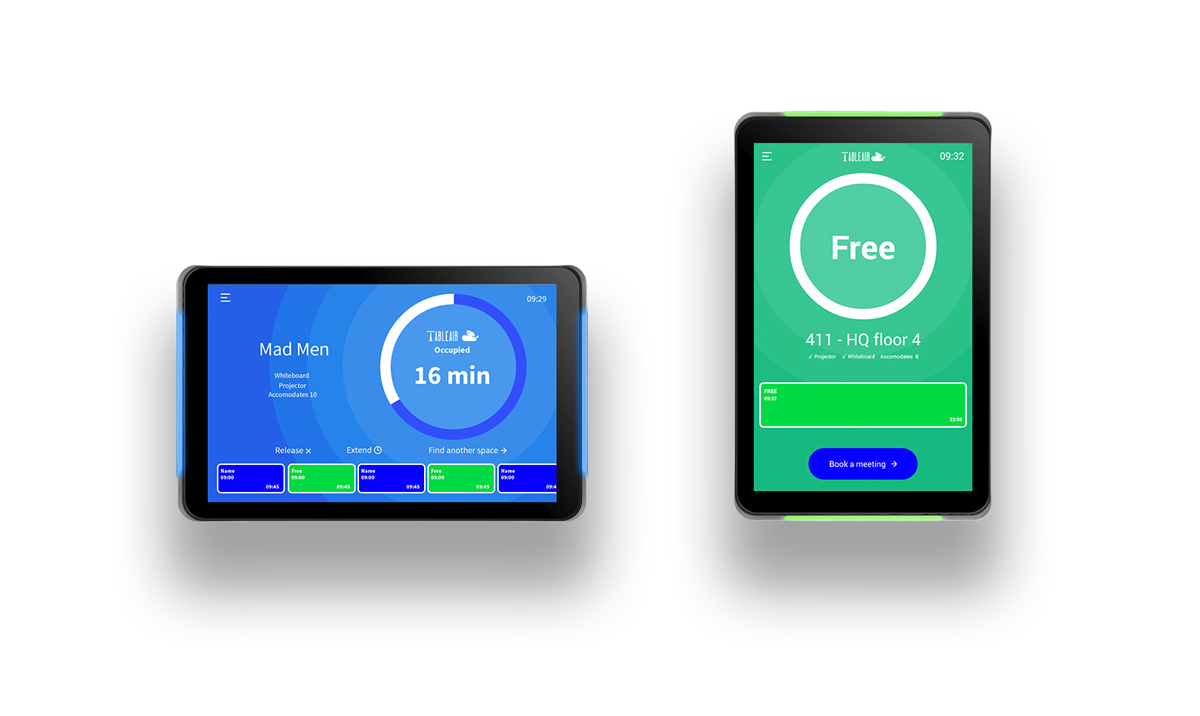
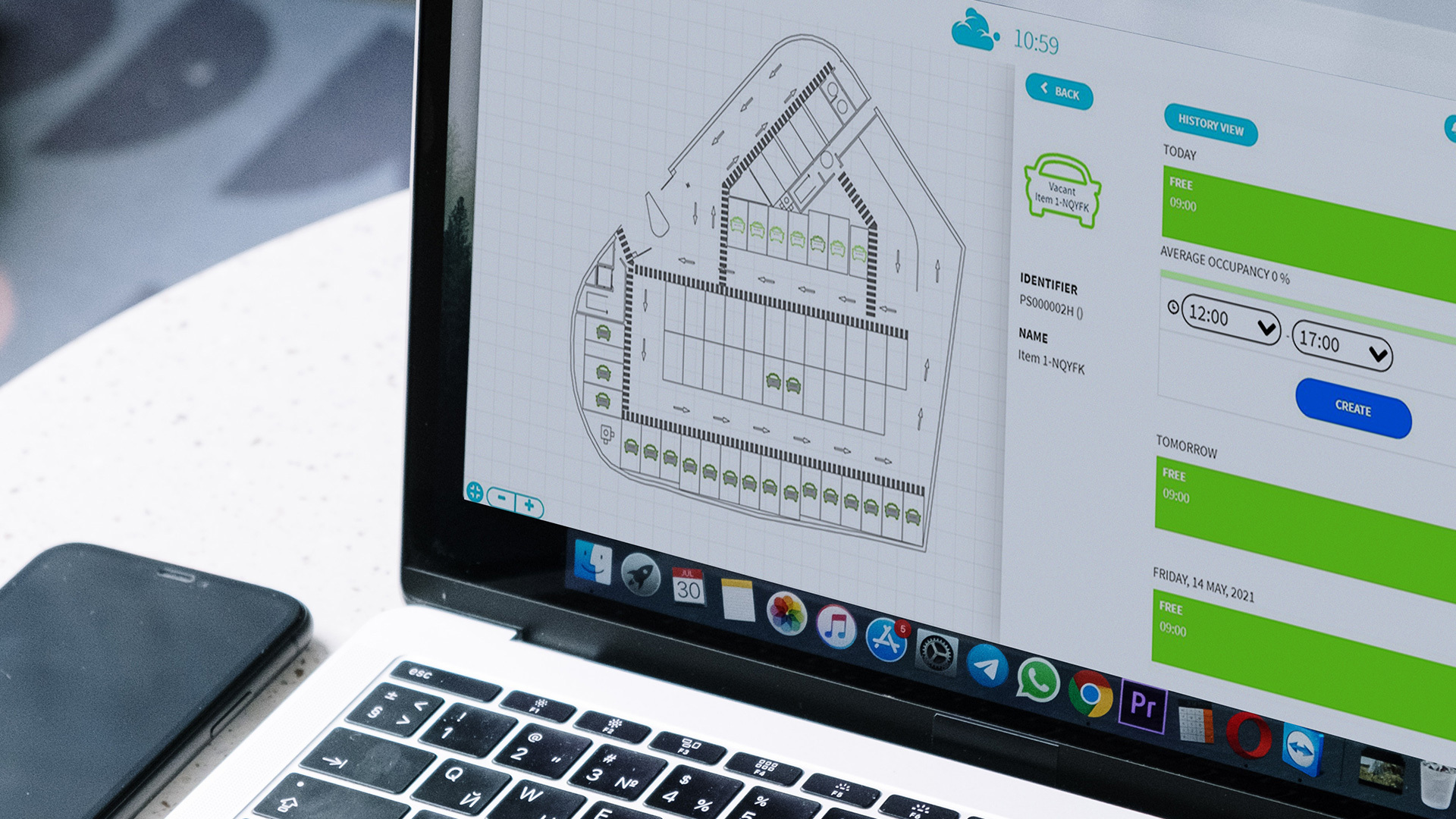
Screenshot of the mobile app of the workspace booking solution, used to manage space allocation and increase utilization. The solution helps locate available desks on different office floors or buildings and book them for the required time. The interactive floor map leads the way to the desk or even helps to find a teammate.Screenshot of the meeting rooms' booking system used to manage meeting room bookings through a web application or mobile app - change time, invite participants, and find the room through a floor map. Its analytics provide insights by analyzing meeting rooms' day-to-day usage.Screenshot of meeting room digital signage that indicates the room occupancy status from afar. The display works in either in portrait or landscape mode, and displays meeting room information, booking details, and lets users either release the room or book it on the spot.Screenshot of the parking booking system used to manage car parking lots, that helps to utilize the entire space. Parking spots can be reserved in advance or shared through the mobile app, grouped in different zones, or assigned exclusively to certain people.