Postman vs. SwaggerHub

Overview
ProductRatingMost Used ByProduct SummaryStarting Price
Postman
Score 8.8 out of 10
N/A
Postman, headquartered in San Francisco, offers their flagship API development and management free to small teams and independent developers. Higher tiers (Postman Pro and Postman Enterprise) support API management, as well as team collaboration, extended support and other advanced features.
$0
SwaggerHub
Score 8.0 out of 10
N/A
SwaggerHub is a platform for API design and documentation with OpenAPI. Whether it’s push generating an API’s design and code to source control hosts, deploying the API to API Management platforms, or triggering a Jenkins build, SwaggerHub boasts a host of integrations. Faster, Standardized API Design Design APIs in an editor that is built for efficiency without any loss in design…
$75
per month per user
Pricing
PostmanSwaggerHub
Editions & Modules
Postman Free Plan
$0.00 US Dollars
Postman Basic Plan
$12 US Dollars
per month per user
Postman Professional Plan
$29 US Dollars
per month per user
Postman Enterprise Plan
$99 US Dollars
per month per user
Team 3 - Annual
$75
per month per user
Team 3 - Monthly
$90
per month per user
Team 5 - Annual
$125
per month per user
Team 5 - Monthly
$150
per month per user
Team 10 - Annual
$250
per month per user
Team 10 - Monthly
$300
per month per user
Offerings
Pricing Offerings
PostmanSwaggerHub
Free Trial
NoYes
Free/Freemium Version
YesYes
Premium Consulting/Integration Services
NoNo
Entry-level Setup FeeNo setup feeNo setup fee
Additional Details1. Postman Free plan: Start designing, developing, and testing APIs at no cost for teams of up to three people. 2. Postman Basic plan: Collaborate with your team to design, develop, and test APIs faster; $12/month per user, billed annually 3. Postman Professional plan: Centrally manage the entire API workflow; $29/month per user, billed annually 4. Postman Enterprise plan: Securely manage, organize, and accelerate API-first development at scale; $99/month per user, billed annually
More Pricing Information
Community Pulse
PostmanSwaggerHub
TrustRadius Insights
PostmanSwaggerHub
Highlights

TrustRadius
Research Team Insight
Published

Postman and Swaggerhub are both API management tools designed to enable business applications to communicate with each other as efficiently as possible. Swaggerhub is a .yaml based open source technology, which makes it a popular choice for businesses with skilled development teams.  In contrast, Postman is a web-based tool that can be accessed for free by small businesses.  These accessibility features make Postman popular among small and independent businesses.

Features

Postman and Swaggerhub can both be used to develop and manage APIs, but they also have a few standout features that are important to consider.

Postman is a web-based tool, so users will be able to access and work with API’s anywhere they can get an internet connection. For new users, Postman also provides thorough documentation and web tutorials that make it easy to learn to use the tool. Additionally, Postman provides sharing features that make it simple to share HTTP calls with other members of an organization.

Swaggerhub is an open source tool, meaning that it is free for businesses of all sizes, provided they have the skill to use it.  Additionally, Swaggerhub automates the creation of documentation for HTTP calls, so it can potentially save businesses a lot of time since they won’t have to create documentation on their own.  Because it is open source, Swaggerhub is also highly customizable.

Limitations

Though Postman and Swaggerhub are both competent tools for testing HTTP calls, they also have some limitations that are important to consider.

Postman is free for individuals and smaller businesses, but larger businesses with the technical resources to use Swaggerhub may prefer its free price point.  When testing APIs with Postman, users will also have to create documentation manually, while Postman documents results automatically.

Swaggerhub has a small learning curve for new users, compounded by a lack of official documentation and tutorials.  Many businesses will need to take some time to train staff on Swaggerhub before using it to its full effect.  Postman, by contrast, has a wide variety of learning resources available for free that users can take advantage of.

Pricing

Swagger is an open source product that businesses can access for free, but Swaggerhub includes additional features and support for teams.  Swaggerhub is free for individual users, and starts at 15$ per user per month for the Swaggerhub Teams package.

Postman is available for free for independent and small development teams.  For larger teams, Postman pricing starts at $24 per user per month. 

Features
PostmanSwaggerHub
API Management
Comparison of API Management features of Product A and Product B
Postman
7.6
Ratings
9% below category average
SwaggerHub
8.0
Ratings
4% below category average
API access control8.00 Ratings8.70 Ratings
Rate limits and usage policies7.10 Ratings6.70 Ratings
API usage data8.10 Ratings7.30 Ratings
API user onboarding8.30 Ratings8.70 Ratings
API versioning6.50 Ratings9.90 Ratings
Usage billing and payments8.00 Ratings7.00 Ratings
API monitoring and logging7.00 Ratings7.60 Ratings
User Ratings
PostmanSwaggerHub
Likelihood to Recommend
9.0
(0 ratings)
8.0
(0 ratings)
Likelihood to Renew
-
(0 ratings)
6.0
(0 ratings)
Usability
8.5
(0 ratings)
-
(0 ratings)
Support Rating
7.1
(0 ratings)
-
(0 ratings)
Ease of integration
9.0
(0 ratings)
-
(0 ratings)
User Testimonials
PostmanSwaggerHub
Likelihood to Recommend
Postman is good for organising your API credentials, vendor settings, environments etc. It's also a good way of getting stared with APIs as you get to use a GUI which can help you understand what we mean by a 'body' or 'bearer token'. I think people generally gravitate towards GUI tools for getting started in a new technology area.
Read full review
We use SwaggerHub to design API endpoint and documentation for our microservices architecture system. It's working really great for us to be able to collaborate more easily on developing API in our team. It also can test our API endpoint which makes an integration test easier when we deploy changes to the API, especially for non-developers/QA.
Read full review
Pros
  • It has opened a door for me to explore more out of it, as it is associated with so many APIs that I never felt any difficulty in finding the right API template, which are well organized and easily available.
  • It is very secure to use and provides great services which are user-friendly.
  • Due to this software I have got rid of the excessive emails and the slack channels, Now I am using my own private API and even it give me an option to produce my personal Postman’s API Builder from its Private API Network and this features has shared my excessive workload.
Read full review
  • Treating the design as documentation ensures that we have consistent and well defined APIs
  • API consumers can export the swagger definition or code stubs to use within their development environment
  • We can iterate through multiple versions of a definition privately before making a version publicly available
Read full review
Cons
  • Wherever you need to automate tests that involve database verification or rely on data from databases, Postman is less suitable.
  • Postman's disc usage is extremely high, and it occasionally causes the computer to fade.
  • It doesn't have the ability to generate random data. To achieve randomness in my tests, I've been working around scripts.
Read full review
  • Swagger Editor can be bit more user friendly by providing the means to persist different projects as part of user profiles
  • Swagger UI's testing capability or means to test APIs can be improved
  • Swagger UI clients can be added as part of Spring ecosystem
Read full review
Usability
1. Friendly user friendly - when I started using Postman, I was a beginner to the API world, and it gave me a friendly view to begin its usage 2. Postman offers many features, including API testing, monitoring, documentation, and mock servers 3. Environment variables simplify testing across multiple environments (dev, prod) without repetitive configuration.
Read full review
No answers on this topic
Support Rating
There is a lot of in-depth documentation for Postman available online, including detailed guides with screenshots and videos. They provide example APIs for new users to explore while learning how to use the tool. Generally, bugs in the client are quickly addressed through frequent free updates. Community and professional support options are available - most of the time, the free/community level support is adequate
Read full review
No answers on this topic
Alternatives Considered
Previous to using Postman, I would either use browser tools directly, or write an in-house tool to send requests. Postman eliminates that need while providing a much better experience and more features. At the base level, Postman is as simple as typing in the address as you would in a browser. Authentication can be provided simply as well.
Read full review
We have had SwaggerHub for as long as I have been with the company, so I am not sure why SwaggerHub was selected compared to other similar tools
Read full review
Return on Investment
  • Postman is free (although there's a paid tier that offers more features) so using it for testing APIs comes with little to no risk (besides learning curve).
  • The learning curve is a little steep for non-developer users, but developers should find it easy to pick up and use right out of the box, so to speak.
Read full review
  • Faster API development lifecycle.
  • Reduced discussion time when building a new vital API endpoint.
  • Complete documentation which makes the new team member onboarding process easier.
Read full review
ScreenShots

Postman Screenshots

Screenshot of API design - You can design your API specifications in Postman using OpenAPI, RAML, GraphQL, or SOAP formats. Postman’s schema editor makes it easy to work with specification files of any size, & it validates specifications with a built-in linting engine.Screenshot of API documentation - Postman automatically generates documentation & supports markdown-enabled and machine-readable documentation. Docs automatically include request details & sample code. Share the docs with your team, in a public workspace, or in a dedicated portal.Screenshot of API testing - Build and run functional, integration, & regression tests directly in Postman or as part of your CI/CD pipeline with Newman (Postman’s a command-line Collection Runner that enables you to run & test a collection from the command line).Screenshot of Public workspaces - Public workspaces allow you to share your APIs publicly with anyone. You can use public workspaces to gather feedback on your APIs, onboard developers quickly, or just showcase your work.Screenshot of Reporting - Postman generates reports that enable you to visualize data for team metrics and usage, & for API activities such as creation, collection execution, and test runs. Use reports to get insights on performance, troubleshooting, & SLA adherence.

SwaggerHub Screenshots

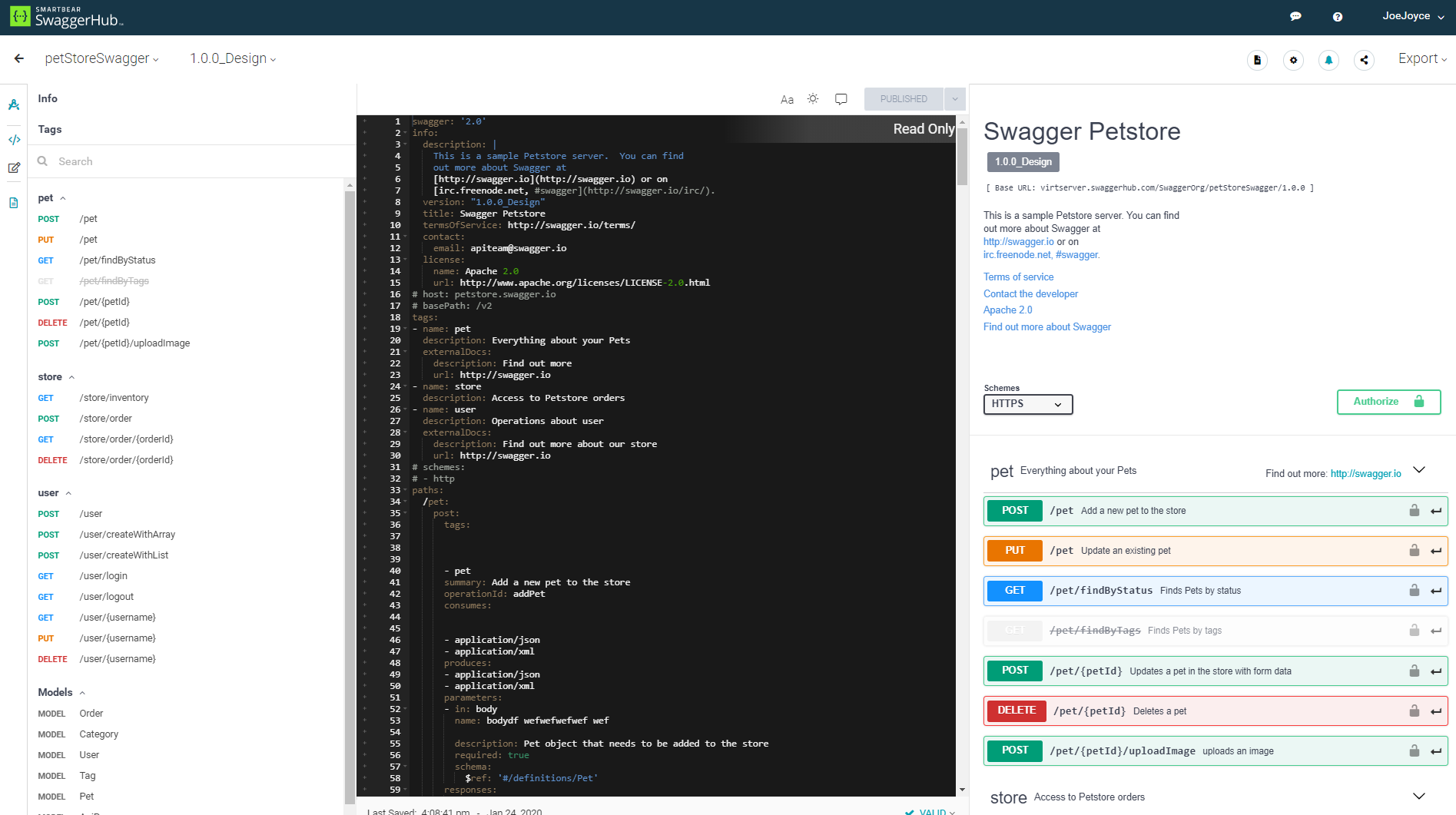
Screenshot of Faster, Standardized API Design