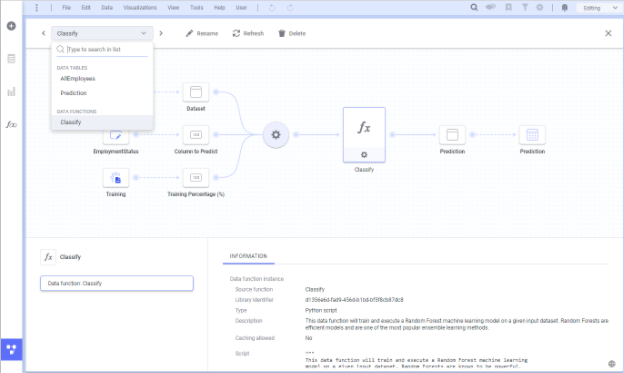
Spotfire, formerly known as TIBCO Spotfire, is a visual data science platform that combines visual analytics, data science, and data wrangling, so users can analyze data at-rest and at-scale to solve complex industry-specific problems.
N/A
TIBCO Data Virtualization
Score 8.6 out of 10
N/A
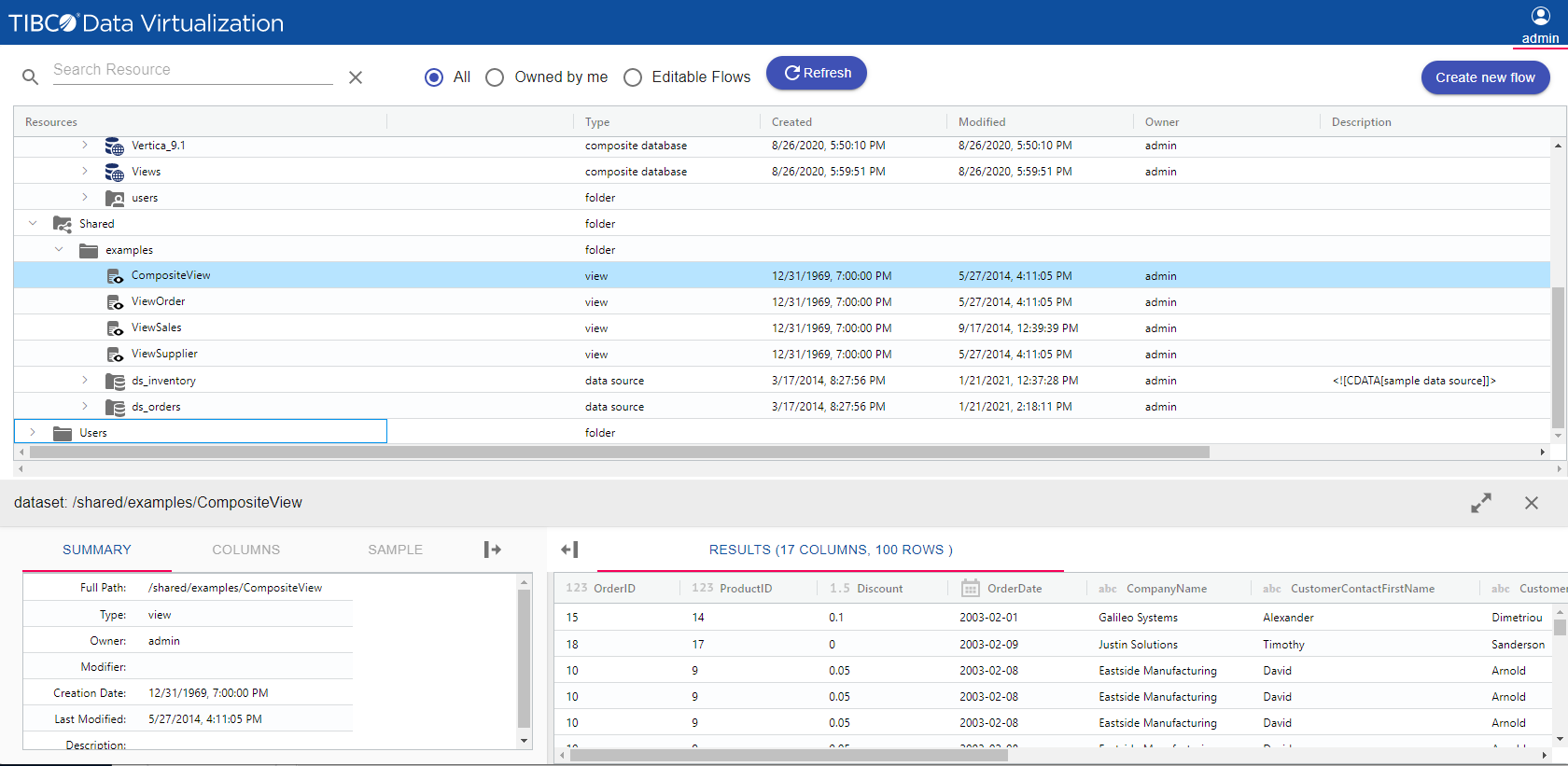
TIBCO Data Virtualization is an enterprise data virtualization solution that orchestrates access to multiple and varied data sources and delivers the datasets and IT-curated data services foundation for nearly any solution.
N/A
Pricing
Spotfire
TIBCO Data Virtualization
Editions & Modules
No answers on this topic
No answers on this topic
Offerings
Pricing Offerings
Spotfire
TIBCO Data Virtualization
Free Trial
Yes
No
Free/Freemium Version
No
No
Premium Consulting/Integration Services
No
No
Entry-level Setup Fee
No setup fee
No setup fee
Additional Details
For Enterprise engagements, contact Spotfire directly for a custom price quote.
—
More Pricing Information
Community Pulse
Spotfire
TIBCO Data Virtualization
Features
Spotfire
TIBCO Data Virtualization
Platform Connectivity
Comparison of Platform Connectivity features of Product A and Product B
Spotfire
7.2
Ratings
15% below category average
TIBCO Data Virtualization
-
Ratings
Connect to Multiple Data Sources
7.80 Ratings
00 Ratings
Extend Existing Data Sources
7.40 Ratings
00 Ratings
Automatic Data Format Detection
7.80 Ratings
00 Ratings
MDM Integration
6.00 Ratings
00 Ratings
Data Exploration
Comparison of Data Exploration features of Product A and Product B
Spotfire
9.1
Ratings
8% above category average
TIBCO Data Virtualization
-
Ratings
Visualization
9.00 Ratings
00 Ratings
Interactive Data Analysis
9.20 Ratings
00 Ratings
Data Preparation
Comparison of Data Preparation features of Product A and Product B
Spotfire
7.4
Ratings
10% below category average
TIBCO Data Virtualization
-
Ratings
Interactive Data Cleaning and Enrichment
7.20 Ratings
00 Ratings
Data Transformations
8.00 Ratings
00 Ratings
Data Encryption
7.00 Ratings
00 Ratings
Built-in Processors
7.50 Ratings
00 Ratings
Platform Data Modeling
Comparison of Platform Data Modeling features of Product A and Product B
Spotfire
7.6
Ratings
10% below category average
TIBCO Data Virtualization
-
Ratings
Multiple Model Development Languages and Tools
7.50 Ratings
00 Ratings
Automated Machine Learning
8.50 Ratings
00 Ratings
Single platform for multiple model development
7.60 Ratings
00 Ratings
Self-Service Model Delivery
6.70 Ratings
00 Ratings
Model Deployment
Comparison of Model Deployment features of Product A and Product B
Spotfire was used to look at a large data set of an in process manufacturing step. The data visualization was set up to look at yield as a function of several inputs (chemical / equipment / operator). After only a short analysis it was immediately obvious that there was a 5% yield discrepancy based on the operator using the equipment. The operators were retrained and the yield gap was eliminated.
TIBCO Data Virtualization is well suited for customers who are challenged to deal with extracting data from dozens of different sources and systems, and do not have the time and liberty to hire data engineers and/or ETL developers to write dozens or hundreds of complex ETLs. However, there are situations where TIBCO Data Virtualization severely underperforms, and those are where we are dealing with large volumes of data, in tera bytes or peta byte scale system. For example, a messaging queue which sends 200 million messages every hour will choke TIBCO Data Virtualization if the technology is chosen to route the data.
They should have a lower price point for users to access the analyst version who don't require advanced capabilities. For example, a lower price if users just need to do some basic slicing and dicing with their data and not have to the data science functionality (ie. K-means clustering, regression modeling, classification modeling, etc.).
Currently, you can't change the font type/color on the axis, which I'm sure will eventually be available in the future as they have a Spotfire Ideas portal that they're fairly responsive to and act on. I guess at the end of the day, it's about the data and what insights you get from it.
It's a very powerful tool that allows for a myriad of customizations within the analysis files themselves, particularly with the custom expression functionality. There have been some great strides with the quality of the visualization options (which were not great to begin with) and I hope to see more improvements made as the product gets updated.
Basic tasks like generating meaningful information from large sets of raw data are very easy. The next step of linking to multiple live data sources and linking those tables and performing on the fly analysis of the imported data is understandably more difficult.
TDV's interface is a bit dated and not entirely intuitive. Would recommend some UX design review as the interface leaves a bit to be better understood to be used by users without inherent knowledge of Tibco. Overall I'd suggest more improvement here to ensure usability by a lesser tech audience.
Even though, it's a rather stable and predictable tool that's also fast, it does have some bugs and inconsistencies that shut down the system. Depending on the details, it could happen as often as 2-3 times a week, especially during the development period.
Generally, the Spotfire client runs with very good performance. There are factors that could affect performance, but normally has to do with loading large analysis files from the library if the database is located some distance away and your global network is not optimal. Once you have your data table(s) loaded in the client application, usually the application is quite good performance-wise.
This product's performance is very consistent. It is extremely rare for templates to fail. I've been using this software for 5 years and find it to be both simple and powerful. The impact within the company has been very positive as different processes in different areas, such as data analysis, development, and integrations, have been improved, and, best of all, it has not affected the users. Various systems with which it is connected in order to obtain information.
Support has been helpful with issues. Support seems to know their product and its capabilities. It would also seem that they have a good sense of the context of the problem; where we are going with this issue and what we want the end outcome to be.
On a few occasions I have asked TIBCO technical support for help because I have adapted perfectly to their tools, but in those few that I have communicated with their technical team I have received personalized, attentive, responsible attention and I am always assisted by an expert staff the topic. A TIBCO technical support technician spent more than an hour helping me to solve a problem in the initial stage of implementation in my department and this is something that I always appreciate.
The instructor was very in depth and provided relevant training to business users on how to create visualizations. They showed us how to alter settings and filter views, and provided resources for future questions. However, the instructor failed to cover data sources, connecting to data, etc. While it was helpful to see how users can use the data to create reports, they failed to properly instruct us on how to get the dataset in to begin with. We are still trying to figure out connections to certain databases (we have multiple different types).
The online training is good, provides a good base of knowledge. The video demonstrations were well-done and easy to follow along. Provided exercises are good as well, but I think there could be more challenging exercises. The training has also gone up in price significantly in the last 3 years (in USD, which hurts us even more in Canada), and I'm not sure it is worth the money it now costs (it is worth how much it cost 3 years ago, but not double that.)
The training was helpful. I was able to understand how to use TIBCO for the data load process that we implemented and how to perform various troubleshooting steps based on the training I received. The technician was thorough and took the time to answer any questions. Once we were shown how to use TIBCO in the test environment, we were able to configure the production environment ourselves.
The original architecture I created for our implementation had only a particular set of internal business units in mind. Over the years, Spotfire gained in popularity in our company and was being utilized across many more business units. Soon, its usage went beyond what the original architectural implementation could provide. We've since learned about how the product is used by the different teams and are currently in the middle of rolling out a new architecture. I suggest:
Have clearly defined service level agreements with all the teams that will use Spotfire. Your business intelligence group might only need availability during normal working hours, but your production support group might need 24/7 availability. If these groups share one Spotfire server, maintenance of that server might be a problem.
Know the different types of data you will be working with. One group might be working with "public" data while another group might work with sensitive data. Design your Library accordingly and with the proper permissions.
Know the roles of the users of Spotfire. Will there only be a small set of report writers or does everyone have write access to the Library?
ALWAYS add a timestamp prompt to your reports. You don't want multiple users opening a report that will try and pull down millions of rows of data to their local workstations. Another option, of course, is to just hard code a time range in the backing database view (i.e. where activity_date >= sysdate - 90, etc.), but I'd rather educate/train the user base if possible.
This probably goes without saying, but if possible, point to a separate reporting database or a logical standby database. You don't want the company pounding on your primaries and take down your order system.
Other vendors have clearer, more visual implementation documentation. We also did not have our data architect and and server administrator available full-time for implementation. In the future, we will secure the necessary internal resources.
Spotfire is appropriate for every organization of any size because it can be a recipient of data for better decision-making. Being a robust development platform for creating reports and dashboards, creating a new Spotfire dashboard is relatively simple. Developers can create highly customized dashboards using the tools it provides. I will recommend this software to others
We did not need to evaluate another technology in the same category for data virtualization, since we are 100% sure of the capabilities and benefits that we would have with TIBCO Data Virtualization, both for market positioning as well as success stories from other companies. great renown worldwide. From the first day of use, it meets our needs to provide the expected solutions.
In an enterprise architecture, if Spotfire Advanced Data services(Composite Studio),data marts can be managed optimally and scalability in a data perspective is great. As the web player/consumer is directly proportional to RAM, if the enterprise can handle RAM requirement accomodating fail over mechanisms appropraitely, it is definitely scalable,
Spotfire really helped a lot of people in terms of analysis. It eliminates data analysis in excel. Because even underlying data you can explore it in Spotfire.
Spotfire helps data analysts to investigate data and also help analysts solve inconsistency of data.
Spotfire helps data analysts in building great dashboard that provide insights to users to make decisions to drive revenue and manage the churn.