
Spoom vs. Tableau Server
Spoom vs. Tableau Server
| Product | Rating | Most Used By | Product Summary | Starting Price |
|---|---|---|---|---|
 Spoom | Mid-Size Companies (51-1,000 employees) | Spoom (formerly Analyza) is a business intelligence solution that is provided by Spoom Software (formerly PIT Business). The vendor provides support services in Luxembourg, Belgium, France, and other parts of Europe. Spoom allows users to: Build several indicators and dashboards Build ad-hoc analysis without IT knowledge Navigate through data via drill-down and filtering Schedule reports and send results by mail or to external… | N/A | |
 Tableau Server | N/A | Tableau Server allows Tableau Desktop users to publish dashboards to a central server to be shared across their organizations. The product is designed to facilitate collaboration across the organization. It can be deployed on a server in the data center, or it can be deployed on a public cloud. | $12 Per User Per Month |
| Spoom | Tableau Server | |||||||||||||||
|---|---|---|---|---|---|---|---|---|---|---|---|---|---|---|---|---|
| Editions & Modules |
|
| ||||||||||||||
| Offerings |
| |||||||||||||||
| Entry-level Setup Fee | $15,000 per installation (including licences and maintenance for 3 years) | No setup fee | ||||||||||||||
| Additional Details | The On-Premise or SaaS solutions are the same price; we provide a dedicated machine or virtual machine for both. For 10 users, the budget is from $15,000 to $90,000 for a full Business Intelligence solution (including licenses and maintenance for 3 years). The installation and configuration cost depends on customer's data architecture, volume and number of sources. It also depends on customizations required (i.e.: exporting pixel to pixel PDF files to a SharePoint platform). | — | ||||||||||||||
| More Pricing Information | ||||||||||||||||
| Spoom | Tableau Server |
|---|
| Spoom | Tableau Server | |||||||||||||||||||||
|---|---|---|---|---|---|---|---|---|---|---|---|---|---|---|---|---|---|---|---|---|---|---|
| BI Standard Reporting |
| |||||||||||||||||||||
| Ad-hoc Reporting |
| |||||||||||||||||||||
| Report Output and Scheduling |
| |||||||||||||||||||||
| Data Discovery and Visualization |
| |||||||||||||||||||||
| Access Control and Security |
| |||||||||||||||||||||
| Mobile Capabilities |
| |||||||||||||||||||||
| Application Program Interfaces (APIs) / Embedding |
|
| Spoom | Tableau Server | |
|---|---|---|
| Small Businesses | No answers on this topic |  BrightGauge Score 9.1 out of 10 |
| Medium-sized Companies |  Centage Score 9.4 out of 10 |  Reveal Score 10.0 out of 10 |
| Enterprises |  OneStream Score 8.8 out of 10 |  Kyvos Semantic Intelligence Layer Score 9.9 out of 10 |
| All Alternatives | View all alternatives | View all alternatives |
| Spoom | Tableau Server | |
|---|---|---|
| Likelihood to Recommend | 8.2 (1 ratings) | 8.1 (110 ratings) |
| Likelihood to Renew | - (0 ratings) | 10.0 (20 ratings) |
| Usability | - (0 ratings) | 5.2 (16 ratings) |
| Availability | - (0 ratings) | 9.0 (9 ratings) |
| Performance | - (0 ratings) | 8.1 (8 ratings) |
| Support Rating | - (0 ratings) | 3.0 (18 ratings) |
| In-Person Training | - (0 ratings) | 8.0 (4 ratings) |
| Online Training | - (0 ratings) | 9.0 (9 ratings) |
| Implementation Rating | - (0 ratings) | 9.1 (13 ratings) |
| Configurability | - (0 ratings) | 8.0 (1 ratings) |
| Spoom | Tableau Server | |
|---|---|---|
| Likelihood to Recommend |  Spoom Software
| Tableau
|
| Pros | Spoom Software
| Tableau
|
| Cons | Spoom Software
| Tableau
 Jacob Rasmussen Data Engineer |
| Likelihood to Renew | Spoom Software No answers on this topic | Tableau
 Mathieu Gaouette Consultant BI senior/Administrateur - spécialité SAS |
| Usability | Spoom Software No answers on this topic | Tableau
|
| Reliability and Availability | Spoom Software No answers on this topic | Tableau
|
| Performance | Spoom Software No answers on this topic | Tableau
 Jonathan Drummey Quality Management Data Analyst |
| Support Rating | Spoom Software No answers on this topic | Tableau
 Henry Yennie Program Manager |
| In-Person Training | Spoom Software No answers on this topic | Tableau
 Mashhood Syed BI Analyst |
| Online Training | Spoom Software No answers on this topic | Tableau
|
| Implementation Rating | Spoom Software No answers on this topic | Tableau
|
| Alternatives Considered | Spoom Software
| Tableau
|
| Return on Investment | Spoom Software No answers on this topic | Tableau
|
| ScreenShots | Spoom Screenshots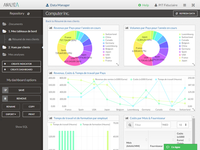 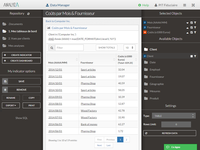  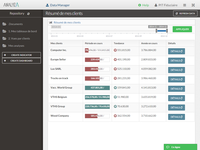   | Tableau Server Screenshots     |
