
IBM Cognos Analytics vs. Spoom
| Product | Rating | Most Used By | Product Summary | Starting Price |
|---|---|---|---|---|
 IBM Cognos Analytics | Score6.9 out of 10 | N/A | IBM Cognos is a full-featured business intelligence suite by IBM, designed for larger deployments. It comprises Query Studio, Reporting Studio, Analysis Studio and Event Studio, and Cognos Administration along with tools for Microsoft Office integration, full-text search, and dashboards. | $10 per month per user |
 Spoom | Score6 out of 10 | Mid-Size Companies (51-1,000 employees) | Spoom (formerly Analyza) is a business intelligence solution that is provided by Spoom Software (formerly PIT Business). The vendor provides support services in Luxembourg, Belgium, France, and other parts of Europe. Spoom allows users to: Build several indicators and dashboards Build ad-hoc analysis without IT knowledge Navigate through data via drill-down and filtering Schedule reports and send results by mail or to external… | N/A |
| IBM Cognos Analytics | Spoom | |||||||||||||||
|---|---|---|---|---|---|---|---|---|---|---|---|---|---|---|---|---|
| Editions & Modules |
|
| ||||||||||||||
| Offerings |
| |||||||||||||||
| Entry-level Setup Fee | Optional | $15,000 per installation (including licences and maintenance for 3 years) | ||||||||||||||
| Additional Details | — | The On-Premise or SaaS solutions are the same price; we provide a dedicated machine or virtual machine for both. For 10 users, the budget is from $15,000 to $90,000 for a full Business Intelligence solution (including licenses and maintenance for 3 years). The installation and configuration cost depends on customer's data architecture, volume and number of sources. It also depends on customizations required (i.e.: exporting pixel to pixel PDF files to a SharePoint platform). | ||||||||||||||
| More Pricing Information | ||||||||||||||||
| IBM Cognos Analytics | Spoom | |
|---|---|---|
| Considered Both Products | No answer on this topic | No answer on this topic |
| Key User Insights | ||
| Would buy again | ||
97% Would buy again 65 Answers | No answers on this topic | |
| Delivers good value for the price | ||
93% Delivers good value for the price 56 Answers | No answers on this topic | |
| Happy with the feature set | ||
97% Happy with the feature set 65 Answers | No answers on this topic | |
| Lived up to sales and marketing promises | ||
98% Lived up to sales and marketing promises 42 Answers | No answers on this topic | |
| Implementation went as expected | ||
94% Implementation went as expected 44 Answers | No answers on this topic | |
| IBM Cognos Analytics | Spoom | ||||||||||||||||||||||
|---|---|---|---|---|---|---|---|---|---|---|---|---|---|---|---|---|---|---|---|---|---|---|---|
| BI Standard Reporting |
| ||||||||||||||||||||||
| Ad-hoc Reporting |
| ||||||||||||||||||||||
| Report Output and Scheduling |
| ||||||||||||||||||||||
| Data Discovery and Visualization |
| ||||||||||||||||||||||
| Access Control and Security |
| ||||||||||||||||||||||
| Mobile Capabilities |
| ||||||||||||||||||||||
| Application Program Interfaces (APIs) / Embedding |
| ||||||||||||||||||||||
| IBM Cognos Analytics | Spoom | |
|---|---|---|
| Likelihood to Recommend | 7.2 | 8.2 |
| Likelihood to Renew | 9.4 | - |
| Usability | 8.1 | - |
| Availability | 8.6 | - |
| Performance | 9.0 | - |
| Support Rating | 10.0 | - |
| In-Person Training | 8.7 | - |
| Online Training | 8.0 | - |
| Implementation Rating | 7.0 | - |
| Configurability | 7.0 | - |
| Data Sharing and Collaboration | 8.6 | 8.2 |
| Data Sources | 8.3 | 9.1 |
| Ease of integration | 6.0 | - |
| Product Scalability | 8.2 | - |
| Vendor post-sale | 7.0 | - |
| Vendor pre-sale | 7.0 | - |
| IBM Cognos Analytics | Spoom | |
|---|---|---|
| Likelihood to Recommend |
|
|
| Pros |
|
|
| Cons |
|
|
| Likelihood to Renew |
| No answers on this topic |
| Usability |
| No answers on this topic |
| Reliability and Availability |
| No answers on this topic |
| Performance |
| No answers on this topic |
| Support Rating |
| No answers on this topic |
| In-Person Training |
| No answers on this topic |
| Online Training |
| No answers on this topic |
| Implementation Rating |
| No answers on this topic |
| Alternatives Considered | No answers on this topic |
|
| Scalability |
| No answers on this topic |
| Return on Investment | No answers on this topic | No answers on this topic |
| ScreenShots | IBM Cognos Analytics Screenshots      | Spoom Screenshots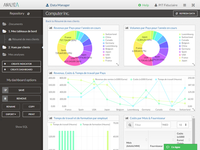 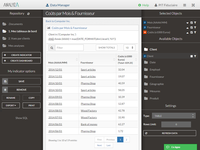  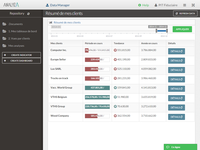   |



