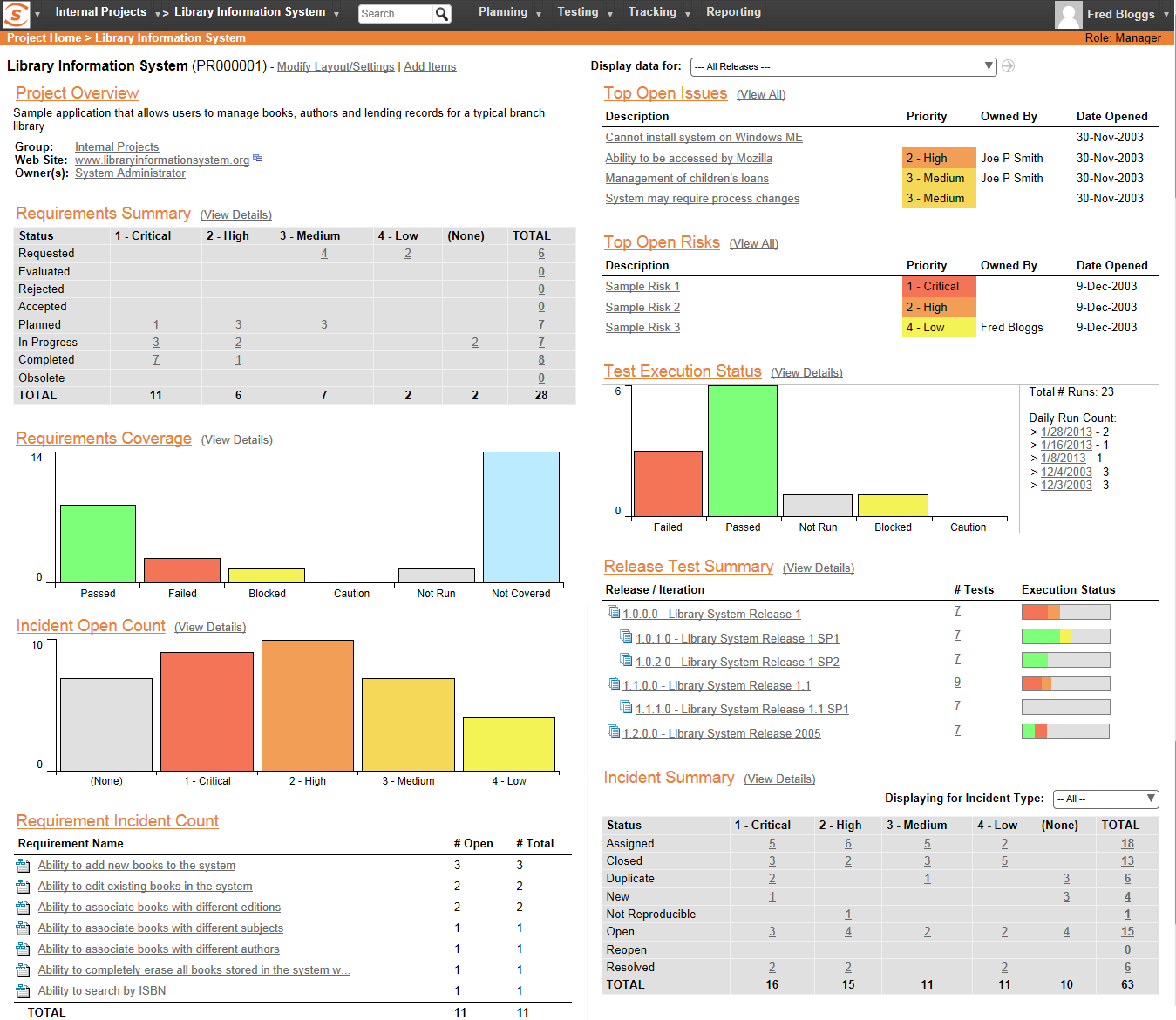
SpiraTest allows customers to manage their software testing and quality assurance activities. It provides requirements management, test management and bug-tracking functionality with integrated reporting.
$130.99
per month 3 concurrent users (minimum)
Tricentis qTest
Score9 out of 10
N/A
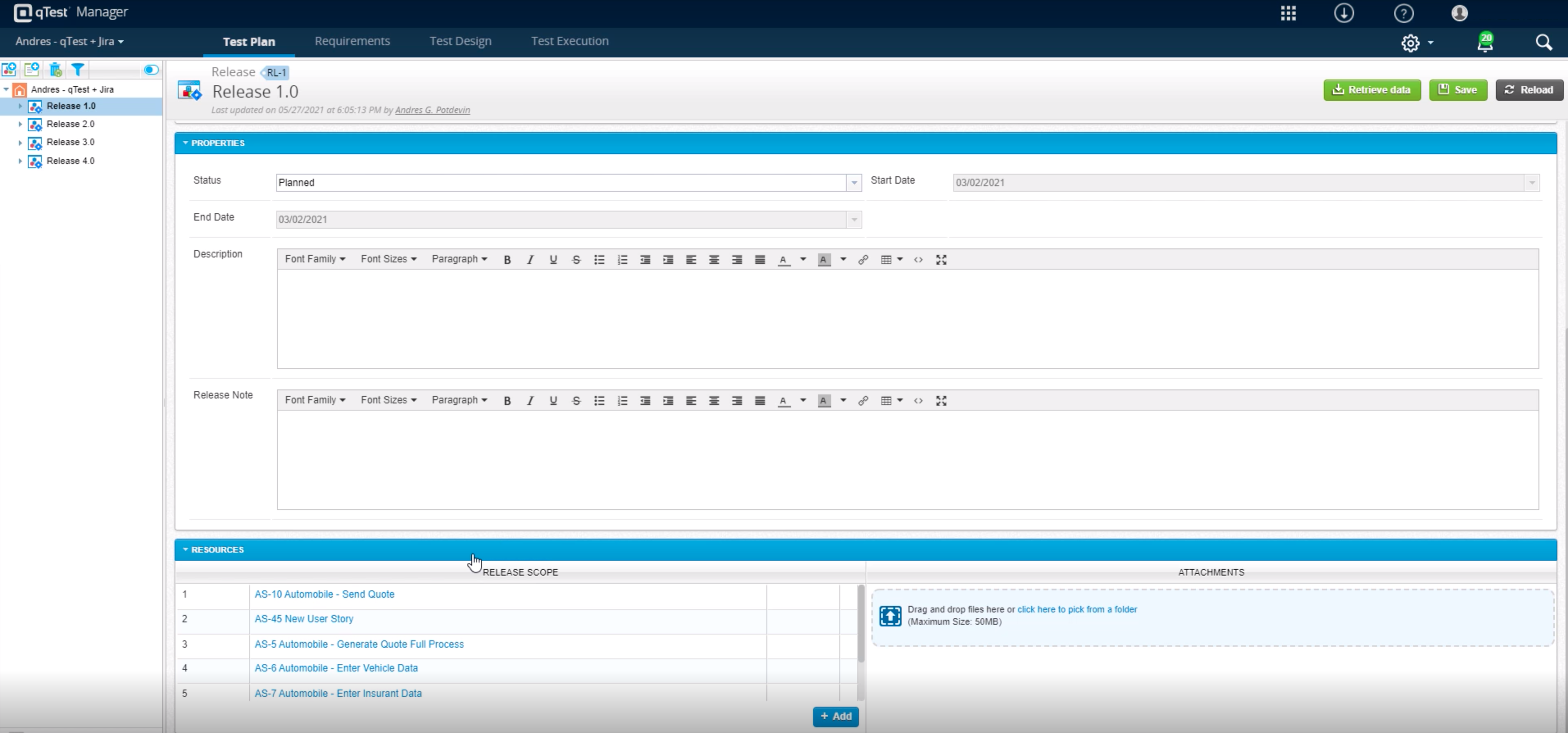
Tricentis qTest (formerly QASymphony) provides enterprise-level agile testing tools giving businesses visibility and control needed to ensure application quality in fast-paced development environments. Tricentis and QASymphony merged in summer 2018.
$1,200
per year per user
Pricing
SpiraTest
Tricentis qTest
Editions & Modules
Cloud
$43.66
per month per concurrent user
Download
$423.66
per year per concurrent user
No answers on this topic
Offerings
Pricing Offerings
SpiraTest
Tricentis qTest
Free Trial
Yes
Yes
Free/Freemium Version
No
No
Premium Consulting/Integration Services
No
Yes
Entry-level Setup Fee
No setup fee
Optional
Additional Details
Discount available for annual billing on Cloud solution. 3 concurrent user minimum. Volume concurrent user discount available.
I think SpiraTest is well suited as a test suite, but in situations where the team is already using multiple products from one particular provider, it may be better to go with that provider's test solution. This is because integrations are very important nowadays, and should be considered when picking your project management software. It should be noted that management selected SpiraTest primarily due to the low cost of the test software. I'm less familiar with other test software in the field, but if cost is an issue, you should take a look at SpiraTest.
A de minimis incentive was given to thank the reviewer for their time. The incentive was not used to bias or drive a particular response, nor was the incentive contingent on a positive endorsement. More Info
Tricentis qTest integrates seamlessly with Jira, making it ideal for teams that manage user stories and defects in Jira while keeping test cases and execution in qTest. When paired with automation tools like tosca, Selenium, or WebdriverIO, qTest is excellent for aggregating both manual and automated test results in one place.
A de minimis incentive was given to thank the reviewer for their time. The incentive was not used to bias or drive a particular response, nor was the incentive contingent on a positive endorsement. More Info
A clean view of test case steps, expected results and the ability to record a result for each step quickly on one page per test set. This really helps testers work through executing manual test cases.
Hierarchical structure of releases and builds, requirements, and test cases.
Can quickly build test sets and/or test runs per build/release.
Simple identification of each test case, requirement, test run, build, release, etc.
As a fresher, when I started using qTest it was very handy and easy to understand.
It helps us trace the test cases that are used to test the quality in a single location
The main thing is its integration with JIRA as soon as we create a ticket we would be getting all the requirements in the qTest so it became easy for me
Basic reporting can become very verbose unless you set lots of filters and parameters.
The ability to customize some of the verbiage in the application would help bridge the gap between translating what SpiraTest's testing terminology is and the company culture uses for testing terminology.
A de minimis incentive was given to thank the reviewer for their time. The incentive was not used to bias or drive a particular response, nor was the incentive contingent on a positive endorsement. More Info
In requirements , we can't add multiple test cases at once, or search multiple cases at once, need to do one by one. Here actually qtest needs to improve.
Linking cloud hosted qtest and on-premise TOSCA is very difficult especially when you are working with client system with security wall. It requires tunnelling software which is not recommended.
A de minimis incentive was given to thank the reviewer for their time. The incentive was not used to bias or drive a particular response, nor was the incentive contingent on a positive endorsement. TR verified that a representative sample of customers was invited. More Info
A de minimis incentive was given to thank the reviewer for their time. The incentive was not used to bias or drive a particular response, nor was the incentive contingent on a positive endorsement. TR verified that a representative sample of customers was invited. More Info
A de minimis incentive was given to thank the reviewer for their time. The incentive was not used to bias or drive a particular response, nor was the incentive contingent on a positive endorsement. TR verified that a representative sample of customers was invited. More Info
As promised during product selection, SpiraPlan support has always been quick and helpful. Replies almost always come back in hours (and often in an hour or two). And SpiraPlan's online tech support maintains all support conversations online so no need to look through emails to try to recall repllies.
A de minimis incentive was given to thank the reviewer for their time. The incentive was not used to bias or drive a particular response, nor was the incentive contingent on a positive endorsement. More Info
A de minimis incentive was given to thank the reviewer for their time. The incentive was not used to bias or drive a particular response, nor was the incentive contingent on a positive endorsement. TR verified that a representative sample of customers was invited. More Info
A de minimis incentive was given to thank the reviewer for their time. The incentive was not used to bias or drive a particular response, nor was the incentive contingent on a positive endorsement. TR verified that a representative sample of customers was invited. More Info
A de minimis incentive was given to thank the reviewer for their time. The incentive was not used to bias or drive a particular response, nor was the incentive contingent on a positive endorsement. More Info
All of them offer formidable solutions in the test management realm, but each one caters to different niche and need. qTest distinguishes itself with its deep integration capabilities, especially with Agile and DevOps tools, enabling streamlined CI/CD process. Its modern, user-centric interface contrasts with ALM's more dated appearance and complex setup. While TestRail provides a clean user experience and caters to a broad spectrum of business, qTest's scalability, from SMBs to large enterprises, stands out. PractiTest's cloud-based solution is geared towards mid-sized companies, but qTest's flexibility, advanced analytics, and robust reporting grant teams actionable insights. qTest' approach to a more holistic test management closely aligning with modern software development practices
A de minimis incentive was given to thank the reviewer for their time. The incentive was not used to bias or drive a particular response, nor was the incentive contingent on a positive endorsement. More Info
A de minimis incentive was given to thank the reviewer for their time. The incentive was not used to bias or drive a particular response, nor was the incentive contingent on a positive endorsement. More Info
A de minimis incentive was given to thank the reviewer for their time. The incentive was not used to bias or drive a particular response, nor was the incentive contingent on a positive endorsement. TR verified that a representative sample of customers was invited. More Info