Sogolytics vs. Tally

Overview
ProductRatingMost Used ByProduct SummaryStarting Price
Sogolytics
Score 9.0 out of 10
N/A
Sogolytics (formerly SoGoSurvey) is an online survey software solution that helps users create surveys quickly. The free package includes basic features for building surveys and the paid package includes advanced features.N/A
Tally
Score 6.2 out of 10
Small Businesses (1-50 employees)
Tally is an online form builder designed to make creating online forms simple and free. No coding required — users simply type questions like they would in a doc to get started. The form editor is designed to accommodate both beginners and experienced users, scaling from simple forms to sophisticated workflows. Key Features: Unlimited forms and submissions Conditional logic and calculations Multi-page and password-protected…
$0
Indefinitely per user
Pricing
SogolyticsTally
Editions & Modules
No answers on this topic
Tally Free
$0
Indefinitely per user
Tally Pro
$29
per month per user
Tally Business
$89
per month per user
Offerings
Pricing Offerings
SogolyticsTally
Free Trial
YesNo
Free/Freemium Version
YesYes
Premium Consulting/Integration Services
NoNo
Entry-level Setup FeeNo setup feeNo setup fee
Additional DetailsSome of Tally's advanced features are available for free without limits. Tally Pro ($29/month) adds team collaboration features, while Tally Business ($89/month) includes enterprise controls like email verification and submissions data retention control.
More Pricing Information
Community Pulse
SogolyticsTally
Features
SogolyticsTally
Survey Format & Appearance
Comparison of Survey Format & Appearance features of Product A and Product B
Sogolytics
-
Ratings
Tally
7.0
Ratings
13% below category average
Survey templates00 Ratings7.00 Ratings
Themes00 Ratings6.00 Ratings
Custom logo/branding00 Ratings8.00 Ratings
Survey Content
Comparison of Survey Content features of Product A and Product B
Sogolytics
-
Ratings
Tally
8.3
Ratings
2% below category average
Changes to live survey00 Ratings8.00 Ratings
Question design help00 Ratings9.00 Ratings
Multiple question types00 Ratings8.00 Ratings
Survey Logic
Comparison of Survey Logic features of Product A and Product B
Sogolytics
-
Ratings
Tally
9.0
Ratings
9% above category average
Survey logic flexibility00 Ratings9.00 Ratings
Survey Reporting & Analytics
Comparison of Survey Reporting & Analytics features of Product A and Product B
Sogolytics
-
Ratings
Tally
6.7
Ratings
20% below category average
Data export00 Ratings9.00 Ratings
Standard reports00 Ratings5.00 Ratings
Analytics00 Ratings6.00 Ratings
Survey Administration & Security
Comparison of Survey Administration & Security features of Product A and Product B
Sogolytics
-
Ratings
Tally
8.0
Ratings
8% below category average
Access controls00 Ratings8.00 Ratings
Compliance00 Ratings8.00 Ratings
Best Alternatives
SogolyticsTally
Small Businesses
Zendesk Suite
Zendesk Suite
Score 8.8 out of 10
Square 9 Softworks
Square 9 Softworks
Score 9.5 out of 10
Medium-sized Companies
CustomerSuccessBox
CustomerSuccessBox
Score 9.5 out of 10
Qualaroo
Qualaroo
Score 6.1 out of 10
Enterprises
Verint Voice of the Customer
Score 10.0 out of 10
Verint Voice of the Customer
Score 10.0 out of 10
All AlternativesView all alternativesView all alternatives
User Ratings
SogolyticsTally
Likelihood to Recommend
9.1
(0 ratings)
7.0
(0 ratings)
Likelihood to Renew
9.1
(0 ratings)
-
(0 ratings)
Usability
8.2
(0 ratings)
8.0
(0 ratings)
Support Rating
9.0
(0 ratings)
8.0
(0 ratings)
User Testimonials
SogolyticsTally
Likelihood to Recommend
We use Sogosurvey to obtain feedback from course candidates after they have attended a course. This is invaluable to us as the candidates can complete the feedback in their own time after the course is completed rather than them having to do it while attending the course. We also use SoGoSurvey to get feedback from our volunteer instructors who work for other organizations and at different hours so the ability for them to complete the surveys in their own time is invaluable.
Read full review
No answers on this topic
Pros
  • SoGoSurvey makes it easy to create a survey even for the novice. I recently gave a spare license to a peer and they were able to easily develop a survey. I offered my help if she had any questions but she said that she'd definitely ask but "... I already love that I can change the answer format with the drop down. It's the best. "
  • Customer support. I 'chat' with support personnel when I need to use a feature I haven't used. They are always quick to respond and answer my questions thoroughly. I can get the complete chat via email for future reference as well.
  • Keeping clients up-to-date. SoGoSurvey regularly hosts free training and best practices webinars that keeps the basics at the forefront and shares best practices.
  • The canvas (survey metrics) is easy to create and very versatile in summarizing the survey results.
Read full review
No answers on this topic
Cons
  • Providing users the ability to follow along a specific question example (eg. placeholder text in questions that users can see what the answer might look like)
  • Better media management and implementation (eg. placing images/videos/gifs/etc. as standalone assets in the survey)
  • Making the images added into a survey responsive to the screen they are being viewed on (eg. any images added to a survey do not adjust to the size of the screen, consequently showing up very small on mobile/tablet view)
  • Exporting the survey to Word looks horrible - we'd love if the survey could be exported the way it looks when live into a similar-looking Word document or template
Read full review
No answers on this topic
Likelihood to Renew
We find SoGo Survey to be easy to use and very respsonsive to our needs
Read full review
No answers on this topic
Usability
Very easy to use. My only challenge was the features offered in their Plus package didn't offer everything I would have liked (e.g. branching). The other area for improvement would be to allow an easier transition between Tracking and Reports.
Read full review
No answers on this topic
Support Rating
I had an issue whereby I used a free trial that ended, locking me out of my account. I contacted their customer service to help with this issue, which they resolved in under half an hour. I was extremely impressed with their speed and quality of service, which led me to filling out this review!
Read full review
No answers on this topic
Alternatives Considered
In summary, Sogolytics has proven to be the perfect fit for our pre and post-test assessments. Its seamless integration, efficient data collection, and powerful reporting capabilities have significantly improved our ability to track and communicate the impact of our programs. We highly recommend Sogolytics to organizations looking for a reliable and user-friendly data management solution.
Read full review
No answers on this topic
Return on Investment
  • We are more efficient. Instead of manual work, we can use this survey tool to do the heavy lifting, allowing for staff to focus on other tasks.
  • The "send later" feature ensure surveys are sent out without needing a manual reminder.
  • Offering pulse surveys has given us a great way to get a temperature check from employees.
Read full review
No answers on this topic
ScreenShots

Sogolytics Screenshots

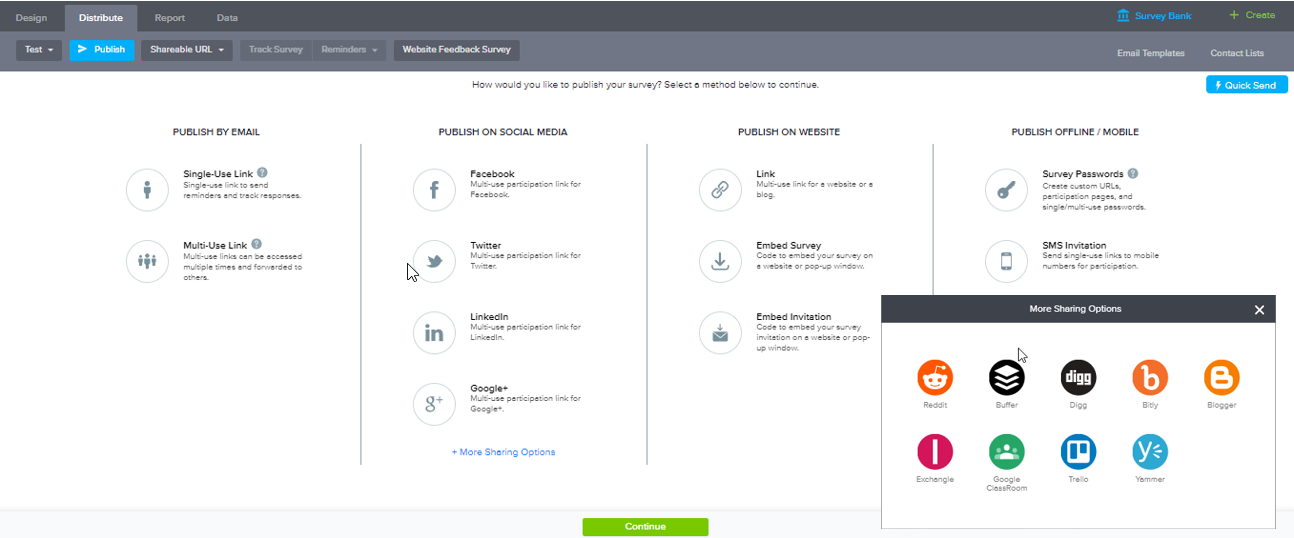
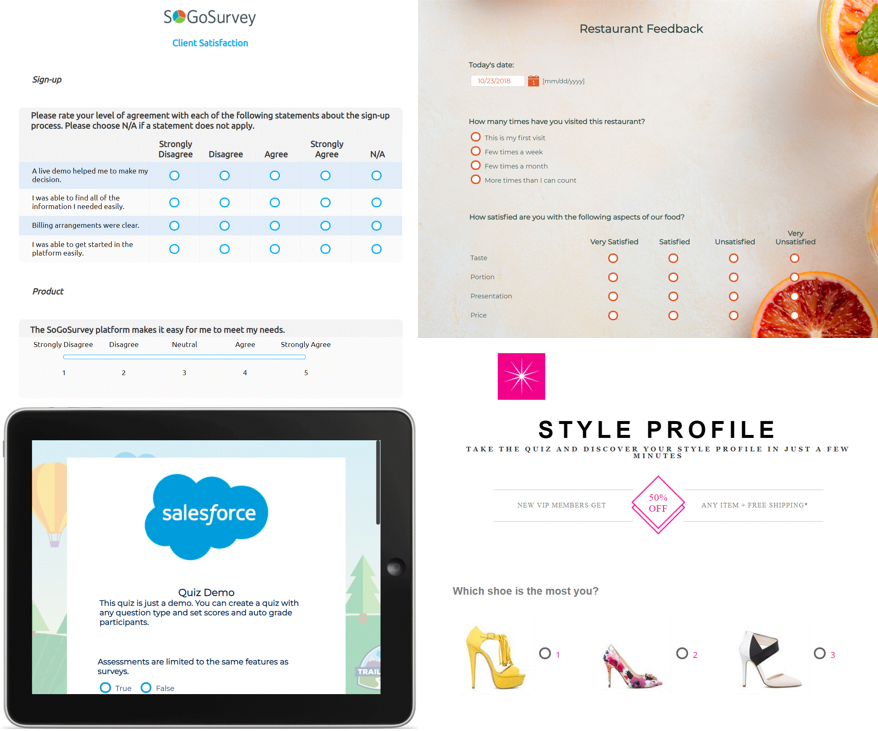
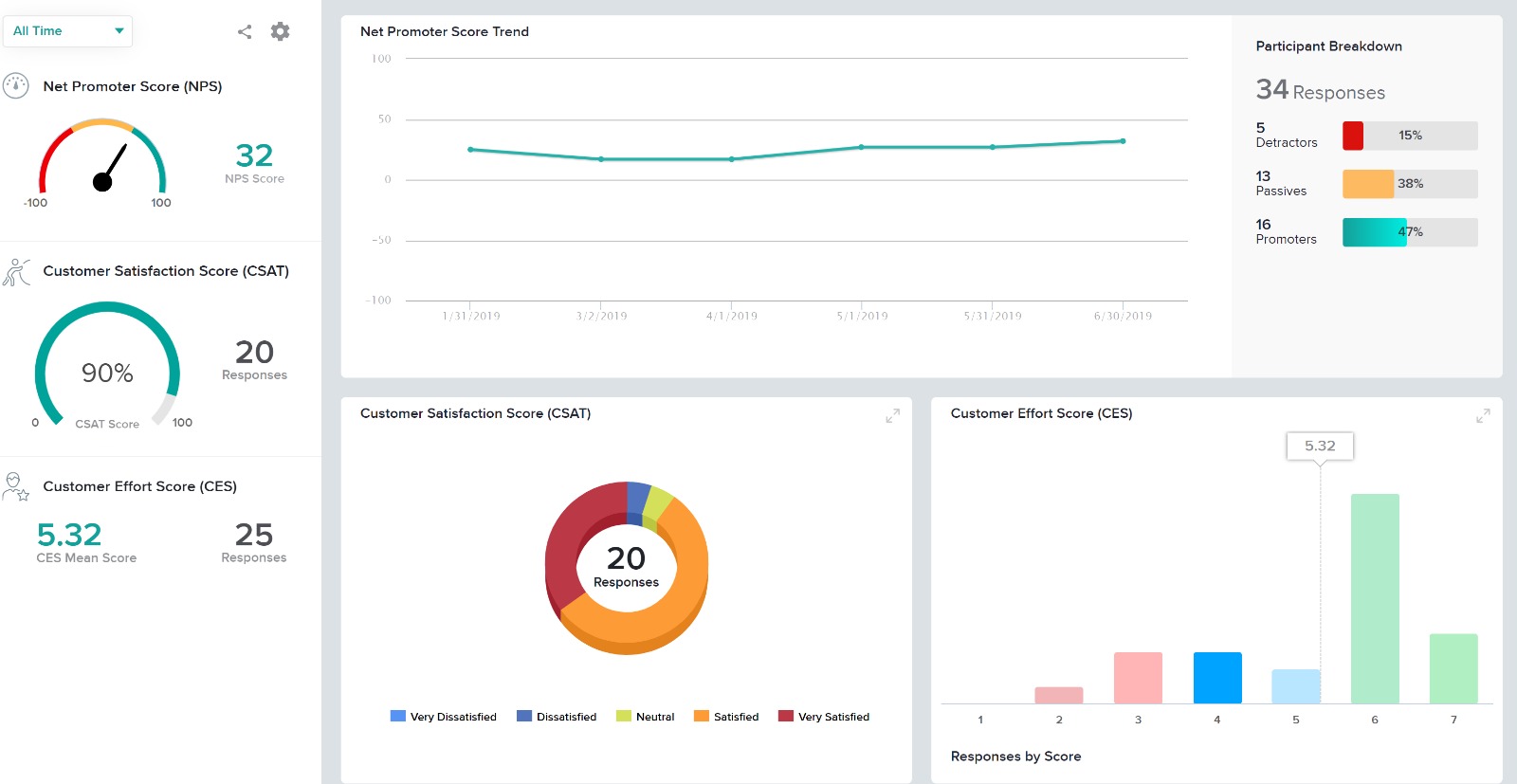
Screenshot of Survey Design: Survey design with SoGoSurvey is quick, easy, and intuitive. To add comments or one of more than 25 question types, simply drag and drop from the left menu.Screenshot of Survey Distribution: SoGoSurvey provides multiple avenues for expanding survey outreach while maintaining the integrity of data. The most popular distribution options include email, web posting, and social media platforms.Screenshot of Reports: SoGoSurvey’s customers rave about the versatility of its reports and variety of data analysis options. Reports are easy to run and offer many customization features so you can crunch a few numbers quickly or prepare for a polished presentation.Screenshot of Surveys: The variety of options for survey design is expansive, including (clockwise, from upper right): themed templates, funky quiz options, inclusion of your organization’s logo (ipad display featured), and basic, professional designs.Screenshot of Customer Experience DashboardScreenshot of Customer Experience Survey Bank

Tally Screenshots

Screenshot of how to create forms for all purposes in seconds without knowing how to code, and for free.Screenshot of some of the advanced features packed in a simple form builder.Screenshot of Tally's smart features that make it easy to turn forms into a tailored experience for every respondent.Screenshot of how to customize the design and layout to fit any form to a brand.Screenshot of how to share and display forms to connect with audiences across platforms.Screenshot of some of the popular integrations to sync form submissions.