Smartlook vs. UXArmy

Overview
ProductRatingMost Used ByProduct SummaryStarting Price
Smartlook
Score 8.2 out of 10
Mid-Size Companies (51-1,000 employees)
Smartlook is an analytics solution tool for websites, iOS/Android apps, and various app frameworks, that answers the "whys" behind users' actions. It helps users understand precisely how customers interact with website and app — watch recordings, create heatmaps, use automatic tracked events, and build conversion funnels. Data is seen on one central dashboard, which enables sharing and collaborating with colleagues. This is to support clear, data-driven decision-making for product managers,…
$55
per month 5000 sessions
UXArmy
Score 0.0 out of 10
N/A
UXArmy is a user research platform. From ideation, testing prototypes to refining fully launched products, UXArmy gives teams access to critical insights, empowering designers, product managers and marketers to validate, optimize, and iterate. Whether it’s unmoderated tests or moderated interviews and focus groups, UXArmy can be used to watch real users engage with a product and messaging, revealing emotional insights in addition to stats. With screen and video…
$0
per month
Pricing
SmartlookUXArmy
Editions & Modules
Pro
$55
per month 5000 sessions
Free
Free forever
per month 3000 sessions
Enterprise
Custom pricing
Starter
$0
per month
Essential
$99
per month
Organization
Custom
per year
Offerings
Pricing Offerings
SmartlookUXArmy
Free Trial
YesNo
Free/Freemium Version
YesYes
Premium Consulting/Integration Services
NoNo
Entry-level Setup FeeOptionalOptional
Additional DetailsAll Smartlook packages support both web and mobile app platforms.UXArmy panel participants are only available as an add on for paid plans
More Pricing Information
Community Pulse
SmartlookUXArmy
Best Alternatives
SmartlookUXArmy
Small Businesses
Lucky Orange
Lucky Orange
Score 3.2 out of 10
Smartlook
Smartlook
Score 8.2 out of 10
Medium-sized Companies
Siteimprove
Siteimprove
Score 10.0 out of 10
Optimal
Optimal
Score 9.0 out of 10
Enterprises
Contentsquare
Contentsquare
Score 7.3 out of 10
Optimal
Optimal
Score 9.0 out of 10
All AlternativesView all alternativesView all alternatives
User Ratings
SmartlookUXArmy
Likelihood to Recommend
9.0
(0 ratings)
-
(0 ratings)
Likelihood to Renew
8.9
(0 ratings)
-
(0 ratings)
Usability
10.0
(0 ratings)
-
(0 ratings)
Availability
9.1
(0 ratings)
-
(0 ratings)
Performance
8.2
(0 ratings)
-
(0 ratings)
Support Rating
10.0
(0 ratings)
-
(0 ratings)
Implementation Rating
7.3
(0 ratings)
-
(0 ratings)
Configurability
8.2
(0 ratings)
-
(0 ratings)
Ease of integration
9.1
(0 ratings)
-
(0 ratings)
Product Scalability
8.2
(0 ratings)
-
(0 ratings)
Vendor post-sale
9.1
(0 ratings)
-
(0 ratings)
Vendor pre-sale
9.1
(0 ratings)
-
(0 ratings)
User Testimonials
SmartlookUXArmy
Likelihood to Recommend
Smartlook is best for screen recordings. Especially when you are running MVPs. However, its pricing is very high. If your daily visitors are too much then either you will have to lose many of your recordings or you will have to pay too much money.
Read full review
No answers on this topic
Pros
  • Funnels are both easy to configure yet comprehensive enough to detect complicated customer journeys.
  • Real-time recording provides exceptional insights to our design & engineering teams.
  • Session recording is surprisingly lightweight and seems to cause no substantial performance degradation for our customers.
Read full review
No answers on this topic
Cons
  • Events -- but I think this is something that we could improve ourselves in our system.
  • Create some suggestions for funnels and heatmaps.
  • Give general insights for a certain period of time, e.g. from Oct. 7th to 12th, 75 users left the checkout step and 60% of them left due to a payment issue. IDK just bringing some ideas!
  • Send an e-mail with main insights.
Read full review
No answers on this topic
Likelihood to Renew
As my ratings show, I have been absolutely delighted with Smartlook in terms of usability, cost, support, and its benefit to our organization. I have given it such high ratings because I think it has really benefitted our organization and I think it could do the same for other companies too.
Read full review
No answers on this topic
Usability
Smartlook is very intuitive and simple for an average programmer (I don't know if it will be as simple for a normal user). We have never had to resort to looking for information on the web or ask for help for something we didn't understand or didn't work as expected.
Read full review
No answers on this topic
Support Rating
I am always very happy when a company offers the option to use online chat, as I do not like to call customer support and writing an email is just too slow and cumbersome. I did not even expect a reply right away, yet it took the customer support team less than a minute to respond to my problem.
Read full review
No answers on this topic
Alternatives Considered
Like I mentioned, Smartlook is younger than FullStory and it seems like they're trying to improve. The dashboards are lacking. I wish I had more control over what I see there instead of the standard. We use the API to determine customer name and company and I'd like to see some custom dashboards.
Read full review
No answers on this topic
Return on Investment
  • We have increased the conversion rate from the beginning till now with 120%.
  • We redesigned our landing pages and decreased the bounce rate by 41%.
  • We rethinked and redesigned our menu structure and internal site linking to increase the time users spent on our site based on the data we got from Smartlook analysis.
Read full review
No answers on this topic
ScreenShots

Smartlook Screenshots

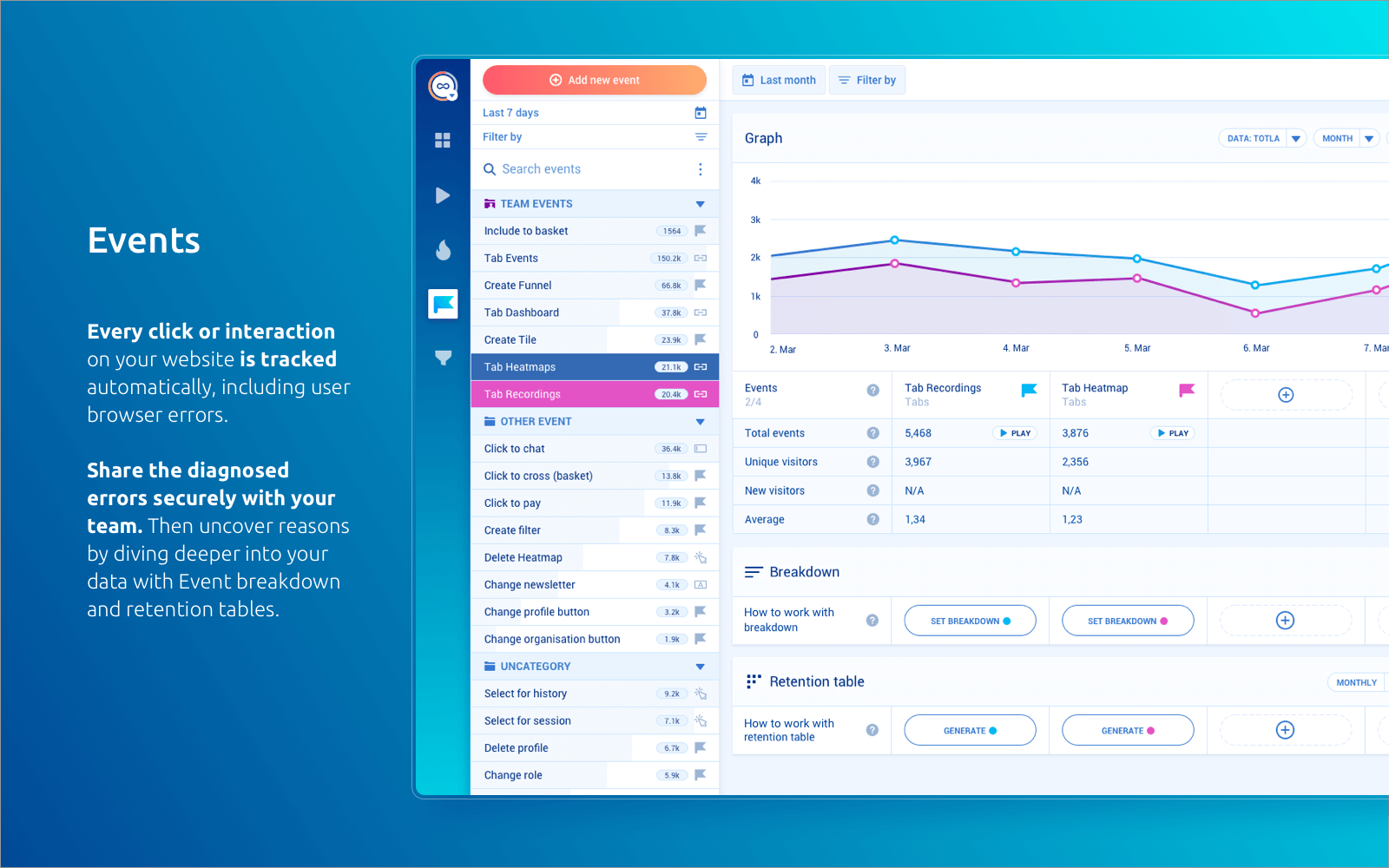
Screenshot of HeatmapsScreenshot of RecordingsScreenshot of DashboardsScreenshot of EventsScreenshot of FunnelsScreenshot of Analytics for websites & mobile apps

UXArmy Screenshots

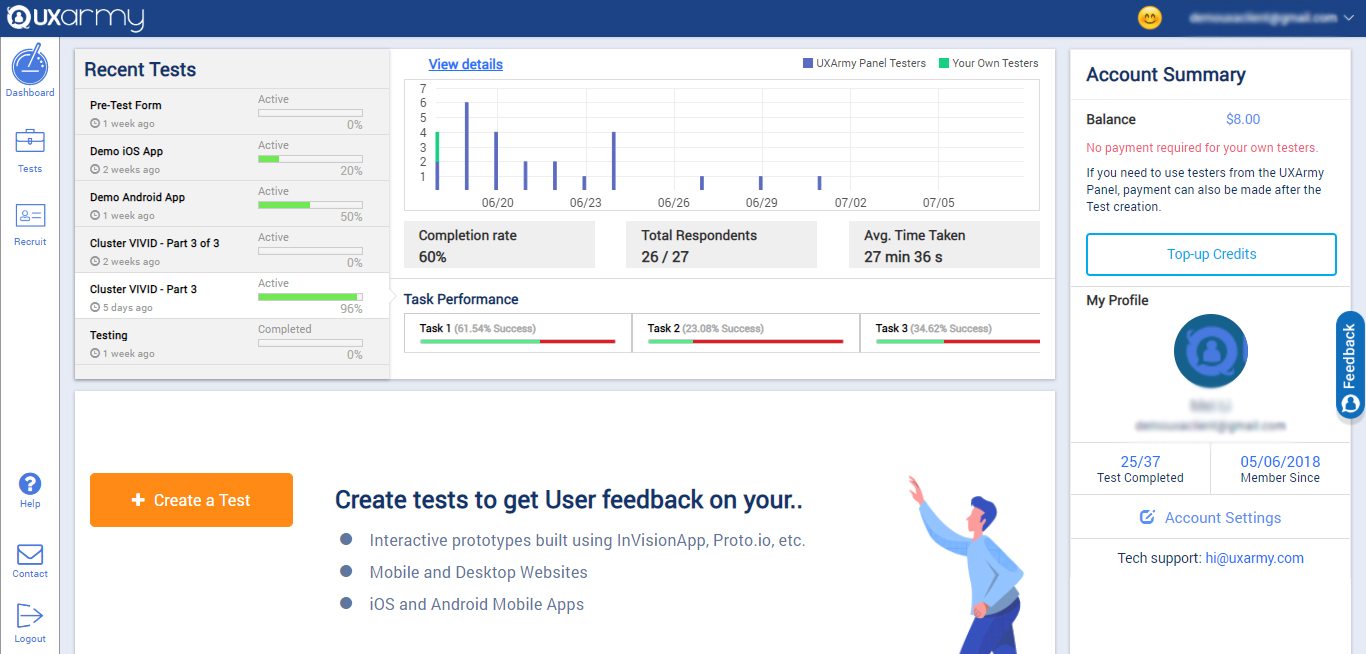
Screenshot of the client dashboard where clients can create tests for their prototypes, websites, mobile Apps, Mobile websites, web apps. They can check the overall progress of every test and they can also navigate to each test and see their progress and details as well.

They can check their account summary, top-up their account (via both PayPal and Debit/Credit cards) with credits to use in recruiting UserAdvocates to take the test.

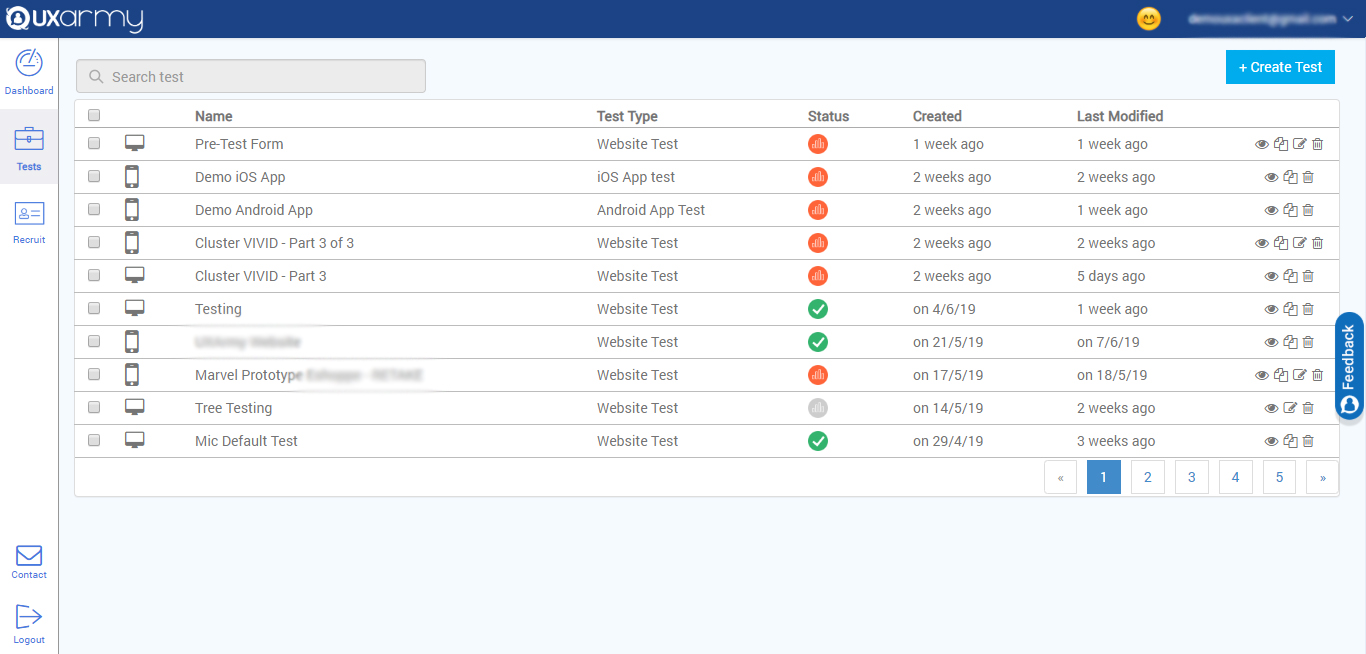
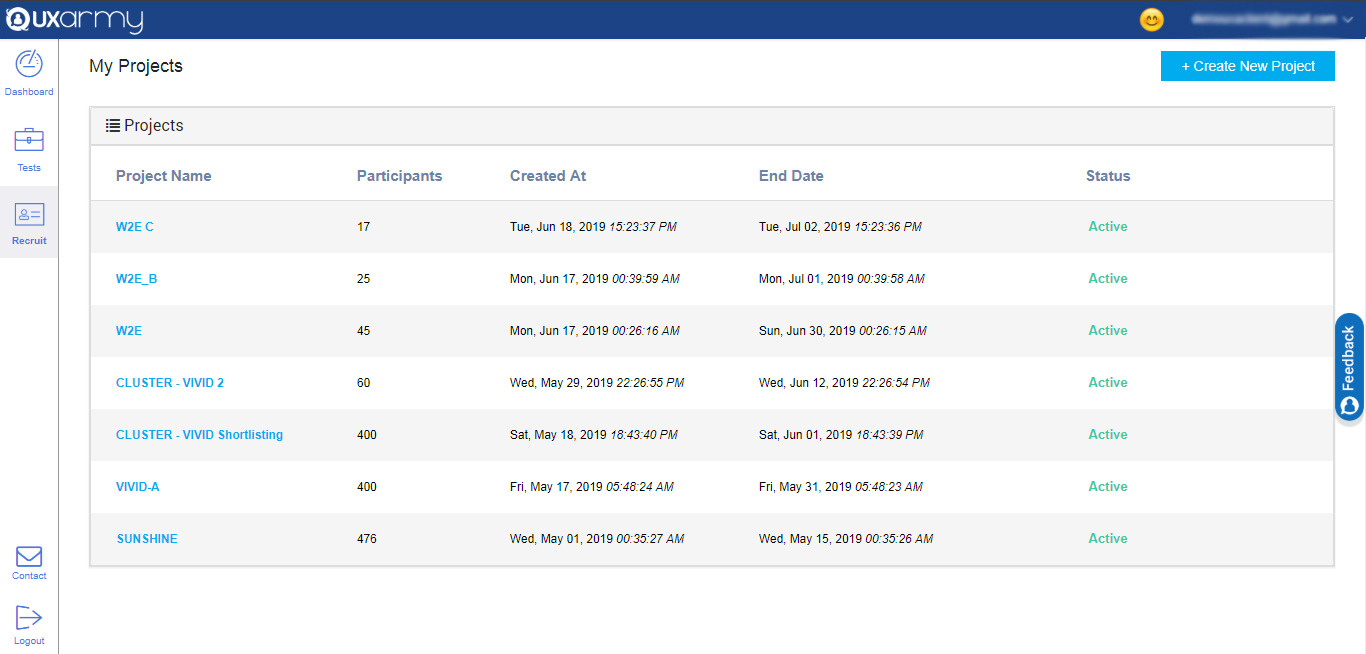
They can also navigate to account settings from the dashboard.Screenshot of a section that displays all the tests and any test can be selected to see the details of the response of the test. A new test can be created from here too by clicking on the "create test" button in the upper right corner of the screen.Screenshot of an example of the 2 ways to recruit for a test:

1. Up to 10  team members can take tests for free.

2. Testers can be recruited from the UXArmy's pool of testers from all around the world with a detailed demographic and behavioral filters like the country they live in or what language they speak, the mobile device they use, what gender they are, what shows they watch on TV, etc.