ReadyAPI (formerly SoapUI Pro, LoadUI Pro, and ServiceV Pro) is a REST and SOAP API functional testing tool that enables software developers, QA engineers, and manual testers to work together to create, maintain, and execute complex end-to-end API tests in their CI/CD pipelines without needing to code.
N/A
Tricentis NeoLoad
Score 9.3 out of 10
N/A
Tricentis NeoLoad is a solution for continuous performance testing software to automate API and application load testing. It was developed by the French company Neotys and acquired by Tricentis, along with the company, in March 2021.
As stated, we do a LOT of API testing, the swaggerhub import makes it easy to add APIs. This is very well-suited, as well as easy management of the steps/cases/suites inside of ReadyAPI. The one thing I do wish ReadyAPI was better suited for is changes to data, we have a lot of test cases in ReadyAPI and if we make a change to how the backend data is structured, one-by-one adjustments need to be made to the steps. Less appropriate, UI testing.
While Tricentis NeoLoad supports SAP GUI protocols, recording and maintaining test scripts for complex SAP transactions (like those in the OTC module) can be cumbersome.
For instance, we had challenges recording a VA01 (Sales Order Creation) transaction because of the dynamic nature of SAP screen fields and session handling. NeoLoad sometimes struggles to properly correlate or handle SAP’s SAPGUI Dynpro fields automatically.
SoapUI NG Pro is a prefect tool for setting up complicated test cases with many steps including parameterized Web Service requests, response assertions, data generators, data sources, data sinks (report recorders) and more
You can use Groovy or JavaScript for more complicated automation such as validating the results, extracting data, using external Java libraries or running system processes. Groovy IDE is compatible with Java and you can easily write your code in Java with very few modifications.
SoapUI enables you to run multiple test suites in parallel or in a loop, and provide user friendly reports including all test case results and test case coverage.
SoapUI NG Pro lets you to perform security test against your web services with predefined scenarios such as xml bombing, xml injection, sql injection, buffer overflow tests, monkey testing and so on.
SoapUI NG Pro, offers a simple but practical solution for low to medium load testing scenarios. You can obtain many more Load and Performance testing features by extending your license with purchasing LoadUI Pro.
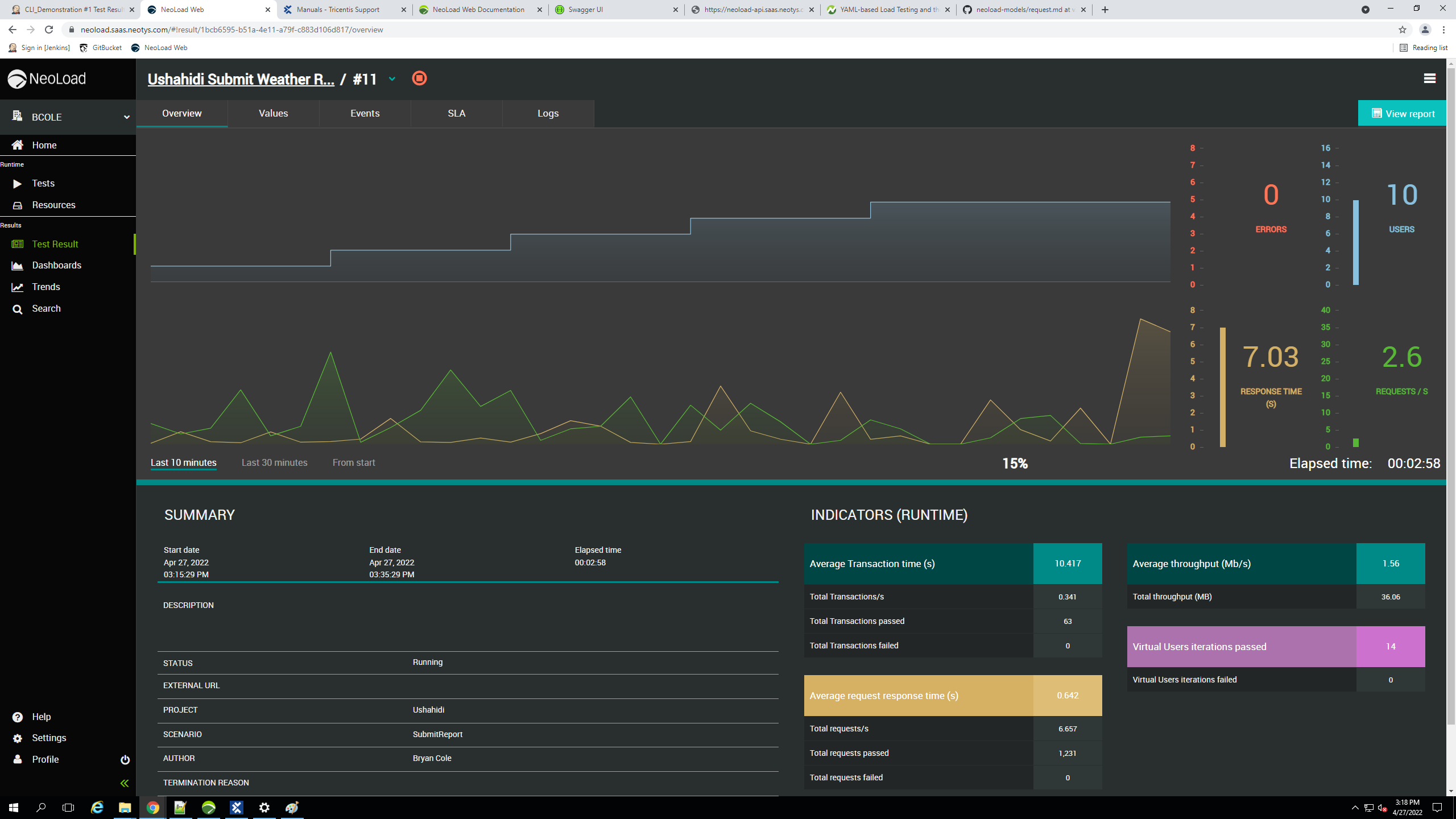
NeoLoad supports performance test engineers with a strong feature set to analyse the results. The first metric you have in mind is response time of the application. The metric satisfies the stakeholder if it meets the requirements. Otherwise, the stakeholder wants to know some comments and suggestions for improvement. I rely on the data gathered by monitoring agents when I analyse test results. The monitoring agent is a service which collects different counters from an operating system, databases, web server, etc. The results can be analysed in individual composed graphs. This is a powerful feature to deliver conclusive reports to stakeholders. Even the export of reports in various formats is helpful for communication with different stakeholders.
Our customers like the flexible license model of NeoLoad. A usual performance test project starts with the development of tests and configuration of the test environment. Finally, there is a first test execution followed by a couple of additional test executions. Usually, it is hard to say how long it takes to implement the issues based on the test results. So we usually do not know how long is the period between first and last test execution. It does not matter how long the period might be. In most of our projects we prefer daily licenses of NeoLoad. If you buy e.g. a four-day license you can use NeoLoad at four different days.
As a performance test engineer, I like the impressive APIs of NeoLoad. NeoLoad is just a performance test tool and the vendor Neotys is focused on this job. Whenever you would like to add something into a test scenario which is not mainly a performance issue you can integrate these parts by APIs which are easy to handle and very powerful. They also support you in case technologies which are not supported yet by NeoLoad. Maybe there is a new device which you want to monitor. Therefore you can report the measurements of the specific counters by the data exchange API during test execution. So you can analyse the data in the usual way. In our company we developed already a couple of features based on the APIs of NeoLoad and we are very happy with this flexibility.
REST - They have come a long way, but there could still be improvements here. I find the learning curve much higher and not as straight forward using REST vs SOAP.
Composite Projects - I'd really like to see them implement something around saving/refreshing Test Suites when using the Composite project ability in Pro. This is currently an enhancement in feature backlog (see their forum for more details). Functionality around Projects and Test Cases seems pretty sound.
There is no support for VT3270 terminal emulation to support mainframe-hosted applications.
The ramp-up and ramp-down time data are not automatically excluded from the average response time calculations. Instead, you must exclude these times manually each time you run a test.
There is not a summary graphic that shows the distribution of all of the response times on a single graph. We currently export the data as a coma separated variable (CSV) file and import into Excel to generate this summary graph.
I would definitely renew the ReadyAPI as I was pretty happy while using it. But then I switched my job, and the current workplace is using Postman so we are using it for now. Plus, I don't have any issues with Postman. At the end of the day, it about selecting the tool that gets your work done more efficiently.
We find NeoLoad easy to use compared to their competitors. It requires minimal coding knowledge, also it is easy to train newcomers with NeoLoad. It also offers good integration and automation capability where with less code you can automate your testing process
SoapUI allows us to combine multiple tests and adhere to the sequence that they need to run in order to complete successfully. It has an excellent GUI design and the reporting mechanism is also very good. It does consume a lot of memory though during concurrent testing
Soap UI has managed to continuously build on it's solid foundation and keep improving by each release. It is by far the most dependable and accurate testing tool out there of its kind. Available via connecting to VM's created as SoapUI test machines give access to it anytime, anywhere practically.
For my purposes, the provided help features have been sufficient. I am sure I would be better off if I were to spend more time studying the app. For now, I load a project, connect, and execute. It just works.
This is the only area where we strongly feel Tricentis needs to improve. Their support process is inadequate, representatives are not so capable of providing solutions at one shot without consulting their internal engineering teams. Most importantly, the time they take to resolve simple issues is huge and at many times hampered our work.
I have not used other API testing products but I am completely satisfied with the functionality and performance of ReadyAPI. It covers all required API protocols and database connections that are used in our organization. It also allows extending the functionality by adding external DB drivers and wiring custom scripts when the native assertion/data manipulation test steps are not sufficient.
Tricentis NeoLoad is easier to use, with simpler steps to follow to record/write test scripts and to design scenarios. It is scalable and comparatively provides overall benefits in a fair cost. Neoload also provides APIs for anyone to leverage and build on top of the existing features. This adds up as an advantage.
It has an excellent GUI design and the reporting mechanism is also very good. It does consume a lot of memory though during concurrent testing. However, I have read that added monitoring tools have been added, which if so the 7 could possibly go to a 8 or 9.
Improved user experience: By identifying and fixing performance issues during testing, Tricentis NeoLoad has helped improve the overall user experience of our applications. This has increased customer satisfaction and loyalty, as well as increased revenue as users are now more likely to use the application or purchase products or services as a result of a better user experience.
Reduced risk of downtime: By identifying and fixing performance issues before they occur in production, Tricentis NeoLoad has helped reduce the risk of downtime. Downtime can be costly in terms of lost revenue and customer dissatisfaction, so reducing the risk of downtime has had a positive impact on overall business objectives.
Cost savings: We have been able to identify and fix performance issues before they occur in production, avoiding the costs associated with downtime, such as lost revenue and customer dissatisfaction.
Faster performance testing: Tricentis NeoLoad has enabled our teams to perform performance testing more quickly by automating the process of simulating user loads and measuring response times, throughput, and error rates.