TrustRadius: an HG Insights company

Save this comparison

Save this comparison

Add Product

Recommended Comparisons

    Overview
    ProductRatingMost Used ByProduct SummaryStarting Price

    Smaply

    Score6.7 out of 10
    N/AThe Smaply app enables teams to digitize, centralize and standardize their customer experience insights. Teams can together work on journey maps, personas and stakeholder maps, collect feedback from others, and create professional exports. Its training program helps teams to understand and apply human-centered approaches.

    $19

    per month per user

    WebEngage

    Score8 out of 10
    N/AWebEngage calls itself a multi-channel user engagement platform. It automates communication across a user's lifecycle and helps companies send messages via these channels: Web Messages In-app Messages Push Notifications Web Push Notification Email Marketing SMS Marketing Facebook Remarketing According to the vendor, cross-device tracking helps keep communication coherent and contextual, making the…N/A
    Pricing
    SmaplyWebEngage
    Editions & Modules
    Free
    0 EUR
    per month per user
    Basic
    19 EUR
    per month per user
    Pro
    29 EUR
    per month per user
    Enterprise
    Custom Pricing
    No answers on this topic
    Offerings
    Pricing Offerings
    SmaplyWebEngage
    Free Trial
    NoYes
    Free/Freemium Version
    YesYes
    Premium Consulting/Integration Services
    YesYes
    Entry-level Setup FeeNo setup feeNo setup fee
    Additional DetailsPricing is customised according to the customer usage and requirement. Contact support@webengage.com to know more about pricing plans.
    More Pricing Information
    Community Pulse
    SmaplyWebEngage
    Considered Both Products
    Smaply
    No answer on this topic
    WebEngage
    No answer on this topic
    Key User Insights
    Would buy again
    No answers on this topic
    83%
    Would buy again
    5 Answers
    Delivers good value for the price
    No answers on this topic
    100%
    Delivers good value for the price
    5 Answers
    Happy with the feature set
    No answers on this topic
    67%
    Happy with the feature set
    4 Answers
    Lived up to sales and marketing promises
    No answers on this topic
    83%
    Lived up to sales and marketing promises
    5 Answers
    Implementation went as expected
    No answers on this topic
    83%
    Implementation went as expected
    5 Answers
    Features
    SmaplyWebEngage
    Email & Online Marketing
    Comparison of Email & Online Marketing features of Smaply and WebEngage
    Feature
    Smaply
    -
    Ratings
    WebEngage
    7.4
    6 Ratings
    3% below category average
    Dynamic content00 Ratings7.36 Ratings
    Ability to test dynamic content00 Ratings7.76 Ratings
    Mobile optimization00 Ratings6.35 Ratings
    Email deliverability reporting00 Ratings7.16 Ratings
    List management00 Ratings7.86 Ratings
    Triggered drip sequences00 Ratings8.26 Ratings
    Lead Management
    Comparison of Lead Management features of Smaply and WebEngage
    Feature
    Smaply
    -
    Ratings
    WebEngage
    6.1
    5 Ratings
    24% below category average
    Lead nurturing automation00 Ratings6.65 Ratings
    Automated sales alerts and tasks00 Ratings5.65 Ratings
    Campaign Management
    Comparison of Campaign Management features of Smaply and WebEngage
    Feature
    Smaply
    -
    Ratings
    WebEngage
    6.9
    6 Ratings
    7% below category average
    Calendaring00 Ratings8.05 Ratings
    Event/webinar marketing00 Ratings5.74 Ratings
    Reporting & Analytics
    Comparison of Reporting & Analytics features of Smaply and WebEngage
    Feature
    Smaply
    -
    Ratings
    WebEngage
    7.2
    6 Ratings
    2% below category average
    Dashboards00 Ratings7.56 Ratings
    Standard reports00 Ratings7.56 Ratings
    Custom reports00 Ratings6.76 Ratings
    Platform & Infrastructure
    Comparison of Platform & Infrastructure features of Smaply and WebEngage
    Feature
    Smaply
    -
    Ratings
    WebEngage
    7.1
    6 Ratings
    5% below category average
    API00 Ratings8.26 Ratings
    Role-based workflow & approvals00 Ratings7.15 Ratings
    Customizability00 Ratings6.85 Ratings
    Integration with Salesforce.com00 Ratings6.15 Ratings
    User Ratings
    SmaplyWebEngage
    Likelihood to Recommend
    8.0
    (2 ratings)
    7.3
    (6 ratings)
    User Testimonials
    SmaplyWebEngage
    Likelihood to Recommend
    Smaply
    The solution is suitable for complex journeys with many touchpoints.
    The tool has the advantage of being easy to use.
    On the other hand, I have not found any data import solutions avoiding re-entering all the data from Excel for example. It could save a lot of time. Indeed, for me, the tool is a tool for formalizing discoveries but other solutions can be used before
    Incentivized
    Read full review
    WebEngage
    WebEngage can easily reduce turnaround time for product and marketing teams to execute marketing campaigns for specific user segments as well as remove any dependency on internal tech teams for the development and maintenance of automation journeys. Further, A/B tests can be executed to measure the performance of message variants in real-time directly from the panel. But WebEngage lacks a robust Analytics platform. While basic metrics such as open rate and click-through rate for messages being sent can be considered for reporting, attribution is still not the strongest suit in case the marketing team relies on multiple Ad networks for acquisition. Thus, as per experience, it's better to use the automation suite offered by WebEngage with a different data analytics platform.
    Incentivized
    Read full review
    Pros
    Smaply
    • User journey map
    • Personas templates
    • Stakeholder maps
    • Free online courses
    Incentivized
    Read full review
    WebEngage
    • Ease in creating user journeys.
    • Easy implementation of APIs.
    • Good reporting dashboard and scheduling features.
    • Segmentation of the users is easy.
    Incentivized
    Read full review
    Cons
    Smaply
    • Global look and feel
    • Export format
    • Text formating in sticky notes
    Incentivized
    Read full review
    WebEngage
    • Relays
    • Onsite should have more options of templates.
    • Backend support for better reachability of the channels.
    • Cohort studies should be more customizable.
    Incentivized
    Read full review
    Alternatives Considered
    Smaply
    It’s [easier] to deal with user journey and persons thanks to Smaply. Templates and already created and there is a lot of functionalities to make a complete journey map. It’s very intuitive and we can send it easily to our team. Stakeholder map is a feature that [not many software] have and that is very useful so I’m happy to have it in Smaply
    Incentivized
    Read full review
    WebEngage
    WebEngage's dashboard is relatively more intuitive and easy to understand. Further in terms of cost as well it is value to money as it delivers excellent ROI. The after-sales support is also better in terms of responsiveness and helps in case of issues with the execution of campaigns. The account managers also ideate and help in the optimization and creation of new user journeys.
    Incentivized
    Read full review
    Return on Investment
    Smaply
    • Time saving
    • Clarity for stakeholders
    • Sharing best practices
    Incentivized
    Read full review
    WebEngage
    • Helped in lowering cost of marketing.
    • Driving higher volume of Direct Sales.
    • Increasing conversion rate on the website.
    • Increasing lead to sale ratio.
    Incentivized
    Read full review
    ScreenShots

    Smaply Screenshots

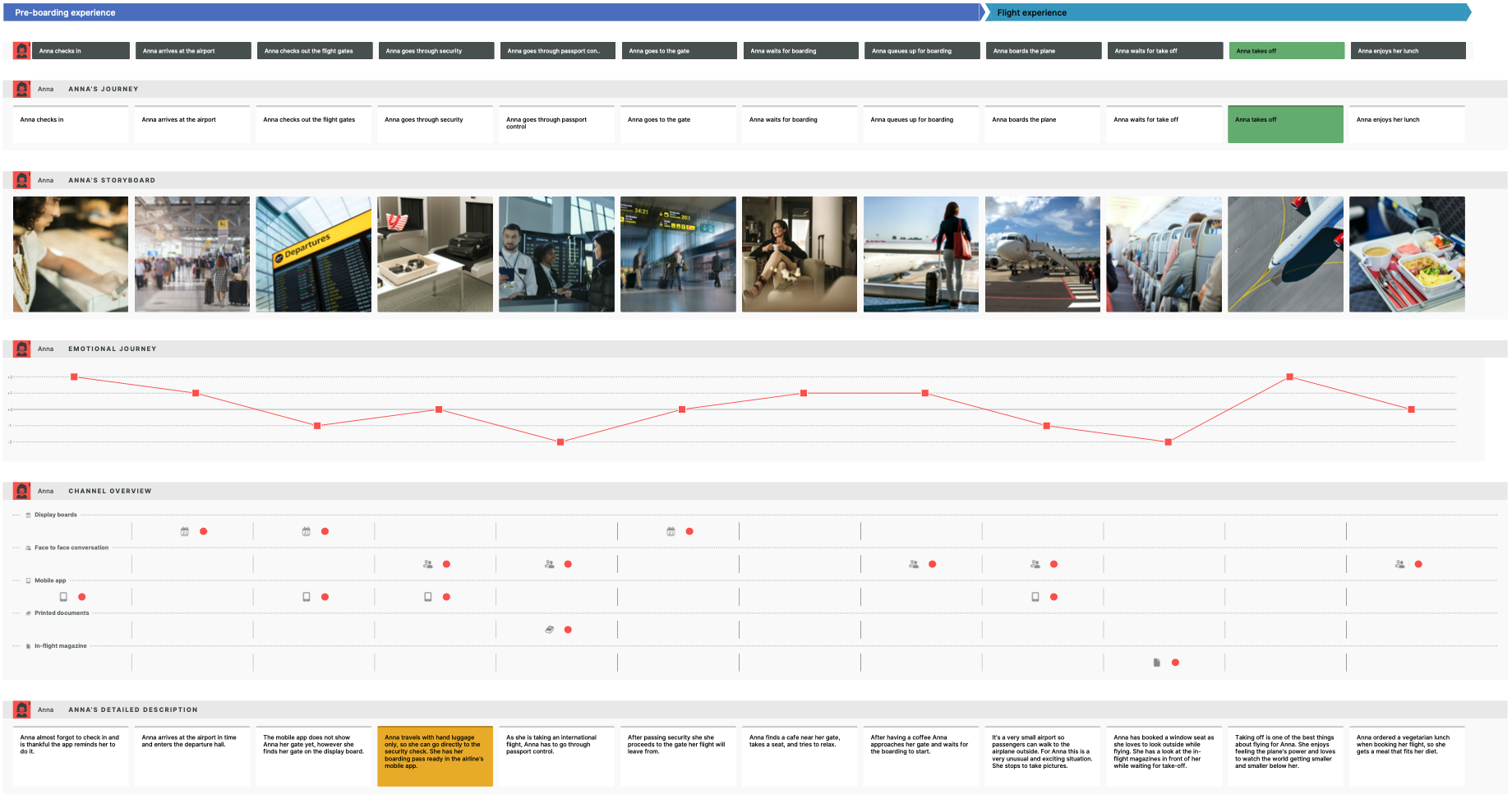
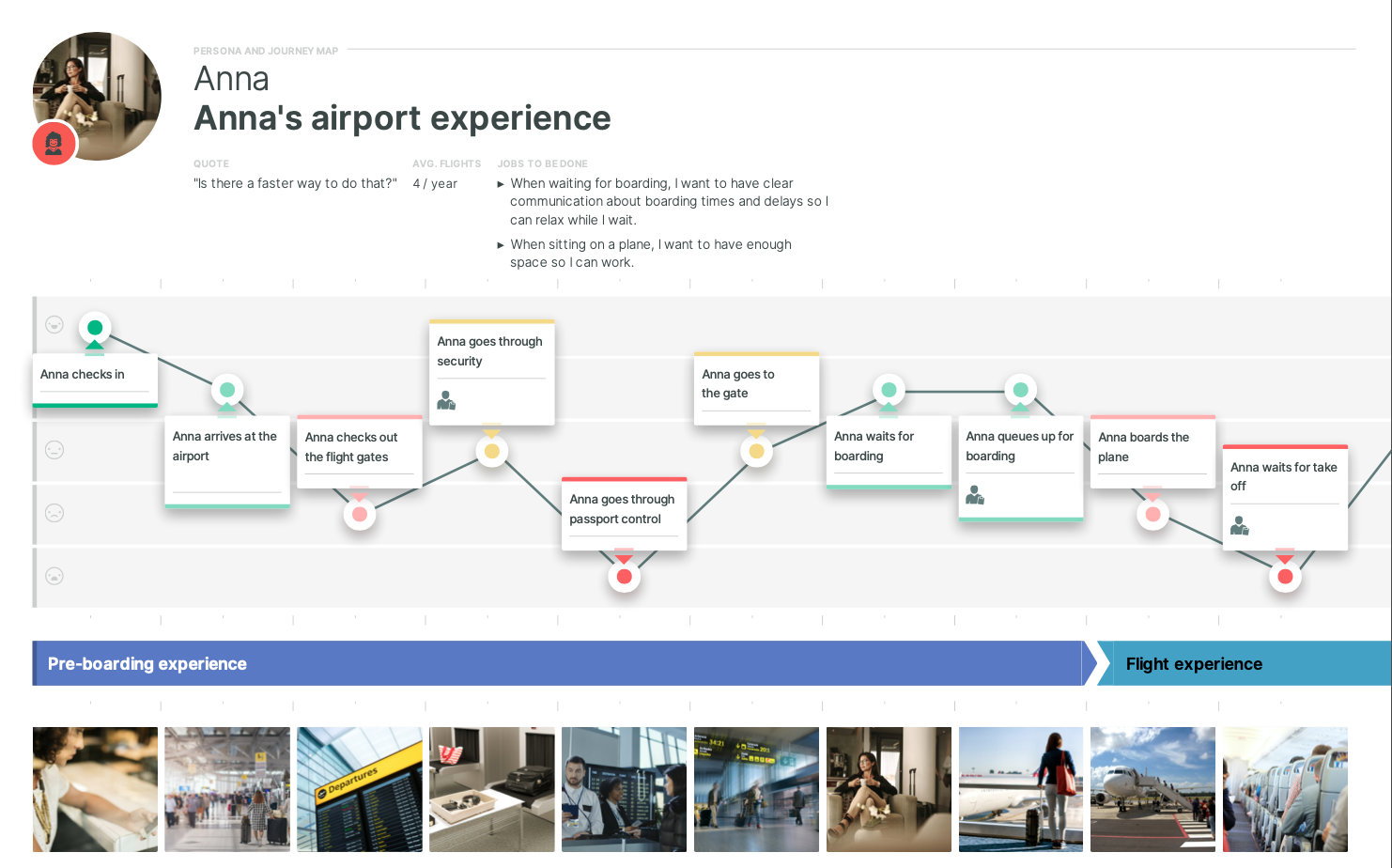
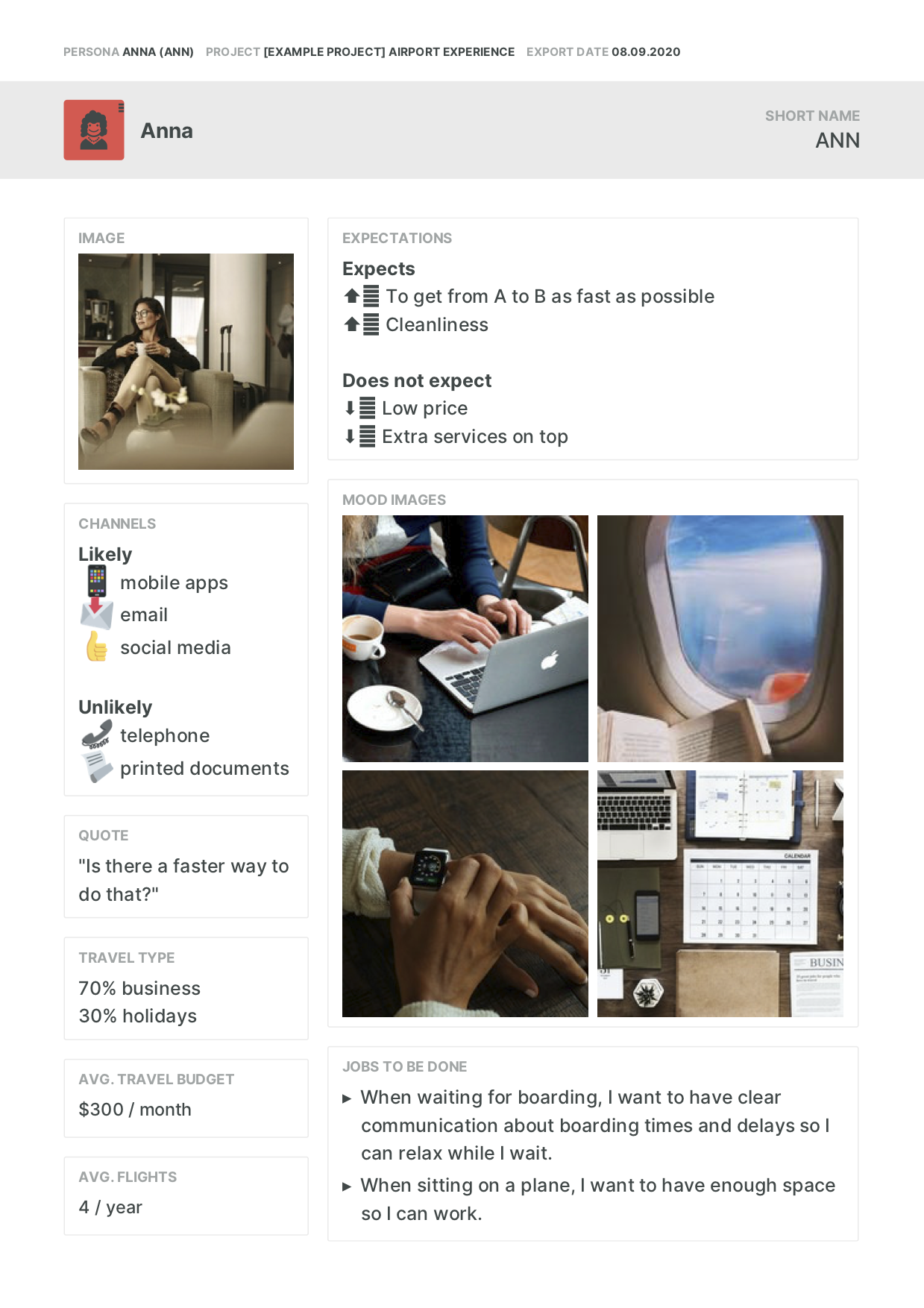
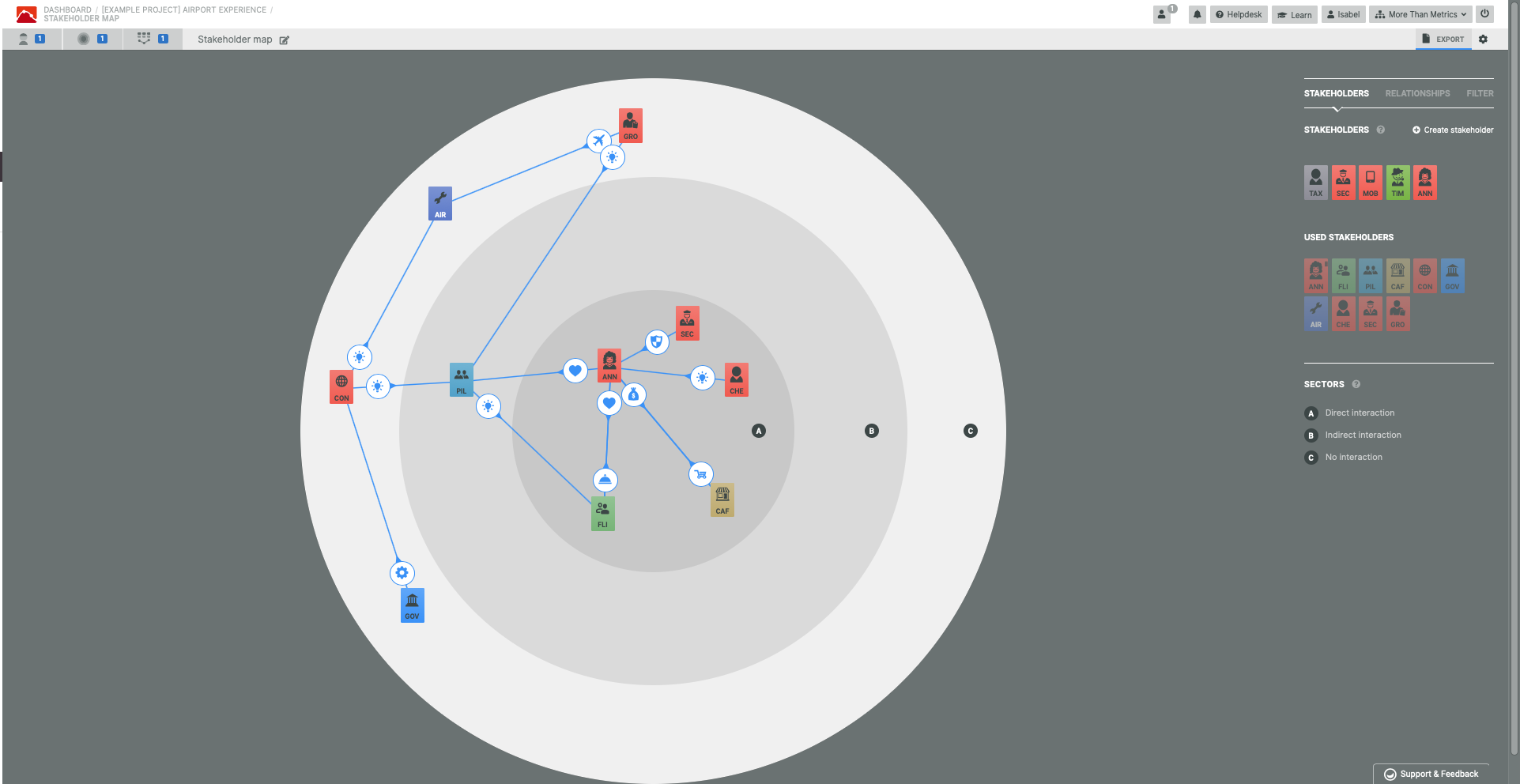
    Screenshot of Airport Experience Example Journey Map in Smaply EditorScreenshot of Airport Experience Example Journey Map ExportScreenshot of Airport Experience Example Journey Map A4 ExportScreenshot of Persona EditorScreenshot of Persona ExportScreenshot of Stakeholder Map Editor

    WebEngage Screenshots

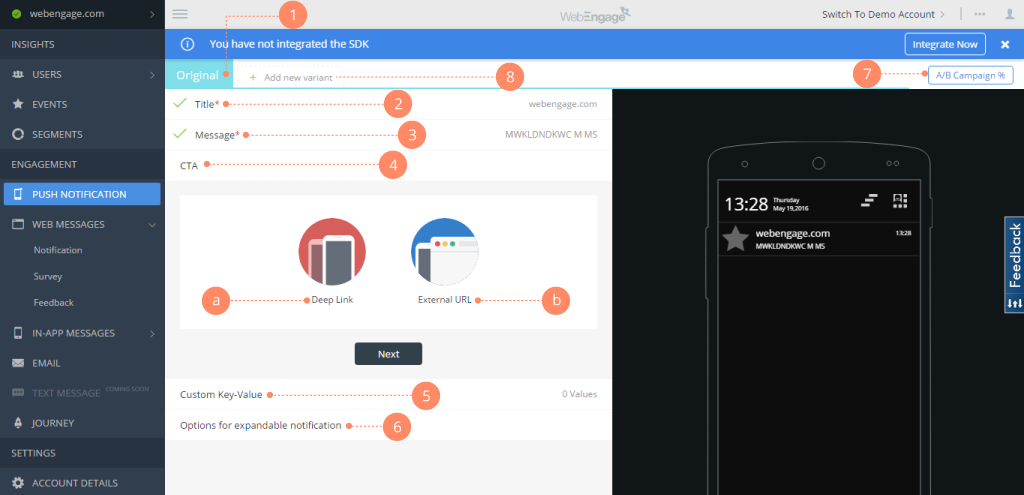
    Screenshot of Webengage dashboard - User AnalyticsScreenshot of Webenagge dashboard - User DetailsScreenshot of Webengage dashboard - Creating Mobile notificationsScreenshot of Webengage dashboard - Creating EmailsScreenshot of Webengage Dashboard - Journey DesignerScreenshot of Webengage Dashboard - Journey Designer (2)