Mural vs. Smaply

Overview
ProductRatingMost Used ByProduct SummaryStarting Price
Mural
Score 6.5 out of 10
N/A
MURAL (formerly Mural.ly) from Tactivos (DBA MURAL) in San Francisco is described by the vendor as a digital workspace and visual collaboration tool, designed for creative teams to make the process of design more efficient for distributed teams, working remotely.
$12
per month
Smaply
Score 6.7 out of 10
N/A
The Smaply app enables teams to digitize, centralize and standardize their customer experience insights. Teams can together work on journey maps, personas and stakeholder maps, collect feedback from others, and create professional exports. Its training program helps teams to understand and apply human-centered approaches.
$0
per month per user
Pricing
MuralSmaply
Editions & Modules
Starter
$12
per month
Plus
$20
per month
Enterprise
Contact sales team
Free
0 EUR
per month per user
Basic
19 EUR
per month per user
Pro
29 EUR
per month per user
Enterprise
Custom Pricing
Offerings
Pricing Offerings
MuralSmaply
Free Trial
YesNo
Free/Freemium Version
NoYes
Premium Consulting/Integration Services
NoNo
Entry-level Setup FeeNo setup feeNo setup fee
Additional DetailsPlans are billed annually.
More Pricing Information
Community Pulse
MuralSmaply
User Ratings
MuralSmaply
Likelihood to Recommend
9.6
(0 ratings)
8.0
(0 ratings)
Usability
7.0
(0 ratings)
-
(0 ratings)
Support Rating
9.0
(0 ratings)
-
(0 ratings)
User Testimonials
MuralSmaply
Likelihood to Recommend
Remote Collaboration: In a remote or distributed work environment, Mural shines. It enables teams to collaborate effectively in real-time, bridging geographical gaps and facilitating virtual meetings, workshops, and brainstorming sessions. Workshop Facilitation: For facilitators leading workshops or team-building activities, Mural provides interactive templates and tools for engaging participants and achieving specific objectives.
Read full review
The solution is suitable for complex journeys with many touchpoints.
The tool has the advantage of being easy to use.
On the other hand, I have not found any data import solutions avoiding re-entering all the data from Excel for example. It could save a lot of time. Indeed, for me, the tool is a tool for formalizing discoveries but other solutions can be used before
Read full review
Pros
  • Ability to follow other users' cursors makes it easy for a group to understand what a particular person is explaining
  • Drag-and-drop components for ease of use
  • Quick and easy way to provide access to internal/external users as MURAL (formerly Mural.ly) is a SaaS product
Read full review
  • User journey map
  • Personas templates
  • Stakeholder maps
  • Free online courses
Read full review
Cons
  • It'd be nice that the zoom regulation could be easier to manage
  • The advanced features are a little bit easy to adopt. Why not adding some agile trainings, or some other tools to facilitate their adoption
  • A faster and easier way to Integrate with ms office
Read full review
  • Global look and feel
  • Export format
  • Text formating in sticky notes
Read full review
Usability
Overall, MURAL is really easy to use, but there are a couple downsides. It's really easy to make areas of the board consistent because double clicking adds stickies that match those around the current one. It's really easy to connect the elements. And it's really easy to organize elements. Inconsistent controls, Panning, Line Connections, and latency are the only issues I had. My biggest issue is that the MURAL mouse buttons are very different from
most similar software. This always causes me problems switching to a
graphics software or 3D modelling software. Because MURAL uses the same button to pan and move elements, it's really easy to move things when panning around. The lines can also be a (sometimes huge) problem because thew will occasionally disappear or connect to things incorrectly. I think this is tied to latency issues which, in addition to causing phantom lines, can sometimes cause confusion to your team.
Read full review
No answers on this topic
Support Rating
Chat support tends to get back to you within a few hours and are always helpful.
Read full review
No answers on this topic
Alternatives Considered
I like it better than Miro because MURAL's more informal feel makes it encourage conversation and use. Miro also let's you bury too much information "inside" the notes making it really easy to lose sight of important data. I like MURAL better than Lucidspark because of how fast the pages load, especially links within the board. Any app is better than Microsoft whiteboard which is appalling unusable and feature incomplete.
Read full review
It’s [easier] to deal with user journey and persons thanks to Smaply. Templates and already created and there is a lot of functionalities to make a complete journey map. It’s very intuitive and we can send it easily to our team. Stakeholder map is a feature that [not many software] have and that is very useful so I’m happy to have it in Smaply

Read full review
Return on Investment
  • Mural allows us to draft communications for clients that aim to increase the NPS of the organization
  • Mural allows us to keep up with the agile framework, which reduces Time to Market of our products and initiatives
  • Mural allows us to identify blockers in our day to day tasks, which reduces the Cicle Time of our Kanban cards
Read full review
  • Time saving
  • Clarity for stakeholders
  • Sharing best practices
Read full review
ScreenShots

Mural Screenshots

Screenshot of the brainstorming templates that brings more minds to the table and helps turn good ideas into extraordinary work.Screenshot of energizers and icebreakers that help teams feel connected and open-minded so they can tackle big problems.Screenshot of strategic plan sharing, to improve people's sense of safety and expectation, leaving more brain space for creativity and innovation.Screenshot of retrospectives, which help teams get better and happier over time.

Smaply Screenshots

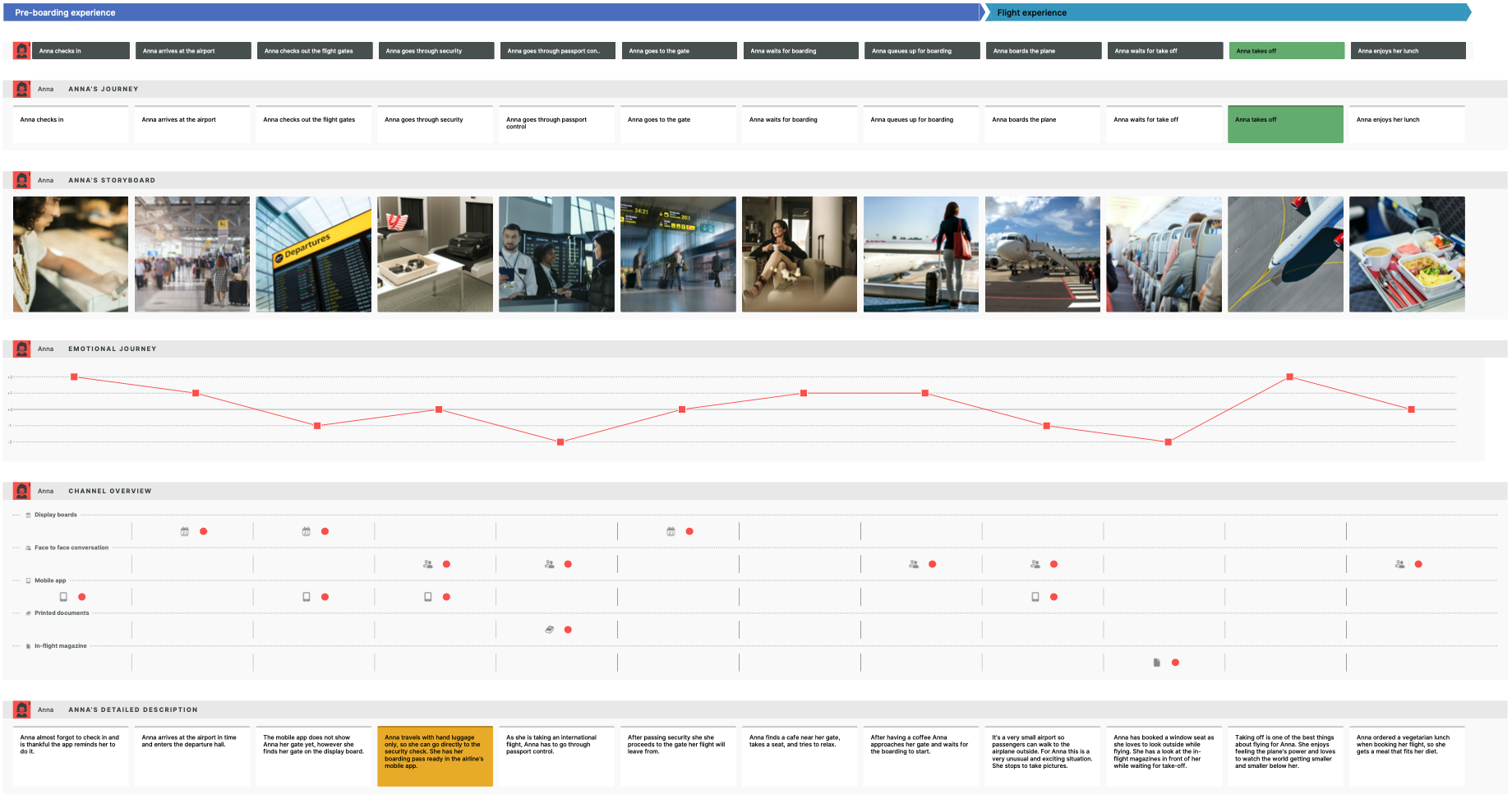
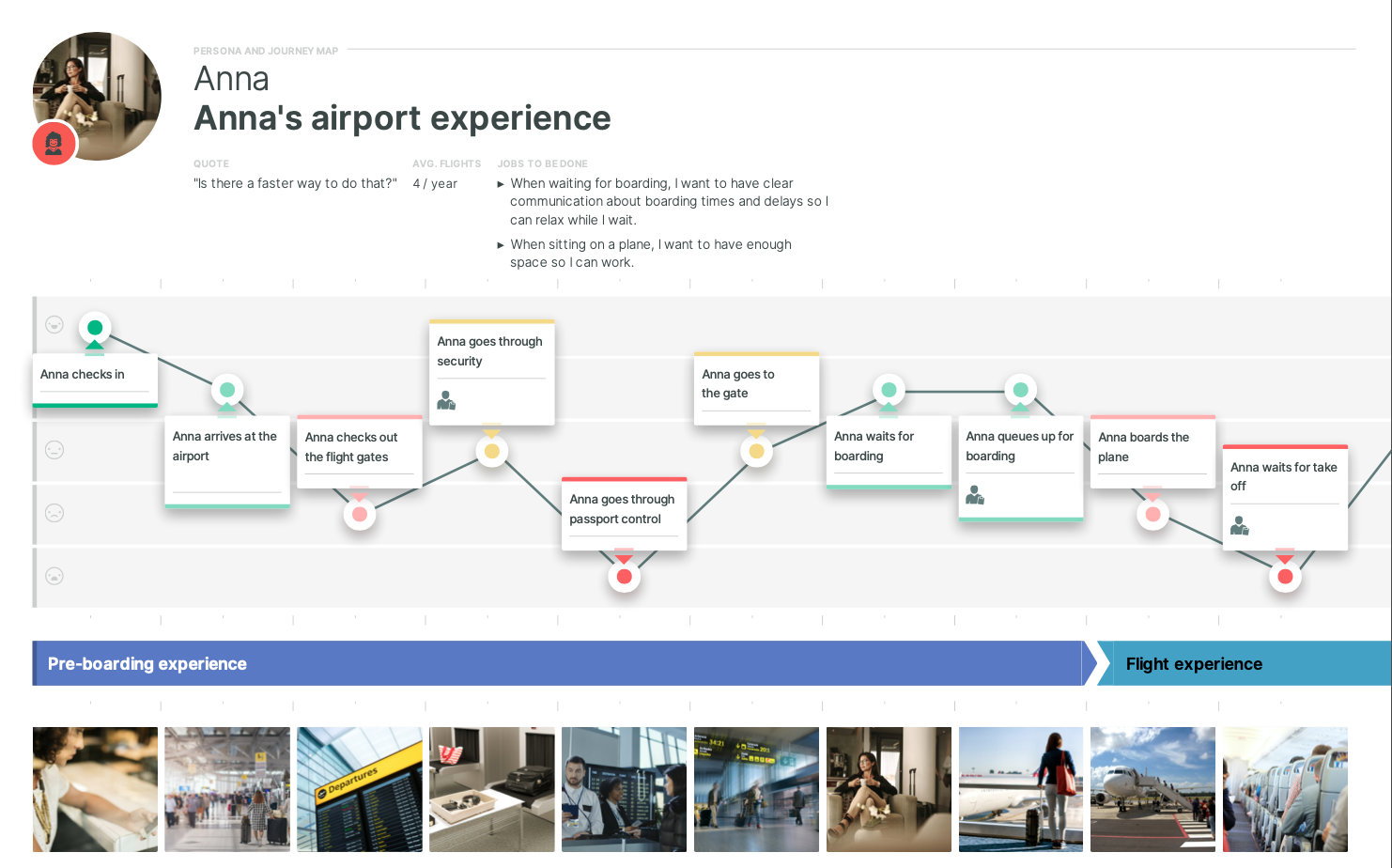
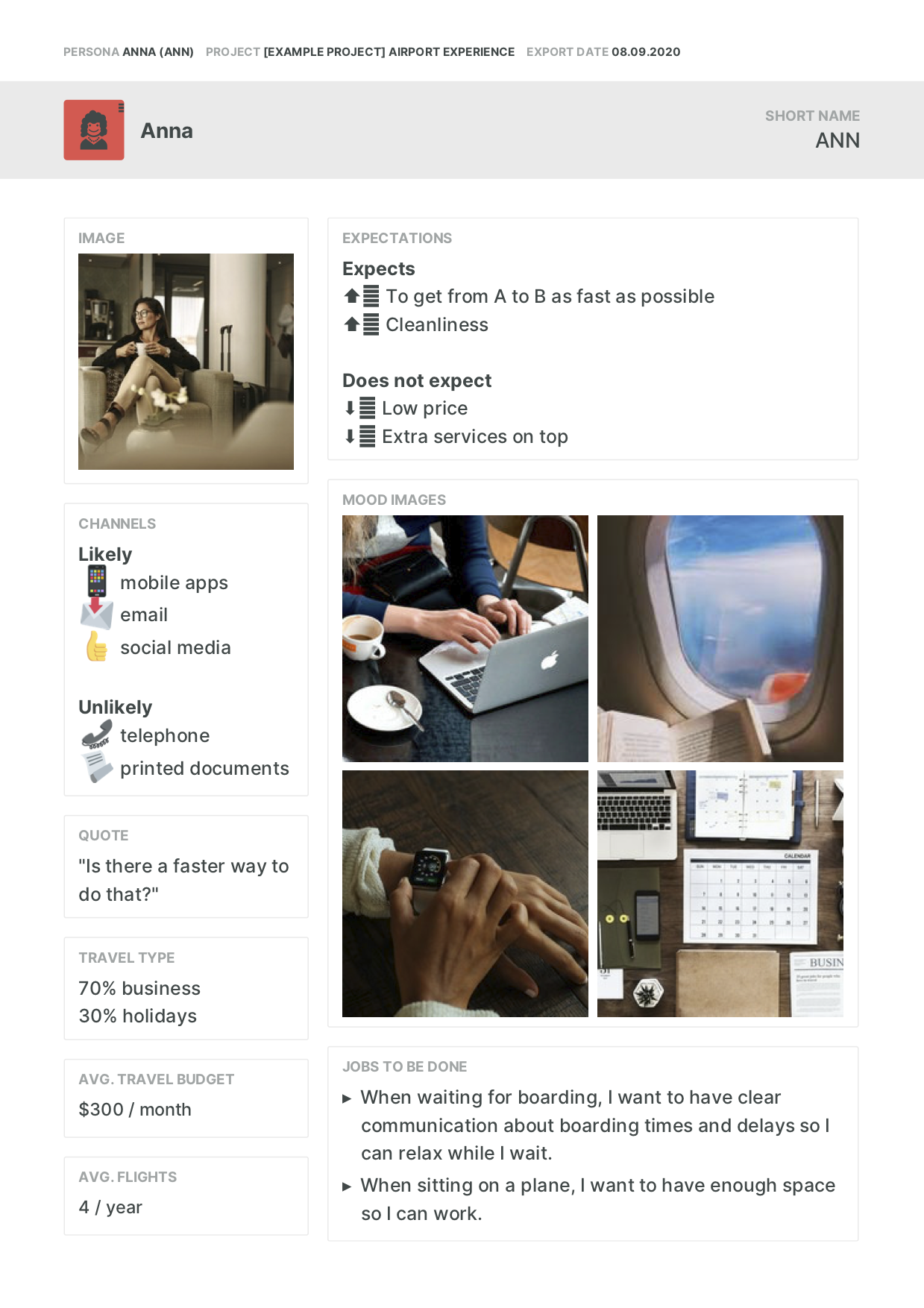
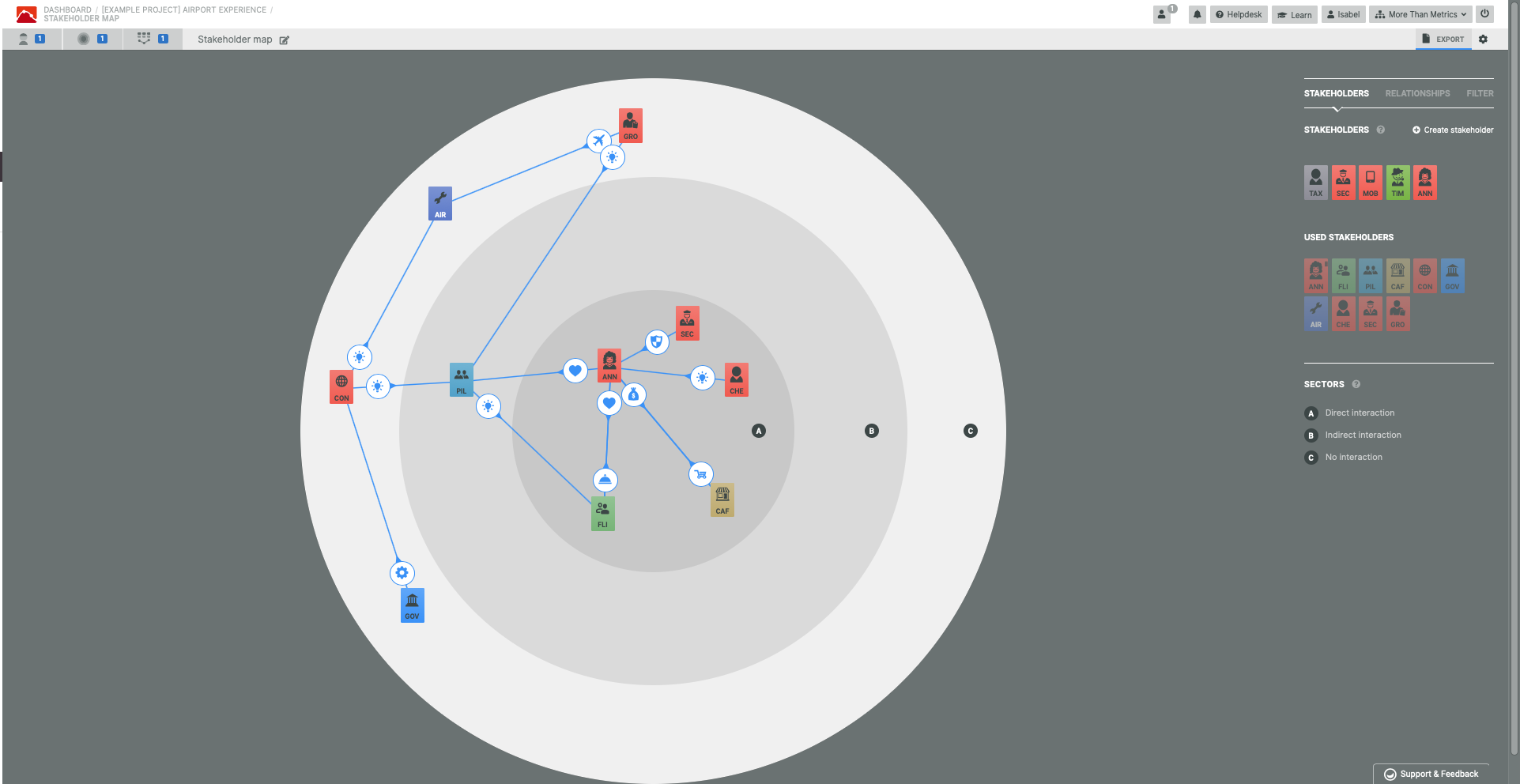
Screenshot of Airport Experience Example Journey Map in Smaply EditorScreenshot of Airport Experience Example Journey Map ExportScreenshot of Airport Experience Example Journey Map A4 ExportScreenshot of Persona EditorScreenshot of Persona ExportScreenshot of Stakeholder Map Editor