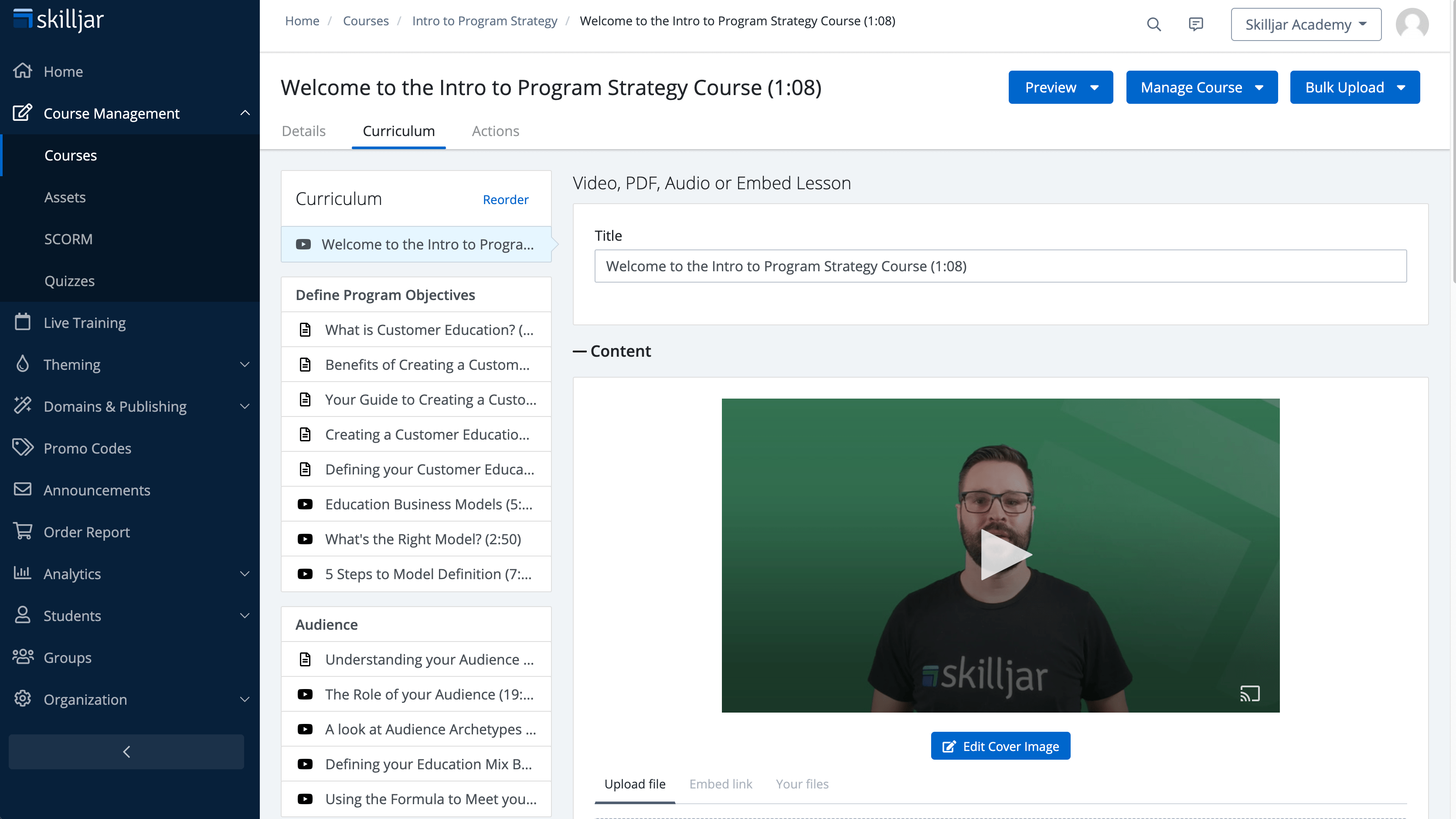
Skilljar’s Customer Education LMS Platform is a solution to educate, engage, and retain everyone a business interacts with. An external LMS for customer and partner education, it is a Gainsight solution since the 2025 acquisition.
N/A
Trakstar Learn
Score9 out of 10
Mid-Size Companies (51-1,000 employees)
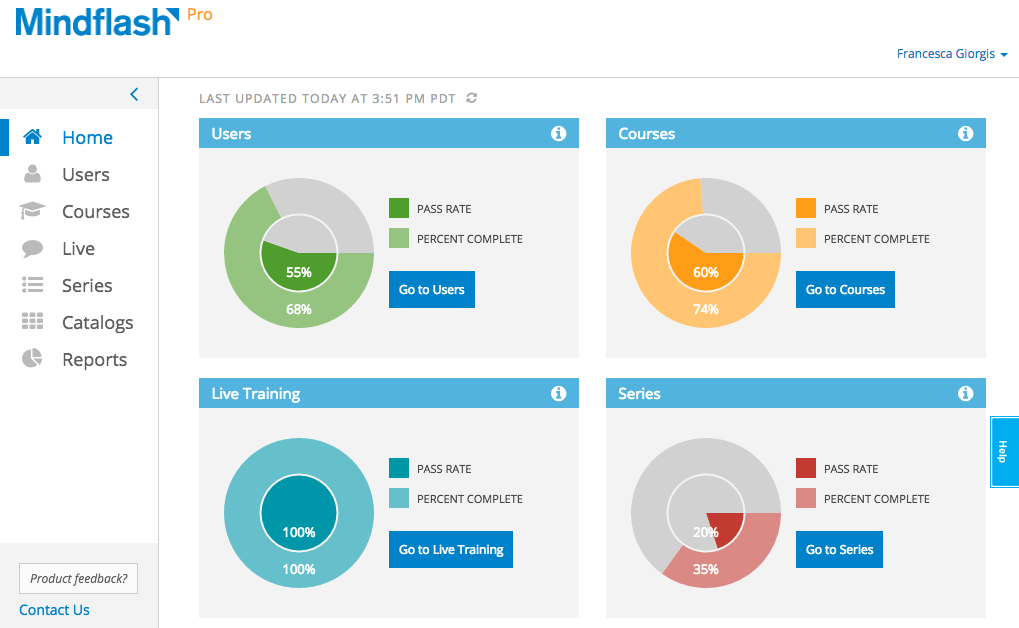
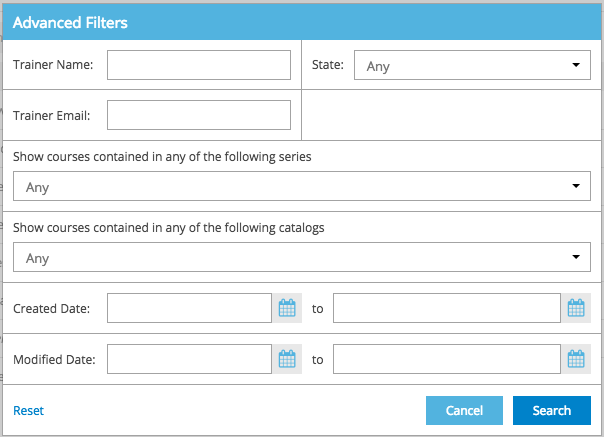
Trakstar Learn (formerly Mindflash) is an online training platform. Users can create courses, add quizzes and track results. Users can upload external content and access the platform via mobile devices. It also provides user management and reporting for internal and external training and scaling purposes.
Skilljar is fantastic for structured onboarding processes. If you're looking to streamline and standardize the onboarding experience for your customers, especially for software or complex products, this platform is a gem. It allows you to create step-by-step courses guiding users through functionalities, reducing confusion and accelerating their learning curve.When you need versatility in content delivery, Skilljar is spot-on. Whether it's video tutorials, interactive quizzes, downloadable resources, or live webinars, the platform accommodates various formats. It's perfect for accommodating different learning styles and ensuring engagement.
For scenarios that demand highly complex simulations or immersive learning experiences, Skilljar's capabilities might fall short. While it supports interactive elements, extremely sophisticated simulations might require additional specialized software or platforms.
A de minimis incentive was given to thank the reviewer for their time. The incentive was not used to bias or drive a particular response, nor was the incentive contingent on a positive endorsement. More Info
We use Mindflash for a lot of our internal training needs, and it is very versatile to accomplish your needs in training employees in a variety of different areas. I've never tried to use it for external needs, but I feel like the software at the advanced level wouldn't suit that need very well at all. At the Pro level, you get a lot more flexibility, but the cost is prohibitive for the size of our company.
A de minimis incentive was given to thank the reviewer for their time. The incentive was not used to bias or drive a particular response, nor was the incentive contingent on a positive endorsement. More Info
Unlimited courses, learning paths, quizzes, pages, plans, and certifications
Ease of use for students, administrators, and content creators
Customer Success and Service are top notch. The CSMs are genuinely committed to helping you achieve your metrics and goals
Asking for and listening to customer feedback for enhancements
Developer Center where people with little to no coding experience can learn how to use and apply HTML templates and code snippets to customize your site
A de minimis incentive was given to thank the reviewer for their time. The incentive was not used to bias or drive a particular response, nor was the incentive contingent on a positive endorsement. More Info
A de minimis incentive was given to thank the reviewer for their time. The incentive was not used to bias or drive a particular response, nor was the incentive contingent on a positive endorsement. TR verified that a representative sample of customers was invited. More Info
Would love to see parent/child courses so that when something is updated in the parent course that change is automatically reflected in the clones of that course.
Features that allow for the translation of content to allow access to content across languages.
Re-onboarding process when the usage of Skilljar changes hands within out company in order to address knowledge gaps.
A de minimis incentive was given to thank the reviewer for their time. The incentive was not used to bias or drive a particular response, nor was the incentive contingent on a positive endorsement. More Info
Integration with Salesforce using professional level software. Mindflash's limited integration to only work with the higher level of Salesforce product.
More brand customization for multiple product line trainings.
Communication of trainers using Mindflash and sales team. We have multiple trainers sending invitations for training with no way for them to communicate with our sales team when a person has completed training.
A de minimis incentive was given to thank the reviewer for their time. The incentive was not used to bias or drive a particular response, nor was the incentive contingent on a positive endorsement. More Info
The number of people using Mindflash is only going to rise and we need a system that remains easy to use for everyone involved. [update] This is especially vital now that we've lost head count in critical departments. Getting all of our training and Safety objectives met would be impossible without Mindflash.
The learning curve for Skilljar is not too steep, and I've renewed our contract twice now. I've been able to add additional administrators and get them up to speed on platform functionality within a day. Plus, Skilljar provides awesome resources to help you learn how to use is. The Help Center has articles for almost everything, and when in doubt, their amazing CSMs (like ours, ...) provide exemplary support/advice.
The interface is just so simple to understand. It's clean and efficient. We showed Mindflash off to the Safety group, who are not computer gurus and they were beyong excited to use it.
I have opened several support cases in the past and at times felt like little was being done to resolve the issues I was having. For example, when searching the use against a training credit, Skilljar said the code was fully used, yet only 1 had been used. The support team seemed to not have interest in learning why this was happening and ensuring it does not happen again. The issue was resolved with this particular case, but I have no idea if it was the only training credit having this issue. At times I feel like the issues we encounter do not seem as important to the support team
A de minimis incentive was given to thank the reviewer for their time. The incentive was not used to bias or drive a particular response, nor was the incentive contingent on a positive endorsement. More Info
Any problems or questions we have had with Mindflash have been handled promptly and effectively. I normally use the online chat option but have had to correspond with them through email and phone as well. We have never had an issue languish for weeks or months with Mindflash. They either fix the problem or let you know that the software isn't capable to handle the need at that point.
A de minimis incentive was given to thank the reviewer for their time. The incentive was not used to bias or drive a particular response, nor was the incentive contingent on a positive endorsement. More Info
A de minimis incentive was given to thank the reviewer for their time. The incentive was not used to bias or drive a particular response, nor was the incentive contingent on a positive endorsement. More Info
If you're going to develop a short course to demo the product internally, don't bother avoiding your own topics. Mindflash rolls whatever content you create during the trial into your production environment when you decide to buy. The time taken to go from not having a system to being live with Mindflash is virtually instant. What you'll be wanting for is time to develop content and people to test it out.
Skilljar provides stronger customization features, more code snippet options, more styling tools, and more effective integrations. These include Credly, Salesforce, and SCORM. Additionally, the catalog is all part of the same system, making it easy to manage. The analytics tools are also more robust, and the customer service is much more helpful and responsive
A de minimis incentive was given to thank the reviewer for their time. The incentive was not used to bias or drive a particular response, nor was the incentive contingent on a positive endorsement. More Info
This is an alternate software that we have looked into, right now we don't have the need for the increased flexibility that Lesson.ly provides with learning from your mobile or tablet. We haven't seen a lot of those things as particularly useful for our current training methods, but we see the quality to be similar.
A de minimis incentive was given to thank the reviewer for their time. The incentive was not used to bias or drive a particular response, nor was the incentive contingent on a positive endorsement. More Info
Our customers seem to be getting onboarded efficiently. Giving our customers a good experience helps us retain them longer.
So far, we are still not able to come up with solid metrics that it provides evidence of ROI. If Skilljar could somehow come up with clear, actionable metrics about customer success and how that relates to ROI then I think it would be vastly better. To be fair, we roll the cost of using Skilljar in the overall price, otherwise, we would charge customers and have a revenue stream to measure.
A de minimis incentive was given to thank the reviewer for their time. The incentive was not used to bias or drive a particular response, nor was the incentive contingent on a positive endorsement. More Info
Mindflash has had a positive impact on our business because it allows us to train more new users with less effort, and ensure that trainees have access to the course materials for a period of time after they have started using our software to do their daily jobs. Review of the course materials allows them to get answers to common questions without having to submit requests to our support team, thereby reducing the administrative burden on our resources.
A de minimis incentive was given to thank the reviewer for their time. The incentive was not used to bias or drive a particular response, nor was the incentive contingent on a positive endorsement. More Info