Microsoft Power BI vs. Scuba Analytics

Overview
ProductRatingMost Used ByProduct SummaryStarting Price
Microsoft Power BI
Score 8.5 out of 10
N/A
Microsoft Power BI is a visualization and data discovery tool from Microsoft. It allows users to convert data into visuals and graphics, visually explore and analyze data, collaborate on interactive dashboards and reports, and scale across their organization with built-in governance and security.N/A
Scuba Analytics
Score 0.0 out of 10
Enterprise companies (1,001+ employees)
Scuba Analytics is a continuous intelligence platform that breaks down data silos, and allows teams to run no-code queries to get real-time insights about customer journey analytics. Scuba Analytics takes a behavioral process mining approach to discovering, monitoring and improving processes to help organizations reduce churn, streamline customer onboarding, improve A/B testing, increase supply chain and delivery efficiency, and make model drifts more accurate. All accounts include setup and…N/A
Pricing
Microsoft Power BIScuba Analytics
Editions & Modules
No answers on this topic
Offerings
Pricing Offerings
Microsoft Power BIScuba Analytics
Free Trial
YesYes
Free/Freemium Version
YesYes
Premium Consulting/Integration Services
NoNo
Entry-level Setup FeeNo setup feeNo setup fee
Additional DetailsAnnual pricing model, usage based.
More Pricing Information
Community Pulse
Microsoft Power BIScuba Analytics
Features
Microsoft Power BIScuba Analytics
BI Standard Reporting
Comparison of BI Standard Reporting features of Product A and Product B
Microsoft Power BI
8.8
Ratings
8% above category average
Scuba Analytics
-
Ratings
Pixel Perfect reports8.50 Ratings00 Ratings
Customizable dashboards10.00 Ratings00 Ratings
Report Formatting Templates8.00 Ratings00 Ratings
Ad-hoc Reporting
Comparison of Ad-hoc Reporting features of Product A and Product B
Microsoft Power BI
8.2
Ratings
2% above category average
Scuba Analytics
-
Ratings
Drill-down analysis7.00 Ratings00 Ratings
Formatting capabilities9.00 Ratings00 Ratings
Integration with R or other statistical packages8.00 Ratings00 Ratings
Report sharing and collaboration9.00 Ratings00 Ratings
Report Output and Scheduling
Comparison of Report Output and Scheduling features of Product A and Product B
Microsoft Power BI
8.6
Ratings
4% above category average
Scuba Analytics
-
Ratings
Publish to Web8.00 Ratings00 Ratings
Publish to PDF9.00 Ratings00 Ratings
Report Versioning9.00 Ratings00 Ratings
Report Delivery Scheduling8.00 Ratings00 Ratings
Delivery to Remote Servers9.00 Ratings00 Ratings
Data Discovery and Visualization
Comparison of Data Discovery and Visualization features of Product A and Product B
Microsoft Power BI
8.7
Ratings
9% above category average
Scuba Analytics
-
Ratings
Pre-built visualization formats (heatmaps, scatter plots etc.)9.00 Ratings00 Ratings
Location Analytics / Geographic Visualization8.00 Ratings00 Ratings
Predictive Analytics9.00 Ratings00 Ratings
Pattern Recognition and Data Mining9.00 Ratings00 Ratings
Access Control and Security
Comparison of Access Control and Security features of Product A and Product B
Microsoft Power BI
8.6
Ratings
1% above category average
Scuba Analytics
-
Ratings
Multi-User Support (named login)9.00 Ratings00 Ratings
Role-Based Security Model9.00 Ratings00 Ratings
Multiple Access Permission Levels (Create, Read, Delete)10.00 Ratings00 Ratings
Report-Level Access Control7.00 Ratings00 Ratings
Single Sign-On (SSO)8.30 Ratings00 Ratings
Mobile Capabilities
Comparison of Mobile Capabilities features of Product A and Product B
Microsoft Power BI
8.0
Ratings
2% above category average
Scuba Analytics
-
Ratings
Responsive Design for Web Access8.00 Ratings00 Ratings
Mobile Application7.70 Ratings00 Ratings
Dashboard / Report / Visualization Interactivity on Mobile7.70 Ratings00 Ratings
Application Program Interfaces (APIs) / Embedding
Comparison of Application Program Interfaces (APIs) / Embedding features of Product A and Product B
Microsoft Power BI
8.4
Ratings
7% above category average
Scuba Analytics
-
Ratings
REST API8.00 Ratings00 Ratings
Javascript API9.90 Ratings00 Ratings
iFrames8.00 Ratings00 Ratings
Java API8.00 Ratings00 Ratings
Themeable User Interface (UI)8.10 Ratings00 Ratings
Customizable Platform (Open Source)8.40 Ratings00 Ratings
User Ratings
Microsoft Power BIScuba Analytics
Likelihood to Recommend
8.5
(0 ratings)
-
(0 ratings)
Likelihood to Renew
9.0
(0 ratings)
-
(0 ratings)
Usability
8.0
(0 ratings)
-
(0 ratings)
Support Rating
10.0
(0 ratings)
-
(0 ratings)
Implementation Rating
9.0
(0 ratings)
-
(0 ratings)
User Testimonials
Microsoft Power BIScuba Analytics
Likelihood to Recommend
Microsoft Power BI is great for sales tracking, financial reporting, and real-time operations monitoring. It integrates data from multiple sources, creating interactive dashboards for better decision-making. However, it's less ideal for real-time big data processing, offline access, or when deep customization is needed. It works best for structured reporting but struggles with highly complex data models.
Read full review
No answers on this topic
Pros
  • It is great at taking in large amounts of data and housing it all.
  • Microsoft Power BI is so user friendly and it's dashboards are very easy on the eye.
  • The ease of sharing dashboards makes it great for use across a large company.
Read full review
No answers on this topic
Cons
  • It would be easier for users could Microsoft Power BI and Excel used the same programming languages.
  • Would like to see the online version of Microsoft Power BI be as powerful as the desktop version.
  • Publishing a Microsoft Power BI file online and then having to save the file is somewhat redundant.
  • Would like to export each page or chart as an image.
Read full review
No answers on this topic
Likelihood to Renew
Microsoft Power BI is an excellent and scalable tool. It has a learning curve, but once you get past that, the sky is the limit and you can build from the most simple to the most complex dashboards. I have built everything from simple reports with only a few data points to complex reports with many pages and advanced filtering.
Read full review
No answers on this topic
Usability
Takes a little bit to get used to it. Not natively intuitive but fairly straight forward to pick up. Also docking it a few points because you can create a really clean, simple UI in Claude very quickly that's faster than building all of this yourself in Microsoft Power BI.
Read full review
No answers on this topic
Support Rating
It is a fantastic tool, you can do almost everything related with data and reports, it is a perfect substitutive of Power Point and Excel with a high evolution and flexibility, and also it is very friendly and easy to share. I think all companies should have Power BI (or other BI tool) in their software package and if they are in the MS Suite, for sure Power BI should be the one due to all the benefits of the MS ecosystem.
Read full review
No answers on this topic
Implementation Rating
It was integrated with our erp easily and was accessible on cloud.
Read full review
No answers on this topic
Alternatives Considered
All others apps are enablers and Microsoft Power BI is the visual that end user sees which often adds more value to the end user to make strategic decisions from this. All are equally great but Microsoft Power BI is the end result
Read full review
No answers on this topic
Return on Investment
  • We're still early in the adoption process at this company, but we've illustrated how bad data keeps us from being more productive. ~25% of a team's work week was dedicated to effectively cleaning up entries, but it was always seen as a normal to them.
Read full review
No answers on this topic
ScreenShots

Microsoft Power BI Screenshots

Screenshot of Microsoft Power BI - Turns insights into impact for business usersScreenshot of Power BI integrates easily with Microsoft 365Screenshot of Microsoft Power BI - AI-Powered CapabilitiesScreenshot of Microsoft Power BI - Copilot can be used to create reportsScreenshot of Microsoft Power BI - Data HubScreenshot of Microsoft Power BI - Scales as organizational needs grow

Scuba Analytics Screenshots

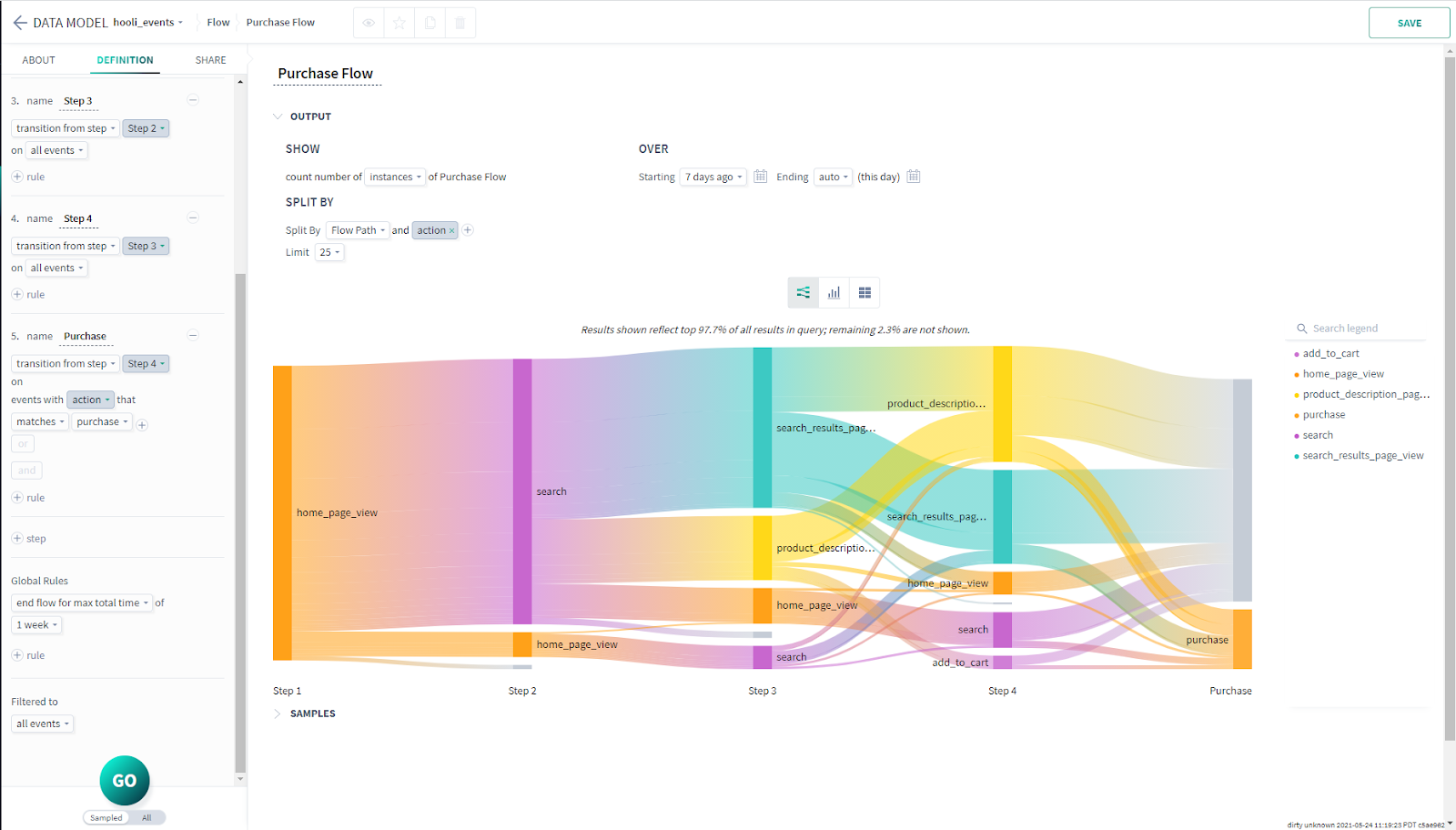
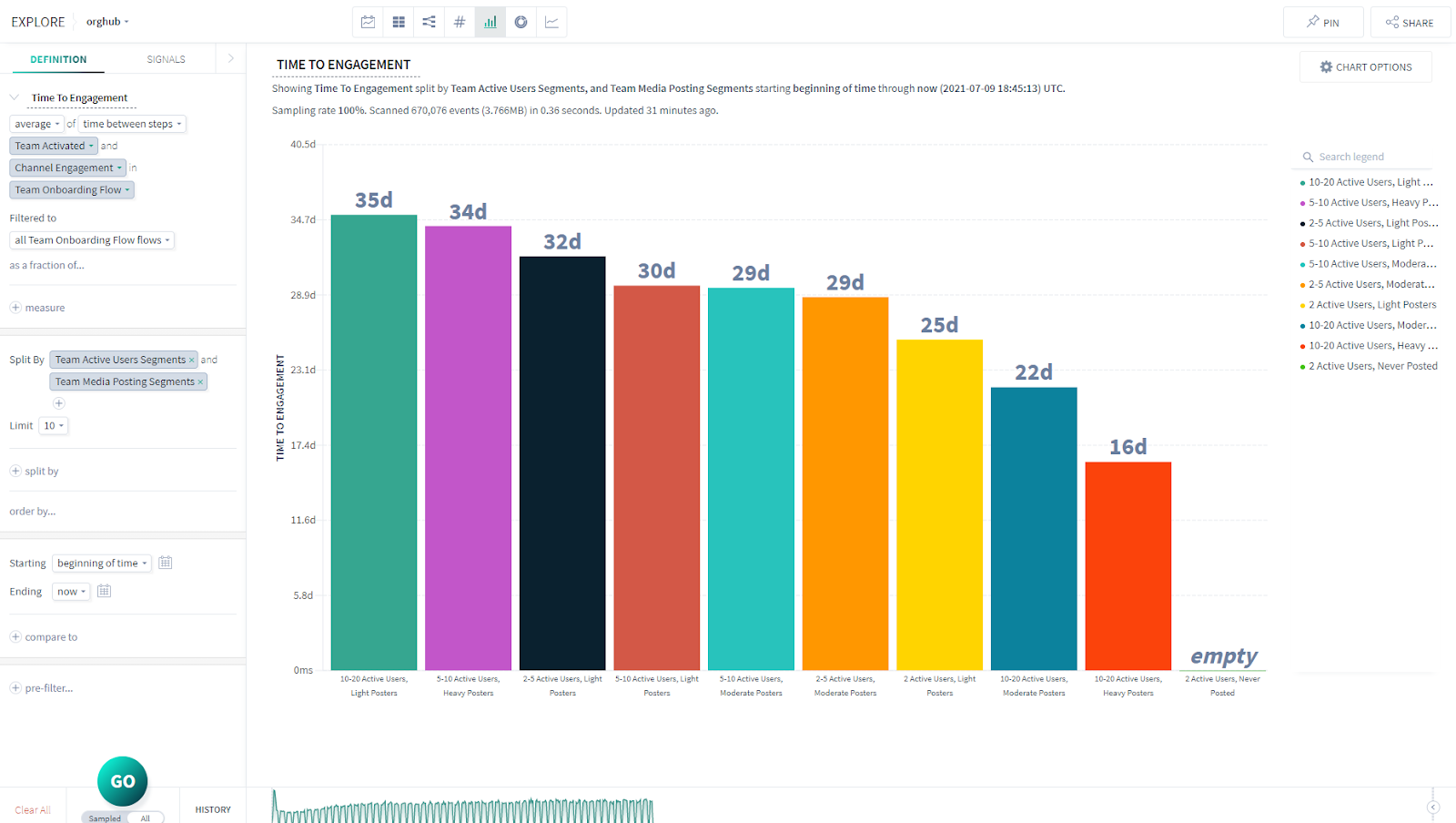
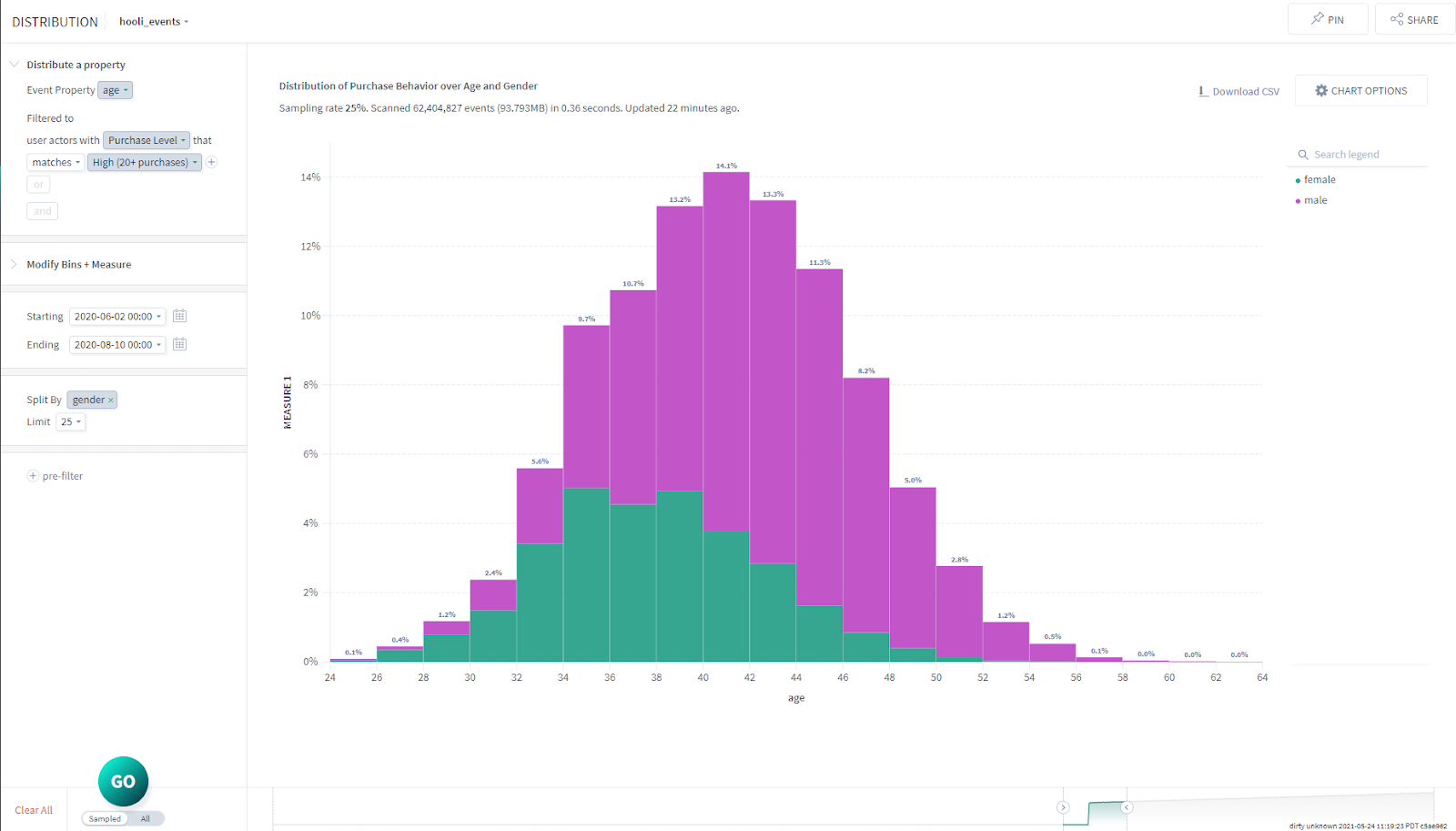
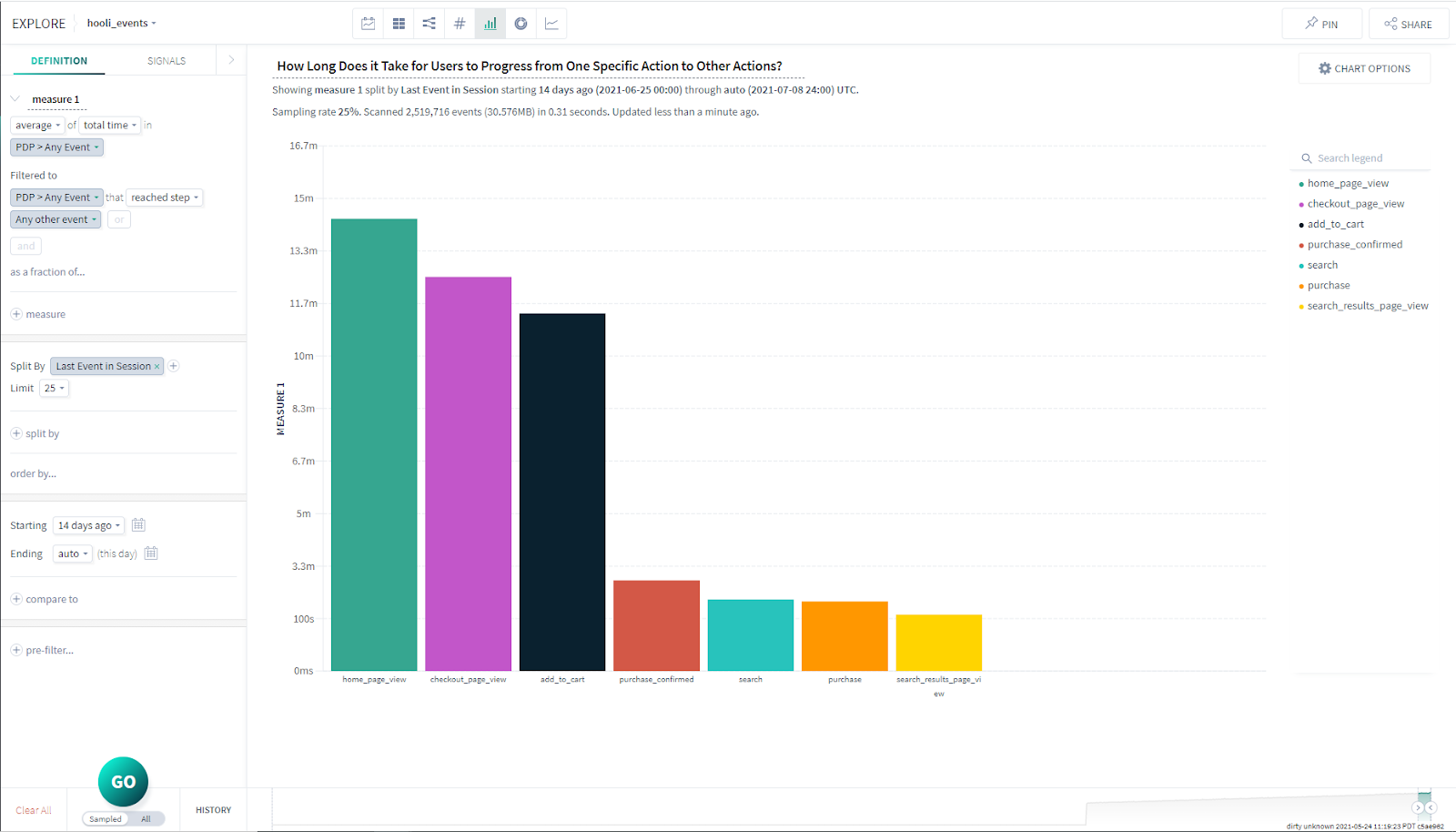
Screenshot of Funnel Visualization - Purchase flowScreenshot of User Segmentation - Time to engagementScreenshot of User Segmentation - Purchase behavior by age and genderScreenshot of Session analysis - Time from one action to the next