A suite of solutions for data connectivity, enhanced transformations and robust governance. Solutions provide a unified view of data with access to data across databases, data warehouses and data lakes. Connects with cloud platforms, on-premises systems and multicloud data sources.
N/A
SolarWinds Task Factory
Score8.2 out of 10
N/A
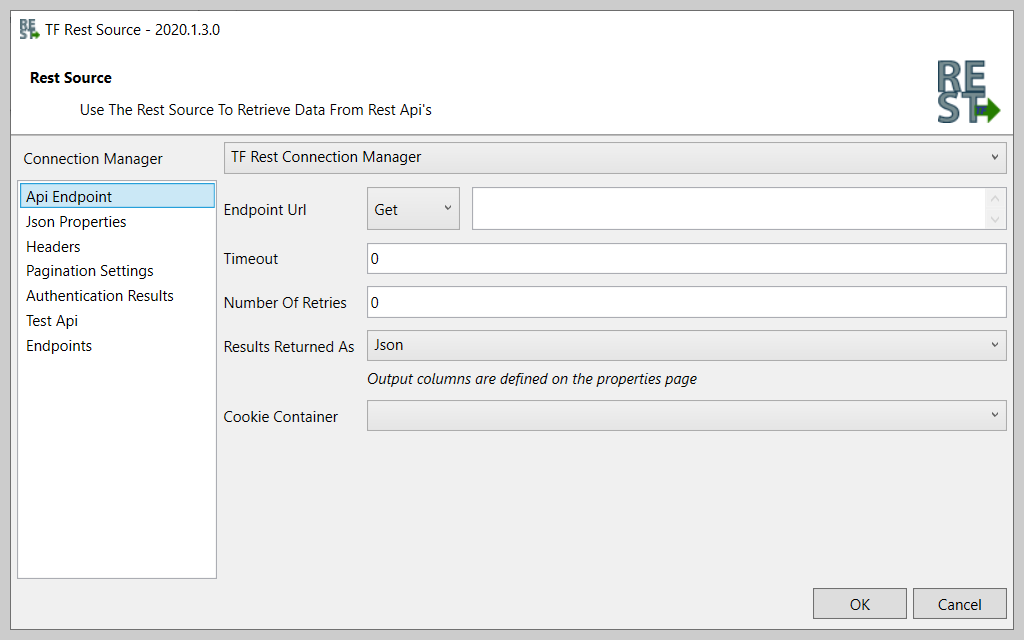
According to the vendor, SolarWinds Task Factory saves time managing tedious ELT/ETL tasks with high-performing SQL Server Integration Services (SSIS) components that can be used within the Visual Studio environment to connect to nearly any data source. Task Factory’s components and tasks have been optimized to ensure fast performance of data-centric applications, and the user can run Task Factory…
When data is in a system that needs a complex transformation to be usable for an average user. Such tasks as data residing in systems that have very different connection speeds. It can be integrated and used together after passing through the SAS Data Integration Studio removing timing issues from the users' worries. A part that is perhaps less appropriate is getting users who are not familiar with the source data to set up the load processes.
A de minimis incentive was given to thank the reviewer for their time. The incentive was not used to bias or drive a particular response, nor was the incentive contingent on a positive endorsement. More Info
Since I started working with this great tool all data analysis programs have been running effectively. Implementation of projects and tasks have been effective and reliable. Data collected from each department gives us working plan on better management of various programs. The Dimension Merge SCD Transform helps us to load large volumes of data within a short period of time.
A de minimis incentive was given to thank the reviewer for their time. The incentive was not used to bias or drive a particular response, nor was the incentive contingent on a positive endorsement. More Info
SAS/Access is great for manipulating large and complex databases.
SAS/Access makes it easy to format reports and graphics from your data.
Data Management and data storage using the Hadoop environment in SAS/Access allows for rapid analysis and simple programming language for all your data needs.
A de minimis incentive was given to thank the reviewer for their time. The incentive was not used to bias or drive a particular response, nor was the incentive contingent on a positive endorsement. More Info
The single most beneficial component to Task Factory is the Upsert component. If you're familiar with writing MERGE statements in T-SQL, you'll appreciate the Upsert component. Drag the component into your Data Flow and a few clicks later you have a MERGE without the code complexities.
Where some native SSIS components leave you wanting more, Task Factory extends on many of these components as well as support for data sources not native to SSIS components.
The number of extra components that come in the Task Factory tool kit will expand your tool belt to do just about anything you need or want to accomplish in SSIS.
A de minimis incentive was given to thank the reviewer for their time. The incentive was not used to bias or drive a particular response, nor was the incentive contingent on a positive endorsement. More Info
A de minimis incentive was given to thank the reviewer for their time. The incentive was not used to bias or drive a particular response, nor was the incentive contingent on a positive endorsement. More Info
It was built by Pragmatic Works who sold it to SentryOne and now Solar Winds, concerned about future support. SolarWinds is discontinuing support for related products such as BiXpress.
Had issues with connecting to certain versions of SQL Server - would fail when deploying one package - had to deploy the entire solutions.
Occasional random failures observed with the Filter tranform.
A de minimis incentive was given to thank the reviewer for their time. The incentive was not used to bias or drive a particular response, nor was the incentive contingent on a positive endorsement. More Info
Task Factory has become a key product for our use of doing ETL work in SSIS. Their custom SSIS components allow us to work simply on the data engineering side of things. We can ignore the lower level work needed to connect to disparate data sources. This allows us to work faster and provide more value to the business
A de minimis incentive was given to thank the reviewer for their time. The incentive was not used to bias or drive a particular response, nor was the incentive contingent on a positive endorsement. More Info
The main negative point is the use of a non-standard language for customizations, as well as the poor integration with non-SAS systems. However, there is no doubt that it is a high-performance and powerful product capable of responding optimally to certain requirements.
A de minimis incentive was given to thank the reviewer for their time. The incentive was not used to bias or drive a particular response, nor was the incentive contingent on a positive endorsement. More Info
A de minimis incentive was given to thank the reviewer for their time. The incentive was not used to bias or drive a particular response, nor was the incentive contingent on a positive endorsement. More Info
A de minimis incentive was given to thank the reviewer for their time. The incentive was not used to bias or drive a particular response, nor was the incentive contingent on a positive endorsement. More Info
With SAS, you pay a license fee annually to use this product. Support is incredible. You get what you pay for, whether it's SAS forums on the SAS support site, technical support tickets via email or phone calls, or example documentation. It's not open source. It's documented thoroughly, and it works.
A de minimis incentive was given to thank the reviewer for their time. The incentive was not used to bias or drive a particular response, nor was the incentive contingent on a positive endorsement. More Info
Overall, the best vendor we currently have on the data side of the house. No issues, issues are resolved very quickly and upgrades go without any issues.
A de minimis incentive was given to thank the reviewer for their time. The incentive was not used to bias or drive a particular response, nor was the incentive contingent on a positive endorsement. More Info
A de minimis incentive was given to thank the reviewer for their time. The incentive was not used to bias or drive a particular response, nor was the incentive contingent on a positive endorsement. More Info
Because of ease of using SAS DI and data processing speed. There were lots of issues with AWS Redshift on cloud environment in terms of making connections with the data sources and while fetching the data we need to write complex queries.
A de minimis incentive was given to thank the reviewer for their time. The incentive was not used to bias or drive a particular response, nor was the incentive contingent on a positive endorsement. More Info
ZappySys is an alternative provider that we tested. However, we found the ease of use, set up and installation to be much simplier and quicker using Task Factory. ZappySys has a number of the same connectors but are more difficult to setup and the GUI is not as intuitive and simple to use.
A de minimis incentive was given to thank the reviewer for their time. The incentive was not used to bias or drive a particular response, nor was the incentive contingent on a positive endorsement. More Info
A de minimis incentive was given to thank the reviewer for their time. The incentive was not used to bias or drive a particular response, nor was the incentive contingent on a positive endorsement. More Info
We were able to support our developers with Task Factory features and reduce the development time by 40%.
Recently Task Factory has changed their pricing module and it seems to be pretty costly for our process. Our business team has started to evaluate whether this is worth it going forward.
A de minimis incentive was given to thank the reviewer for their time. The incentive was not used to bias or drive a particular response, nor was the incentive contingent on a positive endorsement. More Info