TrustRadius: an HG Insights company

Save this comparison

Save this comparison

Add Product

Recommended Comparisons

    Overview
    ProductRatingMost Used ByProduct SummaryStarting Price

    SAP Analytics Cloud

    Score7.7 out of 10
    N/AThe SAP Analytics Cloud solution brings together analytics and planning with integration to SAP applications and access to heterogenous data sources. As the analytics and planning solution within SAP Business Technology Platform, SAP Analytics Cloud supports trusted insights and integrated planning processes enterprise-wide to help make decisions without doubt.

    $36

    per month per user

    Spoom

    Score6 out of 10
    Mid-Size Companies (51-1,000 employees)
    Spoom (formerly Analyza) is a business intelligence solution that is provided by Spoom Software (formerly PIT Business). The vendor provides support services in Luxembourg, Belgium, France, and other parts of Europe. Spoom allows users to: Build several indicators and dashboards Build ad-hoc analysis without IT knowledge Navigate through data via drill-down and filtering Schedule reports and send results by mail or to external…N/A
    Pricing
    SAP Analytics CloudSpoom
    Editions & Modules
    SAP Analytics Cloud for Business Intelligence
    $36.00
    per month per user
    SAP Analytics Cloud for Planning
    Price upon request
    per month per user
    Grow
    Contact Sales
    per installation (including licences and maintenance for 3 years)
    Premium
    Contact Sales
    per installation (including licences and maintenance for 3 years)
    Offerings
    Pricing Offerings
    SAP Analytics CloudSpoom
    Free Trial
    YesYes
    Free/Freemium Version
    NoNo
    Premium Consulting/Integration Services
    NoYes
    Entry-level Setup FeeNo setup fee$15,000 per installation (including licences and maintenance for 3 years)
    Additional DetailsA 30-day trial with SAP Analytics Cloud is available, supporting analytics enterprise-wide. A trial can be extended up to 90 days on request.The On-Premise or SaaS solutions are the same price; we provide a dedicated machine or virtual machine for both. For 10 users, the budget is from $15,000 to $90,000 for a full Business Intelligence solution (including licenses and maintenance for 3 years). The installation and configuration cost depends on customer's data architecture, volume and number of sources. It also depends on customizations required (i.e.: exporting pixel to pixel PDF files to a SharePoint platform).
    More Pricing Information
    Community Pulse
    SAP Analytics CloudSpoom
    Considered Both Products
    SAP
    No answer on this topic
    Spoom Software
    No answer on this topic
    Key User Insights
    Would buy again
    95%
    Would buy again
    202 Answers
    No answers on this topic
    Delivers good value for the price
    97%
    Delivers good value for the price
    176 Answers
    No answers on this topic
    Happy with the feature set
    93%
    Happy with the feature set
    197 Answers
    No answers on this topic
    Lived up to sales and marketing promises
    87%
    Lived up to sales and marketing promises
    122 Answers
    No answers on this topic
    Implementation went as expected
    88%
    Implementation went as expected
    144 Answers
    No answers on this topic
    Features
    SAP Analytics CloudSpoom
    BI Standard Reporting
    Comparison of BI Standard Reporting features of SAP Analytics Cloud and Spoom
    Feature
    SAP Analytics Cloud
    8.0
    247 Ratings
    2% below category average
    Spoom
    7.6
    1 Ratings
    1% below category average
    Pixel Perfect reports8.0204 Ratings7.31 Ratings
    Customizable dashboards8.1242 Ratings8.21 Ratings
    Report Formatting Templates7.9220 Ratings7.31 Ratings
    Ad-hoc Reporting
    Comparison of Ad-hoc Reporting features of SAP Analytics Cloud and Spoom
    Feature
    SAP Analytics Cloud
    7.9
    257 Ratings
    2% below category average
    Spoom
    8.4
    1 Ratings
    3% above category average
    Drill-down analysis8.1248 Ratings9.11 Ratings
    Formatting capabilities8.1245 Ratings8.21 Ratings
    Integration with R or other statistical packages7.7190 Ratings8.21 Ratings
    Report sharing and collaboration7.8235 Ratings8.21 Ratings
    Report Output and Scheduling
    Comparison of Report Output and Scheduling features of SAP Analytics Cloud and Spoom
    Feature
    SAP Analytics Cloud
    8.0
    242 Ratings
    4% below category average
    Spoom
    8.9
    1 Ratings
    8% above category average
    Publish to Web8.0208 Ratings8.21 Ratings
    Publish to PDF8.4233 Ratings9.11 Ratings
    Report Versioning8.1202 Ratings9.11 Ratings
    Report Delivery Scheduling7.7194 Ratings9.11 Ratings
    Data Discovery and Visualization
    Comparison of Data Discovery and Visualization features of SAP Analytics Cloud and Spoom
    Feature
    SAP Analytics Cloud
    8.0
    250 Ratings
    0% above category average
    Spoom
    7.3
    1 Ratings
    4% below category average
    Pre-built visualization formats (heatmaps, scatter plots etc.)7.7239 Ratings7.31 Ratings
    Location Analytics / Geographic Visualization7.7232 Ratings00 Ratings
    Predictive Analytics8.3236 Ratings7.31 Ratings
    Pattern Recognition and Data Mining8.234 Ratings00 Ratings
    Access Control and Security
    Comparison of Access Control and Security features of SAP Analytics Cloud and Spoom
    Feature
    SAP Analytics Cloud
    8.1
    256 Ratings
    5% below category average
    Spoom
    7.7
    1 Ratings
    12% below category average
    Multi-User Support (named login)8.1235 Ratings7.31 Ratings
    Role-Based Security Model8.1242 Ratings00 Ratings
    Multiple Access Permission Levels (Create, Read, Delete)7.8233 Ratings8.21 Ratings
    Report-Level Access Control8.245 Ratings00 Ratings
    Single Sign-On (SSO)8.5236 Ratings00 Ratings
    Mobile Capabilities
    Comparison of Mobile Capabilities features of SAP Analytics Cloud and Spoom
    Feature
    SAP Analytics Cloud
    7.9
    219 Ratings
    0% above category average
    Spoom
    8.2
    1 Ratings
    4% above category average
    Responsive Design for Web Access7.7208 Ratings9.11 Ratings
    Mobile Application7.5180 Ratings00 Ratings
    Dashboard / Report / Visualization Interactivity on Mobile8.0203 Ratings7.31 Ratings
    Best Alternatives
    SAP Analytics CloudSpoom
    Small Businesses
    Cyfe
    Score8.8 out of 10
    No answers on this topic
    Medium-sized Companies
    Zendesk Explore
    Score8.7 out of 10
    IBM Planning Analytics
    Score8.8 out of 10
    Enterprises
    Jaspersoft Community Edition
    Score9.7 out of 10
    Oracle Fusion Cloud Enterprise Performance Management
    Score10 out of 10
    All AlternativesView all alternativesView all alternatives
    User Ratings
    SAP Analytics CloudSpoom
    Likelihood to Recommend
    8.2
    (297 ratings)
    8.2
    (1 ratings)
    Likelihood to Renew
    7.8
    (7 ratings)
    -
    (0 ratings)
    Usability
    8.0
    (219 ratings)
    -
    (0 ratings)
    Support Rating
    5.6
    (75 ratings)
    -
    (0 ratings)
    In-Person Training
    9.0
    (1 ratings)
    -
    (0 ratings)
    Implementation Rating
    2.0
    (6 ratings)
    -
    (0 ratings)
    Data Sharing and Collaboration
    8.0
    (61 ratings)
    8.2
    (1 ratings)
    Data Sources
    8.1
    (61 ratings)
    9.1
    (1 ratings)
    User Testimonials
    SAP Analytics CloudSpoom
    Likelihood to Recommend
    SAP
    SAP Analytics Cloud is great for big companies that want advanced data analysis and planning, especially when they need to work together in real-time or when people need to access data on their phones. It's like a super tool for predicting future trends in industries like retail or finance. SAC also works well for companies that use different types of computer systems because it can easily connect them. But, for small businesses that only need basic reports or don't have a lot of technical resources, a simpler tool might be better. If a company doesn't always have a good internet connection or if they're just starting with analytics, there might be other tools that work better.
    Incentivized
    Read full review
    Spoom Software
    It is well suited when you have several sources of data.
    Read full review
    Pros
    SAP
    • It makes it easier yo analyse order and related records easily.
    • We can easily maintain and track the performance of employees in organisation.
    • Can easily track various aspects for the growth of an organisation thus allowing real time analysis and tracking of organisation's growth and performance.
    Incentivized
    Read full review
    Spoom Software
    • Easy to use
    • Focus on analyzing and not on finding and loading data
    • "One version of the truth"
    Read full review
    Cons
    SAP
    • Complexity in Data Modeling
    • SAC supports various data sources, but improvements in the ease of connecting to and integrating with certain data repositories, especially non-SAP databases, would enhance the platform's versatility and integration capabilities.
    • An offline mode for SAC could be valuable for users who need to access and analyze data without an internet connection. Additionally, optimizing performance for large datasets and complex visualizations would contribute to a smoother user experience.
    Incentivized
    Read full review
    Spoom Software
    • I would like to have more modules. Eg. : supply chain tool.
    Read full review
    Likelihood to Renew
    SAP
    There’s no doubt I will renew SAP Analytics Cloud. It is the most vital tool in our organization that makes it seamless to make rapid business decisions by collecting, modeling and visualizing data in real-time.
    Read full review
    Spoom Software
    No answers on this topic
    Usability
    SAP
    On a scale of 1 to 10, I would rate 8 SAP Analytics Cloud's overall usability as a 7. SAC has a clean, modern user interface with drag-and-drop features. It is an integrated platform that combines reporting, planning, and predictive analytics in one tool. It has Real-time connectivity with SAP data sources like S/4HANA.


    Self-service analytics capabilities allow non-technical users to build simple dashboards.
    Read full review
    Spoom Software
    No answers on this topic
    Reliability and Availability
    SAP
    I would rate SAP Analytics Cloud an 8 out of 10 for scalability. It offers a flexible, cloud-based architecture that supports expansion across departments and geographies. The platform adapts well to growing data volumes and user needs, making it a strong choice for organizations looking to scale analytics capabilities efficiently.
    Incentivized
    Read full review
    Spoom Software
    No answers on this topic
    Performance
    SAP
    I would rate SAP Analytics Cloud’s performance an 8 out of 10. Pages generally load quickly, and reports run within a reasonable time frame, even with complex datasets. Integration with other systems is smooth and doesn’t noticeably affect performance. Overall, it’s a responsive and efficient tool for business analytics. But
    Incentivized
    Read full review
    Spoom Software
    No answers on this topic
    Support Rating
    SAP
    Since the implementation stage, the support team has been very helpful and assisting. Even in the later stages, the tech team had quite a rapid response. In general, SAP has provided us with great customer support, let it be for a specific product of SAP or for integration of different modules.
    Incentivized
    Read full review
    Spoom Software
    No answers on this topic
    In-Person Training
    SAP
    Good videos and reference material available in SAP Portal.
    Incentivized
    Read full review
    Spoom Software
    No answers on this topic
    Online Training
    SAP
    it's ok
    Incentivized
    Read full review
    Spoom Software
    No answers on this topic
    Implementation Rating
    SAP
    SAC is a simple solution ad it works fine when connecting it to other SAP tools. On the other hand, connecting it to third party solutions brings difficulties when there's no previous design and the objetives are not clear. It is really important to integrate Business users from the start to provide with valuable business insights
    Incentivized
    Read full review
    Spoom Software
    No answers on this topic
    Alternatives Considered
    SAP
    SAP Analytics Cloud vs. Microsoft Power BI:Cost: Power BI is often perceived as a cost-effective solution, especially for organizations already using Microsoft products. SAP Analytics Cloud might be seen as a higher-cost option.Integration: SAP Analytics Cloud may have an edge in integration with SAP systems, while Power BI is known for its broad integration capabilities, including seamless integration with other Microsoft tools.Usability: Power BI is often praised for its user-friendly interface and quick adoption, while SAP Analytics Cloud may be seen as offering more advanced features.
    Incentivized
    Read full review
    Spoom Software
    Cognos is very expensive and needs heavy IT-team to implement it.
    Read full review
    Contract Terms and Pricing Model
    SAP
    unit pricing
    Incentivized
    Read full review
    Spoom Software
    No answers on this topic
    Scalability
    SAP
    I would rate SAP Analytics Cloud an 8 out of 10 for scalability. It offers a flexible, cloud-based architecture that supports expansion across departments and geographies. The platform adapts well to growing data volumes and user needs, making it a strong choice for organizations looking to scale analytics capabilities efficiently.
    Incentivized
    Read full review
    Spoom Software
    No answers on this topic
    Professional Services
    SAP
    very simple
    Incentivized
    Read full review
    Spoom Software
    No answers on this topic
    Return on Investment
    SAP
    • Many manual data manipulations and exports in Excel have been replaced by the tool, providing management with improved insight into the amount of time spent at each stage of an invoice's lifetime, allowing bottlenecks to be discovered.
    • We now have more insight into the data, and people with little technical experience can easily build stories.
    Incentivized
    Read full review
    Spoom Software
    No answers on this topic
    ScreenShots

    Spoom Screenshots

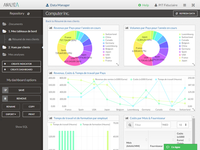
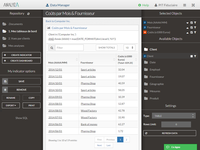
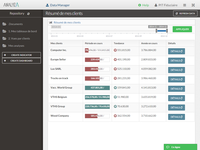
    Screenshot of Dashboard in AnalyzaScreenshot of Table in AnalyzaScreenshot of Vertical chart in AnalyzaScreenshot of Customized table in AnalyzaScreenshot of Data raw export in AnalyzaScreenshot of Authentification in Analyza