Salesforce Sales Cloud is a platform for sales with a community of Sellers, Sales Leaders, and Sales Operations, who use the solution to grow sales and increase productivity. The AI CRM for Sales features data built right in, so that companies can sell faster, sell smarter and sell efficiently. Salesforce Sales Cloud is used for, and supports: Buyer Engagement Sales Engagement Enablement Sales AI Sales Analytics Team…
$25
per month per user
SAP Business ByDesign
Score 8.3 out of 10
Mid-Size Companies (51-1,000 employees)
SAP Business ByDesign is SAP's cloud ERP suite offering, launched in 2007, designed for the SMB market. The product includes a broad range of capabilities including financials, human resources, sales, procurement, customer service, and supply chain.
Business ByDesign is a new platform, delivered entirely through a SaaS model, with functionality that overlaps somewhat with BusinessOne, which is also an SMB product, although not a true SaaS product.
N/A
Pricing
Salesforce Sales Cloud
SAP Business ByDesign
Editions & Modules
Starter
$25.00
per month per user
Professional
$80.00
per month per user
Enterprise
$165.00
per month per user
Unlimited
$330.00
per month per user
Agentforce 1 Sales
$550
per month per user
No answers on this topic
Offerings
Pricing Offerings
Salesforce Sales Cloud
SAP Business ByDesign
Free Trial
Yes
Yes
Free/Freemium Version
No
No
Premium Consulting/Integration Services
No
No
Entry-level Setup Fee
Optional
Optional
Additional Details
—
SAP Business ByDesign is available for a monthly software-as-a-service (SaaS) subscription, based on a base package, user types, and number of users.
More Pricing Information
Community Pulse
Salesforce Sales Cloud
SAP Business ByDesign
Features
Salesforce Sales Cloud
SAP Business ByDesign
Sales Force Automation
Comparison of Sales Force Automation features of Product A and Product B
Salesforce Sales Cloud
8.3
Ratings
7% above category average
SAP Business ByDesign
-
Ratings
Customer data management / contact management
9.30 Ratings
00 Ratings
Workflow management
8.30 Ratings
00 Ratings
Territory management
7.70 Ratings
00 Ratings
Opportunity management
8.70 Ratings
00 Ratings
Integration with email client (e.g., Outlook or Gmail)
8.60 Ratings
00 Ratings
Contract management
7.90 Ratings
00 Ratings
Quote & order management
7.70 Ratings
00 Ratings
Interaction tracking
8.80 Ratings
00 Ratings
Channel / partner relationship management
8.10 Ratings
00 Ratings
Customer Service & Support
Comparison of Customer Service & Support features of Product A and Product B
Salesforce Sales Cloud
7.9
Ratings
5% above category average
SAP Business ByDesign
-
Ratings
Case management
8.30 Ratings
00 Ratings
Call center management
7.80 Ratings
00 Ratings
Help desk management
7.50 Ratings
00 Ratings
Marketing Automation
Comparison of Marketing Automation features of Product A and Product B
Salesforce Sales Cloud
8.4
Ratings
10% above category average
SAP Business ByDesign
-
Ratings
Lead management
8.50 Ratings
00 Ratings
Email marketing
8.20 Ratings
00 Ratings
CRM Project Management
Comparison of CRM Project Management features of Product A and Product B
Salesforce Sales Cloud
8.4
Ratings
10% above category average
SAP Business ByDesign
-
Ratings
Task management
8.80 Ratings
00 Ratings
Billing and invoicing management
7.70 Ratings
00 Ratings
Reporting
8.60 Ratings
00 Ratings
CRM Reporting & Analytics
Comparison of CRM Reporting & Analytics features of Product A and Product B
Salesforce Sales Cloud
8.3
Ratings
9% above category average
SAP Business ByDesign
-
Ratings
Forecasting
8.10 Ratings
00 Ratings
Pipeline visualization
8.10 Ratings
00 Ratings
Customizable reports
8.80 Ratings
00 Ratings
Customization
Comparison of Customization features of Product A and Product B
Salesforce Sales Cloud
8.7
Ratings
15% above category average
SAP Business ByDesign
9.2
Ratings
19% above category average
Custom fields
9.00 Ratings
00 Ratings
Custom objects
8.90 Ratings
00 Ratings
Scripting environment
8.30 Ratings
00 Ratings
API for custom integration
8.60 Ratings
9.20 Ratings
Plug-ins
00 Ratings
9.20 Ratings
Security
Comparison of Security features of Product A and Product B
Salesforce Sales Cloud
8.9
Ratings
7% above category average
SAP Business ByDesign
9.3
Ratings
13% above category average
Single sign-on capability
8.90 Ratings
9.00 Ratings
Role-based user permissions
8.80 Ratings
9.60 Ratings
Social CRM
Comparison of Social CRM features of Product A and Product B
Salesforce Sales Cloud
8.8
Ratings
18% above category average
SAP Business ByDesign
-
Ratings
Social data
8.90 Ratings
00 Ratings
Social engagement
8.70 Ratings
00 Ratings
Integrations with 3rd-party Software
Comparison of Integrations with 3rd-party Software features of Product A and Product B
Salesforce Sales Cloud
8.2
Ratings
11% above category average
SAP Business ByDesign
-
Ratings
Marketing automation
8.40 Ratings
00 Ratings
Compensation management
8.00 Ratings
00 Ratings
Platform
Comparison of Platform features of Product A and Product B
Salesforce Sales Cloud
7.8
Ratings
6% above category average
SAP Business ByDesign
-
Ratings
Mobile access
7.80 Ratings
00 Ratings
Payroll Management
Comparison of Payroll Management features of Product A and Product B
Salesforce Sales Cloud
-
Ratings
SAP Business ByDesign
8.4
Ratings
16% above category average
Benefit plan administration
00 Ratings
4.50 Ratings
Direct deposit files
00 Ratings
9.10 Ratings
Reporting & Analytics
Comparison of Reporting & Analytics features of Product A and Product B
Salesforce Sales Cloud
-
Ratings
SAP Business ByDesign
9.2
Ratings
24% above category average
Dashboards
00 Ratings
8.80 Ratings
Standard reports
00 Ratings
9.20 Ratings
Custom reports
00 Ratings
9.60 Ratings
General Ledger and Configurable Accounting
Comparison of General Ledger and Configurable Accounting features of Product A and Product B
Salesforce Sales Cloud
-
Ratings
SAP Business ByDesign
8.7
Ratings
12% above category average
Accounts payable
00 Ratings
9.20 Ratings
Accounts receivable
00 Ratings
9.20 Ratings
Global Financial Support
00 Ratings
9.20 Ratings
Primary and Secondary Ledgers
00 Ratings
9.20 Ratings
Journals and Reconciliations
00 Ratings
8.80 Ratings
Configurable Accounting
00 Ratings
9.20 Ratings
Standardized Processes
00 Ratings
8.00 Ratings
Inventory Management
Comparison of Inventory Management features of Product A and Product B
Salesforce Sales Cloud
-
Ratings
SAP Business ByDesign
9.1
Ratings
14% above category average
Inventory tracking
00 Ratings
9.20 Ratings
Automatic reordering
00 Ratings
10.00 Ratings
Location management
00 Ratings
8.00 Ratings
Order Management
Comparison of Order Management features of Product A and Product B
Salesforce Sales Cloud
-
Ratings
SAP Business ByDesign
8.5
Ratings
8% above category average
Pricing
00 Ratings
9.20 Ratings
Order entry
00 Ratings
9.20 Ratings
Credit card processing
00 Ratings
4.50 Ratings
Cost of goods sold
00 Ratings
9.20 Ratings
Order Orchestration
00 Ratings
9.20 Ratings
Subledger and Financial Process
Comparison of Subledger and Financial Process features of Product A and Product B
Salesforce Sales Cloud
-
Ratings
SAP Business ByDesign
9.2
Ratings
21% above category average
Billing Management
00 Ratings
8.80 Ratings
Cash and Asset Management
00 Ratings
9.20 Ratings
Travel & Expense Management
00 Ratings
10.00 Ratings
Budgetary Control & Encumbrance Accounting
00 Ratings
10.00 Ratings
Period Close
00 Ratings
9.20 Ratings
Project Financial Management
Comparison of Project Financial Management features of Product A and Product B
Salesforce Sales Cloud
-
Ratings
SAP Business ByDesign
9.2
Ratings
19% above category average
Budgeting and Forecasting
00 Ratings
10.00 Ratings
Project Costing
00 Ratings
9.20 Ratings
Cost Capture
00 Ratings
9.20 Ratings
Capital Project Management
00 Ratings
9.20 Ratings
Customer Contract Compliance
00 Ratings
8.00 Ratings
Project Revenue Recognition
00 Ratings
9.20 Ratings
Project Execution Management
Comparison of Project Execution Management features of Product A and Product B
Salesforce Sales Cloud
-
Ratings
SAP Business ByDesign
8.3
Ratings
19% above category average
Project Planning and Scheduling
00 Ratings
9.20 Ratings
Task Insight for Project Managers
00 Ratings
8.00 Ratings
Project Mobile Functionality
00 Ratings
8.00 Ratings
Grants Management
Comparison of Grants Management features of Product A and Product B
Salesforce Sales Cloud
-
Ratings
SAP Business ByDesign
10.0
Ratings
30% above category average
Award Lifecycle Management
00 Ratings
10.00 Ratings
Procurement
Comparison of Procurement features of Product A and Product B
Salesforce Sales Cloud
-
Ratings
SAP Business ByDesign
8.0
Ratings
14% above category average
Bids Analyzed and Compared
00 Ratings
8.00 Ratings
Requisitions-to-Purchase Orders Integrated
00 Ratings
8.00 Ratings
Supplier Management
00 Ratings
8.00 Ratings
Logistics
Comparison of Logistics features of Product A and Product B
Salesforce Sales Cloud
-
Ratings
SAP Business ByDesign
9.2
Ratings
32% above category average
Warehouse Workforce Management
00 Ratings
9.20 Ratings
Manufacturing
Comparison of Manufacturing features of Product A and Product B
Salesforce Sales Cloud
-
Ratings
SAP Business ByDesign
9.0
Ratings
19% above category average
Production Process Design
00 Ratings
9.20 Ratings
Production Management
00 Ratings
9.20 Ratings
Configuration Management
00 Ratings
8.00 Ratings
Work Execution
00 Ratings
8.00 Ratings
Manufacturing Costs
00 Ratings
9.20 Ratings
Supply Chain
Comparison of Supply Chain features of Product A and Product B
It’s great at bringing in members from different sources and streamlining their journey — making it easier for our staff to manage follow-ups and tailor actions based on where each member is in their path. As for where it’s less suited, I’d say it depends on company size — it might be a bit too much for a very small organization.
It is a good tool for small and medium companies. We really like it and it is easy to use. It is good for managing and following a lot of departments in a company, from sales, projects, accounting and finance to HR management. It is one place where we see the flows of various departments of the company. Licenses can be expensive but there are many different options to choose from to get the license you need that's the best fit for each user.
Logging notes: SF makes it easy to log notes in the timeline or static notes that live in an easy-to-see spot for longevity.
Logging activities: It's easy to post a call, text, email, etc.
API data: Once connected, SF is critical to automation, such as website activity, login activity, pages visited, etc., which saves the Customer Success side time in understanding account activity.
Custom fields: you can add custom fields to really personalize your experience. We use quite a few and it's brilliant.
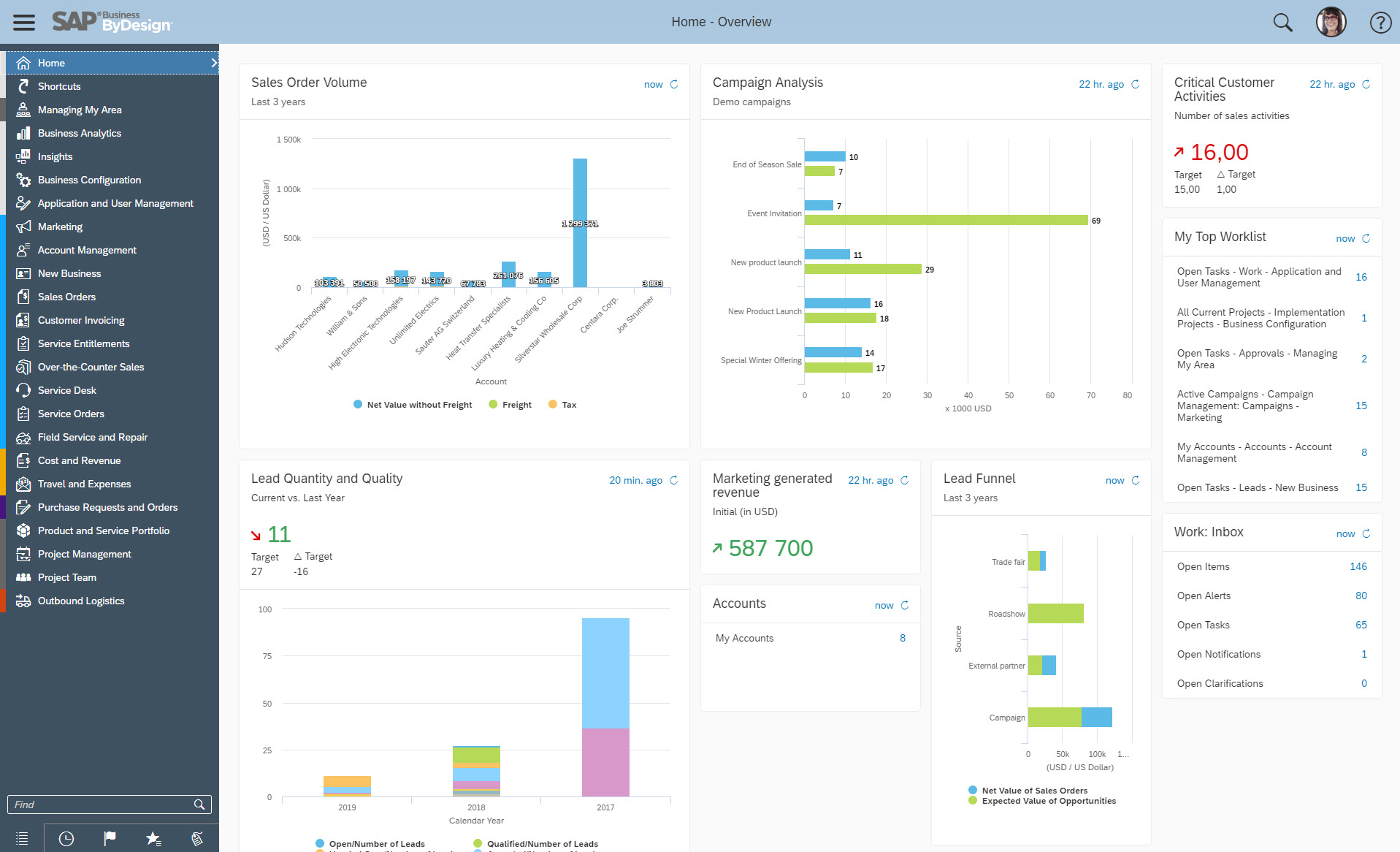
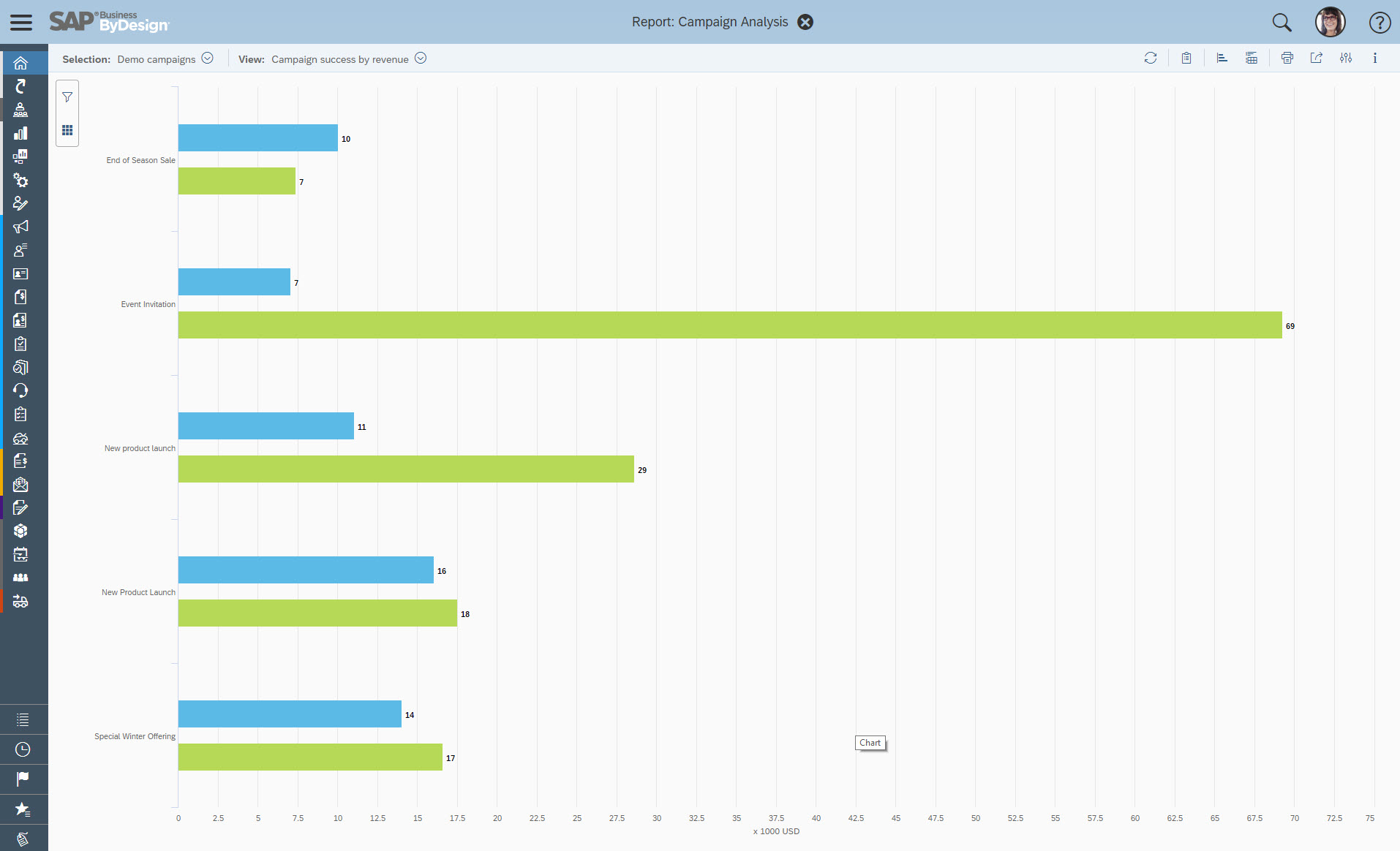
Reporting is fantastic and is based on SAP's Business Objects design allowing a drag and drop UI for creating the fields you're interested in with the right views and filters
The Project Management controls are perfectly integrated into the solution allowing tight controls and easy set-up of projects. Everything flows smoothly from creating tasks in a gantt style control to being able to be entered into a timesheet. A PM can see project health from a cockpit view and make necessary decisions.
I have hard-coded the auto-update of the phone number format and state format from some codes shared by the community, but I do not know where to do it. I cannot reset it either.
It is unclear what functionalities each version has. We use the enterprise version, and it seems we can only have one design of the pipeline. But different business segments would have very different sales cycles, and hence, pipeline tracking would be different. It would be nice to have this available in our version.
It seems I cannot create a report to pull notes logged at the account levels.
When we first began using it, there was no function for housing budget data for comparison with actual performance. An Excel-based tool had to be created to address this glaring shortcoming.
There are days when I wish we hadn't switched, but I know that if we put in the time, we will get to where we want to be with the software and that it has many more capabilities than anything else we looked at. However, the amount of time and onboarding we need to do is also far greater than we realized/were told when we originally bought the product. They told us we should hire onboarding support, but at the end, after we had already reached our budget maximum for this, so it's been slower than we had hoped.
SAP BYD work centers are consistent and easy to navigate once you understand one work center. The document flow tab that is in each window allows one to see all related transactions. Document flow is important because one is able to see the flow of transactions and can therefore reverse transactions by following the document flow in reverse. It is possible to group items in each overview screen to see what items are open. The system is working as hoped.
Salesforce has been designed on the basis of "Clicks, not code". So anyone willing to learn the Salesforce user interface (which is quite good as far as management software platforms go) is able to become a Salesforce user or even a Salesforce administrator. You don't have to know coding language to work in the Salesforce environment. Also, Salesforce has one of the best software training resources (Trailhead) that I have ever encountered. It is free to all, easy to use, and most importantly it is interactive. No scrolling through endless text in a user manual. There are hands-on modules and related videos interlaced and through it all you earn points and badges to display your level of learning.
Because SAP Business ByDesign allows us to improve our work, reduce the operational steps, implement audit controls, allows us found standard reports or it allows us to create new ones if you need more than the exists are enough for your work or your needs. Overall, SAP Business ByDesign allows us to standardize our operations, enhance our work, improve our skills, work over a web environment or mobile interface.
All Force.com apps run on world-class data centers with backup, failover, and disaster-recovery facilities. Force.com has had a proven 99.9 percent uptime record for years. Accordingly, I only recall our instance of Salesforce having one unscheduled, brief down time over 6 years. I can't remember for sure, but it may have been due to our Internet Service Provider (ISP) versus Salesforce itself. Also, Salesforce does it's best to keep customers in the loop:
Trust.salesforce.com is the salesforce.com community's home for real-time information on system performance and security. On this site you'll find:
Live and historical data on system performance Up-to-the minute information on planned maintenance Phishing, malicious software and social engineering threats Best security practices for your organization Information on how we safeguard your data
For a SaaS provider, I'd rate their performance to be one of the best. At times, reporting tends to slow down if the data set is very large, which is the case in any system. But, that's a very rare phenomenon
The overall support has been good. More and more features are being released quite frequently. Very small features are also making big difference in how the tool can be adapted and used better. If there is anything we need or are stuck, the support team sets up a call and helps in resolving the issue/provides workarounds.
The Business ByDesign support is stablished since you contract the service with SAP. SAP resolves according to the service level agreement. Currently, we continue with the service and we are using the support channels available. We are receiving the support. The SAP support gets an incident and after that, they contact us to resolve the incident, if necessary, they set the meeting to understand it or we explain the incident
I attended two training sessions. I would rate them a 4 as an advanced user. It was very basic – great for someone new – would give 8+ for new person.
I had 3 years of experience at the time. I skipped basic and went onto advanced and still not helpful. A lot of it was best practices that didn’t feel relevant for our business
I have gone through multiple. The content that’s delivered is quite basic – I wish they had more advanced training.
We are grandfathered into premium support plus training. We get unlimited access to instructor led and online training for free. We have taken advantage of this
Just from an organizational standpoint - we standardized our data prior to moving to Salesforce. But we essentially standardized it wrong. That's created a big disgusting mess for us know that I'll have to deal with as the Admin. Be sure you think through use cases prior to doing something like that - seek outside opinions on how the data will work best, especially depending on what else you're going to integrate with Salesforce.
I recommend implementing all workshops during the ERP selection that you need to know very well about the ERP software. It allows us to gather information to accurate the plan of the project implementation. Additionally, we must reach the high-level commitment to achieve the main goals, to define the RACI matrix and communicate to all project stakeholders.
Salesforce sales can do everything Front does regarding email integrations and communicating with your peers. Still, it provides even more insight for our salespeople and leadership team. Although Front is cheaper, we decided the added productivity and visibility provided to the team would be well worth the higher price tag.
By Design was selected before I joined the company. Recently I have started working with NetSuite, which has its strengths and weaknesses as well, but is easier to customize to your business needs
Salesforce Sales Cloud is highly scalable and designed to accommodate the needs of businesses of all sizes, from small startups to large enterprises. It offers flexible subscription models and can easily scale up or down based on the organization's requirements. Whether a company is expanding its sales team, increasing its customer base, or adding new features and functionalities, Sales Cloud can adapt to support growth without sacrificing performance or reliability. Additionally, Salesforce's cloud-based architecture ensures that users have access to resources and capabilities as needed, making it a highly scalable solution for organizations looking to automate customer relationship management at scale.
Great tool for me as a salesman, visibility into all my accounts and contacts. Great ROI for me personally as it helps me track my business prospects.
Easy access via the cloud for home, office, or on the go. Has mobile apps that are effective for simple tasks and reminders.
Great community to be a part of, tons of online resources. Also, have the ability to connect with SAP directly and with partner network, there are many layers of support.