Salesforce Revenue Cloud vs. Tacton Design Automation

Overview
ProductRatingMost Used ByProduct SummaryStarting Price
Salesforce Revenue Cloud
Score 8.8 out of 10
Mid-Size Companies (51-1,000 employees)
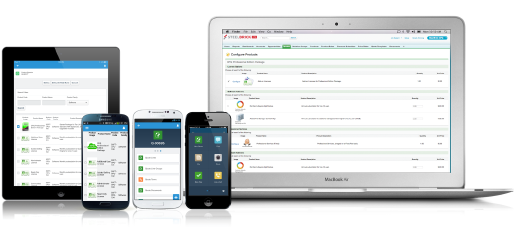
Salesforce Revenue Cloud (formerly Salesforce CPQ or SteelBrick) is built and delivered on the Salesforce Platform and Salesforce1 Mobile App which enables users to create accurate sales quotes quickly and submit error-free orders on the fly from any device.
$30
Per User per Month
Tacton Design Automation
Score 9.0 out of 10
N/A
Tacton Design Automation provides constraint-based and parametric engineer-to-order automation inside SolidWorks, PTC CREO and Autodesk Inventor. With needs-driven design, CAD engineers can configure designs of complex products – including feedback on incompatible choices - and automatically generate complete 2D drawings, 3D models and quote documents. The configurator-powered Tacton Design Automation is designed to propose a solution that's not just buildable, but optimal for the…N/A
Pricing
Salesforce Revenue CloudTacton Design Automation
Editions & Modules
Basic
$30
Per User per Month
Professional
$50
Per User per Month
Enterprise
$75
Per User per Month
No answers on this topic
Offerings
Pricing Offerings
Salesforce Revenue CloudTacton Design Automation
Free Trial
YesNo
Free/Freemium Version
NoNo
Premium Consulting/Integration Services
NoNo
Entry-level Setup FeeOptionalNo setup fee
Additional Details
More Pricing Information
Community Pulse
Salesforce Revenue CloudTacton Design Automation
Features
Salesforce Revenue CloudTacton Design Automation
CPQ
Comparison of CPQ features of Product A and Product B
Salesforce Revenue Cloud
7.7
Ratings
12% below category average
Tacton Design Automation
-
Ratings
Quote sharing/sending7.90 Ratings00 Ratings
Product configuration5.10 Ratings00 Ratings
Configuration options5.10 Ratings00 Ratings
Pricing rules8.00 Ratings00 Ratings
Price adjustment8.00 Ratings00 Ratings
Purchase history and open contracts9.00 Ratings00 Ratings
Guided selling/Sales portal6.00 Ratings00 Ratings
CPQ reporting & analytics8.90 Ratings00 Ratings
CPQ-CRM integration9.90 Ratings00 Ratings
Attachments to quotes9.00 Ratings00 Ratings
Order capturing8.00 Ratings00 Ratings
User Ratings
Salesforce Revenue CloudTacton Design Automation
Likelihood to Recommend
8.0
(0 ratings)
10.0
(0 ratings)
Likelihood to Renew
9.1
(0 ratings)
-
(0 ratings)
Usability
8.6
(0 ratings)
-
(0 ratings)
Availability
9.1
(0 ratings)
-
(0 ratings)
Performance
8.2
(0 ratings)
-
(0 ratings)
Support Rating
7.9
(0 ratings)
-
(0 ratings)
Product Scalability
8.2
(0 ratings)
-
(0 ratings)
User Testimonials
Salesforce Revenue CloudTacton Design Automation
Likelihood to Recommend
CPQ is great if you can devote the time to it to make it perfect for your sales team. It requires a lot of time and energy to build it out and customize, but once that's done it is one of the most powerful tools you will have. Having an expert in CPQ is really helpful as well.
Read full review
Tacton works best with products that always look the same and use a large number of the same shaped parts, but those parts are often a custom size. Tacton can also work extremely well with products with parts that don't need to be resized, but just have different options of parts.
Read full review
Pros
  • Salesforce CPQ is great for being able to quickly and easily build product bundles in an intuitive and visually appealing way.
  • The product catalog and ability to easily add fields to product records makes setting up products really simple and adds a lot of value to reporting within Salesforce.
  • Basic product and configuration rules are very easy to understand and set up.
Read full review
  • Tacton has a non-linear solver, meaning it can solve lots of equations without them being is a particular order. This enables the software to be incredibly flexible.
  • Tacton has a great interface to set up configurators for people to use. No knowledge of programming languages is required. The configurator uses equations similar to Excel equations to control what the users options are.
  • Tacton has the ability to easily add lists of data like product lists, beam or pipe sizes that because available for user selections or for calculations.
  • The Tacton configurator also automatically builds the user interface as you set up user inputs making it much easier to set up then competitor software.
Read full review
Cons
  • Our Salesforce is very messy, which tells me it's not super easy to clean up.
  • I always have a really hard time removing a contacts from an account - it seems like you can't simply remove the relationship so we have lots of people named DO NOT CONTACT or things of that nature.
  • Sometimes when saving it doesn't seem like things actually save.
Read full review
  • Layout mode is probably the most lacking aspect of the software (within Tacon Design Automation Engineer). Something so powerful as having modular parts should be more heavily supported. Although, I've heard Tacton is focusing on updating this with better functionality.
  • The constraint editor does not display complex/lengthy constraints very well. I end up using Excel to visually break out in cells the different aspects of the constraint.
Read full review
Likelihood to Renew
The company is very easy to work with and is growing by leaps and bounds. We do not anticipate switching vendors anytime in the near future
Read full review
No answers on this topic
Usability
After the initial set up, end users who are not the most tech savy are generally finding it easy to navigate
Read full review
No answers on this topic
Support Rating
There have been some issues with multi-year pricing of certain products and services which we have been assured will be resolved but I guess are still underway, the support team apart from this has not been needed much and in the rare scenarios, it has been needed the resolutions of conflicts has been prompt and quick, so the overall support would have my high regards for being so helpful and customer-oriented so as to assure good performance of their toolset and customer satisfaction.
Read full review
No answers on this topic
Alternatives Considered
This has better product capabilities like Manage Order, Mobile, pricing module, select product offers service channel. What I like best is the integration with Salesforce, the ability to create and connect opportunities and there is a lot of flexibility in this tool. It has a very user-friendly platform & navigation across pages is the best Also I like how fast I can create quotes. I also like how detailed you can get with reporting. Any possible metric we can think of can be tracked, measured, and integrated.
Read full review
My company initially purchased DriveWorks and I was trained. However, a year later we found Tacton Design Automation. Based on the same points mentioned in this review we left DriveWorks for Tacton. Briefly those points are: Tacton, at the time, was the only design automation software integrated (meaning the interface for programming and running Tacton) within SOLIDWORKS; GUI creation is streamlined; automatic error handling is huge; layout mode; multi-unit support.
Read full review
Return on Investment
  • Easy access to reporting on closed-won, closed-lost, and open quotes.
  • Accuracy in data referenced in a quote - it's typically accurate as it is pulled directly from opportunity, looking up to associated subscription start/end dates, etc..
  • We lose valuable time in creating quotes ourselves. Quotes were requested and created through sales ops previously, sales did not have access to the excel templates used to generate quotes.
Read full review
  • Time to produce submittals went from 1-2 weeks down to a couple of days. Then, once approved, normally to produce the fabrication drawings (70+ unique parts) it would take from 4-6 weeks. We can get it down to as little as a few days.
Read full review
ScreenShots

Salesforce Revenue Cloud Screenshots

Screenshot of Configure. Price. Quote. Anytime, anywhere, on any device.