Salesforce Field Service vs. ServiceTrade

Overview
ProductRatingMost Used ByProduct SummaryStarting Price
Salesforce Field Service
Score 8.4 out of 10
N/A
Field Service (formerly known as Field Service Lightning) is a customizable, mobile-friendly field service hub in Salesforce. It provides tools to manage work orders, scheduling, and a mobile workforce.
$50
per month (billed annually) per user
ServiceTrade
Score 9.6 out of 10
Mid-Size Companies (51-1,000 employees)
ServiceTrade is a software platform for commercial mechanical and fire contractors. ServiceTrade aims to help contractors deliver more work with limited resources by improving service and project operations, increasing technician productivity, selling more service and inspection agreements, and growing customer loyalty. According to the vendor, 10% of the commercial or industrial buildings in the United States are serviced by more than 1,200 contractors using ServiceTrade to manage 13 million…N/A
Pricing
Salesforce Field ServiceServiceTrade
Editions & Modules
Contractor
$50
per month (billed annually) per user
Contractor Plus
$75
per month (billed annually) per user
Dispatcher
$165
per month (billed annually) per user
Technician
$165
per month (billed annually) per user
Field Service Plus
$220
per month (billed annually) per user
No answers on this topic
Offerings
Pricing Offerings
Salesforce Field ServiceServiceTrade
Free Trial
NoNo
Free/Freemium Version
NoNo
Premium Consulting/Integration Services
NoNo
Entry-level Setup FeeNo setup feeOptional
Additional Details
More Pricing Information
Community Pulse
Salesforce Field ServiceServiceTrade
User Ratings
Salesforce Field ServiceServiceTrade
Likelihood to Recommend
8.7
(0 ratings)
-
(0 ratings)
Likelihood to Renew
8.5
(0 ratings)
-
(0 ratings)
Support Rating
7.0
(0 ratings)
-
(0 ratings)
Online Training
7.3
(0 ratings)
-
(0 ratings)
User Testimonials
Salesforce Field ServiceServiceTrade
Likelihood to Recommend
Salesforce Field Service is a powerful and feature-rich solution for managing field service operations. With AI-driven scheduling, seamless mobile access for technicians, and deep integration with the Salesforce ecosystem, it helps businesses enhance efficiency, improve customer satisfaction, and optimize service delivery. While it may be costly and complex to implement, its scalability and ability to grow with your business make it a worthwhile investment for many organizations.
Read full review
No answers on this topic
Pros
  • ClickSoftware Mobile Workforce Management is very scalable to meet the scheduling demands of any size organization
  • ClickSoftware Mobile Workforce Management is very customizable to the needs and requirements of any service organization
  • ClickSoftware Mobile Workforce Management allows an organization to plan and adjust to the service business changes in demand.
Read full review
No answers on this topic
Cons
  • License could be less pricier esp. the dispatcher license
  • Restricted workflows and data visibility, along with slow performance can complicate the experience for the technician
  • Since we use devices primarily for this like Ipad and Android devices, the mobile app needs to be improved which crashes often
Read full review
No answers on this topic
Likelihood to Renew
As of right now there is not a alternative that seems to offer all of the functionality with a vision of what is needed in the future. It is my belief that ClickSoftware will remain a leader in Mobile Workforce Management for a long time.
Read full review
No answers on this topic
Support Rating
Having a program that gives sales leaders a real time view was game changing. Time was always an issue because there wasn't always a sales leader available for closing sales. This has allowed for any sales leader to jump in and help make the sale without the need to do a warm transfer.
Read full review
No answers on this topic
Online Training
Overall the training was quite informative but did lack detail in some areas. It had all of the necessary content for an experience product user but didn't offer enough information for a new user to complete the training and then feel comfortable in real-world situations running or managing the software. I would recommend this course for anyone with at least 1 year of full-time exposure to the ClickSchedule product.
Read full review
No answers on this topic
Alternatives Considered
We selected the Salesforce Field Service Lightning because we are already using Salesforce as a CRM and Salesforce Field Service Lightning is best suited to it so that's why we picked it We also have seen some reviews and Field Service is far better than others and its service is also very good according to its reviews
Read full review
No answers on this topic
Return on Investment
  • Negative: Complication to use so we are using time up and employee salary to learn
  • Negative: We had to hire someone to create and automate our workflows
  • Pro: Integrates quickly and easy with Salesforce CRM which helps us to keep track of customer, reseller information so we can see where we need to improve on sales
Read full review
No answers on this topic
ScreenShots

Salesforce Field Service Screenshots

Screenshot of Screenshot of Screenshot of

ServiceTrade Screenshots

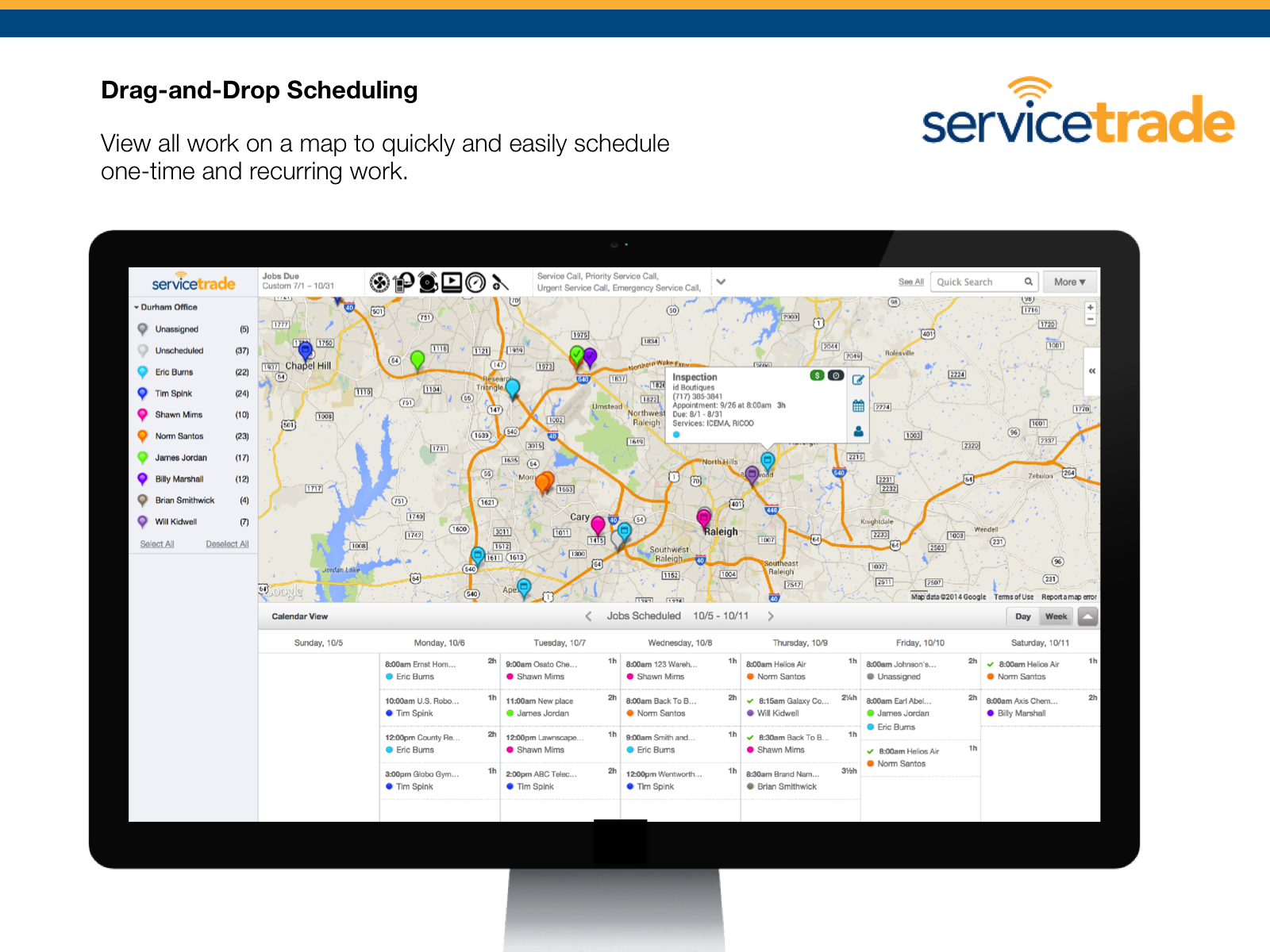
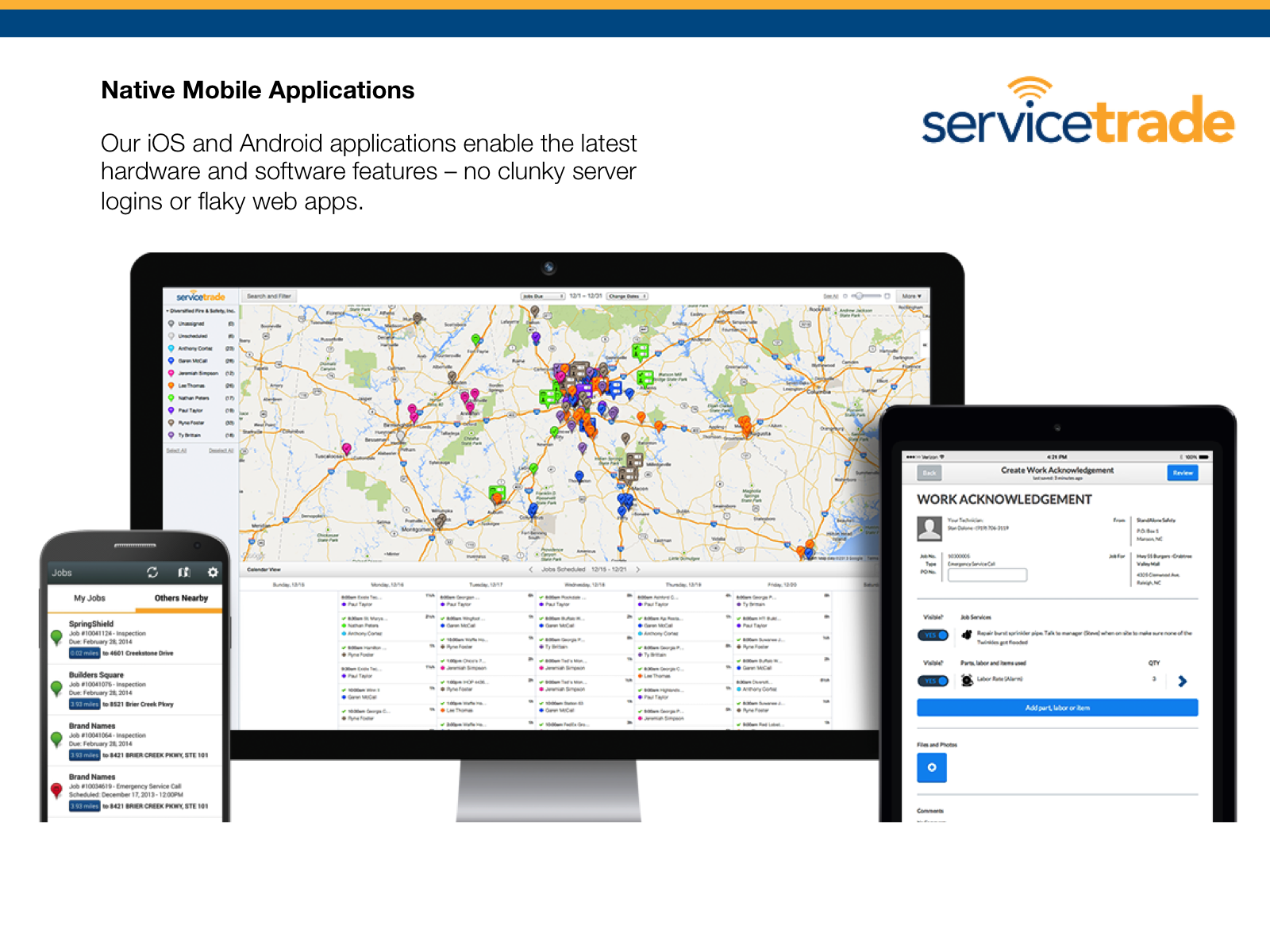
Screenshot of the interface where ServiceTrade displays the status of technicians. Customer service status updates can be seen minute by minute.Screenshot of the map where work is displayed, to schedule one-time and recurring work.Screenshot of the interface where job details, new appointments, changing schedules, and automatic alerts for techs can be viewed and managed.Screenshot of the ServiceTrade iOS and Android applications, that enable the latest hardware and software features.Screenshot of online approvals -  customers review and approve online – and pictures to seal the deal.