Rentman AV Rental Software vs. SAP Ruum

Overview
ProductRatingMost Used ByProduct SummaryStarting Price
Rentman AV Rental Software
Score 0.0 out of 10
Small Businesses (1-50 employees)
Rentman is a cloud-based resource management and planning software that helps AV & Event companies manage their daily operations and improve their workflows. Key features include Equipment Scheduling, Equipment Tracking, Crew Scheduling and Quoting & Invoicing. With Equipment Scheduling the user can plan equipment. Visually track equipment stock levels and their location at any point in time. Always know how many items are available with the timeline view and book…
$9
SAP Ruum
Score 9.0 out of 10
N/A
SAP Ruum is a presented by the vendor as a lightweight project management, task management, and collaboration software, with use cases and templates for marketing, sales teams, HR tasks (e.g. onboarding), or organizing information for sharing with stakeholders.N/A
Pricing
Rentman AV Rental SoftwareSAP Ruum
Editions & Modules
Crew Scheduling Essential
$9 Power user/ month
Equipment Tracking
$9 Power user/ month
Quoting & Invoicing
$9 Power user/ month
Equipment Scheduling Standard
$19 Power user/ month
Crew Scheduling Standard
$19 Power user/ month
Equipment Scheduling Pro
$25 Power user/ month
Crew Scheduling Pro
$25 Power user/ month
Rentman Platform
$39 per month
No answers on this topic
Offerings
Pricing Offerings
Rentman AV Rental SoftwareSAP Ruum
Free Trial
YesNo
Free/Freemium Version
NoNo
Premium Consulting/Integration Services
NoNo
Entry-level Setup FeeNo setup feeNo setup fee
Additional DetailsRentman is a platform that can be customized with different products and add-ons. The Rentman Platform costs $39 per month and there are additional fees based on the number of products, add-ons, and power users that you choose.
More Pricing Information
Community Pulse
Rentman AV Rental SoftwareSAP Ruum
Features
Rentman AV Rental SoftwareSAP Ruum
Project Management
Comparison of Project Management features of Product A and Product B
Rentman AV Rental Software
-
Ratings
SAP Ruum
9.2
Ratings
18% above category average
Task Management00 Ratings10.00 Ratings
Gantt Charts00 Ratings9.00 Ratings
Scheduling00 Ratings10.00 Ratings
Workflow Automation00 Ratings8.80 Ratings
Mobile Access00 Ratings9.00 Ratings
Search00 Ratings8.80 Ratings
Visual planning tools00 Ratings8.80 Ratings
Communication
Comparison of Communication features of Product A and Product B
Rentman AV Rental Software
-
Ratings
SAP Ruum
8.8
Ratings
11% above category average
Chat00 Ratings8.80 Ratings
Notifications00 Ratings8.80 Ratings
Discussions00 Ratings8.40 Ratings
Surveys00 Ratings8.20 Ratings
Internal knowledgebase00 Ratings8.40 Ratings
Integrates with GoToMeeting00 Ratings9.00 Ratings
Integrates with Gmail and Google Hangouts00 Ratings10.00 Ratings
Integrates with Outlook00 Ratings9.00 Ratings
File Sharing & Management
Comparison of File Sharing & Management features of Product A and Product B
Rentman AV Rental Software
-
Ratings
SAP Ruum
8.4
Ratings
7% above category average
Versioning00 Ratings8.20 Ratings
Video files00 Ratings7.80 Ratings
Audio files00 Ratings8.20 Ratings
Document collaboration00 Ratings8.80 Ratings
Access control00 Ratings8.40 Ratings
Advanced security features00 Ratings8.20 Ratings
Integrates with Google Drive00 Ratings9.00 Ratings
Device sync00 Ratings8.20 Ratings
Best Alternatives
Rentman AV Rental SoftwareSAP Ruum
Small Businesses
Stackby
Stackby
Score 9.0 out of 10
Stackby
Stackby
Score 9.0 out of 10
Medium-sized Companies
InEight
InEight
Score 8.3 out of 10
Troop Messenger
Troop Messenger
Score 9.8 out of 10
Enterprises
InEight
InEight
Score 8.3 out of 10
HCL Connections
HCL Connections
Score 9.0 out of 10
All AlternativesView all alternativesView all alternatives
User Ratings
Rentman AV Rental SoftwareSAP Ruum
Likelihood to Recommend
-
(0 ratings)
9.4
(0 ratings)
User Testimonials
Rentman AV Rental SoftwareSAP Ruum
Likelihood to Recommend
No answers on this topic
For all activities that concentrate on collaboration, from sharing of content, management of tasks, feedback tracking, and others, Ruum by SAP will do perfectly and utilize finances. More so, the application helps in milestone tracking, where we know the progress, and understand what ought to be done. There is Gantt chart and flow chart from Ruum by SAP, all outlining what should follow when the process starts.
Read full review
Pros
No answers on this topic
  • Ruum by SAP supports brainstorming, and in the end, there is content management.
  • Further, Ruum by SAP helps in task and backlog management.
  • The processes are also well mapped.
  • Goal setting and feedback tracking are also included in the feature.
Read full review
Cons
No answers on this topic
  • Mobile device enhancement functionalities
  • Broader integration support with other systems
Read full review
Alternatives Considered
No answers on this topic
Ruum [by SAP] is an easy-to-use project and workflow management tool for the organization's internal use on the project tracking and managing [of] client-related projects, which also benefits team assignment and collaboration. [It also] shares the project milestones with the external clients for the particular project status records, [as such], I would like to [recommend] Ruum by SAP as an internal workflow management solution for better productivity and work efficiency.
Read full review
Return on Investment
No answers on this topic
  • No code knowledge required for Ruum application
  • Effective collaboration with external parties
  • Better project planning and milestones management
Read full review
ScreenShots

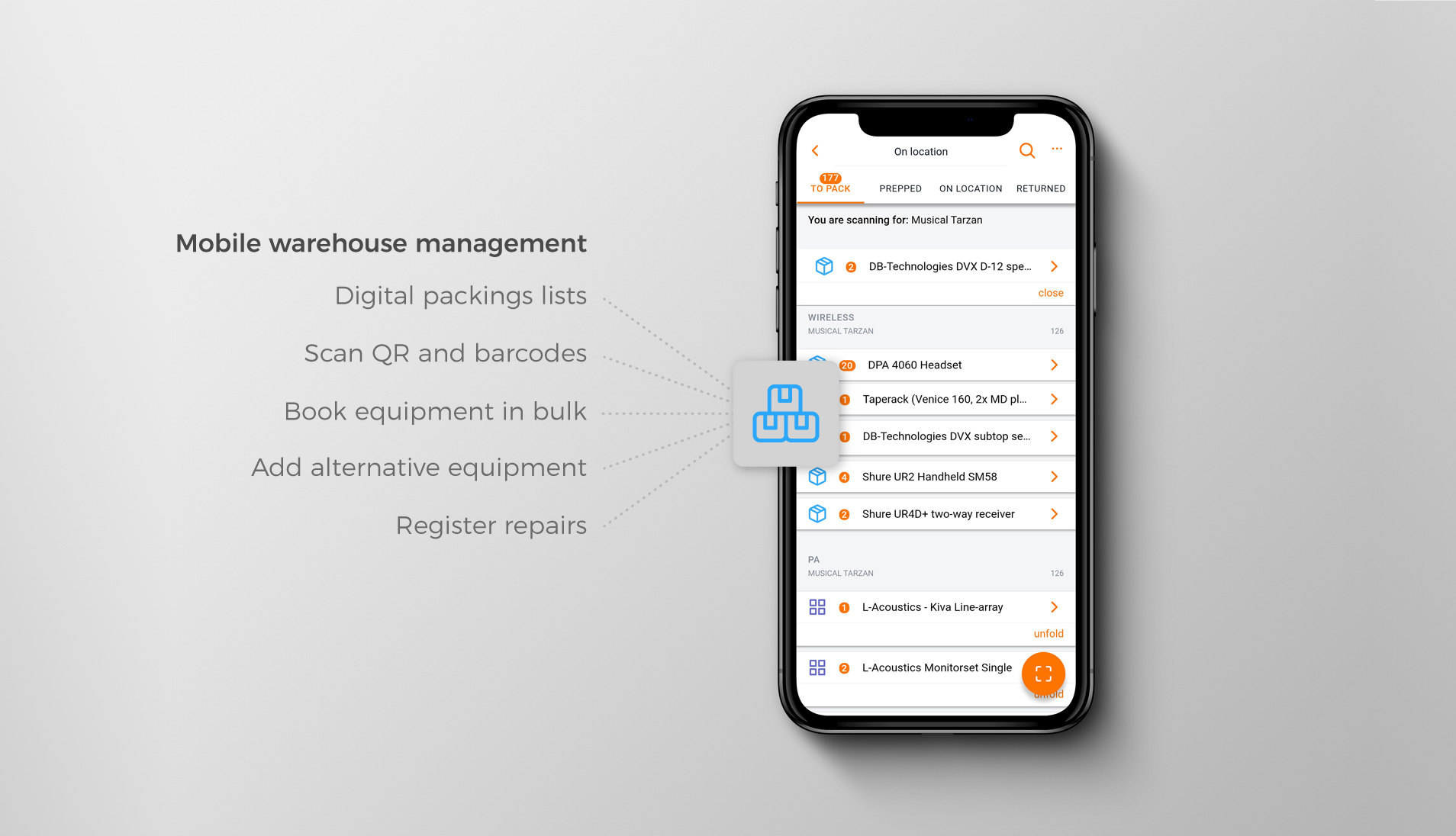
Rentman AV Rental Software Screenshots

Screenshot of Desktop view of the Rentman Crew Planner where staff and freelancers can be planned or invited.Screenshot of Desktop view of the Rentman Project Overview providing insight into upcoming rental and event productions.Screenshot of Using the Rentman Mobile App in the warehouse to book gear in or out using the device camera.Screenshot of Warehouse management features of the Rentman Mobile App.Screenshot of Checking project information for an upcoming job and attaching files in the desktop view that can later be accessed through the mobile app as well.