Redgate Monitor vs. Uptime.com

Overview
ProductRatingMost Used ByProduct SummaryStarting Price
Redgate Monitor
Score 8.8 out of 10
N/A
Redgate’s SQL Monitor helps teams looking after SQL servers be more proactive. SQL Monitor enables monitoring environments custom to the user’s SQL server to recognize issues before they impact users. It supports monitoring on-premises and cloud-based servers from a single interface.
$1,164
per year per server
Uptime.com
Score 0.0 out of 10
N/A
Uptime.com provides website uptime monitoring, and it provides alert notifications before website issues become downtime outages. Uptime.com also includes reporting on website uptime, page speed, and SLA performance. Real website visitor data can also be used to optimize actual website speed, performance, and experience.
$23
per month
Pricing
Redgate MonitorUptime.com
Editions & Modules
No answers on this topic
Starter
$24
per month
Essential
$80
per month
Premium
$455
per month
Custom Monitoring Plan
Contact Sales
Offerings
Pricing Offerings
Redgate MonitorUptime.com
Free Trial
YesYes
Free/Freemium Version
NoNo
Premium Consulting/Integration Services
YesNo
Entry-level Setup FeeOptionalNo setup fee
Additional DetailsAll prices are per server and include one year’s support and upgrades.Discount for annual pricing (2 months free with annual plan). Discounts also available for educational institutions and nonprofits.
More Pricing Information
Community Pulse
Redgate MonitorUptime.com
Best Alternatives
Redgate MonitorUptime.com
Small Businesses

No answers on this topic

Panda Systems Management
Score 9.8 out of 10
Medium-sized Companies
LogicMonitor
LogicMonitor
Score 8.5 out of 10
ManageEngine ADAudit Plus
Score 9.3 out of 10
Enterprises
LogicMonitor
LogicMonitor
Score 8.5 out of 10
ManageEngine ADAudit Plus
Score 9.3 out of 10
All AlternativesView all alternativesView all alternatives
User Ratings
Redgate MonitorUptime.com
Likelihood to Recommend
10.0
(5 ratings)
-
(0 ratings)
Usability
7.0
(1 ratings)
-
(0 ratings)
Support Rating
10.0
(1 ratings)
-
(0 ratings)
User Testimonials
Redgate MonitorUptime.com
Likelihood to Recommend
Redgate
Redgate SQL Monitor is well suited for database administrators or companies who implement software that relies on SQL servers. It will help them test new changes and ensure this will not impact the performance of their software. It is a last resort for MSPs to use to get to the bottom of an ongoing performance issue with their SQL server.
Read full review
Uptime.com
No answers on this topic
Pros
Redgate
  • It will tell you if your server is under attack.
  • You can quickly see how your server is performing and which queries are taking the longest
  • I gives you the feeling that you are in control of your database, that you know what is going on for when they users ring up and tell you that the server is slow
Read full review
Uptime.com
No answers on this topic
Cons
Redgate
  • Incremental releases can be buggy
  • Isn't the best for pinpointing performance issues
  • Web interface can be sluggish
Read full review
Uptime.com
No answers on this topic
Usability
Redgate
Access to metrics is simple but I like easy access to top SQL
Read full review
Uptime.com
No answers on this topic
Support Rating
Redgate
Fast support responses from Redgate
Read full review
Uptime.com
No answers on this topic
Alternatives Considered
Redgate
Redgate SQL Monitor is a lot cheaper than SolarWinds Database Performance Analyzer. I prefer the SolarWinds' design and that it offers integration with other SolarWinds products we already use. SolarWinds supports more than SQL servers (Oracle, MySQL, Maria DB, IBM DB2) and the analysis seems to be much better. The Spiceworks SQL Server monitoring is a free tool and is ideal for monitoring small business SQL instances.
Read full review
Uptime.com
No answers on this topic
Return on Investment
Redgate
  • The quality of the product and give a negative investment impression, on the plus side when it does work it is a god send.
  • Day to day tasks as made simpler, and a feeling of security of realised. Just don't change anything.
Read full review
Uptime.com
No answers on this topic
ScreenShots

Redgate Monitor Screenshots

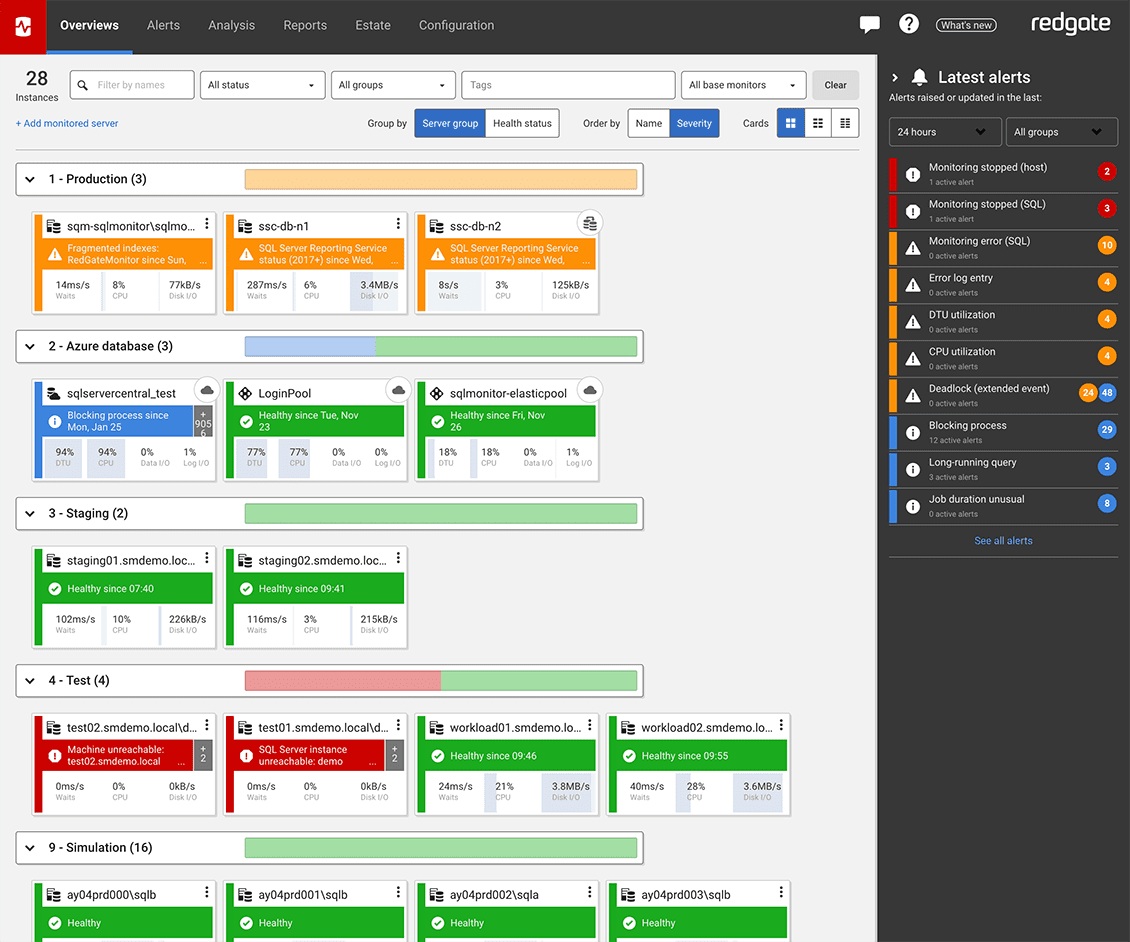
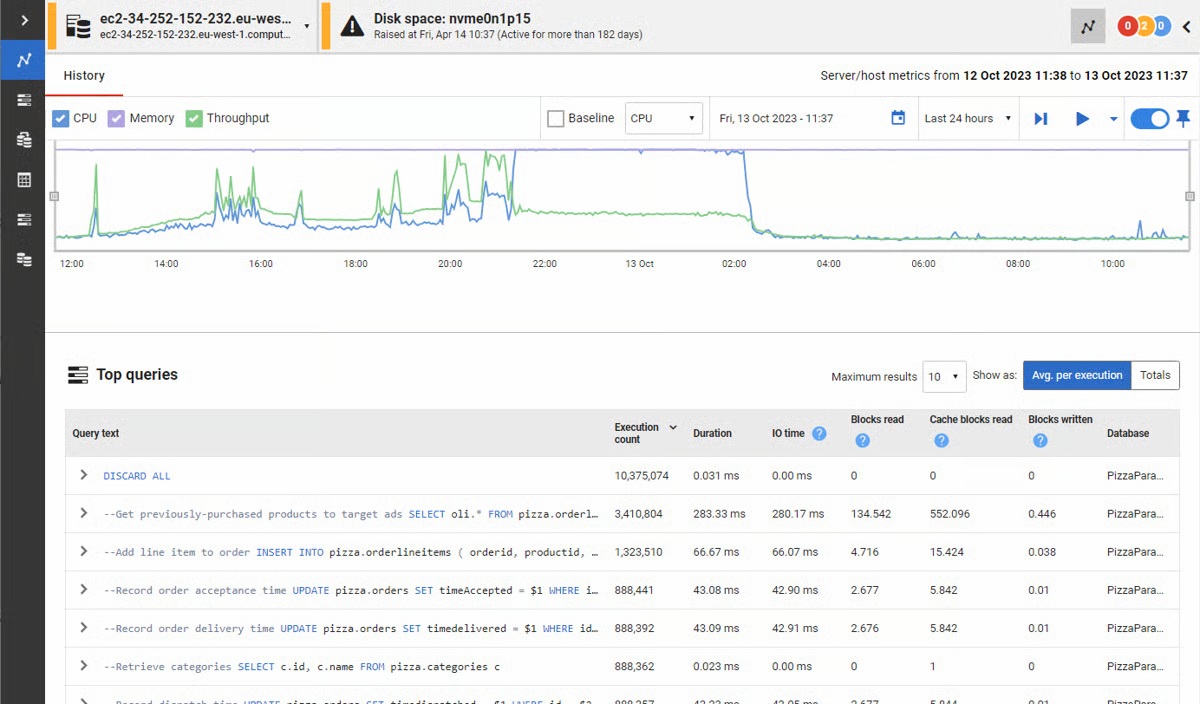
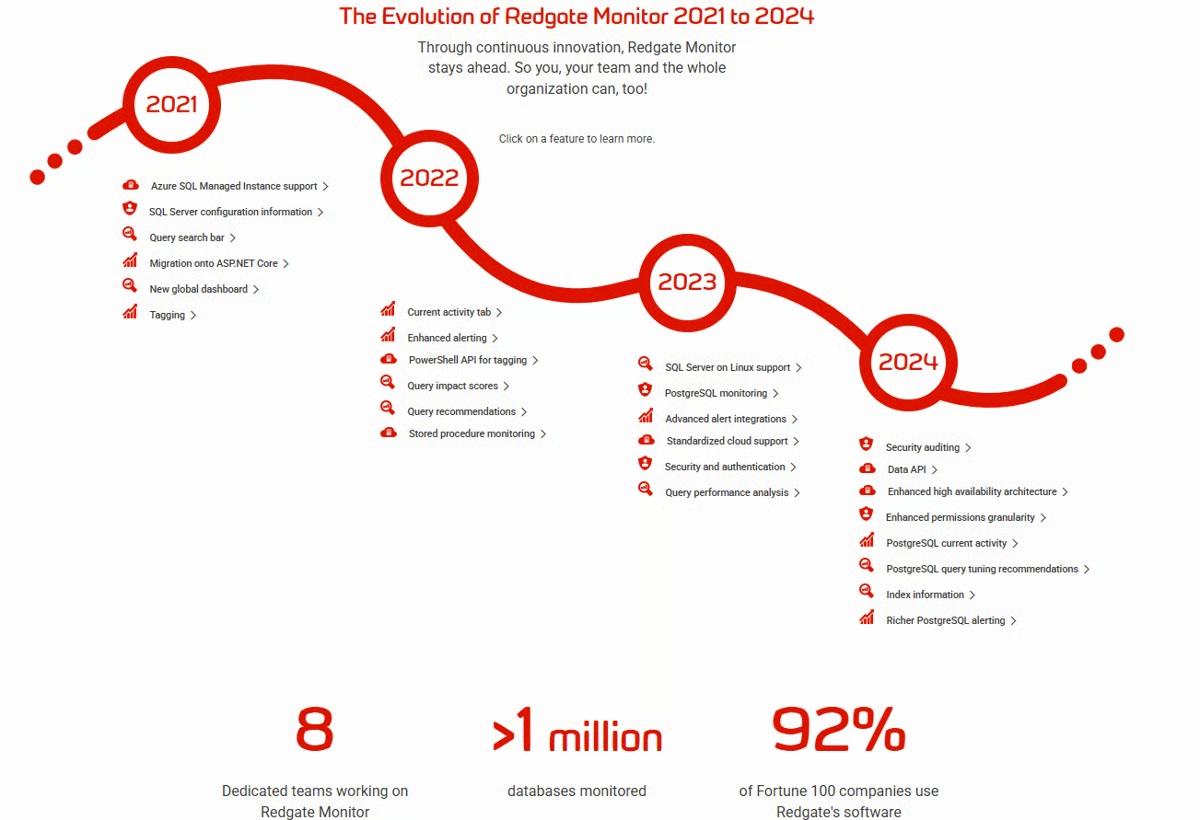
Screenshot of the Redgate Monitor dashboard, monitoring an entire database estate from a single pane of glass.Screenshot of where Redgate Monitor automates time-consuming manual tasks, such as identifying long-running queries or tracking blocked processes. Built-in tips and guidance ensure users get the most out of the information provided.Screenshot of where users can manage an entire environment from a single pane of glass.Screenshot of the dashboard where instant problem diagnosis and customizable alerts appear.Screenshot of the evolution of Redgate Monitor.