
Project Insight vs. RationalPlan
Project Insight vs. RationalPlan
| Product | Rating | Most Used By | Product Summary | Starting Price |
|---|---|---|---|---|
 Project Insight | N/A | Project Insight is a web-based project and portfolio management software. Project teams can access, edit and update their projects information anytime, anywhere, with any supported browser, tablet and mobile device. Features for experienced project managers include: MS Project import/export, intelligent scheduling, resource allocation, Outlook integration, document management, approvals, time/expense tracking, issue management, 100s of dashboards and advanced permissions. | $45 per user or volume licensing options. | |
 RationalPlan | Small Businesses (1-50 employees) | RationalPlan is project management software that has been designed to help project managers keep their projects on time and within budget. The main goal of this software is to make the process of planning projects as short and as straightforward as possible and to guide novice project managers through each step but offer enough tools to those who are more experienced. | $0 |
| Project Insight | RationalPlan | |||||||||||||||
|---|---|---|---|---|---|---|---|---|---|---|---|---|---|---|---|---|
| Editions & Modules |
|
| ||||||||||||||
| Offerings |
| |||||||||||||||
| Entry-level Setup Fee | No setup fee | Optional | ||||||||||||||
| Additional Details | — | — | ||||||||||||||
| More Pricing Information | ||||||||||||||||
| Project Insight | RationalPlan |
|---|
| Project Insight | RationalPlan | |||||||||||||||||||||||||||||||||||||||||||||
|---|---|---|---|---|---|---|---|---|---|---|---|---|---|---|---|---|---|---|---|---|---|---|---|---|---|---|---|---|---|---|---|---|---|---|---|---|---|---|---|---|---|---|---|---|---|---|
| Project Management |
| |||||||||||||||||||||||||||||||||||||||||||||
| Professional Services Automation |
|
| Project Insight | RationalPlan | |
|---|---|---|
| Small Businesses |  Stackby Score 9.0 out of 10 | Stackby Score 9.0 out of 10 |
| Medium-sized Companies |  InEight Score 8.3 out of 10 | InEight Score 8.3 out of 10 |
| Enterprises | InEight Score 8.3 out of 10 | InEight Score 8.3 out of 10 |
| All Alternatives | View all alternatives | View all alternatives |
| Project Insight | RationalPlan | |
|---|---|---|
| Likelihood to Recommend | 4.0 (0 ratings) | 7.7 (0 ratings) |
| Support Rating | 4.0 (0 ratings) | 7.7 (0 ratings) |
| Project Insight | RationalPlan | |
|---|---|---|
| Likelihood to Recommend | 
 Christy Reichenberger Strategic Analyst - Sales Operations | 
 Justin James, MComPM, Prince2 Operations Project Management |
| Pros |
Christy Reichenberger Strategic Analyst - Sales Operations |
|
| Cons |
 Clay Horste Senior Software Engineer |
|
| Support Rating |
Clay Horste Senior Software Engineer |
|
| Alternatives Considered |
Clay Horste Senior Software Engineer |
|
| Return on Investment |
Clay Horste Senior Software Engineer |
 LeRoy Mattingly Chief Architect |
| ScreenShots | RationalPlan Screenshots  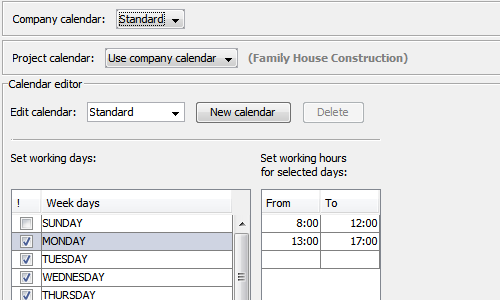 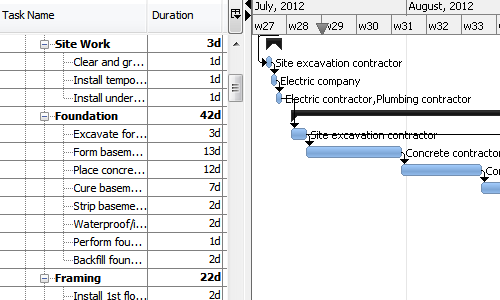  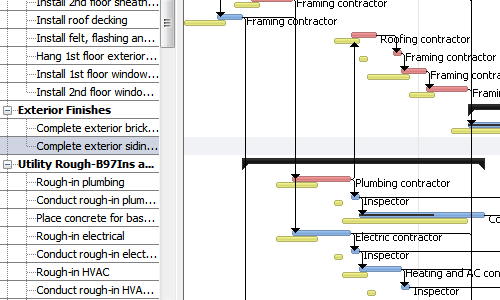 |