Rasa vs. Voiceflow

Overview
ProductRatingMost Used ByProduct SummaryStarting Price
Rasa
Score 6.0 out of 10
Enterprise companies (1,001+ employees)
Rasa is a conversational AI platform from the company of the same name headquartered in San Francisco, enabling enterprises to build customer experiences. Rasa’s platform was built to create enterprise-grade virtual assistants, allowing personalized conversations with customers - at scale. Rasa’s conversational AI platform allows companies to build better customer experiences by lowering costs through automation, improving customer satisfaction, and providing a scalable way to gather customer…
$0
Voiceflow
Score 10.0 out of 10
N/A
Voiceflow aims to empower conversational AI teams to design, prototype and build conversational assistants together, faster, and at scale. It is a collaborative platform for teams to design and build conversational assistants.
$50
per month Up to 2 editors
Pricing
RasaVoiceflow
Editions & Modules
Developer Edition
$0
Growth
starting at $35k
Enterprise
Contact Sales
Pro - Monthly
$50
per month Up to 2 editors
Team - monthly
$125 per editor
per month Up to 5 editors
Pro - Annually
$480 per editor
per year Up to 2 editors
Team - annually
$1200 per editor
per year Up to 5 editors
Sandbox
Free
Enterprise
Custom Pricing
Offerings
Pricing Offerings
RasaVoiceflow
Free Trial
YesYes
Free/Freemium Version
YesYes
Premium Consulting/Integration Services
NoNo
Entry-level Setup FeeNo setup feeNo setup fee
Additional Details
More Pricing Information
Features
RasaVoiceflow
Chat Analytics and Reports
Comparison of Chat Analytics and Reports features of Product A and Product B
Rasa
-
Ratings
Voiceflow
10.0
Ratings
19% above category average
Chat history and transcripts00 Ratings10.00 Ratings
Chat reporting00 Ratings10.00 Ratings
Chat and web analytics00 Ratings10.00 Ratings
Best Alternatives
RasaVoiceflow
Small Businesses
LocaliQ
LocaliQ
Score 9.0 out of 10
Front
Front
Score 7.2 out of 10
Medium-sized Companies
Piper the AI SDR by Qualified
Score 9.2 out of 10
Genesys DX (discontinued)
Score 10.0 out of 10
Enterprises
Conversica
Conversica
Score 9.9 out of 10
Genesys DX (discontinued)
Score 10.0 out of 10
All AlternativesView all alternativesView all alternatives
User Ratings
RasaVoiceflow
Likelihood to Recommend
-
(0 ratings)
10.0
(0 ratings)
Usability
-
(0 ratings)
10.0
(0 ratings)
User Testimonials
RasaVoiceflow
Likelihood to Recommend
I have been using the platform for over 3 years and I have noticed a very good evolution, in an attempt to reinvent themselves. The support team is amazing, always available to work out with us in achieving the best results. About the technology, the algorithms available in the platform suits most of the cases. Being language agnostic is a very positive point for us, because some big tech platforms have little support for PT-PT language.
Read full review
For a design team, Voiceflow is a must to have skill. With all the features present and being constantly rolled out by Voiceflow team, the tool has become one of the core part of design systems. Additionally, the support team of Voiceflow is hard-working and dedicated to customer satisfaction which truly brings about a difference. For context, we have raised multiple bugs and asked for best practices and the prompt response of support team from Voiceflow has been instrumental in us using the tool more and more
Read full review
Pros
  • Rasa team has Top notch AI knowledge
  • Greate customer support, by listening towards the clients needs.
  • And building future proof solutions around client Business Requirements within dazzling timeframes
Read full review
No answers on this topic
Cons
  • Rasa CALM flows and Rasa domain could be made fully independent of the Rasa training process and dynamically retrievable from e.g. a graph DB. This would make the chatbot more flexible.
  • Prompt templates, or at least paths could be referenced in Rasa config. Different policies in the Rasa config could then be configured without code change to use different prompt templates
  • LLM configuration should rather be part of the endpoints, than model configuration.
  • Rasa Studio could support all the functionality of Rasa Pro.
Read full review
No answers on this topic
Usability
With the help of dedicated team - documentation and video resources it is relatively easier to build. We prioritized pro-code usage to begin with launch.
Read full review
Voiceflow has become an integral part of our design eco-system, providing capabilities for both rapid design and prototyping as well as testing with users. Additionally, the easy API integration has also allowed to create test automations using Gen AI
Read full review
Support Rating
Rasa support has been very responsive, trying to fix any reported issues ASAP. They've also listened to many requests for improvement. The Rasa features and changelog are well documented
Read full review
No answers on this topic
Alternatives Considered
Glean - proprietary semantic search algorithms, no backend actions integration IBM Watsonx - complicated dialogue builder, poor separation of no-code and pro-code interfaces ELMOS (agent based) - all logic in code, no dialogue logic in no-code interface possible Rasa - transparent and simple sharing of objects between no-code and pro-code interfaces. Transparent LLM usage and restrictions. Simple backend integration via Rasa SDK
Read full review
No answers on this topic
Return on Investment
  • Reduced Human Connected Calls Per active User
  • Improved Calls disposed by Voice Agent
  • Reduced call wait times
Read full review
No answers on this topic
ScreenShots

Rasa Screenshots

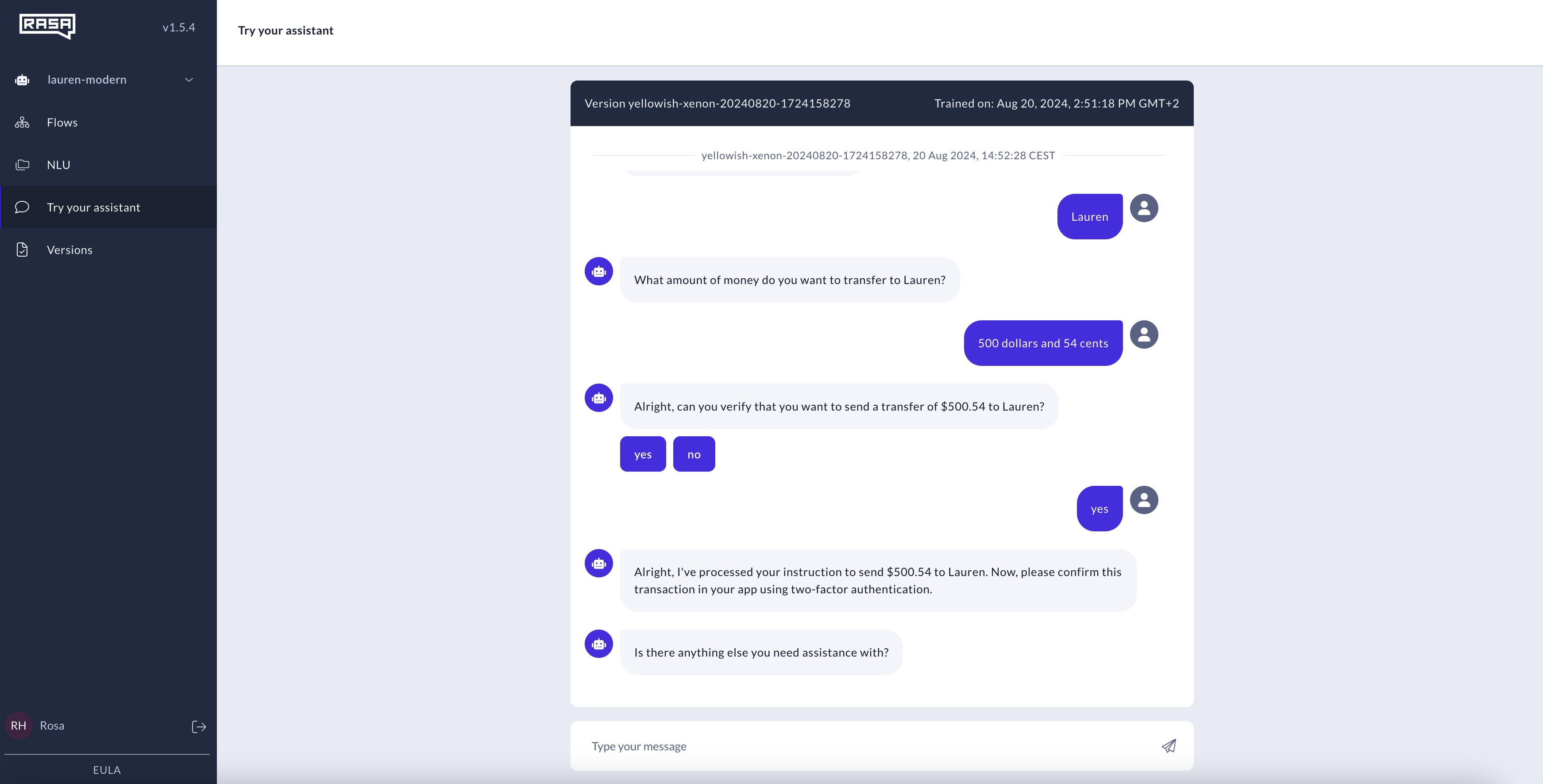
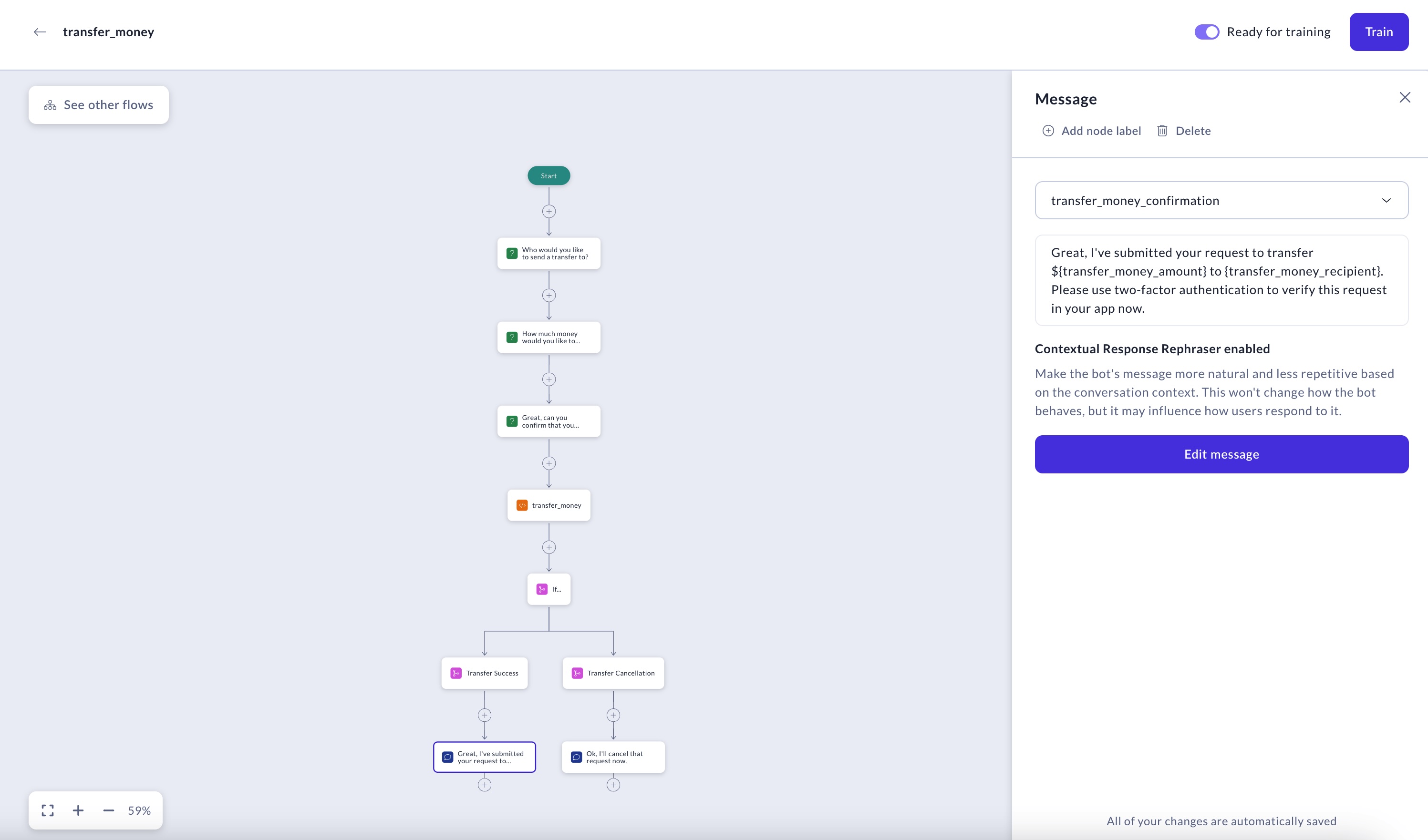
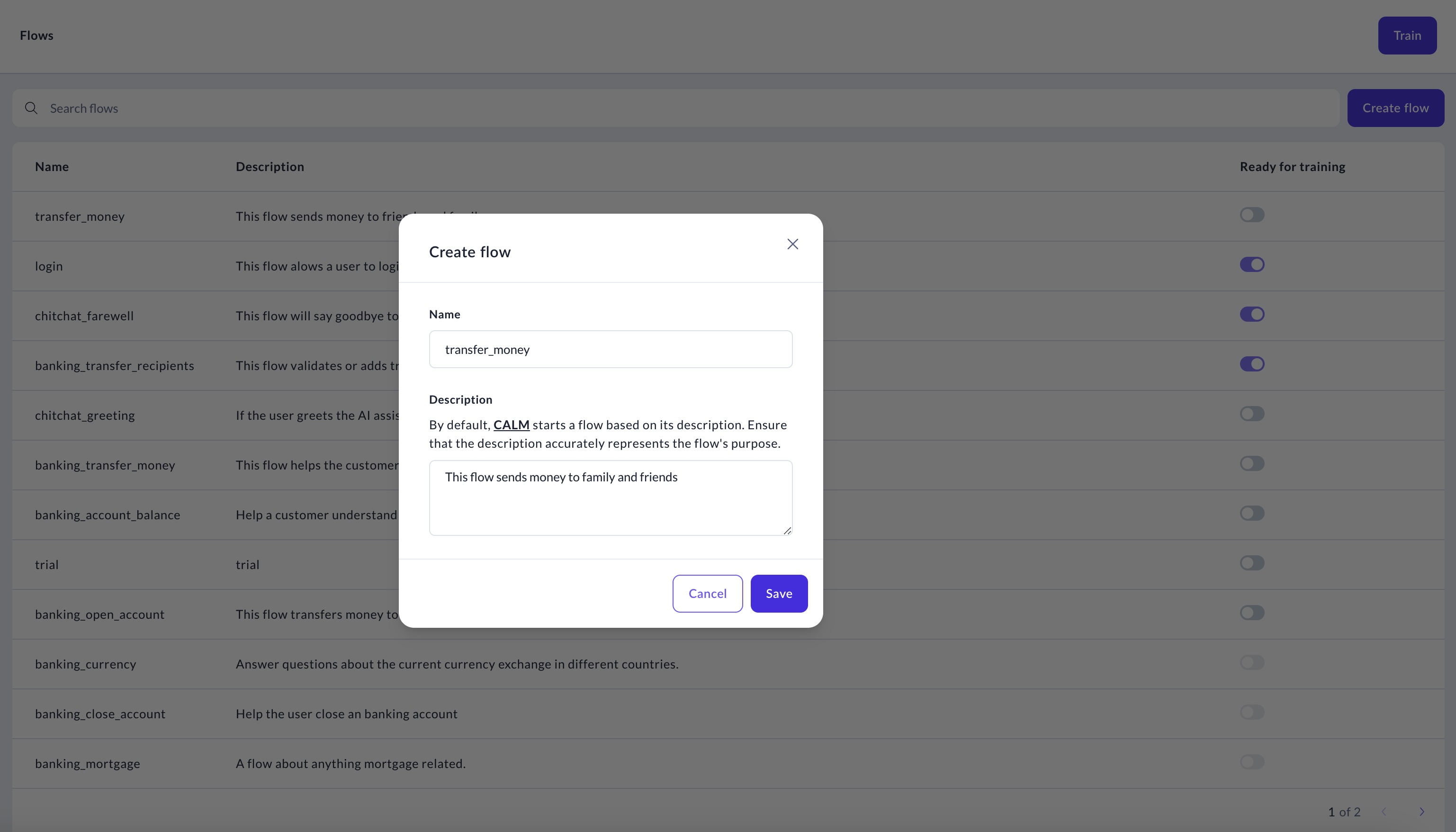
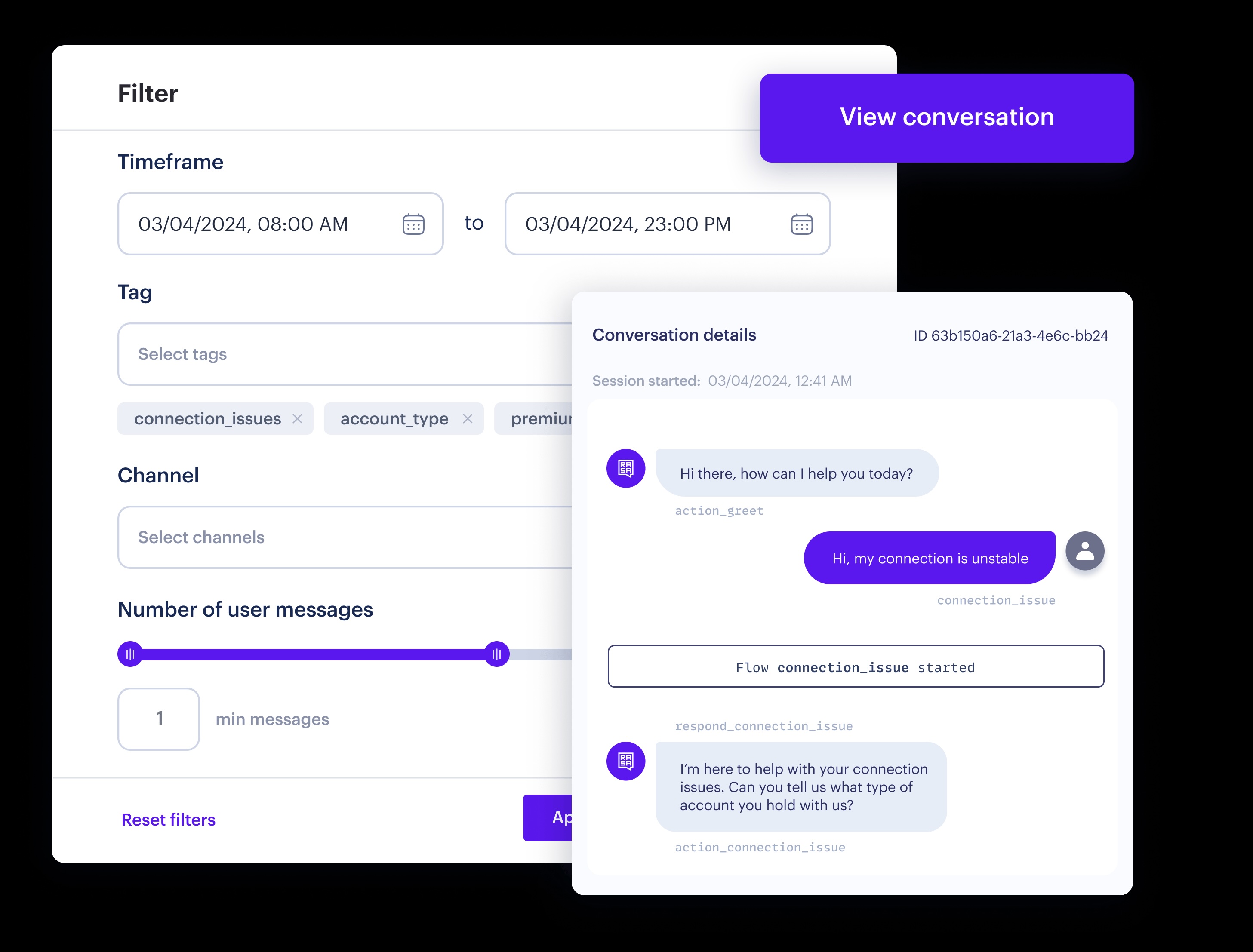
Screenshot of the Studio interface, where a new Flow can be tried out. The user can trace the flow of conversation through the AI Assistant to test and debug new developments.Screenshot of the extensible generative conversational AI framework in a no-code user interface, which enables business users to drag and drop dialogue components for easier AI assistant development.Screenshot of central content management to curate the AI Assistant training data. Users can repurpose and reuse assistant data: search, add, edit, and update assistant data directly in Studio.Screenshot of where analysts, testers, and builders can review user conversations to optimize the AI assistant performance and improve the user experience. Filter and tag key conversations for review, and share within a team for increased collaboration and efficiency.Screenshot of the fully transparent conversational AI enables deep customization and explainability enabling a high-performance architecture.