Quixy vs. TeamDesk

Overview
ProductRatingMost Used ByProduct SummaryStarting Price
Quixy
Score 9.9 out of 10
Small Businesses (1-50 employees)
Enterprises can use Quixy's cloud-based no-code platform to enable their business users (citizen developers) to automate workflows and build simple to complex enterprise-grade applications for their custom needs. Quixy helps eliminate manual processes and turn ideas into applications making business more innovative, productive, and transparent. Users can start from scratch or customize pre-built apps from the Quixy app…N/A
TeamDesk
Score 9.0 out of 10
N/A
TeamDesk is a low-code development platform for online database creation. Business owners or managers can build a unique web database solution without any programming to facilitate working with data, organize routine work and create an accessible data source for teams.
$49
5 users included
Pricing
QuixyTeamDesk
Editions & Modules
Enterprise
Contact Sales
Platform
Contact Sales
per month billed annually. This plan is suitable when the no. of users is high and the no. of apps/workflows is low.
Solution
Contact Sales
per month billed annually. This plan is suitable when the no. of users is high and the no. of apps/workflows is low.
Solution
Suitable when the no. of users is high and the no. of apps/workflows is low
Platform
Suitable when the no. of apps/workflows is high
Starter Edition
$49
5 users included
Team Edition
$99
10 users included
Enterprise Edition
$249
10 users included, Unlimited databases, Sub-domain
Offerings
Pricing Offerings
QuixyTeamDesk
Free Trial
NoYes
Free/Freemium Version
NoNo
Premium Consulting/Integration Services
NoNo
Entry-level Setup FeeNo setup feeOptional
Additional DetailsSolution Suitable when the no. of users is high and the no. of apps/workflows is low Platform Suitable when the no. of apps/workflows is high Enterprise Suitable for bigger organizations looking for enterprise features
More Pricing Information
Community Pulse
QuixyTeamDesk
Features
QuixyTeamDesk
Low-Code Development
Comparison of Low-Code Development features of Product A and Product B
Quixy
-
Ratings
TeamDesk
9.2
Ratings
9% above category average
Visual Modeling00 Ratings8.00 Ratings
Platform Security00 Ratings10.00 Ratings
Platform User Management00 Ratings8.70 Ratings
Reusability00 Ratings10.00 Ratings
Platform Scalability00 Ratings9.10 Ratings
Best Alternatives
QuixyTeamDesk
Small Businesses
Stackby
Stackby
Score 9.0 out of 10
Creatio
Creatio
Score 9.7 out of 10
Medium-sized Companies
Creatio
Creatio
Score 9.7 out of 10
Quixy
Quixy
Score 9.9 out of 10
Enterprises
Creatio
Creatio
Score 9.7 out of 10
Creatio
Creatio
Score 9.7 out of 10
All AlternativesView all alternativesView all alternatives
User Ratings
QuixyTeamDesk
Likelihood to Recommend
10.0
(0 ratings)
9.0
(0 ratings)
Usability
9.5
(0 ratings)
-
(0 ratings)
Support Rating
-
(0 ratings)
9.1
(0 ratings)
User Testimonials
QuixyTeamDesk
Likelihood to Recommend
Quixy BPM for managing business processes distinguishes itself through its user-friendly interface and the absence of any coding requirements. This makes it an ideal solution for companies looking to streamline their operations. Quixy BPM is suitable for businesses of all sizes and represents a cost-effective way to save time and effort.
Read full review
TeamDesk is a phenomenal service for our practice. Each legal practice area has unique characteristics that are important to successful practice. Generalized practice management services do address those unique elements because they are created for a mass audience. What makes TeamDesk so helpful is that it can be customized to account for any unique issue that we confront. We use TeamDesk for matter management. It can handle general issues like billing, matter notes, etc.; but it also allows us to track specific details unique to our practice area across each matter and make comparisons that are useful to our practice. Additionally, we have been able to customize it to facilitate our client development efforts.
Read full review
Pros
  • Forms Automation: Quixy helps us in developing forms within minutes and hours with simple drag and drop.
  • Report Builder: The report builder tool allows you to generate customized reports based on the data collected available in various data sources.
  • Integration: Integration with external systems through API's.
Read full review
  • The ease of customization has been very helpful. As we use the system longer and decide what works for us and what needs changed, it's a matter of moments to be able to make any desired changes. Much more flexible than anything else we've used in the past.
  • The customer service has been excellent. Any issues that have arisen have been quickly and fully addressed.
Read full review
Cons
  • Better UI/UX will take the platform to next level.
  • Application Library: Having base versions of frequently used applications in the app library helps the users to build applications quickly.
  • Having more online help content will help the users to resolve the issues on their own.
Read full review
  • The only down side that I see, is that you have to be willing to spend some time creating your database. You start with a blank canvas and all the tools you need to design a custom database. But, you have to take the time to do it. If you take that time, it is well worth it.
Read full review
Usability
Quixy has allowed us to focus on more important tasks, as the platform takes care of labor-intensive administrative work. The automation of various processes has been invaluable, as it has saved us a considerable amount of time and resources. Overall, Quixy has transformed our administrative work and has enabled us to allocate more resources to critical tasks, leading to better outcomes for our organization.
Read full review
No answers on this topic
Support Rating
No answers on this topic
They are simply amazing. Very fast, like I have a personal support person standing by for me and always solves my problem in one go.
Read full review
Alternatives Considered
While Excel is a powerful tool for organizing data and creating basic inventory spreadsheets, it lacks the automation and integration capabilities that Quixy provides. Also, we can integrate with other business systems, such as accounting and order fulfillment systems. So, we can actually have centralized system connected across several departments for automation.
Read full review
Prior to Teamdesk we used Excel, an Access database, an online time and expense tracking system, and Dabble DB. Excel and Access had limitations with simultaneous access on the LAN, the online T&E system did only that and was not flexible, and Dabble was flexible, but how can you rely on a company whose goal is to exit, when you want to run your business on their platform. Teamdesk has everything we need.
Read full review
Return on Investment
  • Faster Digitalization (time is money)
  • Step by Step and independent transition for every department
  • Automation of 70% of our manual process till date and counting
Read full review
  • We are just starting, but I believe it will help to manage our projects more effectively and organize our documents better.
Read full review
ScreenShots

Quixy Screenshots

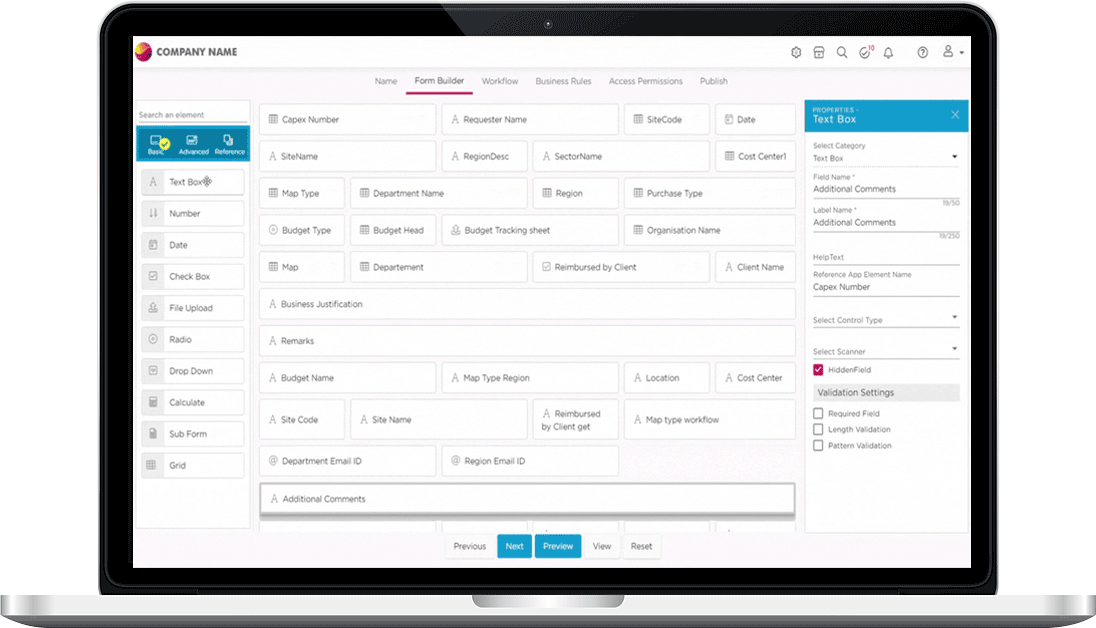
Screenshot of Quixy DashboardScreenshot of Quixy Form BuilderScreenshot of Quixy Workflow BuilderScreenshot of Quixy Mobile App ViewScreenshot of Quixy Device ResponsivenessScreenshot of Quixy Custom Themes

TeamDesk Screenshots

Screenshot of Table Dashboard exampleScreenshot of Record Form exampleScreenshot of Tile View example