QuickBooks Online is a SaaS version of the QuickBooks product. It contains all of the features found in the local version. Higher-priced plans include greater automation, payment management, inventory and time tracking, and analytics features.
$38
per month
Zoho Books
Score8.9 out of 10
N/A
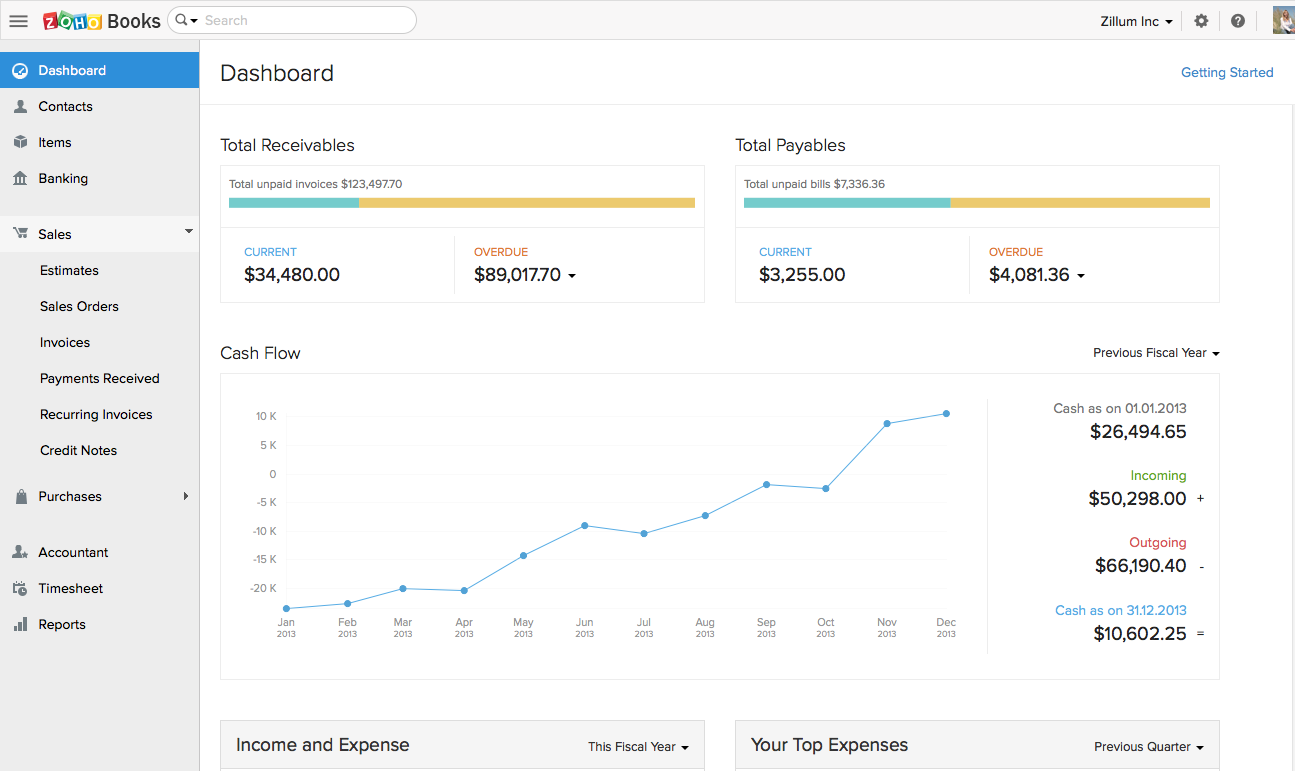
Zoho Books is an accounting solution that is designed to help small businesses manage their finances. This solution includes dashboards and a wide variety of reports. Business users can automate tasks and set up custom workflows.
Zoho offers a 14 day free trial.
$20
per month
Pricing
QuickBooks Online
Zoho Books
Editions & Modules
Simple Start
$38
per month
Essentials
$75
per month
Plus
$115
per month
Advanced
$275
per month
Free
$0
For businesses with turnover <50K USD per annum
Standard
$20
per month per org
Professional
$50
per month per org
Premium
$70
per month per org
Offerings
Pricing Offerings
QuickBooks Online
Zoho Books
Free Trial
Yes
Yes
Free/Freemium Version
No
Yes
Premium Consulting/Integration Services
Yes
No
Entry-level Setup Fee
No setup fee
No setup fee
Additional Details
—
Zoho Books is available for both monthly and yearly plans. Users who sign up for the annual plan get a discount.
Vice President - General Counsel in Corporate at New Orleans Perspectives (Market Research, 1-10 employees)
Chose QuickBooks Online
No competitor quick stacks up. FreshBooks has a speedy UI, but lacks features for a more complex small business. Xero has a UI that I personally don't like as much and it never felt quite right to me. Not as many accountants are familiar either. Zoho Books came the closest …
A de minimis incentive was given to thank the reviewer for their time. The incentive was not used to bias or drive a particular response, nor was the incentive contingent on a positive endorsement. More Info
Verified User
Chose QuickBooks Online
Ultimately, QuickBooks/Intuit has the most market share when it comes to accounting software. The benefit of so many people using this software is that there's always an answer to a problem that you may be having when it comes to using the software. Intuit has provided a …
A de minimis incentive was given to thank the reviewer for their time. The incentive was not used to bias or drive a particular response, nor was the incentive contingent on a positive endorsement. More Info
Zoho
Verified User
Chose Zoho Books
QuickBooks Online is much harder to use than Zoho Books. We found that Zoho Books was easy to train staff, and the online help is excellent.
Qickbooks Desktop is endlessly buggy, requiring frequent IT support calls and a dedicated server for multi-user access.
A de minimis incentive was given to thank the reviewer for their time. The incentive was not used to bias or drive a particular response, nor was the incentive contingent on a positive endorsement. More Info
A de minimis incentive was given to thank the reviewer for their time. The incentive was not used to bias or drive a particular response, nor was the incentive contingent on a positive endorsement. More Info
Business Development Manager in Corporate at TrionTech (Information Technology Services, 1-10 employees)
Chose Zoho Books
Zoho Books has a much simpler GUI and the reason we selected Zoho is because of the integration of Zoho Books across other applications and especially into Zoho products. One of the other reasons is the time log feature we can easily pair up with a client service ticket to show …
A de minimis incentive was given to thank the reviewer for their time. The incentive was not used to bias or drive a particular response, nor was the incentive contingent on a positive endorsement. More Info
Verified User
Chose Zoho Books
I believe it is way easier to use, has more robust features, seamless integration with other Zoho apps like CRM, Projects, etc. is super useful and has saved a lot of time. Streamlining this process has been easy, and the end result is better reporting, improved decision making …
A de minimis incentive was given to thank the reviewer for their time. The incentive was not used to bias or drive a particular response, nor was the incentive contingent on a positive endorsement. More Info
Owner at Lonell Multimedia/Strong Beach Media (Online Media, 1-10 employees)
Chose Zoho Books
Easier to integrate with other Zoho apps. It’s also customized for mobile use making it easy to use wherever I am. I can get real-time updates on payments while in the field via the mobile app. The software is customizable and adaptable so I can easily make it fit various …
A de minimis incentive was given to thank the reviewer for their time. The incentive was not used to bias or drive a particular response, nor was the incentive contingent on a positive endorsement. More Info
General Manager in Corporate at iDESIGN Maroc (Marketing and Advertising, 1-10 employees)
Chose Zoho Books
The very easy to read dashboard, the clear categorization, the customization features, the easy learning curve and the seamless integration with other Zoho products (that we use a lot and frequently) are for our company the reasons why we favored Zoho books over other …
A de minimis incentive was given to thank the reviewer for their time. The incentive was not used to bias or drive a particular response, nor was the incentive contingent on a positive endorsement. More Info
Operations Manager in Product Management at Right Now Mobility (Hospital & Health Care, 1-10 employees)
Chose Zoho Books
Quickbooks is the standard. ZOHO Books will give it a run for its money. Your accountant may not like the fact that you switch over to Zoho Books, but since it's completely web-based, you are able to give them access to your account easily.
A de minimis incentive was given to thank the reviewer for their time. The incentive was not used to bias or drive a particular response, nor was the incentive contingent on a positive endorsement. More Info
Director in Corporate at Wetland Solutions LLC (Information Technology and Services, 1-10 employees)
Chose Zoho Books
The main difference here was the time tracking functionality that goes to a project specific nature. We do multiple projects with the same client and need to be able to split our time amongst those different projects for the purpose of reporting and invoicing.
A de minimis incentive was given to thank the reviewer for their time. The incentive was not used to bias or drive a particular response, nor was the incentive contingent on a positive endorsement. More Info
A de minimis incentive was given to thank the reviewer for their time. The incentive was not used to bias or drive a particular response, nor was the incentive contingent on a positive endorsement. More Info
Verified User
Chose Zoho Books
In comparison, Zoho is about the same price but comes with a lot more customizable fields. There are other solutions that feed right in and make it so there is only one place you need to go to get a full picture of your business and what you need to do to keep it running …
A de minimis incentive was given to thank the reviewer for their time. The incentive was not used to bias or drive a particular response, nor was the incentive contingent on a positive endorsement. More Info
I appreciate the ability to auto-generate invoices for recurring transactions, which saves time, as well as the option to set up auto-generated transactions. The report option is super helpful when reviewing information, as you can click to view the details in the report without having to go back and forth.
A de minimis incentive was given to thank the reviewer for their time. The incentive was not used to bias or drive a particular response, nor was the incentive contingent on a positive endorsement. TR verified that a representative sample of customers was invited. More Info
If using other cloud applications and you wish to create Zoho Books transactions via APIs, Zoho Books is great. The overall UI and flow of the application are great. If you need a detailed job cost accounting solution and robust reporting there is some room for improvement here.
A de minimis incentive was given to thank the reviewer for their time. The incentive was not used to bias or drive a particular response, nor was the incentive contingent on a positive endorsement. More Info
Workflows for accounts payable invoice review are terrific.
Bill payment allows you to pay vendors online via ACH or check without having to write a physical check, which reduces admin time.
The cloud based login lends well to a remote or hybrid work environment for staff.
QuickBooks Online allows you to pre-configure vendors' general ledger expense accounts. This helps with general ledger coding accuracy and consistency.
QuickBooks Online integrates with Rippling HRIS, Coast, Capital One, JPMorgan Chase, etc., which lends well to an efficient month-end closing and reduced administrative time.
A de minimis incentive was given to thank the reviewer for their time. The incentive was not used to bias or drive a particular response, nor was the incentive contingent on a positive endorsement. TR verified that a representative sample of customers was invited. More Info
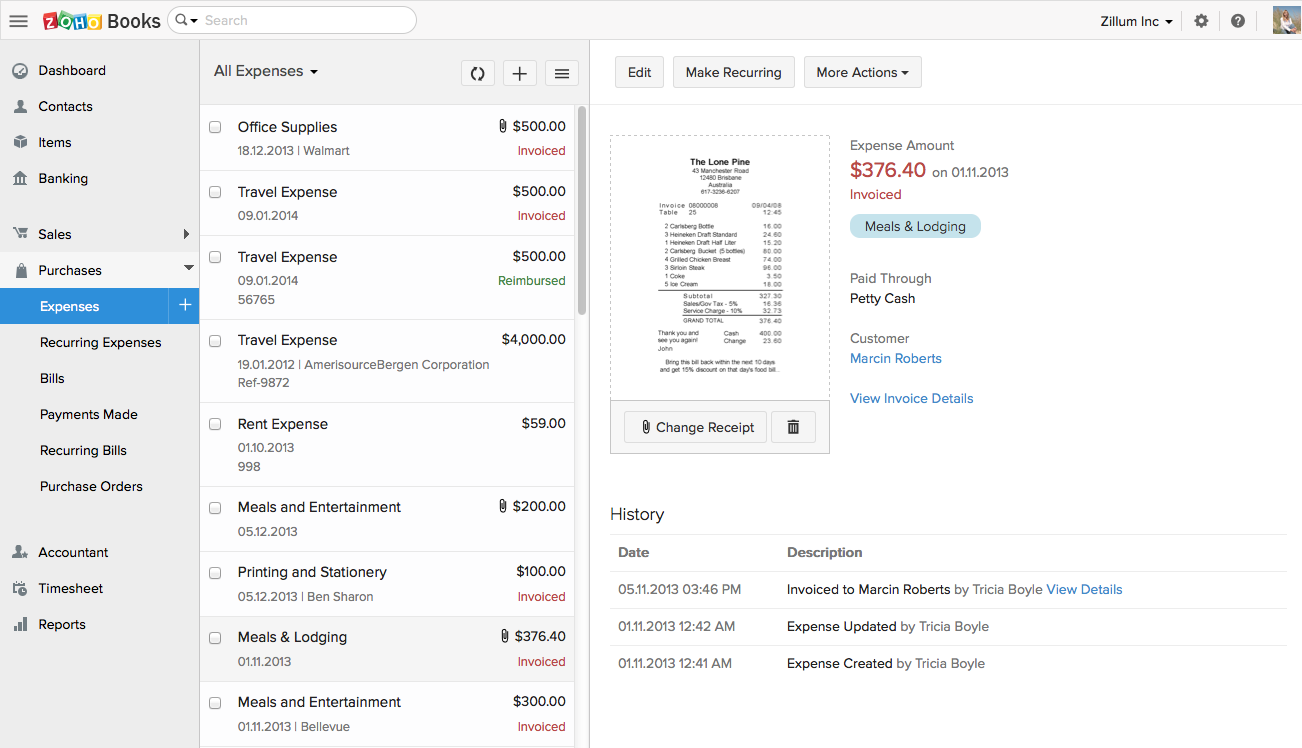
Zoho Books invoicing and receipting features are second to none. We find it easy to quickly invoice clients and add items to their bills and also for our own receipting internally.
The accounting features are great for our accounting team to be able to see where we are financially and how the business is doing.
The ability to add contacts and run a mini CRM channel with clients within Zoho is invaluable. Since we use this in conjunction with our other CRM channels, it helps to have a centralized place to follow up and see through a sales funnel.
Zoho Books allows us to take payments from clients around the globe a feature we didn't have when we used another accounting system.
The pricing for Zoho Books is fairly reasonable for an SME organization which is a great for us as it pays itself back many times over every month.
A de minimis incentive was given to thank the reviewer for their time. The incentive was not used to bias or drive a particular response, nor was the incentive contingent on a positive endorsement. More Info
The upsells have gotten worse over time and are on every screen in the most awkward positions. I don't need a constant reminder to upgrade, especially on a very old account that's paid thousands over the years.
The interface has never been especially intuitive, but I was an old Quicken user and it was somewhat familiar. Over time, it's gotten worse, and in the last 2 years, the program seems to move things more often than I would expect.
The software constantly adds features that I don't want and want to turn off, but the interface is so difficult to use that I find myself skipping it. Imagine seeing a message that the system recognized invoices that hadn't been paid so it prepared reminder notices for you that can be sent at the click of a button. Who thinks using canned reminders that you've never seen is a good thing?
A lot of functionality seems to derive from connecting your bank accounts to QBO. I don't want Intuit to have an always-on connection to any bank accounts, even checking.
A de minimis incentive was given to thank the reviewer for their time. The incentive was not used to bias or drive a particular response, nor was the incentive contingent on a positive endorsement. TR verified that a representative sample of customers was invited. More Info
Zoho Books is only available in Texas and California. There is no integration allowed for paying employee expenses. The absolute worst aspect is the fact that if you make even the slightest error in data input there is no backing up. You cannot undo an error.
The system does not allow change once implemented, so you must get every one of your beginning balances perfect. The practice of Journal Entries is cumbersome. When reconciling, Zoho Books has adopted a number of required steps that significantly overcomplicate reconciliation using practices that are not consistent with general accounting principles in the US.
On the customer side, you must look in two places to see the beginning balance and the current receivables that might exist for current invoicing.
The way the system works, you must avoid having much trust with the balances depicted. So far, it appears that Zoho Books uses what we called in school "that new math."
It would be terrifying to rely on this bookkeeping system to support an IRS Audit. The system violates too many fundamental accounting principles.
The software is used by so few people that there is concern that we might never find a skilled bookkeeper.
It like the product 'right out of the box' and I trust Intuit will continually improve it over the years based on my experience with their desktop products. The large providers of Apps makes customizing the entire package relatively easy and seamless for a wide variety of business types.
A de minimis incentive was given to thank the reviewer for their time. The incentive was not used to bias or drive a particular response, nor was the incentive contingent on a positive endorsement. More Info
I had very little trouble setting up the program and migrating from our old accounting system. The daily usage is also very intuitive and easy. Anytime we run into minor trouble with the program, there are always tons of help available on YouTube, so we don't even look up the online manual anymore.
A de minimis incentive was given to thank the reviewer for their time. The incentive was not used to bias or drive a particular response, nor was the incentive contingent on a positive endorsement. More Info
Customization is the biggest struggle for us and most of the time we need to involve a tech person. The chat support is a great feature and very helpful. It would be great to be able to customize and create invoices and correspondence (templates) such are reminders in multiple languages within one organization. The currency (USD) would be the same. We have clients in different countries that don't speak English but pay in USD.
A de minimis incentive was given to thank the reviewer for their time. The incentive was not used to bias or drive a particular response, nor was the incentive contingent on a positive endorsement. More Info
A de minimis incentive was given to thank the reviewer for their time. The incentive was not used to bias or drive a particular response, nor was the incentive contingent on a positive endorsement. More Info
A de minimis incentive was given to thank the reviewer for their time. The incentive was not used to bias or drive a particular response, nor was the incentive contingent on a positive endorsement. More Info
In my experience, most representatives keep me on the phone for hours, literally, for a single issue and then usually cannot resolve it satisfactorily. I have 10 open cases that need resolution and, in my experience, there has been NO follow-up communication on any of them.
A de minimis incentive was given to thank the reviewer for their time. The incentive was not used to bias or drive a particular response, nor was the incentive contingent on a positive endorsement. More Info
The support team feels very disjointed. We have filtered through a number of "lead" contacts and are frequently spammed by other Zoho members. Once getting an appropriate support contact on the phone - the team is very helpful, it just takes a lot of hoop jumping to get there. We actually unsubscribed from their support package as we were not getting the value we were looking for.
A de minimis incentive was given to thank the reviewer for their time. The incentive was not used to bias or drive a particular response, nor was the incentive contingent on a positive endorsement. More Info
The person in charge of QB needs to be very accurate with record keeping and is recommended to stay on top of tasks. The biggest issue we have is reconciliation, and those issues occur only when too much time has occurred between reconciliations
A de minimis incentive was given to thank the reviewer for their time. The incentive was not used to bias or drive a particular response, nor was the incentive contingent on a positive endorsement. More Info
As a freelance bookkeeper, the Desktop version of QuickBooks Online doesn't allow for ease of access from any device. Having to be on a computer with the software downloaded creates additional work to gain access to all required filings etc. Also, I personally find the linking functionality on the Online version to be much more streamlined and user friendly.
We had a lot of problems with Exact Online, support-wise and price-wise. So Zoho Books wins on every point there. While Exact offers way more options, it tends to be really slow... and complex. Again Zoho Books wins. If you want an easy-to-use tool and not pay a lot of money, or if you are a small administration office with a few clients, this tool will be perfect for you.
A de minimis incentive was given to thank the reviewer for their time. The incentive was not used to bias or drive a particular response, nor was the incentive contingent on a positive endorsement. More Info
As we have grown along our professional path, we have also expanded our use of QB. The scalability is easy and features seem to be waiting for you until you need them. We have increased profits by over 10x from our first year in business to the current and have yet to find a reason to look elsewhere
A de minimis incentive was given to thank the reviewer for their time. The incentive was not used to bias or drive a particular response, nor was the incentive contingent on a positive endorsement. More Info
QuickBooks has given us a useful portal by which to get an overview of our financials.
QuickBooks has given us a relatively easy way to send out invoices quickly and efficiently.
Due to the customization limitations on QuickBooks, we've had to get creative in third-party implementations to better represent our brand and to track financials.
A de minimis incentive was given to thank the reviewer for their time. The incentive was not used to bias or drive a particular response, nor was the incentive contingent on a positive endorsement. More Info
Integration: Zoho Books offers out of the box integrations to extend the functionality and connect with the applications you love like MailChimp, Microsoft Outlook, PandaDoc, and Quickbooks, etc.
Flexibility makes Zoho Books great!
Since I can use forecast reports, I can create customizable sales forecast data from the dashboard to accurately measure revenue forecasts and establish sales quotas.
A de minimis incentive was given to thank the reviewer for their time. The incentive was not used to bias or drive a particular response, nor was the incentive contingent on a positive endorsement. More Info