QuickBooks Desktop Premier is an installed version of QuickBooks for general business, contractors, manufacturing and warehouse accounting, as well as nonprofits, professional services, and retail.
N/A
ZipBooks
Score7 out of 10
Small Businesses (1-50 employees)
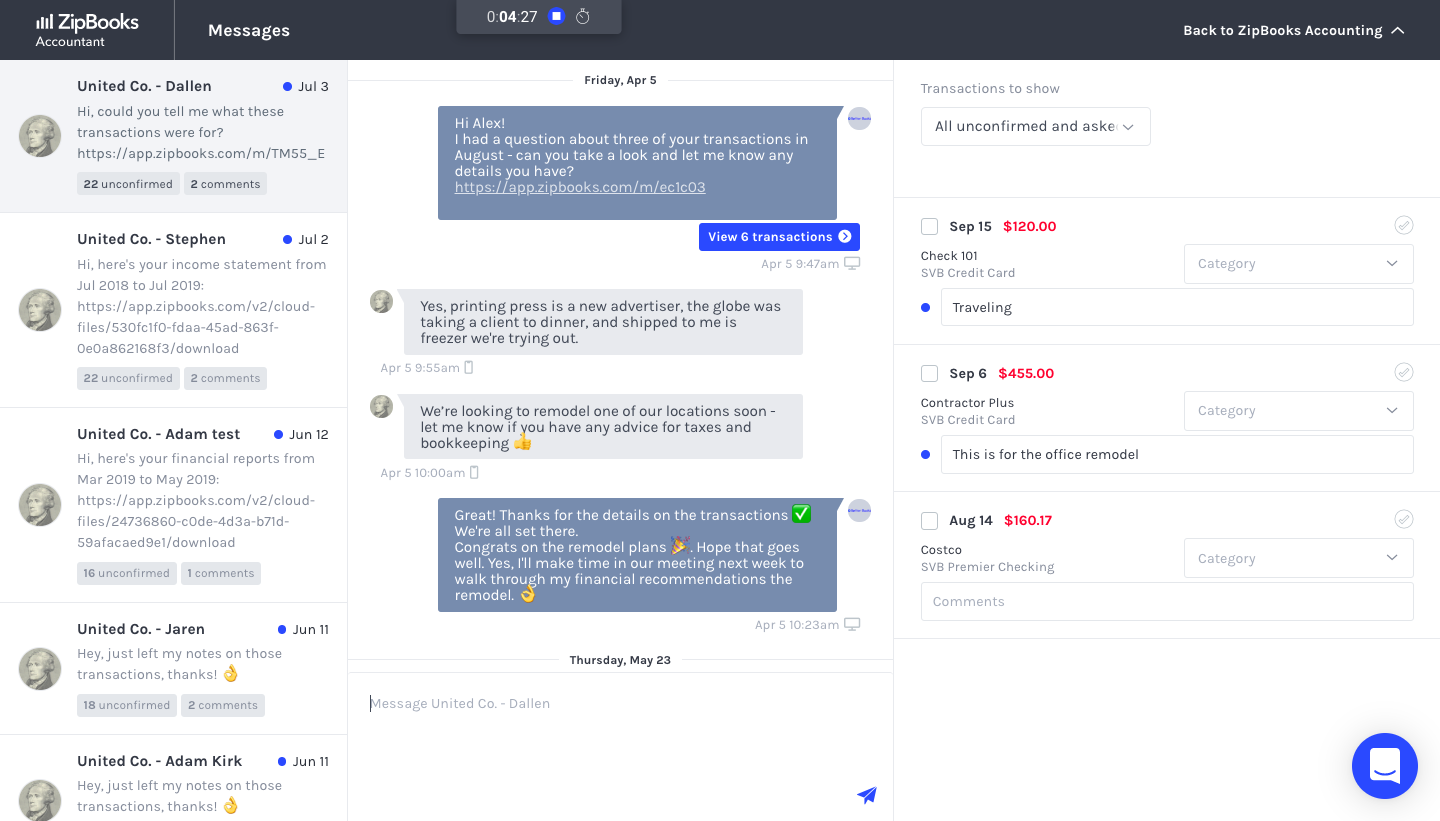
ZipBooks is an accounting software solution for small business owners and accountants. Users can track expenses, manage their team, send recurring invoices and manage projects.
We really think that ANY typical business would be a reasonable fit for QuickBooks Desktop Premier. While not necessary, even a comparatively unexperienced accounting person could look at the "Home" screen and follow their nose thru typical daily accounting processes without much detailed knowledge. Reporting is simple, looking up customer info and prior transactions is simple, looking up vendors and prior payments is simple... all in all, quite straightforward. I really can't think of an instance where it would be 'less appropriate'.
A de minimis incentive was given to thank the reviewer for their time. The incentive was not used to bias or drive a particular response, nor was the incentive contingent on a positive endorsement. More Info
ZipBooks is really strong for small businesses (and non-profits like the ones I help manage). It may not yet be ready to handle medium or large businesses given the deep, niche functionality that is sometimes required in those cases.
A de minimis incentive was given to thank the reviewer for their time. The incentive was not used to bias or drive a particular response, nor was the incentive contingent on a positive endorsement. More Info
A de minimis incentive was given to thank the reviewer for their time. The incentive was not used to bias or drive a particular response, nor was the incentive contingent on a positive endorsement. More Info
Invoicing is particularly easy-to-use, quick, clean and beautiful. GREAT for branding.
The time tracker was unexpected, but very useful and integrates well with the invoicing. Leads to quick invoicing every time.
Customer support is phenomenal -- the support staff is friendly and helpful.
Although they are a new company, they are definitely on the right track!
I recommend this software to clients, colleagues, and friends alike, mostly for it quick and beautiful invoicing.
They do what they can to live up to their name! It doesn't take very long to get set up, or very long to create a complete invoice and send it to the right person.
Support for older versions of QuickBooks ends after three years, then users must purchase the newest version at full price. Renewals should be deeply discounted for existing users.
I would like to see better in-product inventory tracking, so we can choose LIFO or FIFO rather than the ambiguous "average cost" method.
I would like to be able to assign payroll taxes to jobs for better job costing.
A de minimis incentive was given to thank the reviewer for their time. The incentive was not used to bias or drive a particular response, nor was the incentive contingent on a positive endorsement. More Info
There is some difficulty with a need to learn the use of the menus, they are not open and click, at the moment, the user needs to open the menu then using the pad keys scroll down and use enter to select from the drop-down menu. A mouse does not work.
A de minimis incentive was given to thank the reviewer for their time. The incentive was not used to bias or drive a particular response, nor was the incentive contingent on a positive endorsement. More Info
Because we have been extremely happy with the product and our organization tends to be creatures of habit. We rarely leave a product that works this well for the latest and greatest. Typically we follow the "if it's not broken, don't fix it rule". While QB does make changes we typically just roll with it. If we do find something we don't like we work through it until we fully understand its functionality.
A de minimis incentive was given to thank the reviewer for their time. The incentive was not used to bias or drive a particular response, nor was the incentive contingent on a positive endorsement. More Info
We switched to a more "robust" software program with the hiring of a new CFO. The migration of historical data and ancillary information has been cumbersome and riddle with errors and issues. In hindsight much of what the new software program was touted to accomplish is not come to fruition. QB Desktop Premier was sufficient for the organization needs
A de minimis incentive was given to thank the reviewer for their time. The incentive was not used to bias or drive a particular response, nor was the incentive contingent on a positive endorsement. More Info
A de minimis incentive was given to thank the reviewer for their time. The incentive was not used to bias or drive a particular response, nor was the incentive contingent on a positive endorsement. More Info
A de minimis incentive was given to thank the reviewer for their time. The incentive was not used to bias or drive a particular response, nor was the incentive contingent on a positive endorsement. More Info
This is where QuickBooks falls short. Many times my staff has had questions that have not been able to get resolved easily with a chat or call. I personally have had more general questions that have not been answered easily as well. I think QuickBooks needs to provide the resources of having readily accessible help in order to make it simpler to get solutions.
A de minimis incentive was given to thank the reviewer for their time. The incentive was not used to bias or drive a particular response, nor was the incentive contingent on a positive endorsement. More Info
It is important to do your research. There are tutorial videos online that could help new user of this accounting system. These tutorials are straightforward and easily understandable.
A de minimis incentive was given to thank the reviewer for their time. The incentive was not used to bias or drive a particular response, nor was the incentive contingent on a positive endorsement. More Info
QuickBooks Premier handles most of my business functions efficiently in one package. It is not my "everything." I use Replicon for time rather than QuickBooks. I don't want my WIP data interfering with my accounting. I use PaySimple for it's web interface and back office processing. I don't have security issues since I don't have any credit card data in my possession. With today's identity theft environment, I have to protect myself as much as I can. Not having credit card data in my accounting software lets me sleep much better at night. Quicken will do basic accounting but does not have all the double entry accounting systems contained in QuickBooks. QuickBooks Online does much of the basic business functions but I don't like the pricing structure. As a professional accountant, that is very important to me. Bill.com provided a good service but the ability of QuickBooks to add bills and receipts to transactions makes it redundant.
A de minimis incentive was given to thank the reviewer for their time. The incentive was not used to bias or drive a particular response, nor was the incentive contingent on a positive endorsement. More Info
I've primarily compared ZipBooks vs. Quickbooks because I've used Quickbooks at larger companies before. ZipBooks was the right fit for a smaller organization because it still had all the core features of Quickbooks but at a dramatically lower price that fits the budget.
A de minimis incentive was given to thank the reviewer for their time. The incentive was not used to bias or drive a particular response, nor was the incentive contingent on a positive endorsement. More Info
A de minimis incentive was given to thank the reviewer for their time. The incentive was not used to bias or drive a particular response, nor was the incentive contingent on a positive endorsement. More Info
Most of our business clients use QuickBooks which makes it efficient for us to work on clients that use the program. We can import QuickBooks data into our software which adds efficiencies to our tax practice.
Having staff that are familiar with the software enables our firm to provide quality service to the clients that use QuickBooks.
We receive referrals from satisfied QuickBooks clients.
A de minimis incentive was given to thank the reviewer for their time. The incentive was not used to bias or drive a particular response, nor was the incentive contingent on a positive endorsement. More Info
ZipBooks is entirely affordable, and with my current $15/mo payments, I get ROI pretty quickly.
Invoices are simple and easy to make, while staying beautiful and functional at the same time. This saves me TIME, which means that I don't need to spend 15-20 minutes fiddling with the software to make it do what I want it to do. It just works. And that means, I can spend more time doing client work, and managing projects and sales.