ApexSQL by Quest vs. Redgate Flyway

Overview
ProductRatingMost Used ByProduct SummaryStarting Price
ApexSQL by Quest
Score 8.5 out of 10
N/A
ApexSQL is a software development company headquartered in Chapel Hill, US, and a Quest company. The company specializes in developing professional software tools for Microsoft SQL Server including tools for database auditing, recovery, change management, development, and documentation. ApexSQL is a Microsoft Gold Certified Partner.N/A
Redgate Flyway
Score 9.6 out of 10
N/A
Redgate Flyway extends DevOps practices to databases to speed up software delivery while keeping business-critical data safe. From version control to continuous delivery, Redgate Flyway helps enterprises build on application delivery processes to automate database development and deployments.N/A
Pricing
ApexSQL by QuestRedgate Flyway
Editions & Modules
No answers on this topic
Community
Free
Enterprise
Contact Sales
Offerings
Pricing Offerings
ApexSQL by QuestRedgate Flyway
Free Trial
NoYes
Free/Freemium Version
NoYes
Premium Consulting/Integration Services
NoNo
Entry-level Setup FeeNo setup feeOptional
Additional Details
More Pricing Information
Community Pulse
ApexSQL by QuestRedgate Flyway
Best Alternatives
ApexSQL by QuestRedgate Flyway
Small Businesses
DBeaver
DBeaver
Score 9.2 out of 10
DBeaver
DBeaver
Score 9.2 out of 10
Medium-sized Companies
DBeaver
DBeaver
Score 9.2 out of 10
DBeaver
DBeaver
Score 9.2 out of 10
Enterprises
DBeaver
DBeaver
Score 9.2 out of 10
DBeaver
DBeaver
Score 9.2 out of 10
All AlternativesView all alternativesView all alternatives
User Ratings
ApexSQL by QuestRedgate Flyway
Likelihood to Recommend
8.7
(0 ratings)
8.0
(0 ratings)
User Testimonials
ApexSQL by QuestRedgate Flyway
Likelihood to Recommend
As soon as I start developing a new query or script, I just need to type my keywords and then all the basic for my work is already there. Just need to worry for the pesonalization. Also, I can have a template for very different scenarios, also the code suggestions, makes my code review and any error debug easier
Read full review
If your application is running on many environments then some kind of automation for database migrations should be implemented. This will save time and trouble for employees and helps to manage migrations. However it must be understood that it is not a magical tool & should be studied properly so that it's limitations are understood & it will be used properly. Otherwise it might cause problems to the application.
Read full review
Pros
  • Disaster Recovery of database
  • Management of Agent Jobs in Sql sever
  • Backup and restoration of databases
Read full review
  • Easy to manage Release Management.
  • Version Control for Databases.
  • Saved DevOps time.
Read full review
Cons
  • Need to improve on optimization sometimes it take too much time during data loading and unloading
  • The IDE comes in web browser.It should develop its own IDE to write code
  • I don't particularly appreciate that there is no way to get all data for any records
Read full review
  • The Object Mapping should be available on commuinity edition
  • More Programming Languages support
Read full review
Alternatives Considered
It's free to use and it has a lot of unique features like tab navigation, Coloring of tabs, Execution alerts, helps in automatically writing query and the best what I liked in ApexSQL is fast database creating,tables auto fill.i recommend giving the tools a try as i think you will find them very useful
Read full review
The problem with a cloud-based tool for migration services is the cloud dependency. You are restricted to use the tool along the Cloud provider. Flyway gives you the freedom to use it in any scenario as long as you are working with a compatible database engine. Even if you are working on-premise and you don't have plans to move to a cloud architecture. Or even for sandbox development scenarios where you are a developer playing around with some project ideas. And you don't have to pay anything as long as you need advanced features, and not less importantly, you are using an open-source tool.
Read full review
Return on Investment
  • Reduced the time needed to maintain and audit our MS SQL databases
  • Automation reduced the time and effort needed to execute on daily tasks
  • Increased efficiency overall by making data comparisons and other day to day tasks more efficient
Read full review
  • DB migration is fully automated
  • DB migration is committed to source code, repeatable on all environments
  • DB migration is fully integrated into development cycle
Read full review
ScreenShots

Redgate Flyway Screenshots

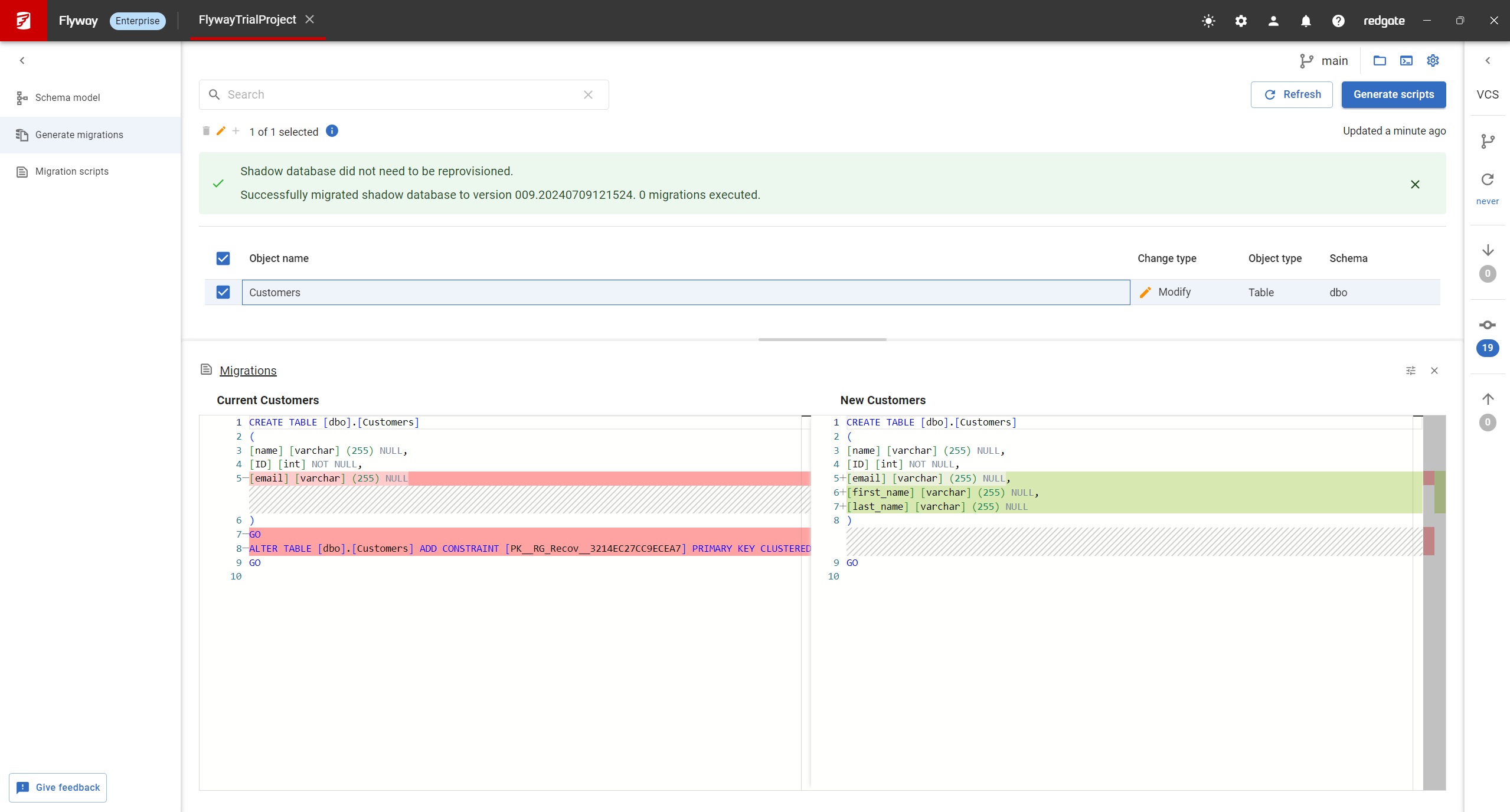
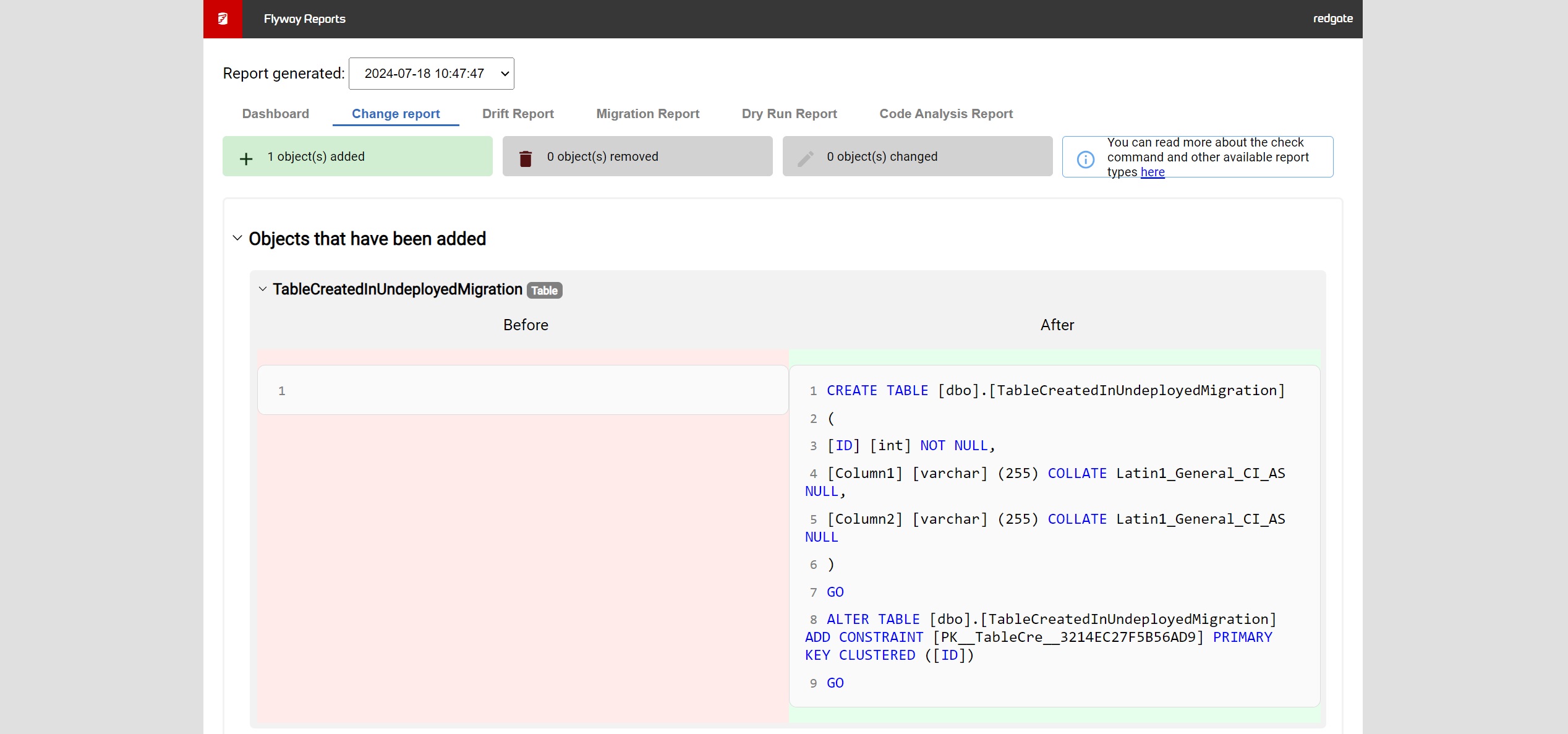
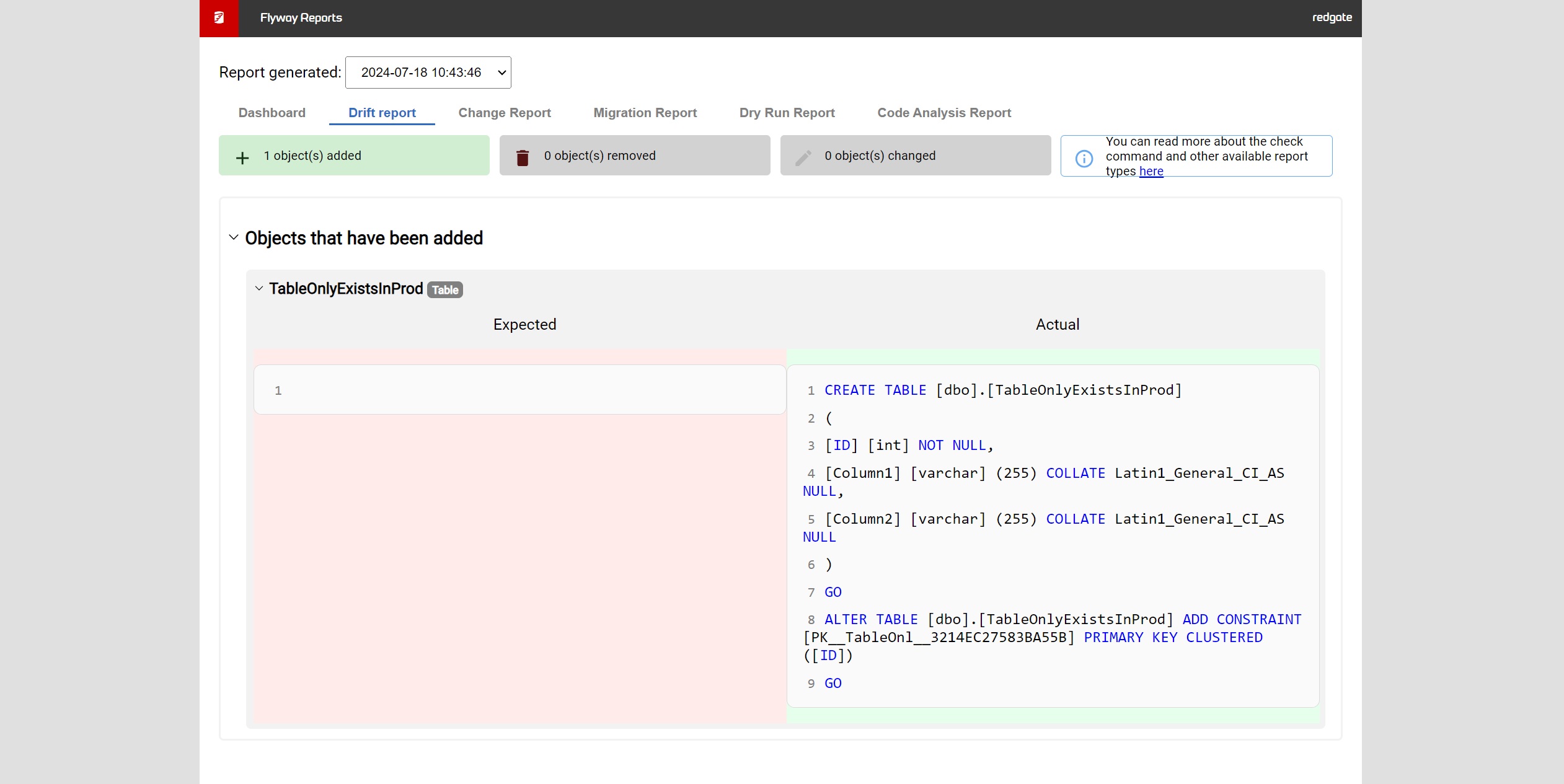
Screenshot of Flyway Enterprise – auto-generation of migration scriptsScreenshot of Flyway Enterprise - reportingScreenshot of Flyway Enterprise - drift detection