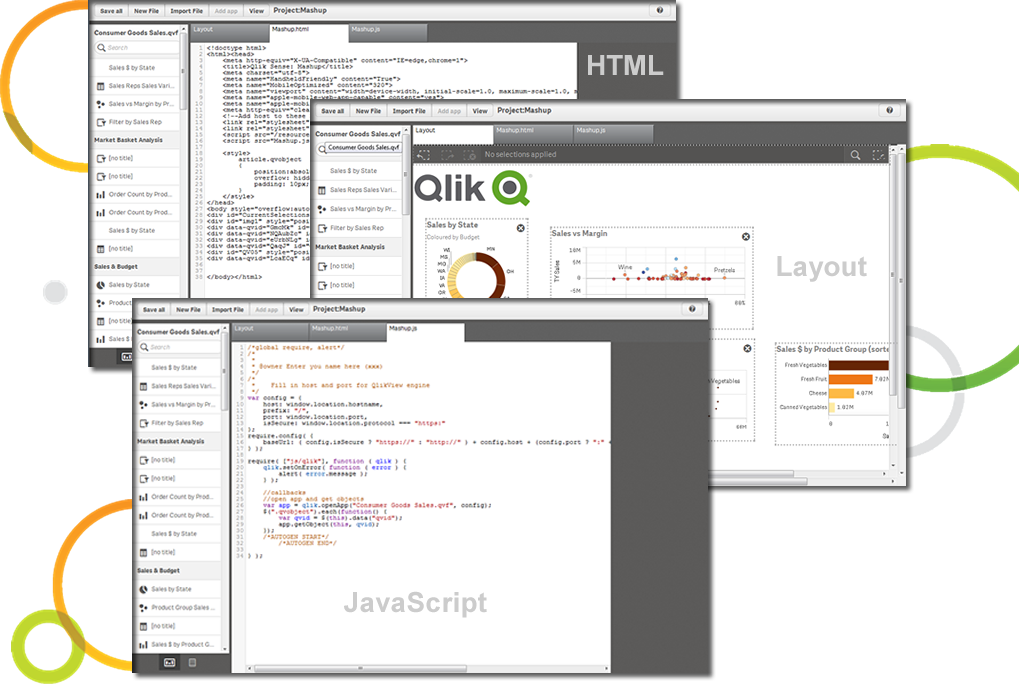
Qlik Sense® is a self-service BI platform for data discovery and visualization. It supports a full range of analytics use cases—data governance, pixel-perfect reporting, and collaboration. Its Associative Engine indexes and connects relationships between data points for creating actionable insights.
$200
per month
SAS Enterprise Guide
Score 8.0 out of 10
N/A
SAS Enterprise Guide is a menu-driven, Windows GUI tool for SAS.
N/A
Pricing
Qlik Sense
SAS Enterprise Guide
Editions & Modules
Starter
$200
per month
Standard
$825
per month
Premium
$2,750
per month
Qlik Sense Enterprise on Windows
Contact Sales
Enterprise
Custom Quote
No answers on this topic
Offerings
Pricing Offerings
Qlik Sense
SAS Enterprise Guide
Free Trial
No
No
Free/Freemium Version
No
No
Premium Consulting/Integration Services
Yes
No
Entry-level Setup Fee
No setup fee
No setup fee
Additional Details
—
—
More Pricing Information
Community Pulse
Qlik Sense
SAS Enterprise Guide
Considered Both Products
Qlik Sense
Verified User
Program Manager
Chose Qlik Sense
I thought Microsoft Power BI was an easier tool to pick up and use. However, I faced significant challenges using Power BI within the Gov Community Cloud. While Power BI was more expensive, the delays in feature releases to the government cloud (compared to the standard …
These two options offer a great tool for visualization and customisability in their charts, however, I preferred the default associative model of Qlik where your selections are persistent across multiple pages allowing for more exploration. I also really enjoyed Qlik's ability …
Although not used in the enterprise, I have used Anaconda Python to shape and cleanse data from Excel reports that was too difficult for SAS to complete. The object oriented nature and the Pandas package made ingestion of the data and reshaping more useful in this use case. Anac…
Qlik Sense is a program whose purpose is to greatly improve all your operations and use of all data in an organic way. The mission will always be to increase the economic and commercial processes of the company in a short time. I recommended it for its high technology, which was Created for this area, the results are successful. We have noticed how it has increased relationships with our clients thanks to the credibility and security that we provide.
SAS Enterprise Guide is good at taking various datasets and giving analyst/user ability to do some transformations without substantial amounts of code. Once the data is inside SAS, the memory of it is very efficient. Using SAS for data analysis can be helpful. It will give good statistics for you, and it has a robust set of functions that aid analysis.
Process time of data is a bit long. It depends on the size of your data and complexity of your project tree.
There is not enough online free training videos.
While working with the project tree sometimes the links between the modules are broken or the order for running the modules get mixed up. You should know your project tree by heart.
Qlik Sense is a constantly improving it's software and working with its' users to make it better. They are great at keeping their users informed of progress and care about delivering a quality product
Qlik Sense has a better and easy to learn user interface compared with other analytics tool which always help us to create regular and adhoc reports within the stipulated time frame and can be easily refreshed at a scheduled time and sent to multiple stakeholders for timely update regarding the Key metrics indicator.
It's not all bad, but I don't believe that an enterprise purchase of SAS is worth the expense considering the widely available set of tools in the data analytics space at the moment. In my company, it's a good tool because others use it. Otherwise, I wouldn't purchase a new set of it because it doesn't have some of the better analytical functions in it.
Not only can you ask the support team for help, but you can also ask the community. Also with the community there is a vast amount of problems that have already been solved. The problem you are encountering has a likely chance of already being discussed and even solved in the community section saving you time from reaching out.
Although I use SAS support for information on functions, these are SAS related and haven't really come across anything that is specifically for SAS EG.
I've not worked hands-on with the implementation team, but there were no escalations barring a few hiccups in the deployment due to change in requirement & adoption to our company's remote servers.
The customization of the platform opens up plenty of other options depending on the use cases. The API layer is incredibly rich and makes integration of Qlik based visualization into web pages a simple and effective pattern. It's been very easy to use with a great community made up of professionals. Qlik Sense has introduces artificial Intelligence into my data visualization and reporting activity.
Why I prefer SAS EG: Data processing speed is much faster than that R Studio. It can load any amount of data and any type of data like structured or unstructured or semi-structured. Its output delivery system by which we have the output in PDF file makes it very comfortable to use and share that file to clients very easily. Inbuilt functions are very powerful and plentiful. Facility of writing macros makes it far away from its competitors.
Positive (cost): SAS made a bundle that include unlimited usage of SAS/Enterprise Guide with a server solution. That by itself made the company save a lot of money by not having to pay individual licences anymore.
Positive (insight): Data analysts in business units often need to crunch data and they don't have access to ETL tools to do it. Having access to SAS/EG gives them that power.
Positive (time to market): Having the users develop components with SAS/EG allows for easier integration in a production environment (SAS batch job) as no code rework is required.