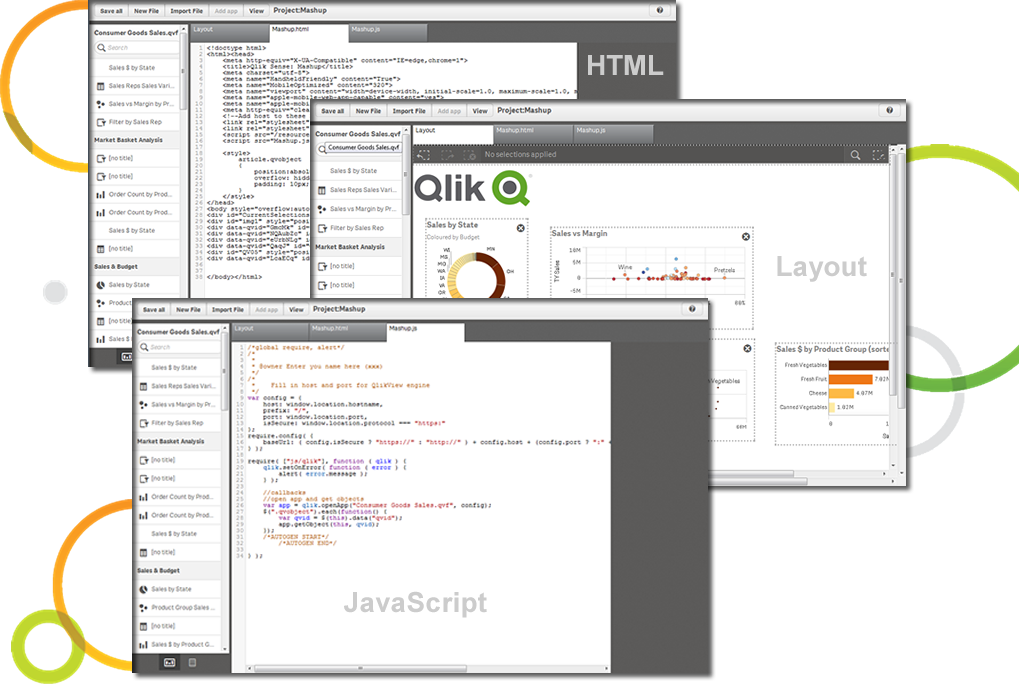
Qlik Sense® is a self-service BI platform for data discovery and visualization. It supports a full range of analytics use cases—data governance, pixel-perfect reporting, and collaboration. Its Associative Engine indexes and connects relationships between data points for creating actionable insights.
$200
per month
SAP Lumira Discovery
Score 4.4 out of 10
N/A
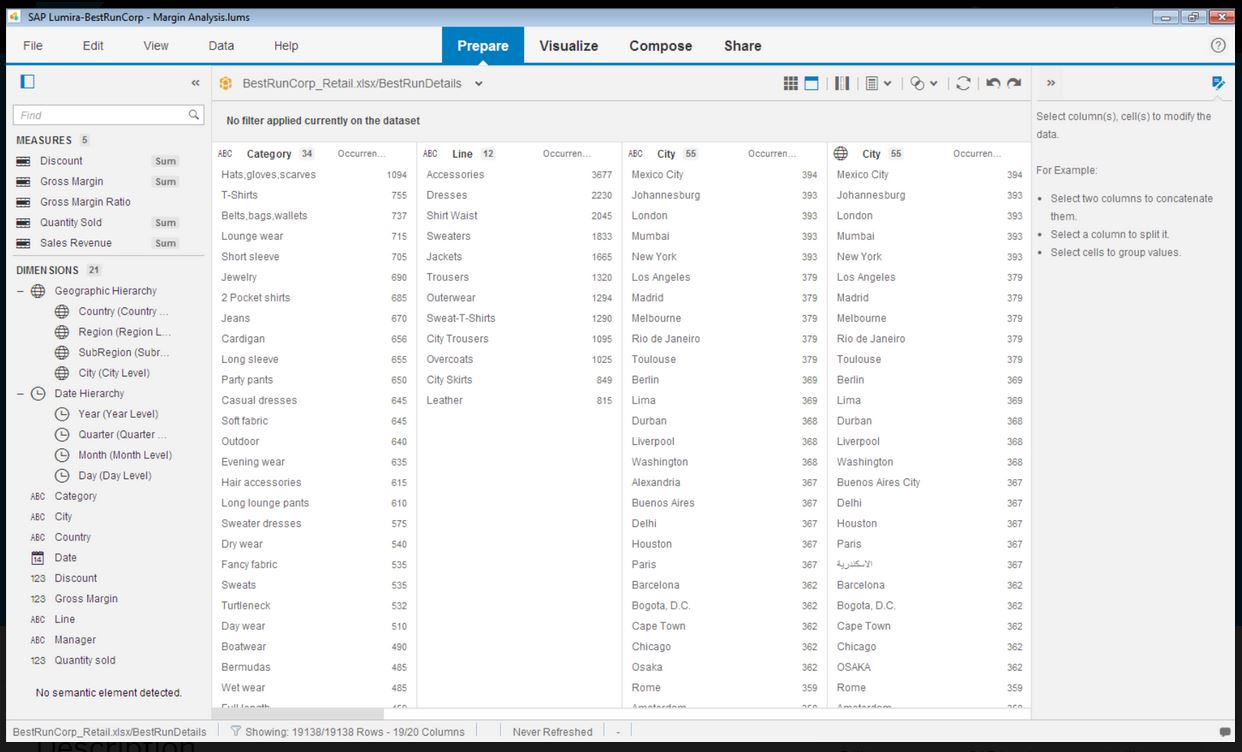
SAP Lumira Discovery is SAP’s data visualization and discovery application. It facilitates data discovery, visualization, and analysis by assisting users with creation of dashboards, infographics, presentations, data facets, tag clouds, and more.
$185
per user
Pricing
Qlik Sense
SAP Lumira Discovery
Editions & Modules
Starter
$200
per month
Standard
$825
per month
Premium
$2,750
per month
Qlik Sense Enterprise on Windows
Contact Sales
Enterprise
Custom Quote
SAP Lumira, standard edition
$185
per user
Offerings
Pricing Offerings
Qlik Sense
SAP Lumira Discovery
Free Trial
No
Yes
Free/Freemium Version
No
No
Premium Consulting/Integration Services
No
No
Entry-level Setup Fee
No setup fee
No setup fee
Additional Details
—
—
More Pricing Information
Community Pulse
Qlik Sense
SAP Lumira Discovery
Features
Qlik Sense
SAP Lumira Discovery
BI Standard Reporting
Comparison of BI Standard Reporting features of Product A and Product B
Qlik Sense
8.5
Ratings
4% above category average
SAP Lumira Discovery
8.0
Ratings
2% below category average
Pixel Perfect reports
8.30 Ratings
00 Ratings
Customizable dashboards
8.90 Ratings
8.00 Ratings
Report Formatting Templates
8.20 Ratings
00 Ratings
Ad-hoc Reporting
Comparison of Ad-hoc Reporting features of Product A and Product B
Qlik Sense
8.6
Ratings
7% above category average
SAP Lumira Discovery
7.3
Ratings
10% below category average
Drill-down analysis
8.90 Ratings
10.00 Ratings
Formatting capabilities
8.20 Ratings
7.00 Ratings
Integration with R or other statistical packages
8.40 Ratings
00 Ratings
Report sharing and collaboration
9.00 Ratings
5.00 Ratings
Report Output and Scheduling
Comparison of Report Output and Scheduling features of Product A and Product B
Qlik Sense
8.8
Ratings
6% above category average
SAP Lumira Discovery
6.1
Ratings
31% below category average
Publish to Web
8.80 Ratings
7.00 Ratings
Publish to PDF
8.80 Ratings
5.00 Ratings
Report Versioning
8.80 Ratings
00 Ratings
Report Delivery Scheduling
8.80 Ratings
6.30 Ratings
Delivery to Remote Servers
8.80 Ratings
00 Ratings
Data Discovery and Visualization
Comparison of Data Discovery and Visualization features of Product A and Product B
Qlik Sense is a program whose purpose is to greatly improve all your operations and use of all data in an organic way. The mission will always be to increase the economic and commercial processes of the company in a short time. I recommended it for its high technology, which was Created for this area, the results are successful. We have noticed how it has increased relationships with our clients thanks to the credibility and security that we provide.
SAP Lumira helped to create intuitive and real-time dashboards in a story format to the organization. However with new capabilities of SAP, like SAP Analytics Cloud (SAC) providing more planning and analytical capabilities. Thus the identification of the use cases with the available products should be done. SAC is more integrated and the go to product in SAP roadmap.
Not a lot of room for customization as we were used to in QlikView
UI and default navigation can be very clunky and not user friendly
Although the backend is fantastic, the front end experience leaves a lot to be desired. As a developer you don't have a lot of options to customized your app unless you turn to Javascript, CSS and HTML. This is not a common stack you would find in most BI developers
Control over data import formatting - for example where amount and currency values are imported there is not enough control over the transformation and formatting and this has caused us data import difficulties where values read have been truncated due to punctuation in the amount fields.
The user interface is simplified, but the terminology and screen layout do not always make it obvious how to start the process for a new user - for example to add a new data source or create a new report.
Qlik Sense is a constantly improving it's software and working with its' users to make it better. They are great at keeping their users informed of progress and care about delivering a quality product
Qlik Sense has a better and easy to learn user interface compared with other analytics tool which always help us to create regular and adhoc reports within the stipulated time frame and can be easily refreshed at a scheduled time and sent to multiple stakeholders for timely update regarding the Key metrics indicator.
It has good features, the data connectivity and merging is really good, and it has helped our IT team. Nevertheless, it can sometimes be hard to use and some of the features can be found outdated. As we don't have a lot of data, it is a decent tool for our data analytics, but I wouldn't recommend for bigger or more complex businesses with large amounts of data.
Lumira is a desktop application runs in its own JVM. It installs its own java runtime libraries to avoid any core java version conflicts. The availability of the application is completely relies on individual machine hardware configuration. On a decent desktop, it performs well and always launches in either 32 or 64 bit environment based on the hosts system's OS
The performance is linear with amount of data that is being explored. We have done some benchmarks acquiring 10million data cells without having any performance problems. We need to make proper adjustments to jvm run time properties to start with higher heap size and other parameters that optimizes the run time performance
Not only can you ask the support team for help, but you can also ask the community. Also with the community there is a vast amount of problems that have already been solved. The problem you are encountering has a likely chance of already being discussed and even solved in the community section saving you time from reaching out.
It does not have many bugs or issues since not a lot of new features are being added. The customer support for SAP Lumira Discovery is good and anyone considering this as a self-service tool would be happy. It integrates well in the SAP BI suite of products and the overall experience is positive.
Most of the user guides are pretty comprehensive and very easy to understand. The product itself is designed to be self-serve tool, did not need much of the end-user training. Most of the training we had is to how to read the data, how to explore the data, how to acquire the data etc.
Installing the desktop software on end-user machines is always challenging. The machine specifications are the biggest factor when running Lumira and be able to handle large datasets during data exploration. This often demands beefy machines at least for power-users. Although Lumira software licensing is not a big problem but managing partner's extensions and keeping track of their individual licenses may be an issue. If there is a way to bundle the more popular extensions such as vSQL or vOLAP should be bundled in core product and offer them as part of Lumira license instead of a separate license which causer operational burden.
The customization of the platform opens up plenty of other options depending on the use cases. The API layer is incredibly rich and makes integration of Qlik based visualization into web pages a simple and effective pattern. It's been very easy to use with a great community made up of professionals. Qlik Sense has introduces artificial Intelligence into my data visualization and reporting activity.
I have evaluated products such a Tableau Desktop and Splunk and the biggest difference I realized was the ability to include interactive controls in the output. For instance if I wanted to include the ability to filter by a category or filter by a date range, the controls can easily be embedded in other products.
Enterprise wide implementation is a challenge with data security and trustedness. No easy installation can be done across the enterprise. no upgrade paths also available from SAP. They have so much of experience with desktop implementation, there it could be a controlled environment with a capital budget. These may be resolved in the upcoming releases
The impact has undoubtedly been positive, it is difficult to quantify it, however in terms of effectiveness or efficiency I give it a 90%.
I don't give it 100% because to use the complete package you have to pay, and it's not that cheap and on the other hand because it has some deficiencies, such as technical support and some issues like windows that are not so friendly and easy to work with.