
Qlik Analytics Platform vs. Progress Telerik
| Product | Rating | Most Used By | Product Summary | Starting Price |
|---|---|---|---|---|
 Qlik Analytics Platform | Score8.2 out of 10 | N/A | The Qlik Analytics Platform (QAP) is a developer platform for building custom analytic applications based on rich frontend and backend APIs. It gives full API access to the Qlik associative engine to build rich data-driven analytic applications, for example when building web applications for extranet and Internet deployment. | N/A |
 Progress Telerik | Score10 out of 10 | N/A | With Telerik UI libraries, Progress aims to equip .NET ninjas with a full arsenal of weapons, helping to create beautiful, modern and future-proof applications quickly and intuitively. The vendor states that with its over 1,250 UI components for all .NET platforms, as well as various themes, skins and customization options, Telerik users report cutting development time by up to 50 percent. Web | $999 per developer, royalty-free |
| Qlik Analytics Platform | Progress Telerik | |||||||||||||||
|---|---|---|---|---|---|---|---|---|---|---|---|---|---|---|---|---|
| Editions & Modules | No answers on this topic |
| ||||||||||||||
| Offerings |
| |||||||||||||||
| Entry-level Setup Fee | No setup fee | No setup fee | ||||||||||||||
| Additional Details | — | — | ||||||||||||||
| More Pricing Information | ||||||||||||||||
| Qlik Analytics Platform | Progress Telerik | |
|---|---|---|
| Considered Both Products | No answer on this topic | No answer on this topic |
| Key User Insights | ||
| Would buy again | ||
83% Would buy again 5 Answers | 96% Would buy again 25 Answers | |
| Delivers good value for the price | ||
100% Delivers good value for the price 5 Answers | 91% Delivers good value for the price 21 Answers | |
| Happy with the feature set | ||
100% Happy with the feature set 6 Answers | 96% Happy with the feature set 25 Answers | |
| Lived up to sales and marketing promises | ||
100% Lived up to sales and marketing promises 6 Answers | 95% Lived up to sales and marketing promises 20 Answers | |
| Implementation went as expected | ||
80% Implementation went as expected 4 Answers | 96% Implementation went as expected 23 Answers | |
| Qlik Analytics Platform | Progress Telerik | |
|---|---|---|
| Small Businesses |  Firebase Score8.5 out of 10 |  Syncfusion® Essential Studio® Score6.1 out of 10 |
| Medium-sized Companies |  SAP Extension Suite (discontinued) Score8.3 out of 10 |  D3.js Score8.9 out of 10 |
| Enterprises | No answers on this topic |  Progress Kendo UI Score8 out of 10 |
| All Alternatives | View all alternatives | View all alternatives |
| Qlik Analytics Platform | Progress Telerik | |
|---|---|---|
| Likelihood to Recommend | 8.6 | 10.0 |
| Likelihood to Renew | - | 10.0 |
| Usability | - | 9.5 |
| Support Rating | 8.0 | 9.3 |
| Implementation Rating | - | 9.0 |
| Qlik Analytics Platform | Progress Telerik | |
|---|---|---|
| Likelihood to Recommend |
|
|
| Pros |
|
|
| Cons |
|
|
| Likelihood to Renew | No answers on this topic |
|
| Usability | No answers on this topic |
|
| Support Rating |
|
|
| Implementation Rating | No answers on this topic |
|
| Alternatives Considered |
|
|
| Return on Investment |
|
|
| ScreenShots | Progress Telerik Screenshots     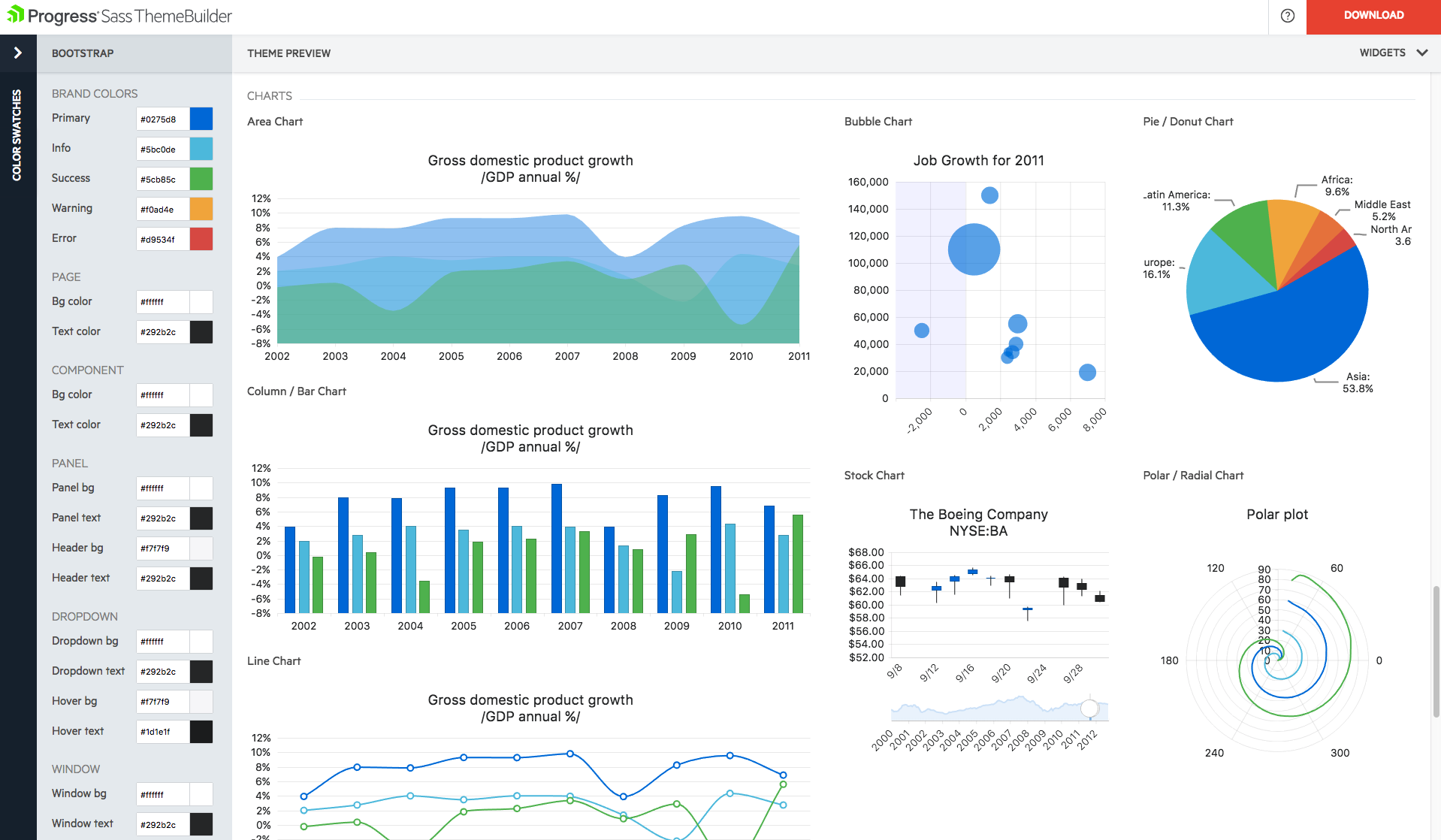 |



