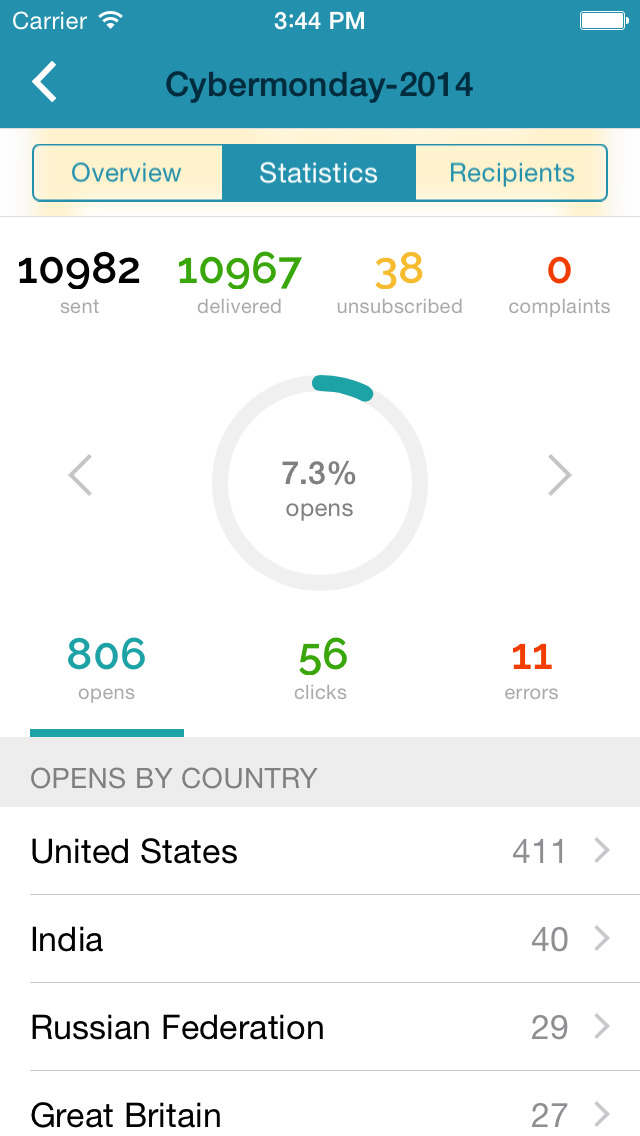
SendPulse is an integrated messaging platform providing user communication that includes emails, SMS, web push, SMTP, and user management.. This solution includes 15,000 free emails with up to 2,500 subscribers per month.
N/A
Pricing
Provely
SendPulse
Editions & Modules
No answers on this topic
No answers on this topic
Offerings
Pricing Offerings
Provely
SendPulse
Free Trial
No
Yes
Free/Freemium Version
No
Yes
Premium Consulting/Integration Services
No
No
Entry-level Setup Fee
No setup fee
No setup fee
Additional Details
—
Pricing starts from $9 a month and depends on the number of messages sent.
More Pricing Information
Features
Provely
SendPulse
Email & Online Marketing
Comparison of Email & Online Marketing features of Provely and SendPulse
Feature
Provely
-
Ratings
SendPulse
4.0
12 Ratings
66% below category average
WYSIWYG email editor
00 Ratings
2.012 Ratings
Dynamic content
00 Ratings
1.012 Ratings
Ability to test dynamic content
00 Ratings
4.010 Ratings
A/B testing
00 Ratings
3.09 Ratings
Mobile optimization
00 Ratings
2.012 Ratings
Email deliverability reporting
00 Ratings
7.012 Ratings
List management
00 Ratings
6.012 Ratings
Triggered drip sequences
00 Ratings
7.010 Ratings
Reporting & Analytics
Comparison of Reporting & Analytics features of Provely and SendPulse
Landing pages. Say, a webinar optin page. Or a lead magnet optin page. People can be persuaded to believe that others like the lead magnet and don't want to be left behind and also they can trust others opinions. So, having a widget on these pages that shows, "XYZ just signed up" can help with getting more sign ups. A widget that shows the amount of people that are looking at a certain page is also beneficial. The best thing to do, is to test at all times. See if the conversion rate is increased or if it drops. And test variations of the widget one at a time. Sometimes, it helps, but in some cases, one can see little difference. So the key is to test. We used it on a front page and we optimized it for speed. We saw that we had several things that slowed our site down. So we decided to take away some of the items. This included our widget from Provely. It does not take a lot of resources, but we were super savvy and wanted the optimal speed. We might revert back into adding it again, but for now, we stripped the page for all extra baggage so we were certain that we had the correct overview on the speed that was needed. The widgets can be less appropriate also, if one wants full attention to the copy on a page. This is also a savvy choice. So the key is to TEST, again... To determine if it helps or halts conversions. This example we are seeing on direct response sales pages in the make money online nice. They rarely use this. Some do. So again, testing will determine the effect. (A savvy user tests, but even those, skip it some times, so it is best to use your own due diligence)
SendPulse is great if you want to connect with your list on a more personal basis, and making sure that your email reaches your subscriber when it is best for him/her. You can also use the SMS function (though I haven't used it yet). Let's say you have clients and want to send a message to them automatically on their birthday, SendPulse allows you to do that. It allows you to add in specific fields that are relevant to you, in order to customise your messaging as much as you want and need.
A de minimis incentive was given to thank the reviewer for their time. The incentive was not used to bias or drive a particular response, nor was the incentive contingent on a positive endorsement. More Info
I like its Drag and Drop function to design e-mailers but it lacks in some functionalities. Foe example when I write two different contents in a same box I need a line to show separation between my contents in the same box but this feature is unavailable in SendPulse.
They should include more fonts. Every product or service needs different kind of fonts to make a right impact on customers. With limited option of fonts it restricts user's creativity.
It is good to have templates to give users some idea for designing campaigns but here SendPluse has nothing much to offer. They have very limited number of templates.
A de minimis incentive was given to thank the reviewer for their time. The incentive was not used to bias or drive a particular response, nor was the incentive contingent on a positive endorsement. More Info
We see the professional look it gives, and the live proof it provides. It helps with conversions, so we want to be sure we have the optimized numbers for our business. It is worth keeping so we earn more leads, and sales by piggybacking on the psychological effect of FOMO and more. We believe it is a must have in our arsenal, at least on selected pages.
I find that overall SendPulse is very intuitive to use and the support is there to help you out in case you don't find how to do what you wish to do. The drag and drop functionalities make it easy to create the newsletters you want. Every field is explained and small tutorials are included to show you how to create a new template, newsletter, etc. which makes it very easy to use.
We had a question... We asked about a certain feature... One that was not present. So, what happened is that they responded quickly, but also, they developed the feature FOR US, which is unprecedented in many ways. It is not the norm, so we were taken great care of. The support was more than helpful and we would recommend them any day of the week.
Every time I contacted the support team with a question or a problem, they were very fast in replying and helping me out solve it. Usually latest within 10 minutes I would receive a first answer, and the problem would get solved on the same day.
The only thing to note, if you're afraid of tech, get the developer to install the code. You can do the design, but maybe get someone to install the code, again, it is done in minutes. Maybe 5. The other thing to note, keep an eye on your stats and analytics. You install this for a reason, to help with conversions. The only way to know for sure if it is right for your page(s) is to track it. If it does not aid your % it is of no use. Not EVERY page will be a candidate at all times. BUT, most are. So my advice is to go for it, get it set up. Track your before and after. If you an uplift in your % then keep it. If there is no visible change, maybe you're not tracking the right metrics over the right amount of time, so check if you can track deeper. If you have tracked really well, and not seeing an uplift, maybe change the wording, the widget, or the placement of it. And keep tracking. If there is no change short-term or long-term, then I would reflect on the usage. It is made to uplift conversions and it does so. But it is your job to place it where it matters, like on a lead magnet page, where others can see that they are not alone in both wanting and/or taking action and physically signing up to a lead magnet. So, again, my advice, get it set up. You will most likely do the job right on the first go, and from there, enjoy, and keep tracking
We have tested 3 other products in the past, all failed to have the complete solution we were looking for. Provely is here to stay and has added lots of features. 1 of the other tools we tested are low on features. 1 of the tools we tested had a short run and updates stopped and the project was abandoned. 1 of them never worked properly.
For SendPulse's price point, I consider their competition to be the likes of Mailchimp, ConstantContact, etc. While SendPulse rates roughly average across the board in all areas, for businesses looking for the cheapest option (which comes with a lack of features/quality), ConstantContact beats them. For quality/features/value, I'd say Mailchimp is the best option for small businesses.
A de minimis incentive was given to thank the reviewer for their time. The incentive was not used to bias or drive a particular response, nor was the incentive contingent on a positive endorsement. More Info
A de minimis incentive was given to thank the reviewer for their time. The incentive was not used to bias or drive a particular response, nor was the incentive contingent on a positive endorsement. More Info