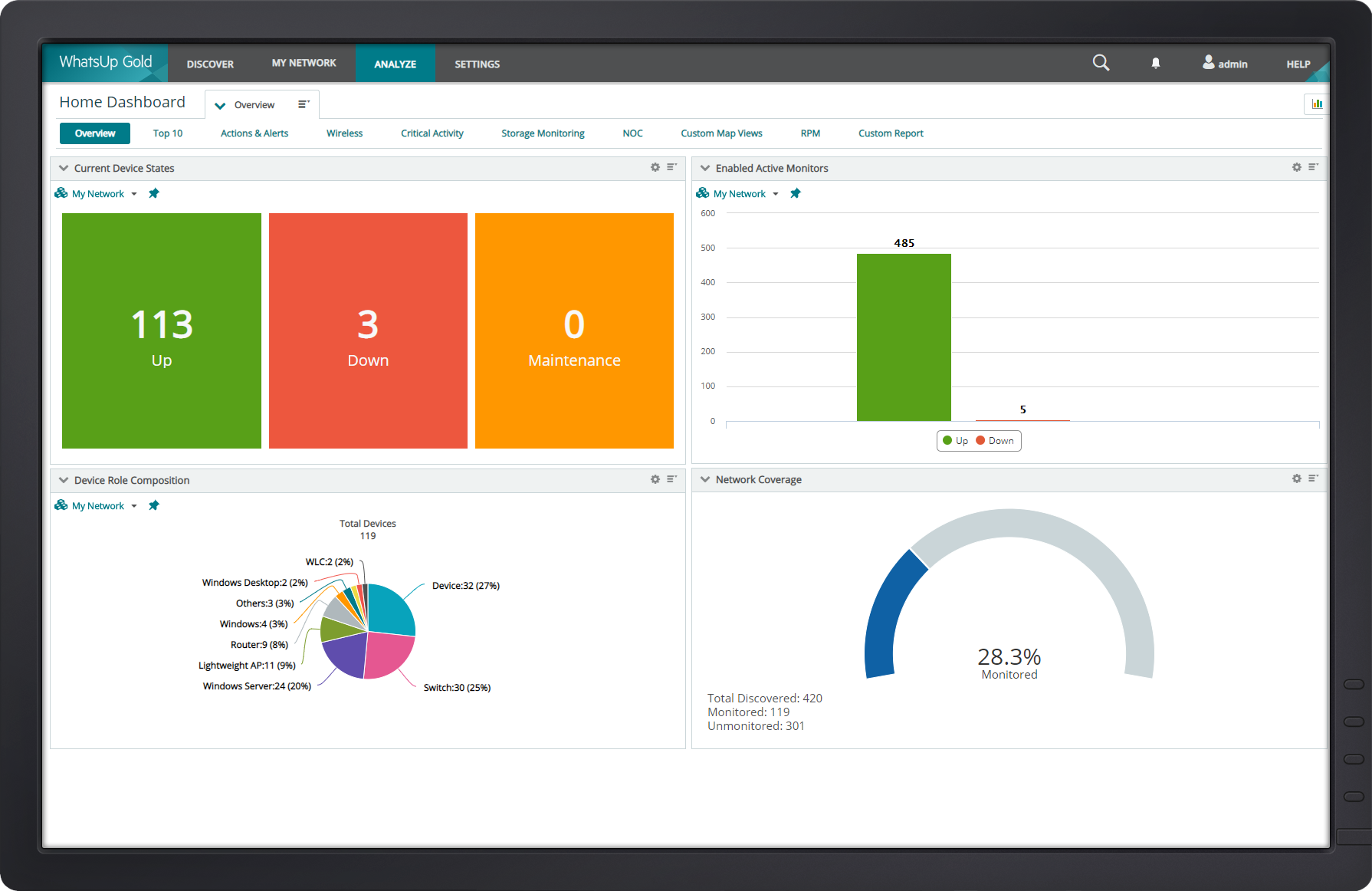
WhatsUp Gold developed by Ipswitch (acquired by Progress Software May 2019) offers network performance monitoring and mapping. It supports core monitoring features, including automated workflows and network capacity planning, and monitors across hybrid environments.
N/A
SolarWinds Kiwi Syslog Server
Score 7.5 out of 10
N/A
Solarwinds® Kiwi Syslog® Server is a syslog management tool for network and systems engineers. It receives syslog messages and SNMP traps from network devices (routers, switches, firewalls, etc.), and Linux®/Unix® hosts. Users can filter and view these messages based on time, hostname, severity, etc., and set up custom alerts. Kiwi Syslog Server has built-in actions to react appropriately to syslog messages. There are also log archival and clean-up features to help comply with security policies.
[Progress WhatsUp Gold (formerly Ipswitch WhatsUp Gold)] is good for what it is. An inexpensive but accurate monitor for alerting on systems and services. However, it is time consuming to configure, The GUI leaves a lot to be desired and the formatting for txt alerts stinks (I just use it now as an alert to check my email to view the actual alert.)
The SolarWinds Kiwi Syslog Server does what it's supposed to do. It's a bare-bones Syslog Server. If your company is just trying to fulfill security requirements or doesn't need all the advanced features of a product such as Splunk, then Kiwi will work well and not break the bank. Using the tool is very straightforward as there aren't a lot of options outside of just viewing logs.
While it does require a whole server with IIS and a SQL db it is low impact on resources but still quick to respond.
Great for quick notifications about a server going above a configured resource threshold. We don't have to look at every server's resource utilization individually anymore.
Quick and easy to setup a service up or down notification.
Collection of SNMP traps a reliable and stable collection server for these is crucial to troubleshooting and time to ROS. Kiwi excels at this.
Easy to install set up and train users on.
The free version is a good free tool and handy to use for personal labs and other smalle use cases.
SNMP traps to user readable format is great, sometimes syslog and smnp messages can be hard to interpret and read with out a knowledge of how to do this.
While it is easy to get up and running, I know I could utilize the software better if I had some formal training on it. There are a wealth of features available, but I don't have time to learn them all in depth.
The training classes offered are very expensive. I'd love it if IPSwitch offered some kind of reasonably priced training options.
Kiwi Syslog has the best usability of any syslog server. While not being able to offer the most features, the ones it does have are intuitive and easy to work with. Everything that it has is where you think it should be. If you can't find it in the menus, it doesn't exist.
Because the solution is so simple to use and implement, support wasn't very necessary. The one time I did call them to better understand where logs were stored, they were very helpful and friendly. Kiwi has been around for some time and not a lot has changed over the years, so support for it is pretty straightforward and quick.
WhatsUp Gold gives you a much better in-depth analysis and understanding of both your network and endpoint devices but the emphasis should be laid more on report generation. WhatsUp Gold has the ability to generate a report (e.g device uptime, bandwidth utilization, device health etc) and track events that took place even as low as 5 minutes ago.
Syslog-ng don't have customer support or technical support .But its a free software and no clarity on limitations ingestion bandwidth. No gui feature and everything should be done from backend. Gui can easily help to start and stop service ,easy to configure. Unlimited technical and customer support . Even when server got shutdown will get on-call or immediate support that will helps a lot to resolve errors
As I mentioned earlier, the monitoring of the external environment and uptime is a necessity. An hour down is a 1% loss of revenue per day which may not sound like much but in a million dollar company, that 1% is a huge chunk.
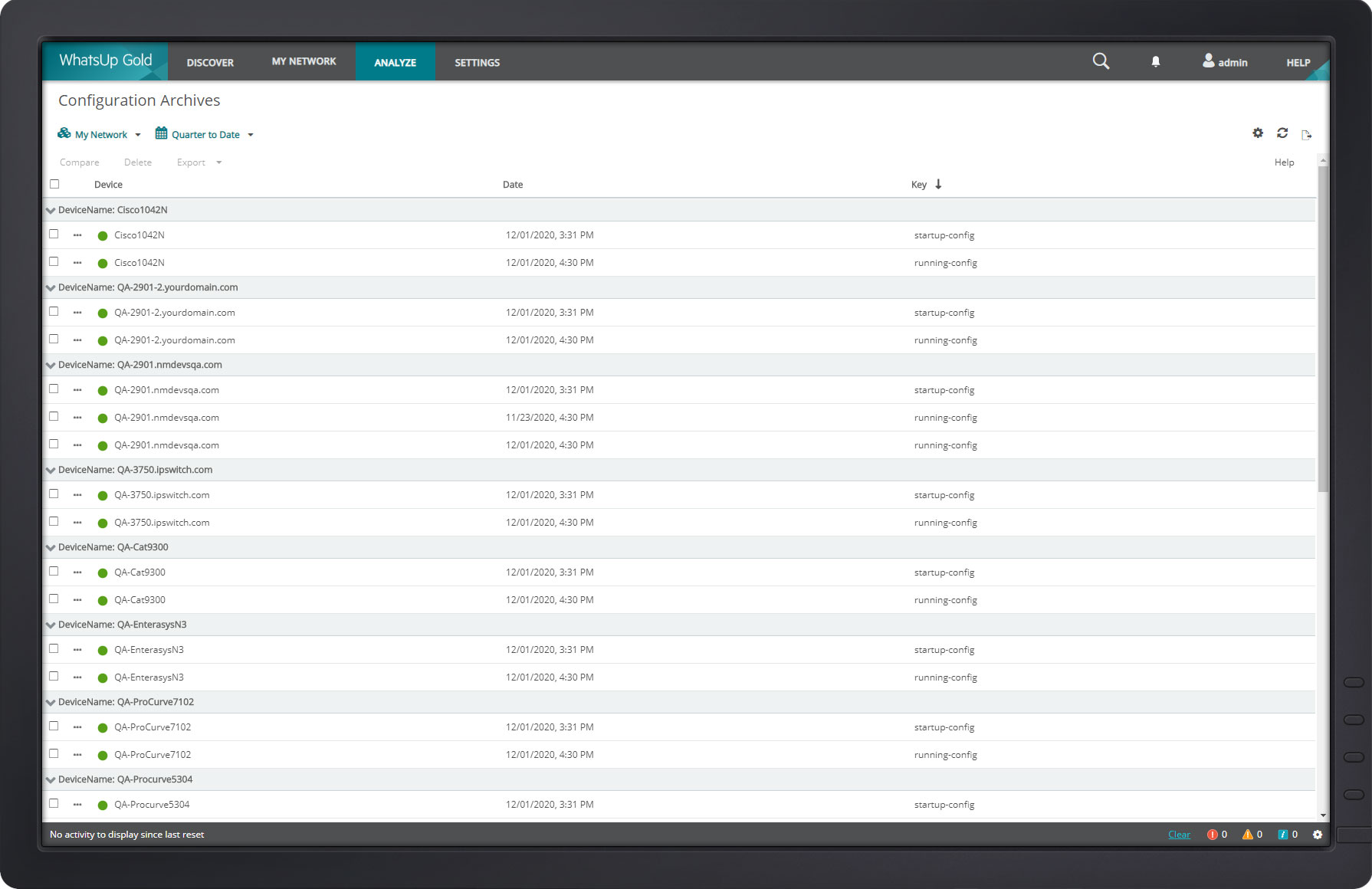
The backup configuration has been very handy in turn around time for failed equipment. I did have a homegrown way of backing up configurations but had to check daily and verify every backup. This becomes very time consuming and a waste of company time.
Only negative is the mapping. In the Cisco world CDP is a great way to map connections and they don't seem to do it that way.