Unified Functional Testing (UFT, formerly known as HP UFT and before that QuickTest Professional or HP QTP) is a functional and performance testing tool acquired by Micro Focus from Hewlett-Packard Enterprise, now from OpenText.
N/A
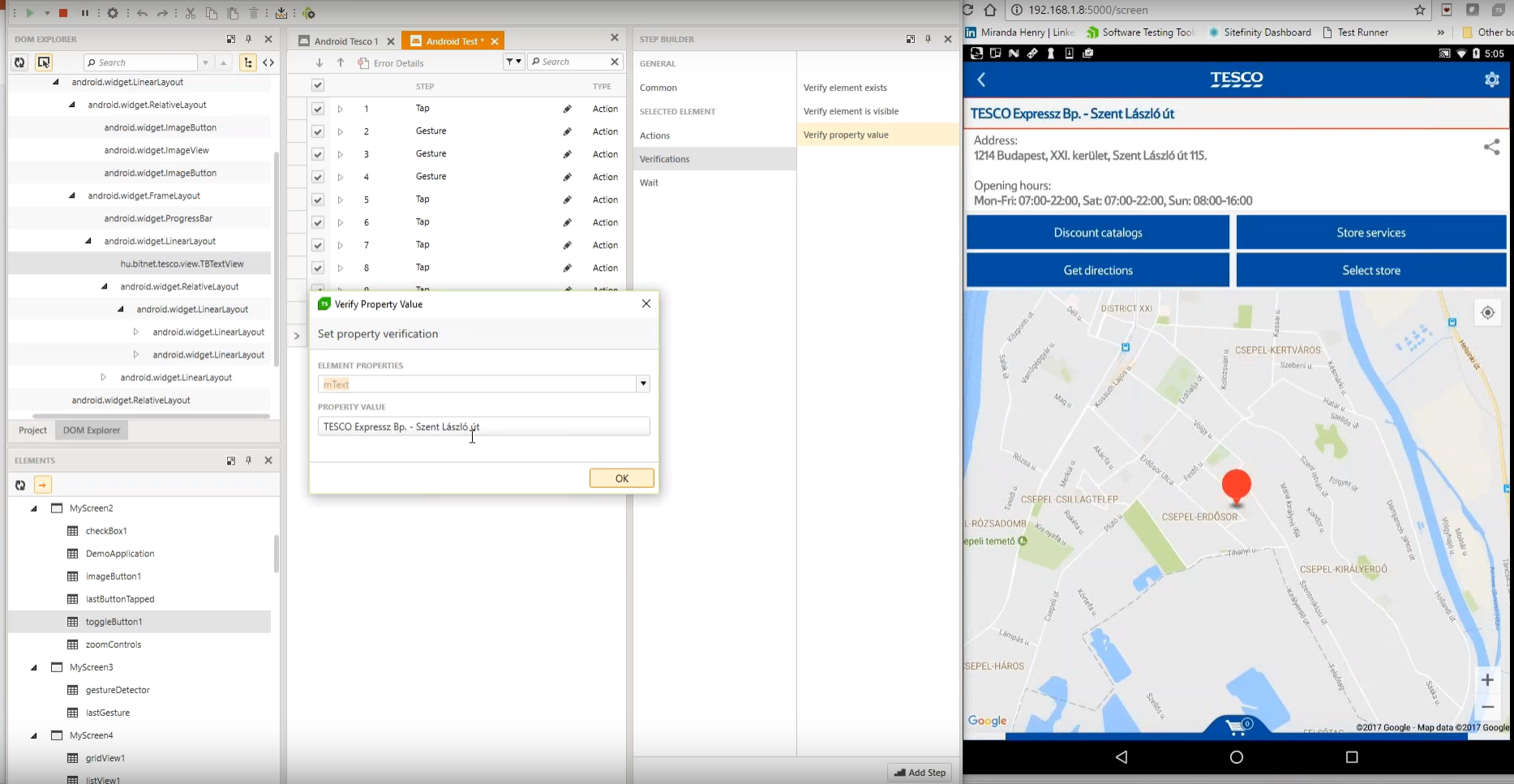
Progress Test Studio
Score9 out of 10
N/A
Progress Test Studio aims to be the easiest to use Web Automation tool on the market, widely used by Enterprise
QA’s for testing, but easy enough for anyone.
The product automates testing for WPF,
Silverlight, Web, HTML, Angular, React, KUIB, iOS, Android, Mobile Web, and
API’s.
Test Studio is ideal
for a no-code or low-code approach for: QA Test Automation, Application
Monitoring, Performance and Load Testing, Web/Marketing Process Automation, and
Mobile App Automation.
UFT is well suited if the price is not an issue, and if the requirement is about testing different technologies. If the application is based on Legacy platforms like Siebel or Mainframe, UFT fares quite well. For low cost web-based projects, there are other cheap and open source tools available. If it is about API testing or Mobile Testing, it is better to use other tools like TOSCA.
A de minimis incentive was given to thank the reviewer for their time. The incentive was not used to bias or drive a particular response, nor was the incentive contingent on a positive endorsement. More Info
It is very good for testers who have little coding experience but are willing to learn. It is very good for regression testing and really helps us identify issues that could have been a detriment to our end users. It is also great to keep track of the performance of pages across time.
A de minimis incentive was given to thank the reviewer for their time. The incentive was not used to bias or drive a particular response, nor was the incentive contingent on a positive endorsement. TR verified that a representative sample of customers was invited. More Info
The simple front end will allow novice users to easily grasp the basics of automation and give them confidence to try things for themselves.
UFT can scale up and run across multiple machines from a single controller, such as ALM, enabling hundreds of tests to be executed overnight.
There is an active support community out there, both official HPE based and independent users. This means if you do encounter a problem there is always someone out there to help you.
The later versions have many add-ins to plug in to other tools within the QA world.
Expert users are able to utilise the many native functions and also build their own to get the most out of the tool and impress people as they walk past and see the magic happening on the screen.
UFT also has LeanFT bundled with it, allowing automated testing at the api level - if you can convince the developers to let you in there.
A de minimis incentive was given to thank the reviewer for their time. The incentive was not used to bias or drive a particular response, nor was the incentive contingent on a positive endorsement. More Info
A de minimis incentive was given to thank the reviewer for their time. The incentive was not used to bias or drive a particular response, nor was the incentive contingent on a positive endorsement. More Info
Its licensing cost is very high making it a very expensive tool. due to this many organisations are exploring options of license free tools like Selenium for automation. Though learning curve is large in case of Selenium but it is very cost effective & you an get lot of support online for Selenium.
Though the scripting time is less since its easy to create automation scripts, the execution time is relatively higher as it takes the lot of CPU & RAM.
Though UFT is quite stable but during long execution cycles we do get frequent browser crashing issues.
In terms of costing TestComplete is also one option which is not free but comes with modular pricing. You can buy what you need, when you need.
A de minimis incentive was given to thank the reviewer for their time. The incentive was not used to bias or drive a particular response, nor was the incentive contingent on a positive endorsement. More Info
A de minimis incentive was given to thank the reviewer for their time. The incentive was not used to bias or drive a particular response, nor was the incentive contingent on a positive endorsement. More Info
A de minimis incentive was given to thank the reviewer for their time. The incentive was not used to bias or drive a particular response, nor was the incentive contingent on a positive endorsement. More Info
HPE are quick to reply and it's possible to get through to the actual developers shuold the case warrent it. Their online system allows updates and tracking of all incedents raised.
A de minimis incentive was given to thank the reviewer for their time. The incentive was not used to bias or drive a particular response, nor was the incentive contingent on a positive endorsement. More Info
1. It works solid for automate SAP and S/4 Hana applications and Fiori too. 2. Teams are well versed about UFT One 3. Able to handle maintained execution results 4. Publish Automation execution results in well manner to the leadership team/stake holders 5. More help content available 6. Able to understand non technical resources about normal view.
A de minimis incentive was given to thank the reviewer for their time. The incentive was not used to bias or drive a particular response, nor was the incentive contingent on a positive endorsement. More Info
Test Studios had a smaller foot print and allowed us to ease into deploying it in the company. The online help was a great benefit to getting started and the evaluation period allowed us to fully run though the product before purchasing it. Cost difference between the products was a big decision factor as well for the type of deployment we were looking for.
A de minimis incentive was given to thank the reviewer for their time. The incentive was not used to bias or drive a particular response, nor was the incentive contingent on a positive endorsement. More Info
Reduces the total workload of keeping the team to test older (regression) functionality. QA testers can concentrate on ad-hoc and exploratory testing, saving time and effort across the entire project.
Has built a better infrastructure for the client applications on which we can rely on for stability and providing regression results for any new features being developed.
Led the applications a step closer to implementing agile practices and DevOps across the entire organization. Thus, providing a better turnaround time of new features to the customers and less maintenance headaches for the BAU team to address.
A de minimis incentive was given to thank the reviewer for their time. The incentive was not used to bias or drive a particular response, nor was the incentive contingent on a positive endorsement. More Info
A de minimis incentive was given to thank the reviewer for their time. The incentive was not used to bias or drive a particular response, nor was the incentive contingent on a positive endorsement. TR verified that a representative sample of customers was invited. More Info