ProcessMaker is a process automation platform that helps organizations optimize and scale their business operations. By combining workflow automation, AI-driven decision-making, and advanced analytics, ProcessMaker empowers businesses to streamline complex processes, improve efficiency, and enhance customer experiences.
N/A
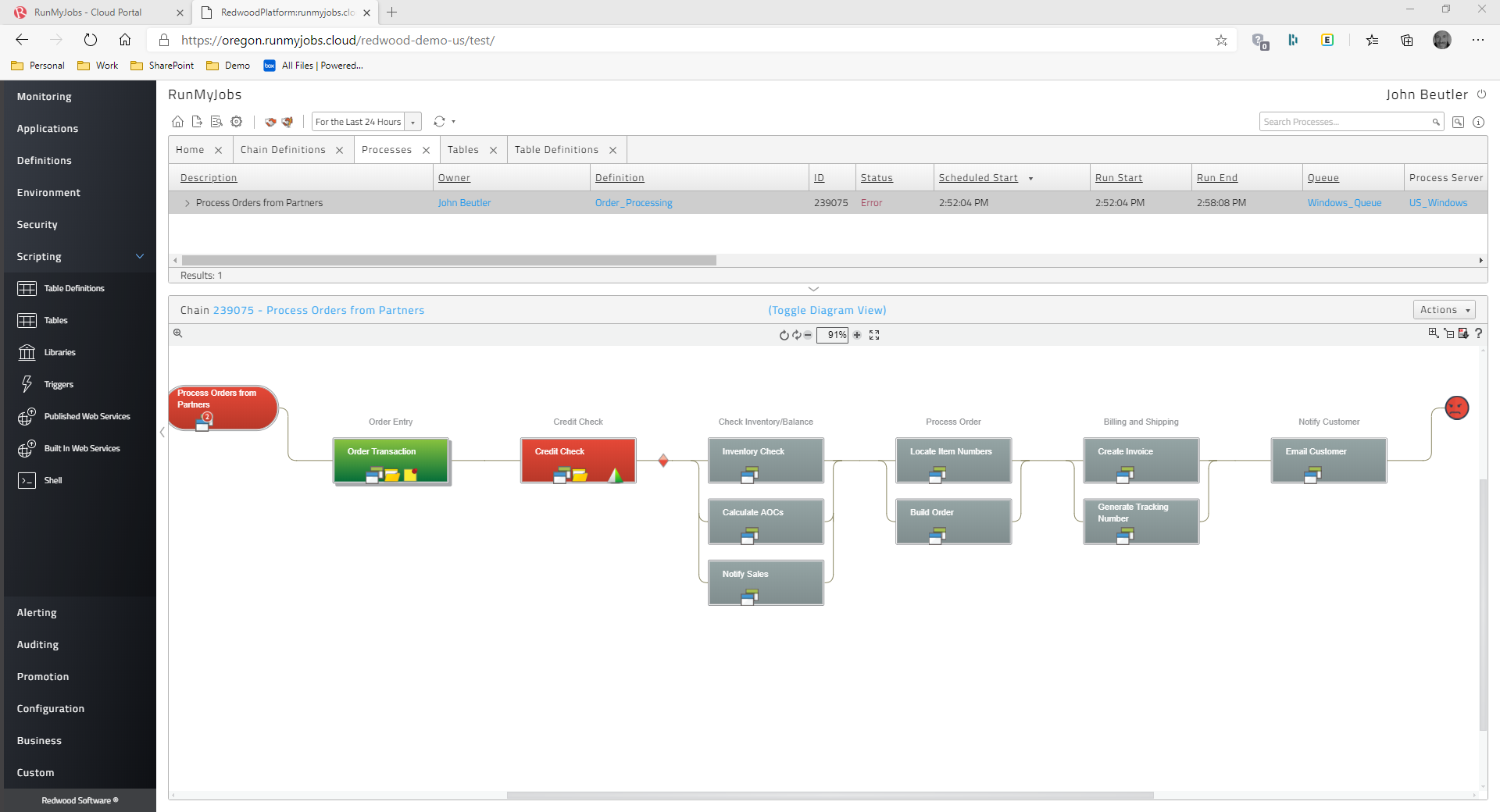
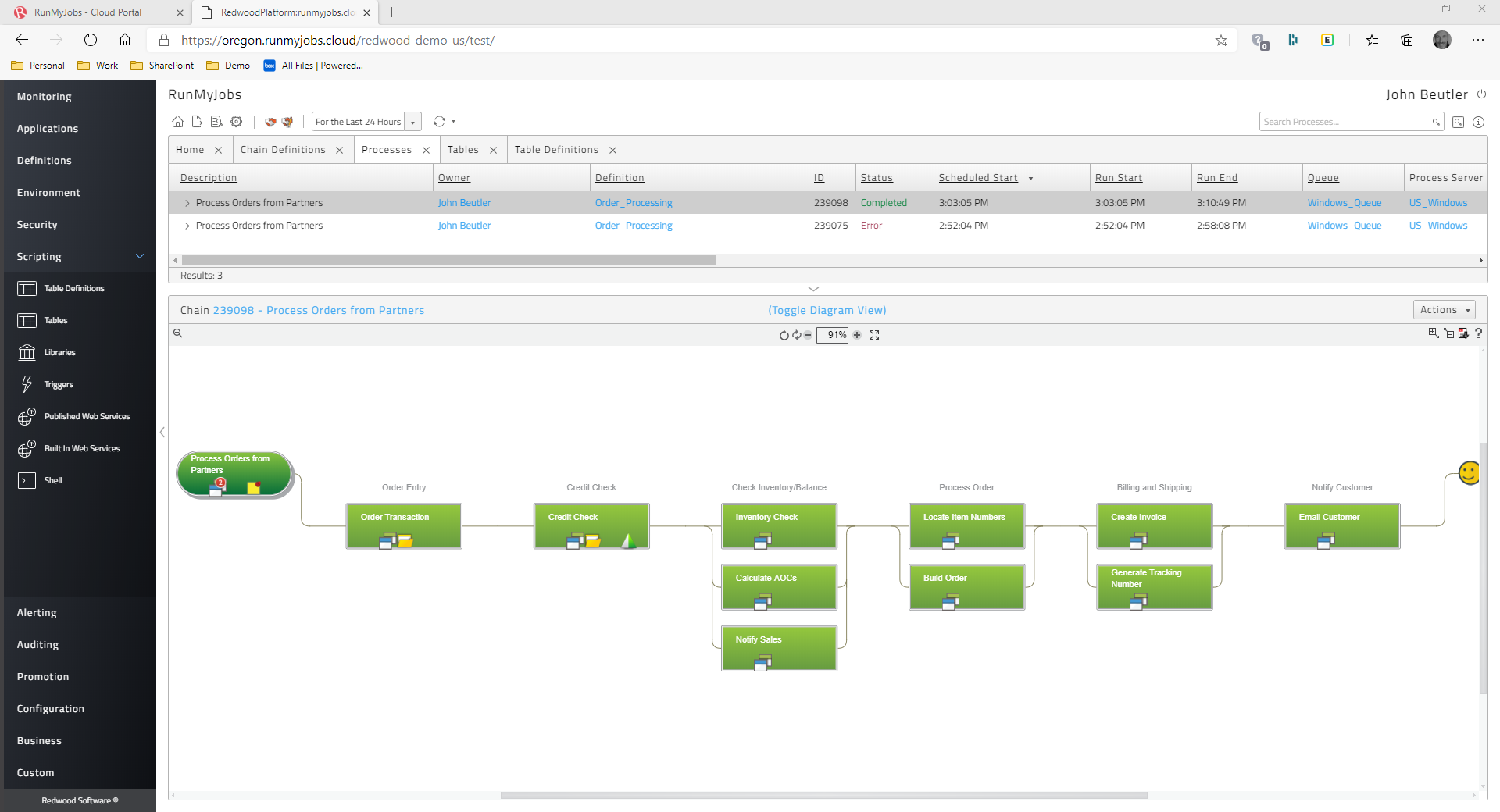
Redwood RunMyJobs
Score 9.6 out of 10
N/A
Redwood Business Process Automation is a workload automation and job scheduling solution designed for and
delivered via Software-as-a-Service (SaaS). It transforms the digital
enterprise with scalability and integration with all
technologies in the modern enterprise. Redwood unifies workflows across
on-premises, private, hybrid and public cloud environments. It bridges gaps in
complex processes that function between mainframe, distributed, virtual and
cloud resources. Clients use Redwood to…
N/A
Pricing
ProcessMaker
Redwood RunMyJobs
Editions & Modules
No answers on this topic
No answers on this topic
Offerings
Pricing Offerings
ProcessMaker
Redwood RunMyJobs
Free Trial
Yes
Yes
Free/Freemium Version
No
No
Premium Consulting/Integration Services
No
No
Entry-level Setup Fee
No setup fee
No setup fee
Additional Details
—
—
More Pricing Information
Community Pulse
ProcessMaker
Redwood RunMyJobs
Considered Both Products
ProcessMaker
Verified User
Anonymous
Chose ProcessMaker
We looked at all and tested some with the final recommendation being for ProcessMaker. The features the were key to our decision making were its easy integration options and capabilities, its open source version for our extended customization needs and its ease of use and web …
In the short run, ProcessMaker blows KiSSFLOW away. It is easy to understand and use. But in the long run, once you get into more complicated actions, they equal out. The price was right, and while we eventually went for another option, ProcessMaker would have been the next …
Before making the decision to get ProcessMaker, we assessed different and best options in the market, which are also quite competitive. Kissflow, Blueworks Live, and Bizagi, being the most relevant and Adonis, to mention the ones we consider the most relevant and capable of …
It is far cheaper than JIRA. I have used JIRA , the UI is good as compared to processmaker. But compared to workflow designing and management, I found processmaker far easier. And yes ProcessMaker requires less resources to run on.
Based on our experience, the agent for ProcessMaker Task Mining is more robust than for either of the competing products. However Celonis is has a significantly more mature user interface, and UiPath has a significantly more configurable interface.
I don't have any first-hand experience using or analysing Redwood Workload Automation or any other workload automation technologies because I'm an AI language model. Yet, according to market analysis and user reviews, Redwood Workload Automation is renowned for its …
Tivoli and sap both are consuming more memory and not user friendly. So we can select redwood Workload Automation to avoid memory issues and easy to work.
Hi, We use redwood workload automation for scheduling jobs and for automatic alerts generation in case of long running and failed jobs. It provides easy access of managing jobs and controlling the flow of automation. Alerts generated keeps us up to date of the long running jobs …
In Automic we need to performed many function manually and in the redwood we can easily performed according to requirement. As well as in th automic we need to write scripte or coding for scheduling the jobs and in the redwood we can easily create the new jobs without coding.
Specifically compared to regular SAP SM37, none are capable of delivering the same broad set of features to drive extremely complicated setups inside this bulk flow. The benefit is that we can connect to databases and obtain information; in the past, we had to create numerous …
Everything can be stopped or started, held or released, enable or disabled just by a click. Also can out monthly patching activity on Redwood system. supports all kinds of formats (example CSV, HTML,excel.xml, word. XML, car file, zip etc) which most of the automation tool …
Redwood has all new features and advanced technology. In Redwood, we can run a job on an Adhoc basis or we can schedule a job for future dated runs. Redwood tool does organizing, monitoring, controlling, and scheduling all jobs and activities. Redwood also contains …
Redwood software has less coding/scripting with faster performance and delivery of business. Everything in Redwood has documentation from job definitions, reports, monitoring dashboards etc has documentation.New documents can be created by uploading the content file to fulfill …
Compared mainly to regular SAP SM37, and also BatchMan... None are able to provide the same array of tools to drive highly complex setups within the batch flow.
When evaluating other products against Redwood Business Process Automation, the largest differentiation was the SaaS-based model. Other solutions were on premises, which would entail server OS licenses, backup/DR overhead, and management at the server and application levels. …
I have used a variety of scheduling tools over the years. Going all the way back to mainframe schedulers, AS400 schedulers, even some of the more recently developed SAP schedulers. The problem with so many of those other schedulers is that they are either overcomplicated, or …
I was not part of the decision making on choosing RunMyJobs, but my understanding on what made RMJ stand out was the fact that it is in the cloud, with no infrastructure support needed on our side, as well as a promise that you could schedule and monitor jobs within ServiceNow. …
I loved it. You will not get an easier interface. You can develop workflow processes in a simple way, one which allows anyone to understand what you are trying to accomplish; however, you will get into some issues if your employees are scared of coding (when you get to the advanced features). For some, this will never be an issue as the knowledge you need is very basic. But for the school I was working with, it would have stopped them cold
For scheduling the jobs and monitoring purpose there is no comparison in the market of Redwood tools. Because everything is almost present in this tools at the very suitable price. According to me the most like scenario is the transportation of jobs as well as easy creation. I hope redwood will provide more options in future for users.
SAP Batch Scheduling - This is THE BEST tool for triggering SAP jobs, bar none.
User management- Other scheduling tools make it much more difficult to manage user access. Redwood user access management is a breeze and take less than half the time it take in other products.
Scheduling Flexibility- The ease with which you can make custom time windows with Redwood is one of my favorite pluses. You can build as simple or as complex of a time window as you need to with Redwood.
Support- The support that you get from Redwood is in my opinion the best in the world. I have dealt with all the big name players in IT and they all pale in comparison to Redwood. You will never feel like you are in it alone with the best support in the world right at your fingertips.
Complications when you get to the more advanced pieces. When trialing, I found that the more advanced a process got, the more complicated it got for me in coding. When you begin using the more advanced features, you will find that you need to have a basic knowledge of coding - otherwise you won't go any further. This was my sole issue. Unfortunately, it was one that would have brought the school to a grinding halt if they were to ever get more complicated than they were.
During day light saving, we need to change the date and time manually. If it can be automatically change based day light saving , very helpful for sap support team.
The tool should be extended, as it has lot of options, it is easy to deploy, manage. Integrate with Incident Management tools.
The Redwood Software can be a little difficult. So please try make as simple as possible.
Being in the cloud is a big help, with less hardware to maintain, the patches and updates are fast and easily done, we have built a good working relationship with Redwood.
I gave this overall rating for ProcessMaker due to its overall flexibility, design and ease of use for most. Examples of this from us include it being an excellent and trustworthy tool for automating processes, the abilities and capabilities for real-time process tracking and the web-based accessibility and implementation which allows for easy access and management of the tool.
The Redwood user interface is straightforward. The script can be used to renew the Redwood license by just copying the text from the. txt file from start to finish of license. The current page and the status of the work can both be refreshed automatically by setting a timer in Redwood. Redwood software's eye-catching features include online help through documentation and help support, which may be accessed by clicking the "I" button in the top right corner.
It seems many pressing issues have to be escalated to their dev team, which I believe is mostly overseas. The response time isn't always the greatest. I go back to the documentation as well, if that was better there would be less need of support from myself. There are also times when they figure out the resolution, it has to be included with a fix in which you have to wait for the next release, however long that may be. Update - the support response time and quality of answers has greatly increased in the past 6 months or more.
Based on our experience, the agent for ProcessMaker Task Mining is more robust than for either of the competing products. However Celonis is has a significantly more mature user interface, and UiPath has a significantly more configurable interface.
I don't have any first-hand experience using or analysing Redwood Workload Automation or any other workload automation technologies because I'm an AI language model. Yet, according to market analysis and user reviews, Redwood Workload Automation is renowned for its adaptability, usability, and scalability, making it a well-liked option for businesses seeking a dependable and effective automation solution. Redwood Workload Automation's capability to automate complicated business processes across several platforms and apps is one of its main advantages. Organizations can easily create, schedule, and monitor workflows thanks to its user-friendly interface and intuitive drag-and-drop capability, and it can be integrated with a variety of systems and apps to offer a complete automation solution. Scalability is another asset of Redwood Workload Automation. It is capable of managing massive automation projects, and because to its distributed architecture, it can perform workflows concurrently across several servers, speeding up processing and maximizing efficiency. Redwood Workload Automation stands out for its user-friendly interface, scalability, and ability to integrate with a wide range of systems and applications, even though other workload automation tools such as BMC Control-M, IBM Workload Automation, CA Atomic Workload Automation, Microsoft System Center Orchestrator, and Cisco Workload Automation also offer similar functionalities.
I gave this rating for the adaptability and growth for Processmaker for its many capabilities for support and flexibility. These include ease of integration with many other systems, its open source version for its extended customization and capabilities of the tool and its low-code / no-code capabilities to be able to easily design and automate processes with minimal or no-code.
I'm using Communication edition to introduce BPMN in my organization. I can build the first process in a short time, make my boss more confident with my job.
But, with ProcessMaker, we need more time to design code to handle the process, and without PHP/Javascript Programmer, it seems hard to work with more and more processes online.
However, IE Browser is not well supported, somewhat let the user confuse.
Simple to install Redwood Workload Automation agent servers on every server side and trigger the necessary jobs in keeping with business needs.
Allows for the interdependent scheduling of groups of Windows scripts and shell scripts.
Many problems have been fixed, such as the ability to gather data on the number of activities that are executed each day, receive email notifications when a job expires, and connect system agents to monitors.
capable of adhering to SLAs for complicated order flows