AccountEdge is a small business accounting software for Mac and Windows users. AccountEdge allows business owners to organize, process, and report on their financial information. Its features include accounting, integrated payroll, sales and purchases, contact management, inventory, and time billing. It was acquired by Priority Software in January 2018 to expand that company's small business portfolio.
$20
per month
QuickBooks Self-Employed (discontinued)
Score8.9 out of 10
N/A
A now discontinued accounting solution, QuickBooks Self-Employed featured tools to help the self-employed drive growth and financial stability. It is replaced by the more advanced QuickBooks Solopreneur.
N/A
Pricing
AccountEdge
QuickBooks Self-Employed (discontinued)
Editions & Modules
AccountEdge Pro
$20
per month
AccountEdge Network Edition
$30
per month
AccountEdge Hosted
$50
per month
No answers on this topic
Offerings
Pricing Offerings
AccountEdge
QuickBooks Self-Employed (discontinued)
Free Trial
Yes
No
Free/Freemium Version
No
No
Premium Consulting/Integration Services
Yes
No
Entry-level Setup Fee
No setup fee
No setup fee
Additional Details
—
—
More Pricing Information
Features
AccountEdge
QuickBooks Self-Employed (discontinued)
Payroll Management
Comparison of Payroll Management features of AccountEdge and QuickBooks Self-Employed (discontinued)
Feature
AccountEdge
6.6
6 Ratings
16% below category average
QuickBooks Self-Employed (discontinued)
7.8
3 Ratings
1% above category average
Pay calculation
10.06 Ratings
10.02 Ratings
Benefit plan administration
8.04 Ratings
5.02 Ratings
Direct deposit files
5.04 Ratings
8.03 Ratings
Salary revision and increment management
6.05 Ratings
8.02 Ratings
Reimbursement management
4.03 Ratings
8.03 Ratings
Security
Comparison of Security features of AccountEdge and QuickBooks Self-Employed (discontinued)
Feature
AccountEdge
9.0
7 Ratings
8% above category average
QuickBooks Self-Employed (discontinued)
10.0
8 Ratings
18% above category average
Role-based user permissions
9.07 Ratings
10.05 Ratings
Single sign-on capability
00 Ratings
10.08 Ratings
Reporting & Analytics
Comparison of Reporting & Analytics features of AccountEdge and QuickBooks Self-Employed (discontinued)
Feature
AccountEdge
9.0
7 Ratings
13% above category average
QuickBooks Self-Employed (discontinued)
10.0
14 Ratings
24% above category average
Dashboards
9.04 Ratings
10.012 Ratings
Standard reports
9.07 Ratings
10.014 Ratings
Custom reports
9.06 Ratings
10.08 Ratings
General Ledger and Configurable Accounting
Comparison of General Ledger and Configurable Accounting features of AccountEdge and QuickBooks Self-Employed (discontinued)
Feature
AccountEdge
7.2
8 Ratings
8% below category average
QuickBooks Self-Employed (discontinued)
10.0
15 Ratings
25% above category average
Accounts payable
9.08 Ratings
10.09 Ratings
Accounts receivable
9.08 Ratings
10.010 Ratings
Cash management
8.12 Ratings
10.09 Ratings
Bank reconciliation
6.08 Ratings
10.010 Ratings
Expense management
6.06 Ratings
10.014 Ratings
Time tracking
6.04 Ratings
10.07 Ratings
Multi-currency support
9.03 Ratings
10.02 Ratings
Multi-division support
9.02 Ratings
10.02 Ratings
Regulations compliance
7.02 Ratings
10.03 Ratings
Electronic tax filing
7.04 Ratings
10.013 Ratings
Self-service portal
2.71 Ratings
10.08 Ratings
Fixed asset management
00 Ratings
10.04 Ratings
Global Financial Support
00 Ratings
10.02 Ratings
Primary and Secondary Ledgers
00 Ratings
10.02 Ratings
Intercompany Accounting
00 Ratings
10.03 Ratings
Localizations
00 Ratings
10.03 Ratings
Journals and Reconciliations
00 Ratings
10.06 Ratings
Enterprise Accounting
00 Ratings
10.02 Ratings
Configurable Accounting
00 Ratings
10.04 Ratings
Centralized Rules Framework
00 Ratings
10.03 Ratings
Standardized Processes
00 Ratings
10.05 Ratings
Inventory Management
Comparison of Inventory Management features of AccountEdge and QuickBooks Self-Employed (discontinued)
Feature
AccountEdge
8.0
6 Ratings
8% above category average
QuickBooks Self-Employed (discontinued)
10.0
3 Ratings
31% above category average
Inventory tracking
8.06 Ratings
10.03 Ratings
Automatic reordering
8.01 Ratings
10.03 Ratings
Location management
8.03 Ratings
10.03 Ratings
Manufacturing module
8.02 Ratings
10.02 Ratings
Order Management
Comparison of Order Management features of AccountEdge and QuickBooks Self-Employed (discontinued)
Feature
AccountEdge
8.0
7 Ratings
3% above category average
QuickBooks Self-Employed (discontinued)
10.0
5 Ratings
26% above category average
Pricing
8.05 Ratings
10.04 Ratings
Order entry
9.05 Ratings
10.04 Ratings
Credit card processing
6.05 Ratings
10.05 Ratings
Cost of goods sold
9.06 Ratings
10.03 Ratings
Order Orchestration
00 Ratings
10.02 Ratings
End-to-end order visibility
00 Ratings
10.03 Ratings
Order exception Resolution
00 Ratings
10.02 Ratings
Customization
Comparison of Customization features of AccountEdge and QuickBooks Self-Employed (discontinued)
If you are handling a large client list, and are selling services, it is dead easy. If you are managing/selling a physical inventory, it seems like it has great options to do that quite well (disclaimer, I do not use those functions, but I have paid attention as that functionality was built into the software). If you want to link your bank account to a bookkeeping platform, this is not the software for you (at least so far).
A de minimis incentive was given to thank the reviewer for their time. The incentive was not used to bias or drive a particular response, nor was the incentive contingent on a positive endorsement. More Info
QuickBooks is a great tool for new SoleTraders that need basic accounting software and require digital invoicing for their clients to send via email and access key features via a mobile app on the go. QuickBooks is a straightforward tool to use with a simple design and learning curve for business owners that are not very tech-savvy. For businesses that operate on a larger scale and need to provide access to other users on their team, QuickBooks is limited. This type of business may also require more insights into the business outside of accounting, and QuickBooks won't be able to supply insights outside of that.
A de minimis incentive was given to thank the reviewer for their time. The incentive was not used to bias or drive a particular response, nor was the incentive contingent on a positive endorsement. More Info
AccountEdge has a robust report menu that allows a user to slice and dice data for analysis. Report on projects for the life of the project across fiscal years. Report on different departments with segregated income statements.
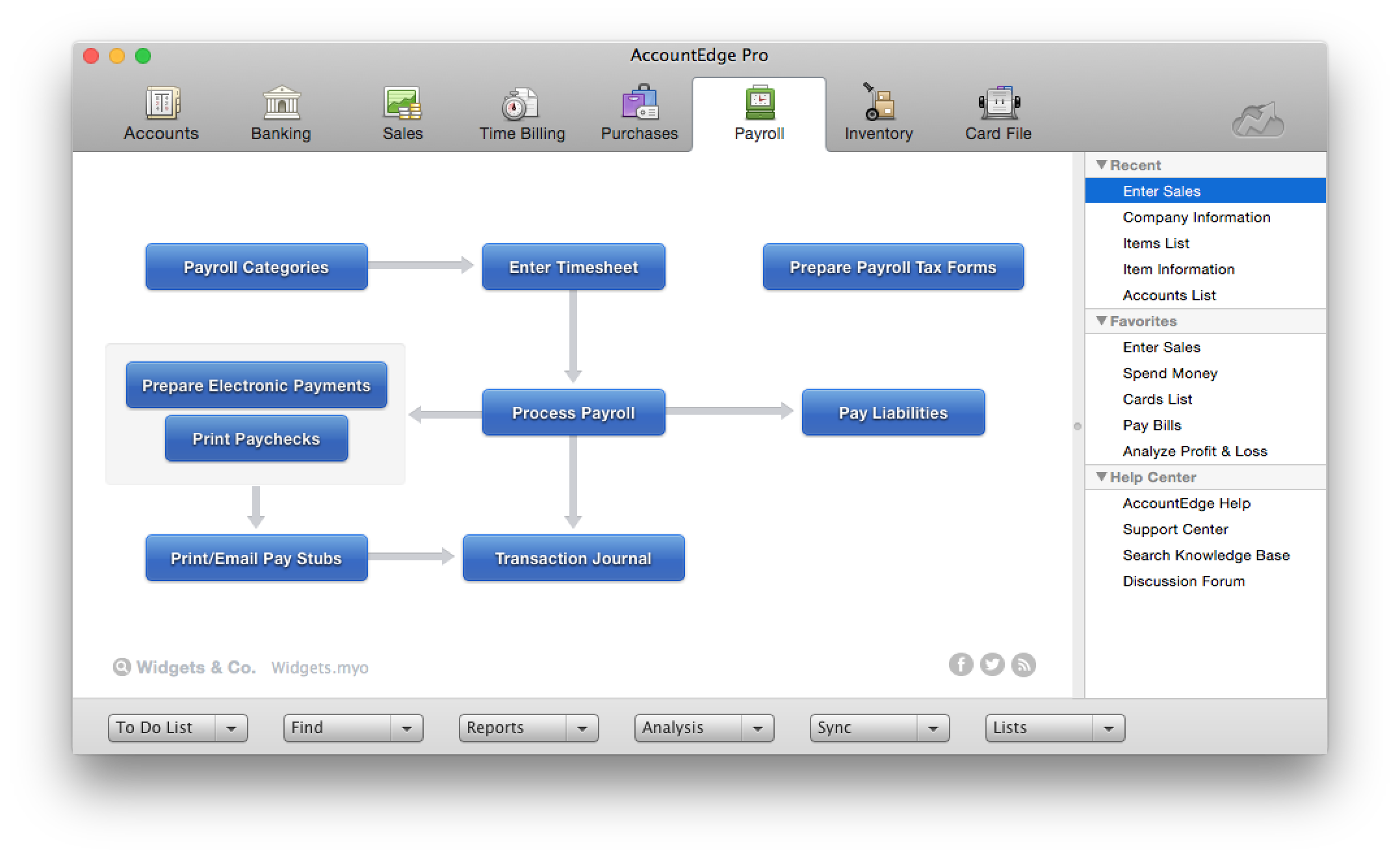
For users who want to run payroll in house that is easily done through the payroll module. Print physical checks or direct deposit to employee's account, process payroll taxes and file year end W2s.
My personal favorites are time billing and retainers. As a service based business I can at my fingertips review how much money a client has on deposit with me and how much of that will be billed out at the end of the month. The integration with AccountEdge Mobile rounds it all out with being able to log my time on-site.
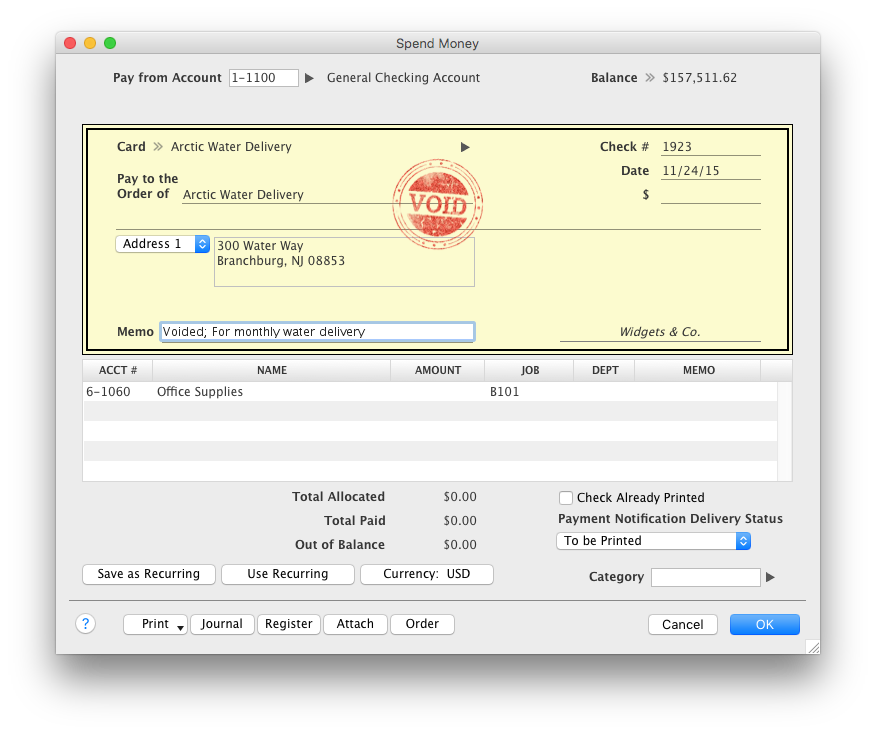
Last but not least AccountEdge Mobile in general, as the companion app for the desktop software is invaluable. My heaviest use is the spend money feature. Excellent for logging travel receipts & cash expenses while they are fresh on the brain. Really cuts back the data entry at the end of a trip and trying to recall what something may have been for.
A de minimis incentive was given to thank the reviewer for their time. The incentive was not used to bias or drive a particular response, nor was the incentive contingent on a positive endorsement. More Info
QuickBooks Self-Employed does keep a running total of your income and estimated taxes. Of course, this requires that your entries are accurate.
The mileage feature is particularly helpful. One just needs to either use the phone app in conjunction with QuickBooks Self-Employed, or keep a log of all mileage.
When tax time comes around, it's easy to use TurboTax software and import your data from QuickBooks.
A de minimis incentive was given to thank the reviewer for their time. The incentive was not used to bias or drive a particular response, nor was the incentive contingent on a positive endorsement. More Info
My biggest frustration, and one that I've mentioned to Acclivity for many years, is that it only permits opening nine windows at a time (plus the home window). I hit that limit almost daily, and then I have to decide what do I close so I can complete the transaction that needed the "9th" window.
The Accounts section includes two quick reports, "Analyze Profit and Loss" and "Analyze Balance Sheet. These can be filtered for the current month or any prior month in the current fiscal year. And that's fine most of the year, but at the beginning of the next year, when I haven't yet started the new fiscal year, these only go to December of the prior year. The regular reports for these can select "next year;" why can't these?
It would be helpful if the journal entry number would have one or two additional digits available. For example, when I am entering journal entries for a client, I would like to use a number such as CPA2014001, CPA2014002, etc. to distinguish what I enter from the "automatic" entries that AccountEdge does. But that's one more digit than AccountEdge allows, so if I had over 100 adjustments, I would run out of entry numbers.
A de minimis incentive was given to thank the reviewer for their time. The incentive was not used to bias or drive a particular response, nor was the incentive contingent on a positive endorsement. More Info
Doesn't integrate with Mint, which I use for my home expenses. I think this would be a nice addition to the program, so I could keep track of my whole financial situation.
A Windows 10 app would be a nice addition to the program, so I could access it securely from my desktop.
A de minimis incentive was given to thank the reviewer for their time. The incentive was not used to bias or drive a particular response, nor was the incentive contingent on a positive endorsement. More Info
Without a doubt, when you need to do accounting use the program that will get the job done in the least amount of time with the least amount of errors. Once you are using a program that works you stay with it year after year and you will find yourself even excited about the updates
A de minimis incentive was given to thank the reviewer for their time. The incentive was not used to bias or drive a particular response, nor was the incentive contingent on a positive endorsement. More Info
The intuitive interface does all the tasks we need our accounting software to do. Some tasks are slower to process than I would like but overall very usable. Customizable forms let us choose to either go with the easy ready-made out-of-the-box options or retool them to better fit our specific needs.
A de minimis incentive was given to thank the reviewer for their time. The incentive was not used to bias or drive a particular response, nor was the incentive contingent on a positive endorsement. More Info
I have been using this software for several years now and it has always put out my data in beautiful generated reports that I can use for verification purposes with my financial institute and the IRS. It has all the tools I need to run my business without loosing track of anything
A de minimis incentive was given to thank the reviewer for their time. The incentive was not used to bias or drive a particular response, nor was the incentive contingent on a positive endorsement. More Info
One of the finer advantages of desktop software, it's always available. AccountEdge doesn't suffer from outages or sluggish internet like web based applications do. It's always there when you power on your device!
A de minimis incentive was given to thank the reviewer for their time. The incentive was not used to bias or drive a particular response, nor was the incentive contingent on a positive endorsement. More Info
On the few occasions we have needed tech support over the years, they were responsive and worked to get to the root of the issues. However, even though Checkout POS is a separate application, it was pitched to us as a natural extension of the functionality of our AE software that would integrate seamlessly. The company's support for Checkout has been minimal at best, and now totally abandoned. That colors our view of Priority's support unfortunately. And to be honest, that's why it's a 9 instead of a 10. So to be fair, AccountEdge's support itself has been very good over the years.
A de minimis incentive was given to thank the reviewer for their time. The incentive was not used to bias or drive a particular response, nor was the incentive contingent on a positive endorsement. More Info
I have never faced any difficulties that required me to contact QuickBooks customer service. QuickBooks has plenty of online tutorials, blog posts, and helpful tips and advice for almost any issues you may face using the desktop or app version of the software. Even if you can not find the right answer on the QuickBooks webpages, there are loads of YouTube videos from experts.
A de minimis incentive was given to thank the reviewer for their time. The incentive was not used to bias or drive a particular response, nor was the incentive contingent on a positive endorsement. More Info
A de minimis incentive was given to thank the reviewer for their time. The incentive was not used to bias or drive a particular response, nor was the incentive contingent on a positive endorsement. More Info
For Mac enthusiasts, AccountEdge is the complete installed software solution for small to medium-sized businesses, as it has so many capabilities that QuickBooks for Mac lacks. However, it holds your hand less than QuickBooks for Mac does, so you ought to know what your are doing in keeping business books properly. If your needs are simple, QuickBooks for Mac may be a better solution. QuickBooks Online and Xero are excellent cloud accounting solutions that can be used on the Mac equally well as on Windows. QuickBooks Online offers a similar set of features as QuickBooks for Mac, with the addition of anywhere, anytime access. Xero is a great basic accounting solution in the cloud that can also be used equally well on Macs and WIndows, and offers endless customization and flexibility through its extensive third-party app integration for almost any need.
FreshBooks limited my ability to categorize transactions, specifically removing duplicates or excluding them. I selected QuickBooks Self-Employed because it allowed me to be in control of items. Sometimes accounting is just making sure things are organized the way YOU think, and FreshBooks wasn't doing that for me.
A de minimis incentive was given to thank the reviewer for their time. The incentive was not used to bias or drive a particular response, nor was the incentive contingent on a positive endorsement. More Info
A de minimis incentive was given to thank the reviewer for their time. The incentive was not used to bias or drive a particular response, nor was the incentive contingent on a positive endorsement. More Info
Overall, tagging expenses and mileage has saved me thousands in taxes, for a relatively low cost of around $8/mo.
QuickBooks allows me to get invoices to clients quickly and accept online payments, which helps with cashflow.
The app has stopped tracking mileage automatically on my device, so I worry that sometimes I am not tracking business miles effectively, which could end up costing me at the EOY.
A de minimis incentive was given to thank the reviewer for their time. The incentive was not used to bias or drive a particular response, nor was the incentive contingent on a positive endorsement. More Info