TrustRadius: an HG Insights company

Save this comparison

Save this comparison

Add Product

Recommended Comparisons

    Overview
    ProductRatingMost Used ByProduct SummaryStarting Price

    WorkCast Present+

    Score9.1 out of 10
    Mid-Size Companies (51-1,000 employees)
    Present+ is a fully featured webinar tool that is designed to allow users to quickly create webinars. It includes registration, email communications, live and on demand events, and advanced branding capability. All on-demand recordings of live webinars can be recorded automatically and are fully hosted. Present+ is a browser-based, mobile and multi-device friendly platform.  No app installations or plugin downloads are required.N/A

    Zoom Events & Webinars

    Score8.5 out of 10
    N/AZoom Events and Webinars are part of Zoom’s event solutions that uses existing Zoom products to produce interactive and engaging virtual experiences. It combines Zoom Meetings, Chat, and Video Webinars in one solution that enables event organizers to produce ticketed, live events for internal or external audiences of any size.

    $79

    per month starting with 500 attendees

    Pricing
    WorkCast Present+Zoom Events & Webinars
    Editions & Modules
    No answers on this topic
    Zoom Webinars
    starting at $79
    per month starting with 500 attendees
    Zoom Sessions
    starting at $99
    per month starting with 100 attendees
    Zoom Events
    starting at $149
    per month starting with 100 attendees
    Offerings
    Pricing Offerings
    WorkCast Present+Zoom Events & Webinars
    Free Trial
    YesNo
    Free/Freemium Version
    NoNo
    Premium Consulting/Integration Services
    YesNo
    Entry-level Setup FeeOptionalNo setup fee
    Additional Details
    More Pricing Information
    Community Pulse
    WorkCast Present+Zoom Events & Webinars
    Considered Both Products
    WorkCast Corporation
    No answer on this topic
    Zoom
    No answer on this topic
    Key User Insights
    Would buy again
    No answers on this topic
    96%
    Would buy again
    27 Answers
    Delivers good value for the price
    No answers on this topic
    100%
    Delivers good value for the price
    26 Answers
    Happy with the feature set
    No answers on this topic
    96%
    Happy with the feature set
    27 Answers
    Lived up to sales and marketing promises
    No answers on this topic
    96%
    Lived up to sales and marketing promises
    22 Answers
    Implementation went as expected
    No answers on this topic
    100%
    Implementation went as expected
    23 Answers
    Features
    WorkCast Present+Zoom Events & Webinars
    Reporting & Analytics
    Comparison of Reporting & Analytics features of WorkCast Present+ and Zoom Events & Webinars
    Feature
    WorkCast Present+
    8.6
    2 Ratings
    14% above category average
    Zoom Events & Webinars
    -
    Ratings
    Dashboards8.62 Ratings00 Ratings
    Data exportability8.62 Ratings00 Ratings
    Performance & Compatibility of Online Events Software
    Comparison of Performance & Compatibility of Online Events Software features of WorkCast Present+ and Zoom Events & Webinars
    Feature
    WorkCast Present+
    9.1
    2 Ratings
    13% above category average
    Zoom Events & Webinars
    -
    Ratings
    High quality audio9.12 Ratings00 Ratings
    Mobile support9.12 Ratings00 Ratings
    Online Meetings / Events
    Comparison of Online Meetings / Events features of WorkCast Present+ and Zoom Events & Webinars
    Feature
    WorkCast Present+
    9.0
    2 Ratings
    11% above category average
    Zoom Events & Webinars
    -
    Ratings
    Calendar integration9.12 Ratings00 Ratings
    Record meetings / events9.12 Ratings00 Ratings
    Slideshows8.62 Ratings00 Ratings
    Event registration9.12 Ratings00 Ratings
    Online Events Collaboration
    Comparison of Online Events Collaboration features of WorkCast Present+ and Zoom Events & Webinars
    Feature
    WorkCast Present+
    9.1
    2 Ratings
    9% above category average
    Zoom Events & Webinars
    -
    Ratings
    Audience polling9.12 Ratings00 Ratings
    Q&A9.12 Ratings00 Ratings
    Online Events Security
    Comparison of Online Events Security features of WorkCast Present+ and Zoom Events & Webinars
    Feature
    WorkCast Present+
    9.1
    1 Ratings
    10% above category average
    Zoom Events & Webinars
    -
    Ratings
    Participant roles & permissions9.11 Ratings00 Ratings
    Confidential attendee list9.11 Ratings00 Ratings
    Online Events Marketing
    Comparison of Online Events Marketing features of WorkCast Present+ and Zoom Events & Webinars
    Feature
    WorkCast Present+
    9.1
    2 Ratings
    16% above category average
    Zoom Events & Webinars
    9.3
    31 Ratings
    6% above category average
    Branding options9.12 Ratings8.731 Ratings
    Integration to Marketing Automation9.12 Ratings00 Ratings
    Virtual Event
    Comparison of Virtual Event features of WorkCast Present+ and Zoom Events & Webinars
    Feature
    WorkCast Present+
    -
    Ratings
    Zoom Events & Webinars
    8.5
    4 Ratings
    7% above category average
    Registration, RSVP, and ticketing00 Ratings9.14 Ratings
    Email marketing00 Ratings8.22 Ratings
    Livestreaming00 Ratings9.33 Ratings
    Audience engagement00 Ratings7.94 Ratings
    Event recording00 Ratings8.94 Ratings
    Virtual booths00 Ratings8.02 Ratings
    Networking00 Ratings7.63 Ratings
    Event analytics00 Ratings9.34 Ratings
    Best Alternatives
    WorkCast Present+Zoom Events & Webinars
    Small Businesses
    GoTo Webinar
    Score8.1 out of 10
    BigMarker
    Score6 out of 10
    Medium-sized Companies
    Webex Webinars
    Score9.1 out of 10
    RingCentral Events
    Score5.8 out of 10
    Enterprises
    BlueJeans Events (discontinued)
    Score9.8 out of 10
    No answers on this topic
    All AlternativesView all alternativesView all alternatives
    User Ratings
    WorkCast Present+Zoom Events & Webinars
    Likelihood to Recommend
    9.1
    (2 ratings)
    9.3
    (71 ratings)
    Likelihood to Renew
    -
    (0 ratings)
    2.0
    (3 ratings)
    Usability
    -
    (0 ratings)
    7.7
    (10 ratings)
    Support Rating
    -
    (0 ratings)
    7.2
    (7 ratings)
    Implementation Rating
    -
    (0 ratings)
    10.0
    (1 ratings)
    User Testimonials
    WorkCast Present+Zoom Events & Webinars
    Likelihood to Recommend
    WorkCast Corporation
    We will be using Present+ when we have training sessions, show and tells and new product launches.
    Read full review
    Zoom
    Zoom is well-suited for any service-based business that relies on face-to-face communications, whether for client meetings or external sales calls. Zoom also provides a good platform for internal team meetings to discuss creative ideas or for one-on-one sessions. Zoom is also excellent for larger webinars where you need to present to larger audiences.
    Incentivized
    Read full review
    Pros
    WorkCast Corporation
    • Embedded webinars - embed your webinars directly into your landing pages!
    • Useful features - it's packed full of useful features, focusing on the ones that are going to genuinely be of use (i.e., there's no bloat).
    • Well supported - there's a full team at the end of a phone or email if you have any questions at all.
    Read full review
    Zoom
    • Zoom calendar integration is a great way to see what calls are upcoming
    • Ease of use for screen sharing and video call settings
    • Zoom Workplace is reliable at blocking out external noise that should be muted from actual conversation taking place in calls
    Incentivized
    Read full review
    Cons
    WorkCast Corporation
    • The Presenter 'Pods' could do with tips to explain that these can be repositioned.
    • The questions/polls have room for improvement.
    Read full review
    Zoom
    • I wish there were more polling options available in Zoom in general, and this extends to both webinar polling and post-webinar surveys. Could certainly do with a more robust polling feature set.
    • Setting up Registration for Zoom webinars can be very tricky, and I usually advise against webinar registration. The fact that users have to manually download an .ics to add it to their O365 calendars after registering means lots of issues with users attempting to join after registering early.
    • I would have complained about lack of breakout rooms for webinars, or the fact that the practice room can't be turned back on after it was turned off, but Zoom recently implemented webinar breakout rooms plus the Backstage feature, so both of these common complaints are now fully addressed!
    Incentivized
    Read full review
    Likelihood to Renew
    WorkCast Corporation
    No answers on this topic
    Zoom
    We will be renewing with Zoom as long as it continues to meet our needs for client and lead outreach needs in a robust manner. With little error and an easy to use interface, Zoom has met our needs and exceeded our expectations. The cost is right and with a short learning curve, Zoom has been an easy decision to make and maintain.
    Incentivized
    Read full review
    Usability
    WorkCast Corporation
    No answers on this topic
    Zoom
    Zoom Events is complex, but gets "almost easy" with experience and good guidance. I tell people, "Hosting a meeting is like driving a car; hosting a webinar is like driving an 18-wheeler; and hosting a Zoom Event is like flying a commercial airliner." You need experience, training, and ongoing guidance to be good at Zoom Events. Zoom has staff that knows everything there is to know about Zoom Events, but finding them and reaching them isn't easy. There aren't many consultants out there that are affordable and experienced.
    Incentivized
    Read full review
    Support Rating
    WorkCast Corporation
    No answers on this topic
    Zoom
    Zoom [Video Webinar] has online web portal where user can take control of the meetings and their settings. It provides details of all the meeting happened and also provides participants list. It has support for webinars and recording also. Zoom [Video Webinar] gave special cloud permissions for paid users also from web portal and that can help in saving disk space.
    Read full review
    Implementation Rating
    WorkCast Corporation
    No answers on this topic
    Zoom
    Implementation was very feasible during our initial usage of the Zoom after COVID-19.
    Incentivized
    Read full review
    Alternatives Considered
    WorkCast Corporation
    Products such as GoToWebinar are great, but they never truly met our expectations or requirements. We used them for years, but the lack of audience engagement was poor, both in terms of when actually in the webinar and when promoting it. The most annoying feature was the fact the process was disjointed - to watch the webinar, you had to leave the landing page, which was massively frustrating.
    Read full review
    Zoom
    We moved away from MS Teams due to several factors: 1)The ability to have a calendar reminder pop up for the upcoming webinar. 2)The ability to have Zoom automatically send a customized one hour reminder email to everyone who registered. 3)Webinar templates that speed up the setup of each of our webinars. 4)Integrated polling and collaboration tools.
    Incentivized
    Read full review
    Return on Investment
    WorkCast Corporation
    • It's difficult to quantify the ROI financial return but we feel it's had a positive impact on our brand perception.
    Read full review
    Zoom
    • Prior to Zoom, the best way to train was to travel to their business. Or to do it remotely, it was to allow multiple hours and allocating time to help them set up the technology. It was a mess. We were able to shave travel costs/technology implementation costs.
    • We no longer have to waste time playing technology ping pong, bouncing between different platforms. Zoom Video webinar just works.
    • My tech team used to have to set up the webinar events, because of how complicated GoToWebinar can be. Zoom makes it easy that anyone can do it.
    Incentivized
    Read full review
    ScreenShots

    WorkCast Present+ Screenshots

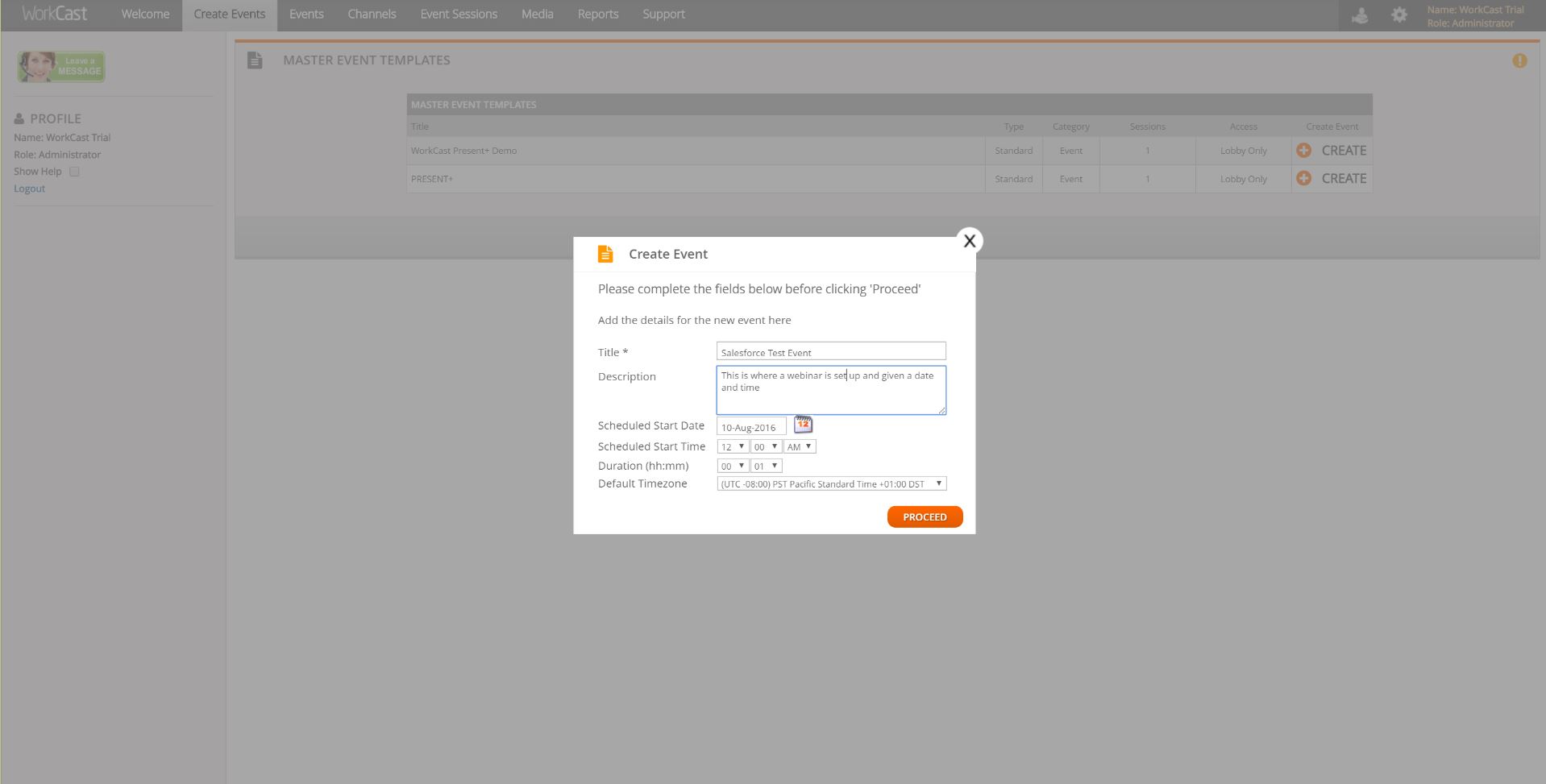
    Screenshot of Simple design to create EventsProduct screenshotScreenshot of Advanced Analytics available in the platformScreenshot of Advanced, interactive console  for presenters

    Zoom Events & Webinars Screenshots

    Screenshot of features available for Zoom Events & WebinarsScreenshot of features available for Zoom EventsScreenshot of new and enhanced features