PowerProtect DD (a next-generation appliance replacing Dell EMC Data Domain) is a suite of hardware appliances used for
data protection, backup, storage and deduplication. PowerProtect appliance offerings are
cloud-enabled and vary by organization size, capable of supporting small
business and enterprises.
PowerProtect appliances are separated into two categories: entry-level
to midrange, and enterprise.
Entry-Level to Midrange Backup Appliances
PowerProtect…
N/A
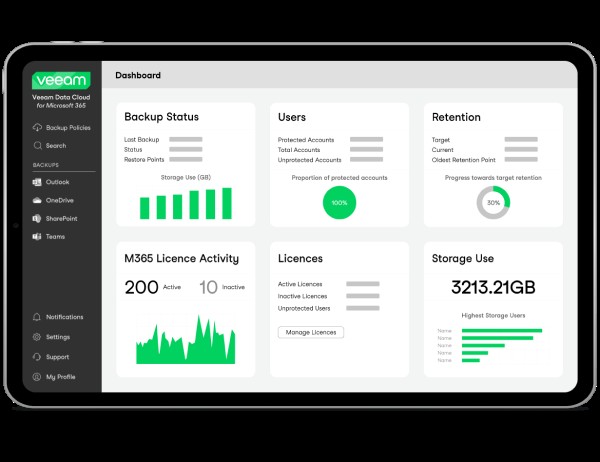
Veeam Data Cloud for Microsoft 365
Score8.2 out of 10
Mid-Size Companies (51-1,000 employees)
Veeam Data Cloud for Microsoft 365 is a BaaS (Backup as a Service) solution used to back up and restore Microsoft 365 data, including Microsoft Exchange, Microsoft SharePoint, Microsoft OneDrive for Business and Microsoft Teams data.
We have huge data coming in from different sources and also from multiple organizations in our Data centres. This data had multiple copies of the same data and was huge in size therefore, we wanted to have a solution in place which can help us with a good amount of deduplication at the deepest possible level to make sure that our ecosystem does not have multiple copies of the same data and is also efficient at the same time. Having said this, we wanted this solution to be secure and reliable since it had to be exposed to a huge critical set of data in the market. To add, backup and restoration was something that we were also keen on evaluating so that once we have efficient data within our system, the time it takes to backup and restoration also reduces. And all this was justified by this solution when we signed up with them. From the pricing perspective and the implementation side, the solution needs improvement to make it more efficient and user-friendly.
A de minimis incentive was given to thank the reviewer for their time. The incentive was not used to bias or drive a particular response, nor was the incentive contingent on a positive endorsement. More Info
The implementation of their services is fairly simple and their engineers will assist in any issues that arise when you attempt to get the solutions implemented. One scenario we experienced in implementation is a server was not able to be backed up. The engineer logged onto our system on a remote support session and helped to diagnose why we were experiencing the issue. They ensured we were up and running again in a timely manner to remain covered on our backed up services.
A de minimis incentive was given to thank the reviewer for their time. The incentive was not used to bias or drive a particular response, nor was the incentive contingent on a positive endorsement. TR verified that a representative sample of customers was invited. More Info
A de minimis incentive was given to thank the reviewer for their time. The incentive was not used to bias or drive a particular response, nor was the incentive contingent on a positive endorsement. More Info
My CFO seemed to have lost a whole year of important emails. I simply restored them to his mailbox in a matter of minutes.
An employee left the company but an issue came up with a quote this person sent out. I could search his mailbox and got the quote as well as all communications from that customer.
It is nice to be able to search emails in various mailboxes without disturbing the user.
It is also nice to go back in time. Say they deleted those emails last month I can go back years if needed.
A de minimis incentive was given to thank the reviewer for their time. The incentive was not used to bias or drive a particular response, nor was the incentive contingent on a positive endorsement. More Info
A de minimis incentive was given to thank the reviewer for their time. The incentive was not used to bias or drive a particular response, nor was the incentive contingent on a positive endorsement. More Info
Veeam Backup for Microsoft 365 isn't 'multi geo' aware - this means we have to manually select resources to back up depending on their geo-location.
Veeam Backup for Microsoft 365 doesn't backup Private Channels users create in a Team - there are workarounds for this but it would be nice if this just worked.
A de minimis incentive was given to thank the reviewer for their time. The incentive was not used to bias or drive a particular response, nor was the incentive contingent on a positive endorsement. More Info
DD has performed flawlessly for almost 10 years as our backup/recovery storage with offsite replication. Given its track record and great support from EMC, we're unlikely to look elsewhere any time soon.
A de minimis incentive was given to thank the reviewer for their time. The incentive was not used to bias or drive a particular response, nor was the incentive contingent on a positive endorsement. More Info
Veeam Backup for Microsoft 365 just works so well and is so easy to use. I researched multiple options for Office 365 backup and none seemed to be as easy to setup and use as Veeam Backup for Microsoft 365 and the pricing was very comfortable to us. I can't imagine any reason why we would change away from Veeam Backup for Microsoft 365.
A de minimis incentive was given to thank the reviewer for their time. The incentive was not used to bias or drive a particular response, nor was the incentive contingent on a positive endorsement. More Info
While the product is rock-solid and only has errors when Microsoft changes things on their API side, the solution is at times too simplistic. The need to analyze and report on the data being stored is lackluster. The functionality and use of the product is a 10, but the niceties and features you would want in a product of this caliber are lacking.
A de minimis incentive was given to thank the reviewer for their time. The incentive was not used to bias or drive a particular response, nor was the incentive contingent on a positive endorsement. TR verified that a representative sample of customers was invited. More Info
A de minimis incentive was given to thank the reviewer for their time. The incentive was not used to bias or drive a particular response, nor was the incentive contingent on a positive endorsement. More Info
We have a lot of data, and pulling backups out of the store sometimes takes a bit of time - but this is within acceptable tolerances. I don't expect restores to be instantaneous, and I can't quantify if the speed is software or data repository.
A de minimis incentive was given to thank the reviewer for their time. The incentive was not used to bias or drive a particular response, nor was the incentive contingent on a positive endorsement. More Info
Customer support has had some ups and downs here. We've had several issues with EMC support before and during the acquisition by Dell, but in the last 18 months support has been top notch. Quick and knowledgeable help is but a chat away, or they will call you back so you don't have to wait on hold. The team supporting us is responsive and is quick to assist with any request or issue.
A de minimis incentive was given to thank the reviewer for their time. The incentive was not used to bias or drive a particular response, nor was the incentive contingent on a positive endorsement. More Info
Veeam Data Cloud support for Microsoft 365 is excellent (just like for Veeam Backup & Replication). It's easy to create a ticket in the support portal, and the support engineers respond quickly and accurately, usually within a few hours! Issues are resolved and/or investigated quickly.
A de minimis incentive was given to thank the reviewer for their time. The incentive was not used to bias or drive a particular response, nor was the incentive contingent on a positive endorsement. TR verified that a representative sample of customers was invited. More Info
A de minimis incentive was given to thank the reviewer for their time. The incentive was not used to bias or drive a particular response, nor was the incentive contingent on a positive endorsement. More Info
A de minimis incentive was given to thank the reviewer for their time. The incentive was not used to bias or drive a particular response, nor was the incentive contingent on a positive endorsement. More Info
Veeam Data Cloud for Microsoft 365 offered a straightforward, upfront billing model with no hidden storage fees.In contrast, Rubrik’s proposal emphasized enterprise-grade features like air-gapped backups, sensitive data monitoring, and zero-trust architecture—but came with a higher initial investment as well as higher recurring costs. Simplicity and Microsoft 365 Focus Veeam Data Cloud for Microsoft 365’s solution was purpose-built for Microsoft 365, offering granular recovery, seamless integration, and a user-friendly interface
A de minimis incentive was given to thank the reviewer for their time. The incentive was not used to bias or drive a particular response, nor was the incentive contingent on a positive endorsement. TR verified that a representative sample of customers was invited. More Info
A de minimis incentive was given to thank the reviewer for their time. The incentive was not used to bias or drive a particular response, nor was the incentive contingent on a positive endorsement. More Info
A de minimis incentive was given to thank the reviewer for their time. The incentive was not used to bias or drive a particular response, nor was the incentive contingent on a positive endorsement. More Info
The only real impact is from a compliance standpoint. Our company is expected at a regulatory level to be protecting our data and even though the tenant has little traffic there could still be some regulated data in there. We have to be able to tell an auditor that it's being backed up by an enterprise grade solution, and that's what VDC was intended for.
A de minimis incentive was given to thank the reviewer for their time. The incentive was not used to bias or drive a particular response, nor was the incentive contingent on a positive endorsement. More Info