Polycom RealPresence Group Series vs. Virtual Office

Overview
ProductRatingMost Used ByProduct SummaryStarting Price
Polycom RealPresence Group Series
Score 6.0 out of 10
N/A
The Polycom RealPresence Group Series is a video conferencing codec that connects to a standards-based video conferencing infrastructure to allow users to make video conference calls. There are three products in the series – RealPresence Group 300, RealPresence Group 500, and RealPresence Group 700. It is certified to use with Office 365 and Skype for Business.N/A
Virtual Office
Score 9.0 out of 10
Small Businesses (1-50 employees)
Based in Germany, Virtual Office offers a take on permanent home office. Companies looking to reduce hard office space can use Virtual Office to manage their teams. Users can create an office, select a name, invite team members, get guests on board and start collaborating. The service rebuilds the user's office - virtually - so they don't lose out on interpersonal encounters. With it, the vendor states users can get away from cold meetings, endless video conferences and…
$8
per month per user
Pricing
Polycom RealPresence Group SeriesVirtual Office
Editions & Modules
No answers on this topic
Free
$0
user/month
Free
$0
user/month
Startup
$8
user/month
Startup
$8
user/month
Business
$16
user/month
Business
$16
user/month
Offerings
Pricing Offerings
Polycom RealPresence Group SeriesVirtual Office
Free Trial
NoYes
Free/Freemium Version
NoYes
Premium Consulting/Integration Services
NoYes
Entry-level Setup FeeNo setup feeNo setup fee
Additional Details
More Pricing Information
Community Pulse
Polycom RealPresence Group SeriesVirtual Office
Best Alternatives
Polycom RealPresence Group SeriesVirtual Office
Small Businesses
Lifesize Video Conferencing
Score 10.0 out of 10
Lifesize Video Conferencing
Score 10.0 out of 10
Medium-sized Companies
Cisco Desk Series
Cisco Desk Series
Score 8.7 out of 10
Cisco Desk Series
Cisco Desk Series
Score 8.7 out of 10
Enterprises
Cisco Desk Series
Cisco Desk Series
Score 8.7 out of 10
Cisco Desk Series
Cisco Desk Series
Score 8.7 out of 10
All AlternativesView all alternativesView all alternatives
User Ratings
Polycom RealPresence Group SeriesVirtual Office
Likelihood to Recommend
7.7
(24 ratings)
-
(0 ratings)
Likelihood to Renew
7.3
(1 ratings)
-
(0 ratings)
Usability
8.0
(3 ratings)
-
(0 ratings)
Support Rating
8.3
(4 ratings)
-
(0 ratings)
User Testimonials
Polycom RealPresence Group SeriesVirtual Office
Likelihood to Recommend
Poly
If you're always working in the Polycom ecosystem then the Group Series codecs are reliable and the quality of the camera and microphones are extremely good. However, the system relies heavily on either having onsite server technology and/or cloud based bridging capability. In addition, the peripherals like cameras and microphones are quite expensive. Maintenance and support costs also make the ongoing investment a costly one
Read full review
digitally induced GmbH
No answers on this topic
Pros
Poly
  • The audio and video quality can not be matched.
  • For the most part, they are rather simplistic in their use and just work. People don't usually have a hard time operating them
  • They are rather versatile in that we have been able to integrate them with other applications
Read full review
digitally induced GmbH
No answers on this topic
Cons
Poly
  • The only issue that we have experienced with Polycom RealPresence Group Series is the speed dial functionality. When attempting to use the speed dial buttons, the system occasionally sends a call through the computer system, not the phone. While the computer call option is valuable, not everyone can answer calls that way and we have had to do a manual lookup of an extension and call back when that happens.
Read full review
digitally induced GmbH
No answers on this topic
Likelihood to Renew
Poly
We love the product and is totally integrated in our company.
Read full review
digitally induced GmbH
No answers on this topic
Usability
Poly
The directory is slightly dated and unless you have a Skype for Business integration license, dialing users into a call is difficult. The Group Series Remote whilst minimalistic is actually more difficult to use than the previous HDX remote. Having to recharge the battery on the group series remote is both annoying and difficult as if you do not keep on top of it, you will be faced with a situation where the remote is not working and then have to try and find another one. Not ideal if you need to start a video call (assuming auto join has not been enabled in the admin portal).
Read full review
digitally induced GmbH
No answers on this topic
Support Rating
Poly
I can't say I've needed support more than a handful of times. One was for trying to connect a Polycom Conference phone and a Real Presence together. After a few months, we came to the conclusion it wasn't possible, that was the only frustrating occurance with support. Any other time if we needed to RMA a device, it was very smooth.
Read full review
digitally induced GmbH
No answers on this topic
Alternatives Considered
Poly
The Polycom RealPresence Group Series was top of the line. It had a lot more features as well as the ability to integrate with Microsoft Teams. With Highfive, you had to pay to keep the device running and it was more like renting it. Although we pay maintenance with Polycom we will own the devices. The Highfive camera also didn't move. Lifesize was comparable but it did not integrate with Microsoft Teams at the time. It may as of now, I am not sure.
Read full review
digitally induced GmbH
No answers on this topic
Return on Investment
Poly
  • Once pexip integrates Polycom/skype this will be a big win for us due to the RPTouch integrating the "one - touch join". This will increase adoption of video greatly.
  • Before the Group series with peripherals was implemented the cost of a video room was twice what it is today. Massive win.
  • Due to provisioning and automated firmware the IT involvement has been greatly reduced. No longer is there a need for manual changes to individual endpoints.
Read full review
digitally induced GmbH
No answers on this topic
ScreenShots

Virtual Office Screenshots

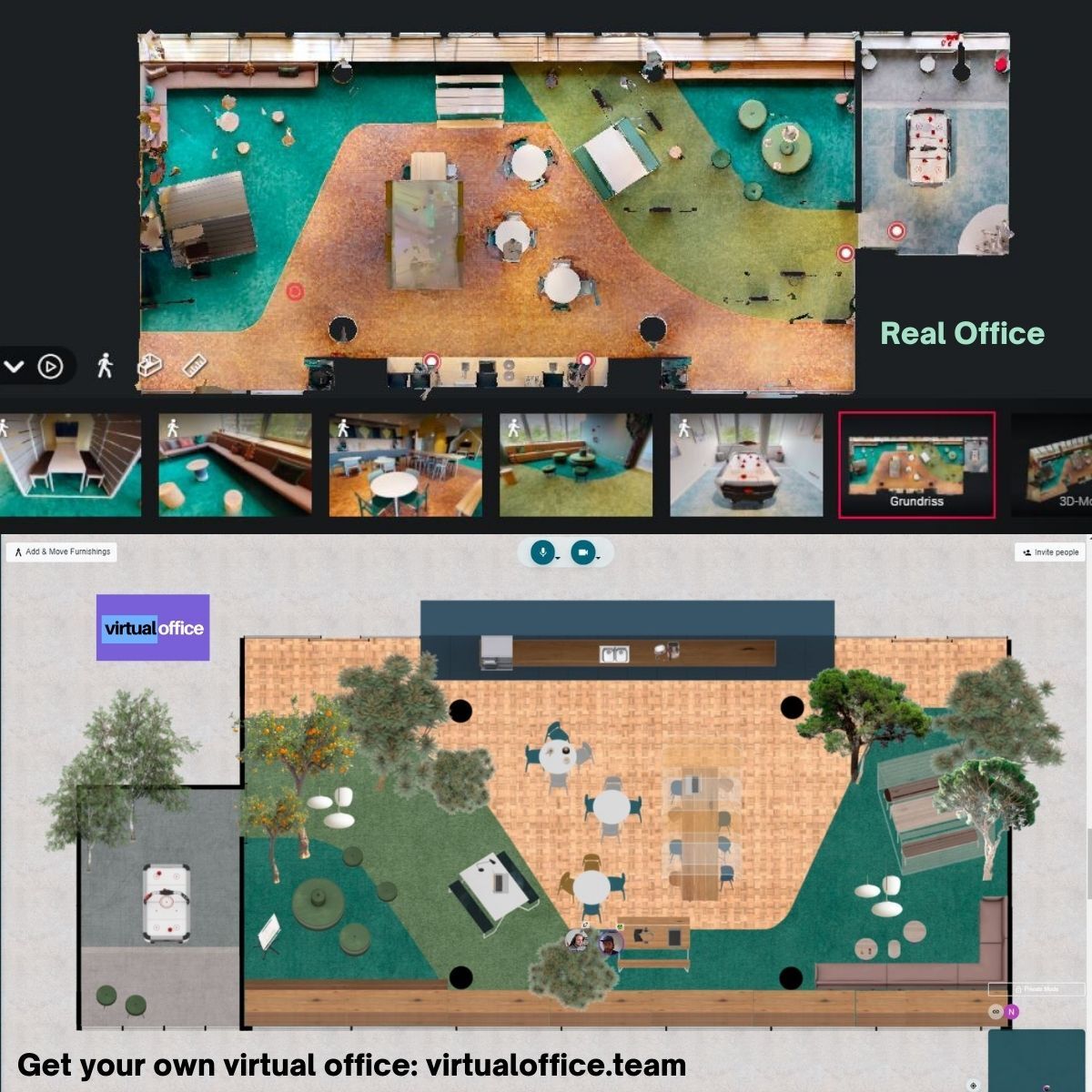
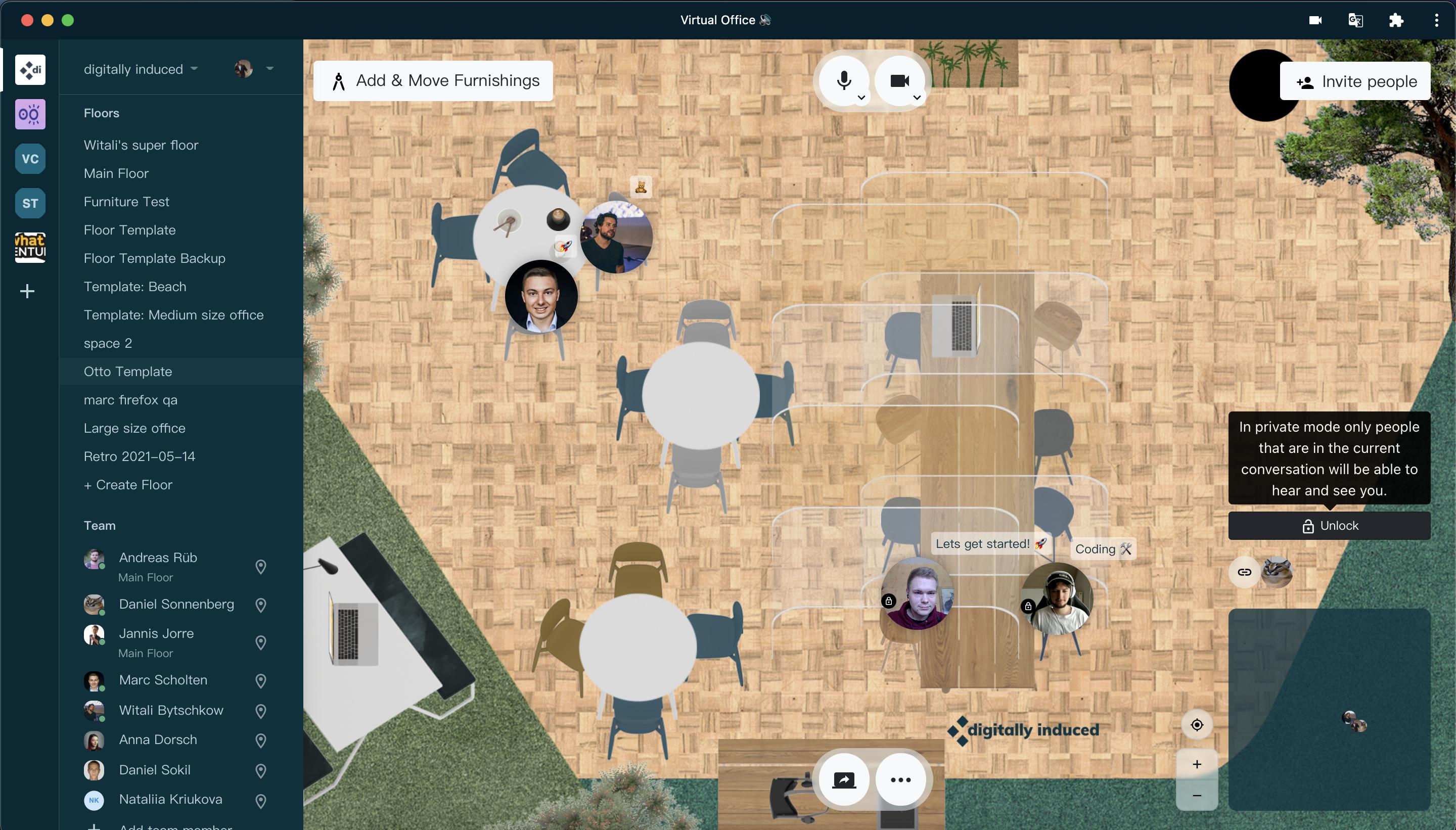
Screenshot of Send us pictures of your office, and our Interior design team will custom render and rebuild your office. If you like, we can also put you and your team on the moon. Or Mars. Even Jupiter. You get the idea.Screenshot of Like before covid. Walk down to your coworkers, catch up with them, plan your next step. If you don't want to be interrupted, just go into private mode. Also useful for sensitive topics or private, one-on-one talks.Screenshot of Share your screen, embed entire websites, watch videos together - you are not limited. At least not by us. These features allow a seamless experience between different teams that use different software. Combine, harmonize and get to work.Screenshot of Gather your workforce, use those braincells and write down great ideas, directly in there to visualize it. Our sticky notes will never fall off, too! Unless you remove them...then they're gone.Screenshot of Private mode for more discrete matters. One-on-one talks, or when you just don't want to be bothered during an intense work session. Broadcasting feature, so you can talk to everyone in the room (without being interrupted) will be added soon