Planview PPM Pro™ centralizes the management of projects and resources, facilitating governance, and providing visibility for improved decision making. Whether users are just getting started or advancing PMO to the next level, Planview PPM Pro is designed to provide the ability to collect, prioritize, and execute projects, enabling PMOs to focus resources on the work that delivers the most value.
N/A
Zenkit
Score8 out of 10
N/A
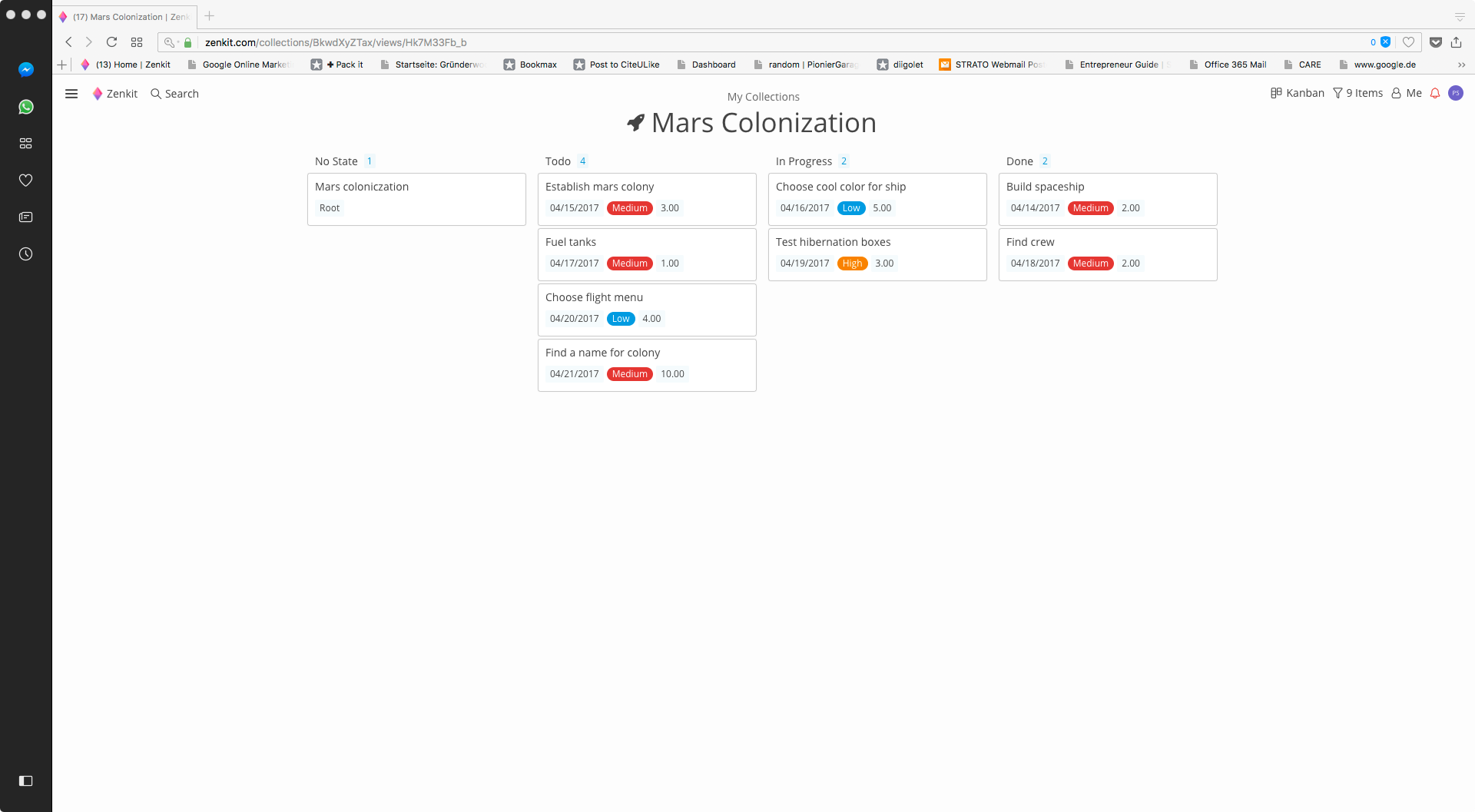
Zenkit is a collaborative SaaS platform for project management, database building and more. This solution enables users to follow their data through its entire lifecycle. Zenkit allows users to manage their data in any way they need to – build their own CRM, reporting system, or financial planner. Users can share their data and assign tasks to colleagues.
$9
per user
Pricing
Planview PPM Pro
Zenkit
Editions & Modules
No answers on this topic
Plus
$9.00
per user
Business
$29.00
per user
Offerings
Pricing Offerings
Planview PPM Pro
Zenkit
Free Trial
No
No
Free/Freemium Version
No
Yes
Premium Consulting/Integration Services
Yes
No
Entry-level Setup Fee
Optional
$9 per user
Additional Details
PPM Pro offers flexible pricing based on user types.
PPMPro is well suited for tracking new product introduction projects, as well as process changes. It serves to reliably track ongoing action items, issues, resource allocations for projects. Areas where PPMPro is less appropriate for use: Project to project dependencies, automating action item notifications on multiple platforms, integrations of PPMPro into other platforms PMO typically uses (like MS Projects, Teams, ppt, etc)
Zenkit is a good tool to manage your own projects and sharing progress with colleagues. If you are looking for a tool to accomplish this use case, Zenkit would be my first recommendation.
New request workflow/kanban board helps visualize where new requests are in the process of the quote to cash/request to completion
The time tracking tool is tied directly to project tasks for seamless integration of time tracking, estimates, and actuals
The reporting capabilities and ease of use has allowed us visibility to data that we never had before
The tool is easily configurable by Administrators. We can add fields, change reports, add new dashboards within hours vs. days of trying to track things manually
A de minimis incentive was given to thank the reviewer for their time. The incentive was not used to bias or drive a particular response, nor was the incentive contingent on a positive endorsement. More Info
A de minimis incentive was given to thank the reviewer for their time. The incentive was not used to bias or drive a particular response, nor was the incentive contingent on a positive endorsement. More Info
The base API is not a REST based interface and is difficult to use for integration with other systems in the enterprise.
The UI for the maintenance of the task schedule for projects can be a bit cumbersome , although the spreadsheet style editor helps somewhat. The Gantt view is not interactive.
The workflow engine is designed only for initial project intake, and does not allow for an integration of the work flow with the project from start to end, so it can't be used for routing artifacts like change requests, ancillary project approvals, etc.
A de minimis incentive was given to thank the reviewer for their time. The incentive was not used to bias or drive a particular response, nor was the incentive contingent on a positive endorsement. More Info
A de minimis incentive was given to thank the reviewer for their time. The incentive was not used to bias or drive a particular response, nor was the incentive contingent on a positive endorsement. More Info
Because I never evaluated other tools, I would be open to considering others. Given our establishment with Innotas and the value it has provided us, separating from it would cause some organizational discomfort. However, if a tool existed with a more intuitive interface for manipulating the data and factors of projects and resources, I would be very interested.
A de minimis incentive was given to thank the reviewer for their time. The incentive was not used to bias or drive a particular response, nor was the incentive contingent on a positive endorsement. More Info
PPM Pro has very effective process capabilities around Project, Demand, and Resource Management as well as Reporting/Dashboards. Very stable platform, never any downtime. We now also have PPM Pro Sandbox which we have leveraged for any new major developments such as Request Management.
A de minimis incentive was given to thank the reviewer for their time. The incentive was not used to bias or drive a particular response, nor was the incentive contingent on a positive endorsement. More Info
No issues with overall response time and performance. There have been some occasions where a Report could take few minutes to render but this is vary rare. No integration issues...
A de minimis incentive was given to thank the reviewer for their time. The incentive was not used to bias or drive a particular response, nor was the incentive contingent on a positive endorsement. More Info
Their ability to assist and answer questions when needed is incredible. They create innovative ways to share information and help customers trouble shoot. I didn't give it a ten because I believe they could do a better job of personally reaching out to customers and providing improvement guidance based on where the customer is at and their needs at the time
The support is always friendly and offers fast solutions if possible. Bugs were removed in the next hours after contacting the support. They have also a lot of tutorials and great documentation.
A de minimis incentive was given to thank the reviewer for their time. The incentive was not used to bias or drive a particular response, nor was the incentive contingent on a positive endorsement. More Info
Microsoft Project does not integrate the data or provide meaningful dashboards. We needed a tool that could manage a portfolio of projects versus just a single project view. In addition we needed a tool to track financials and internal effort all integrated into one product. Planview PPM Pro addressed all of our needs
As described before, Zenkit adds a lot more flexibility to the things the other applications can do. But this also means that there is no predefined structure which might be helpful for some people. Zenkit is working on that and is releasing some apps building on the core, so that could improve over time.
A de minimis incentive was given to thank the reviewer for their time. The incentive was not used to bias or drive a particular response, nor was the incentive contingent on a positive endorsement. More Info
We have always used PPM Pro across multiple Business Units and Business Functions and have never encountered any scalability issues. PPM Pro offers flexibility in how the various Entities are configured across the Enterprise
A de minimis incentive was given to thank the reviewer for their time. The incentive was not used to bias or drive a particular response, nor was the incentive contingent on a positive endorsement. More Info
Very effective and flexible - we obtained a pool of consulting hours that we can use at any time over 12 month period. Consulting topics can vary as we explore new functionalities in PPM Pro. Very easy to schedule ad-hoc time with PPM Pro consultant
A de minimis incentive was given to thank the reviewer for their time. The incentive was not used to bias or drive a particular response, nor was the incentive contingent on a positive endorsement. More Info
A de minimis incentive was given to thank the reviewer for their time. The incentive was not used to bias or drive a particular response, nor was the incentive contingent on a positive endorsement. More Info
A de minimis incentive was given to thank the reviewer for their time. The incentive was not used to bias or drive a particular response, nor was the incentive contingent on a positive endorsement. More Info