Planview AgilePlace vs. ZenTao

Overview
ProductRatingMost Used ByProduct SummaryStarting Price
Planview AgilePlace
Score 9.9 out of 10
N/A
AgilePlace is a project management solution built around flexibility, data-driven analytics, and workflow automation. The software was acquired by Planview in December 2017 to expand that company's capabilities.
$19
per user, per month
ZenTao
Score 8.0 out of 10
N/A
Product management: product, story, backlog, plan, release and roadmap Project management: project, Sprint, task, build and burndown chart Test management: bug, test case, test request and test result CI: Jenkins integration, automation testing, ZTF Document management: product document library, project document library and customized document library Work management: todo management and my task/ bug/ story/ project Company management:…N/A
Pricing
Planview AgilePlaceZenTao
Editions & Modules
Teams
$19
per user, per month
Scaled Teams
$29
per user, per month
Custom
Contact Sales for Quote
per user, per month
No answers on this topic
Offerings
Pricing Offerings
Planview AgilePlaceZenTao
Free Trial
YesYes
Free/Freemium Version
NoYes
Premium Consulting/Integration Services
NoNo
Entry-level Setup FeeNo setup feeNo setup fee
Additional DetailsAll editions include unlimited boards.
More Pricing Information
Community Pulse
Planview AgilePlaceZenTao
Features
Planview AgilePlaceZenTao
Project Management
Comparison of Project Management features of Product A and Product B
Planview AgilePlace
7.4
Ratings
3% below category average
ZenTao
8.0
Ratings
4% above category average
Task Management10.00 Ratings8.10 Ratings
Resource Management9.90 Ratings8.60 Ratings
Gantt Charts10.00 Ratings7.90 Ratings
Scheduling9.90 Ratings6.50 Ratings
Support for Agile Methodology9.30 Ratings8.90 Ratings
Support for Waterfall Methodology4.00 Ratings8.00 Ratings
Document Management6.50 Ratings8.10 Ratings
Email integration7.30 Ratings7.60 Ratings
Mobile Access2.10 Ratings7.20 Ratings
Timesheet Tracking6.40 Ratings00 Ratings
Change request and Case Management7.20 Ratings9.10 Ratings
Visual planning tools7.30 Ratings00 Ratings
Workflow Automation00 Ratings7.80 Ratings
Team Collaboration00 Ratings8.00 Ratings
Agile Development
Comparison of Agile Development features of Product A and Product B
Planview AgilePlace
8.8
Ratings
7% above category average
ZenTao
-
Ratings
DevOps Tool Integrations8.10 Ratings00 Ratings
Dependencies and Blockers9.60 Ratings00 Ratings
Best Alternatives
Planview AgilePlaceZenTao
Small Businesses
GitLab
GitLab
Score 8.7 out of 10
Stackby
Stackby
Score 9.0 out of 10
Medium-sized Companies
GitLab
GitLab
Score 8.7 out of 10
InEight
InEight
Score 8.3 out of 10
Enterprises
GitLab
GitLab
Score 8.7 out of 10
InEight
InEight
Score 8.3 out of 10
All AlternativesView all alternativesView all alternatives
User Ratings
Planview AgilePlaceZenTao
Likelihood to Recommend
10.0
(0 ratings)
8.0
(0 ratings)
Likelihood to Renew
8.6
(0 ratings)
-
(0 ratings)
Usability
8.2
(0 ratings)
-
(0 ratings)
Availability
8.3
(0 ratings)
-
(0 ratings)
Performance
8.0
(0 ratings)
-
(0 ratings)
Support Rating
10.0
(0 ratings)
-
(0 ratings)
Implementation Rating
7.7
(0 ratings)
-
(0 ratings)
Configurability
7.0
(0 ratings)
-
(0 ratings)
Ease of integration
8.0
(0 ratings)
-
(0 ratings)
Product Scalability
8.0
(0 ratings)
-
(0 ratings)
Vendor post-sale
9.3
(0 ratings)
-
(0 ratings)
Vendor pre-sale
9.3
(0 ratings)
-
(0 ratings)
User Testimonials
Planview AgilePlaceZenTao
Likelihood to Recommend
AgilePlace is a great way for teams, or individuals, to bring visibility to the work in process and in their backlog. The color coding and icon use helps to quickly analyze the type of work or status of the work. The product team is doing a good job at listening to their user's feedback and implementing improvements. Where it falls short is when reporting needs to occur.
Read full review
Our own dev team has been using ZenTao to manage so many of the products we have been developed, we use it to manage product backlog, sprint, task, bug, and case. We have been using this tool so much and we don't think we will immigrate to any other software. Thanks ZenTao, you earn an 8 from us.
Read full review
Pros
  • Okta Integration: We love using SSO for all our SaaS apps, and as new team members join, they can be automatically joined to the appropriate LeanKit boards.
  • Filtering and viewing: Can filter and refine by several fields as well as custom fields. Assigned Users, Tagged, Card Type, Date, etc
  • Their analytics and reporting can be helpful for PMs, especially if they have several teams they oversee.
Read full review
  • Test management tool.
  • Application management tool.
  • Email reminder and instant messenger integration.
  • Calendar.
Read full review
Cons
  • The formatting of what they call "cards" could be better. They can be clunky if you have a lot of text in just one.
  • Needs better support for media, attachments.
  • Not the most pretty interface in my opinion, though it works.
Read full review
  • [I feel] they should provide an update.
  • It is buggy [in my experience].
  • [I believe] its interface needs more improvement and should be less complicated for beginners especially.
Read full review
Likelihood to Renew
we are happy with the tool and the service and continuos improvement of the tool so there is no need yet to change to another one.
Read full review
No answers on this topic
Usability
LeanKit isn't the best designed Kanban system I've seen, but overall it's pretty usable. The boards I've used are pretty complex, so it can be difficult to find things. I found that searching and filtering for specific cards was somewhat of a challenge. Dragging a card from one lane to another is kind of a fun way to get things done though.
Read full review
No answers on this topic
Reliability and Availability
Not experienced any outage
Read full review
No answers on this topic
Performance
Larger boards take longer to load
Read full review
No answers on this topic
Support Rating
Every time I have reached out to the AgilePlace support team I have received a timely response in addition to professional & personal feedback. Their consultants are knowledgeable and the management team is happy to jump in and help when needed.
Read full review
No answers on this topic
Implementation Rating
Very easy.
Read full review
No answers on this topic
Alternatives Considered
Originally, we had evaluated two other tools next to Planview LeanKit: Kanbantool and Kanbanflow. The latter was a close contestant for productive use, as it was also very customizable and a joy to work with and look at. It also had lower user fees and a mobile integration. In the end, we picked Planview LeanKit because of several reasons: Aesthetics: The look was much more clean and professional. Reporting: It was obvious from the start that we could use Planview LeanKit as a tool for improvement. API: We needed to integrate the Kanban into our central systems and Planview LeanKit API was (and still is) a way to do it. Card Headers: This sounds like a simple thing, but the headers above the titles fit our work perfectly and looked perfect, which helped the decision.
Read full review
The features and the flexibility in Workfront were less and were not so sufficient for us as we needed something more. We were paying a high rate for almost nothing in the case of Workfront. So ZenTao is a perfect option when it comes to project management and we have witnessed an uplift in our business after ZenTao.
Read full review
Scalability
Good use cases for small/large teams
Read full review
No answers on this topic
Return on Investment
  • Our team meetings are more direct and quick to get through thanks to the better visibility of the workload
  • Easily being able to move cards between team lanes gives instant visibility to where the responsibility for the next step is needed.
Read full review
  • It can improve the employee experience, and in turn engagement, by ensuring that staff members’ interaction with the ZenTao in their daily work is positive and productive.
  • Project management is smoother and improves your work efficiency.
  • Compared with other project management software on the market, ZenTao's price is very affordable.
Read full review
ScreenShots

Planview AgilePlace Screenshots

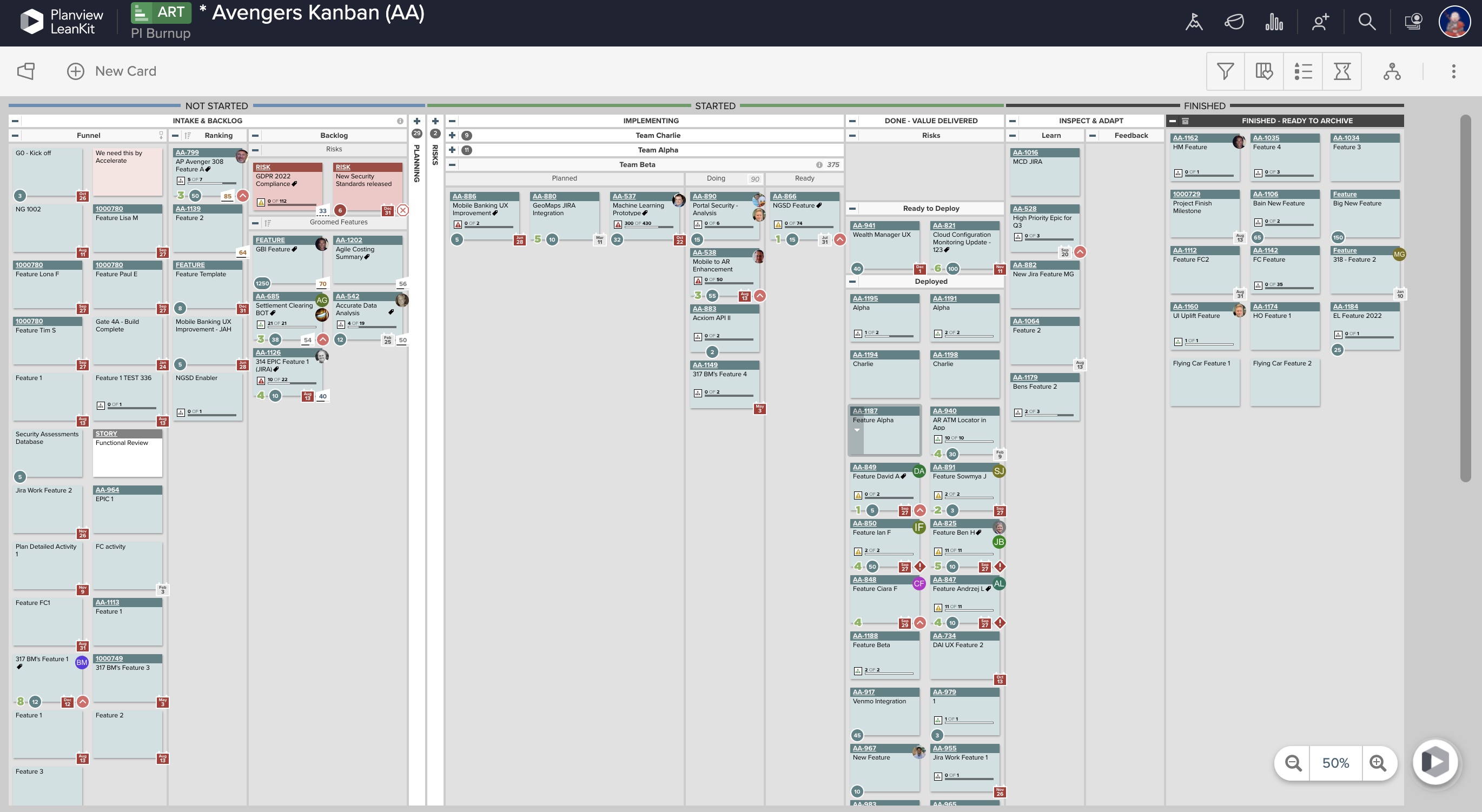
Screenshot of Real-Time Analytics: Utilize board health metrics involving bottlenecks, WIP, and throughput to guide the optimization of workflows, improve velocity, and better prioritize efforts for more predictable delivery. Lean and Agile metrics can be used to assess team performance and promote continuous improvement.Screenshot of PI Planning: Offers enterprise Kanban boards to visualize the work of teams regardless of the methodologies they apply or workflows they follow, and insights into progress and create opportunities for better alignment.Screenshot of Dependency Visualization and Management: Surfaces risks to plans resulting from cross-team dependency conflicts, blockers, and capacity constraints, and helps drive proactive measures to enable teams to deliver on time.Screenshot of Team Planning and Coordination: Boards can be used to breakdown work, build and manage plans, and execute against strategy to deliver more value to customers, faster.

ZenTao Screenshots

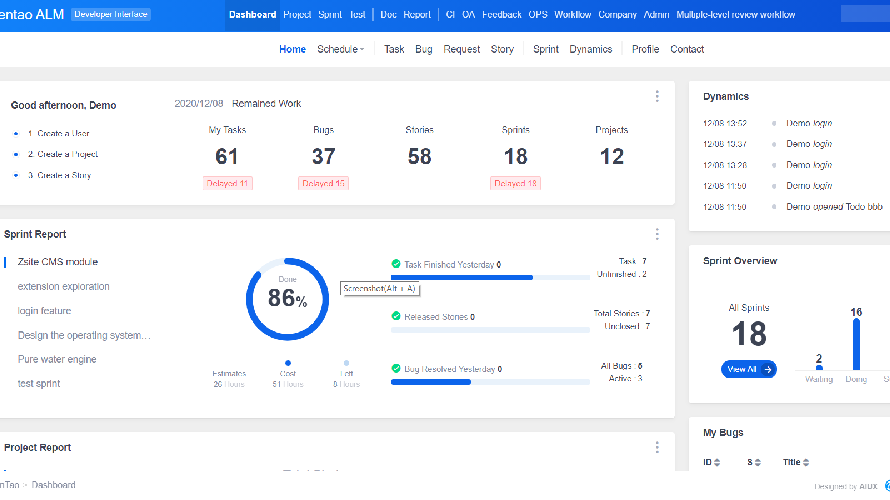
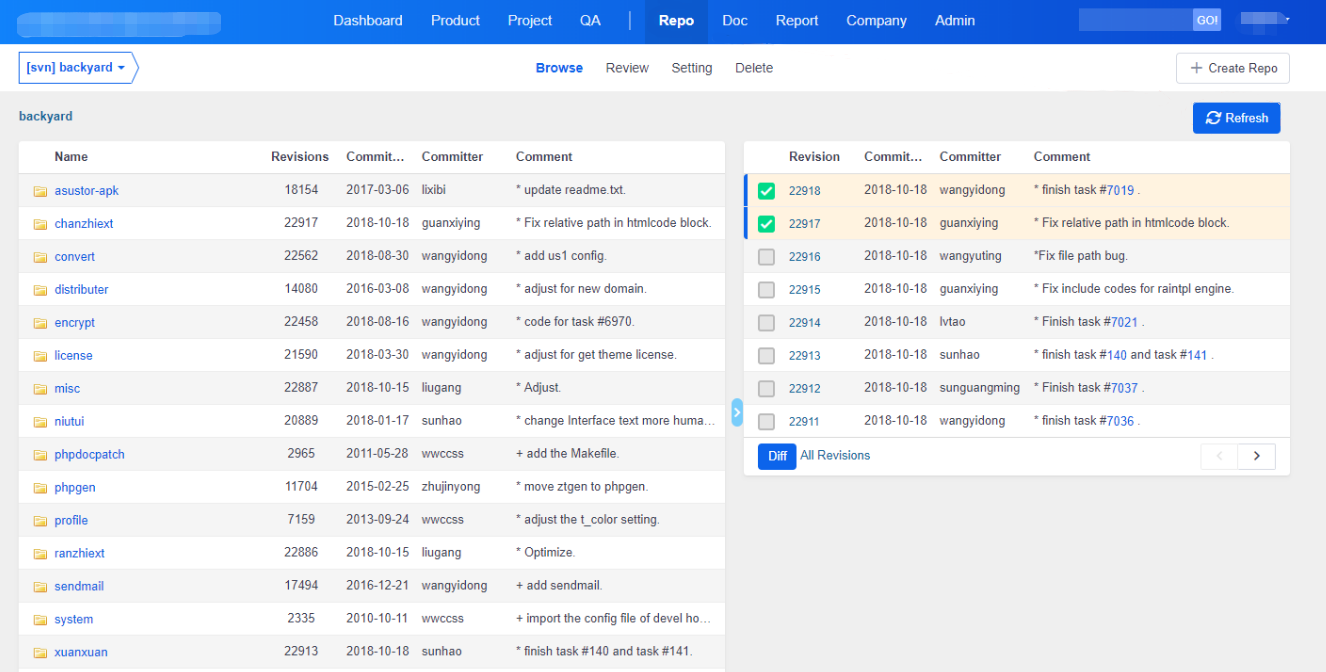
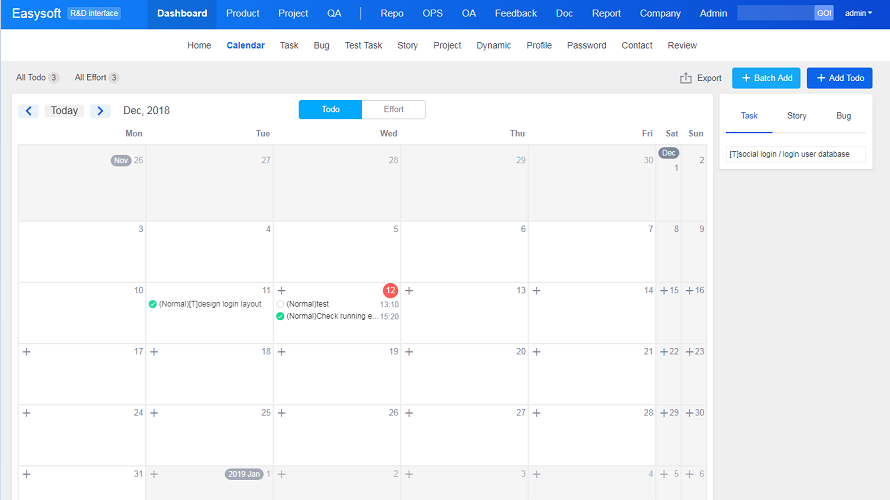
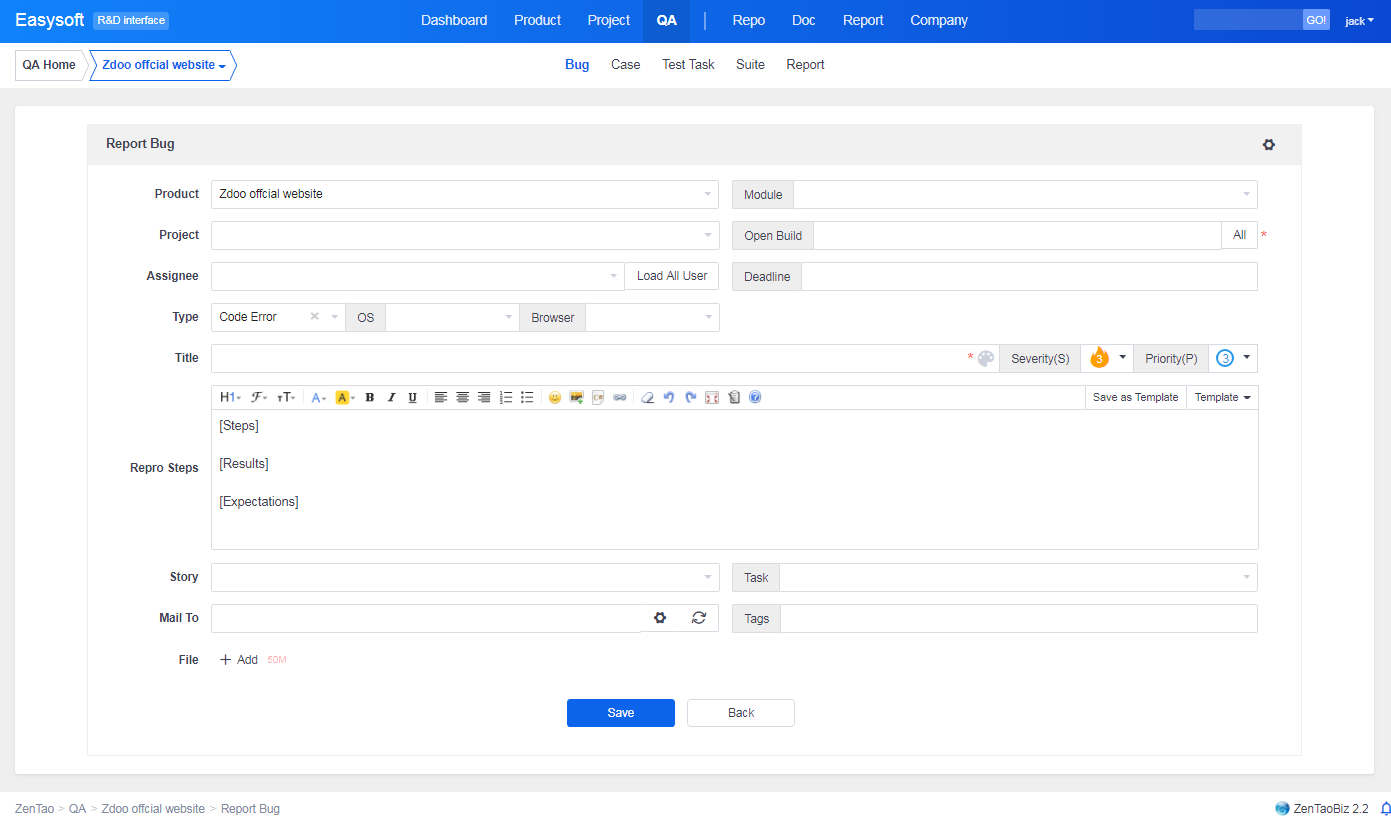
Screenshot of Dashboard. Overview of your product, projects, bugs, tasks, test, and todos.Screenshot of Task and timelineScreenshot of Git/SVN Repository and Jenkins integrationScreenshot of Drag and drop to manage todos.Screenshot of Report a bug and convert it to a story/task by one-click.Screenshot of Sprint overview.