Oracle's PeopleSoft Campus Solutions is a student management system option.
N/A
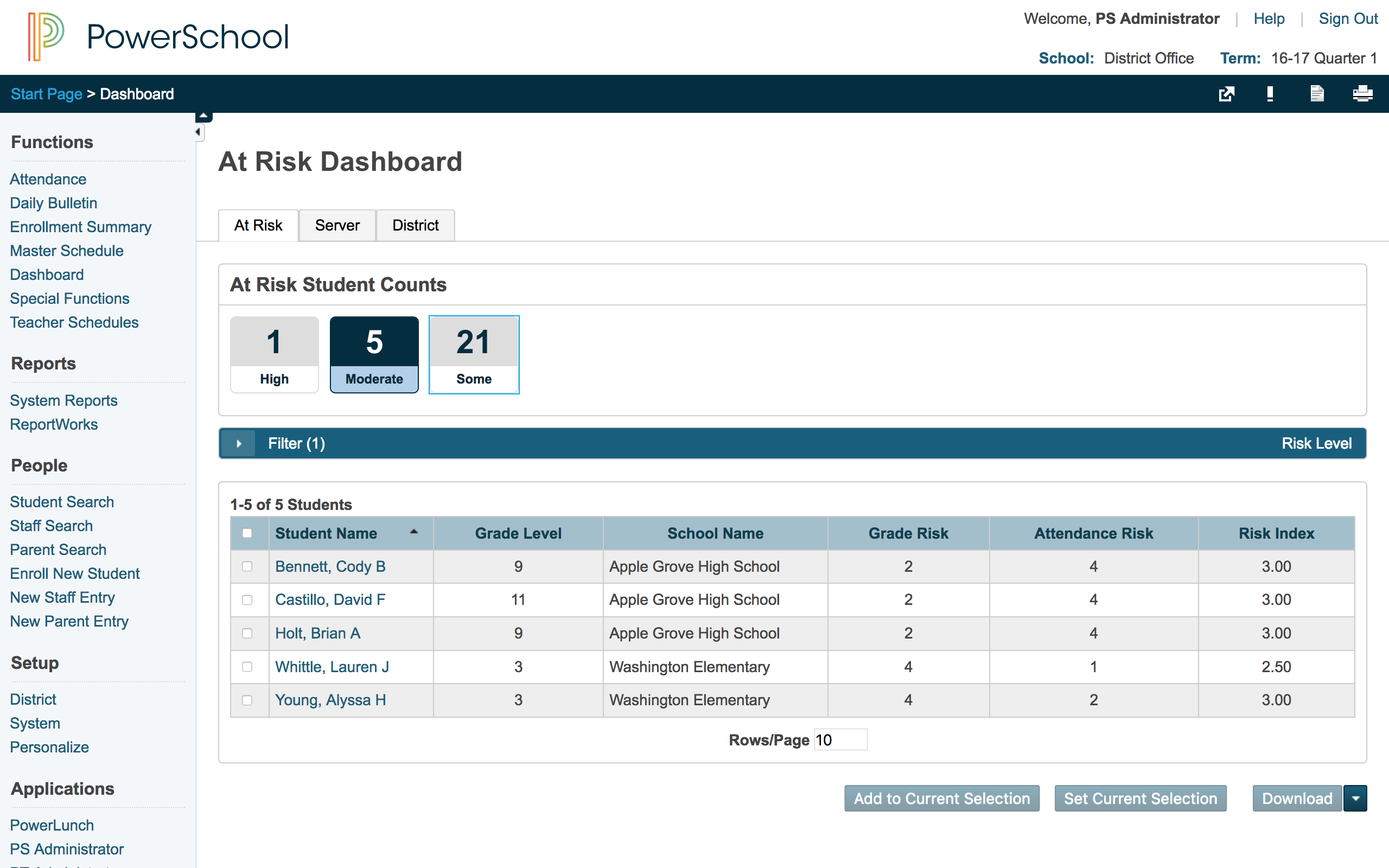
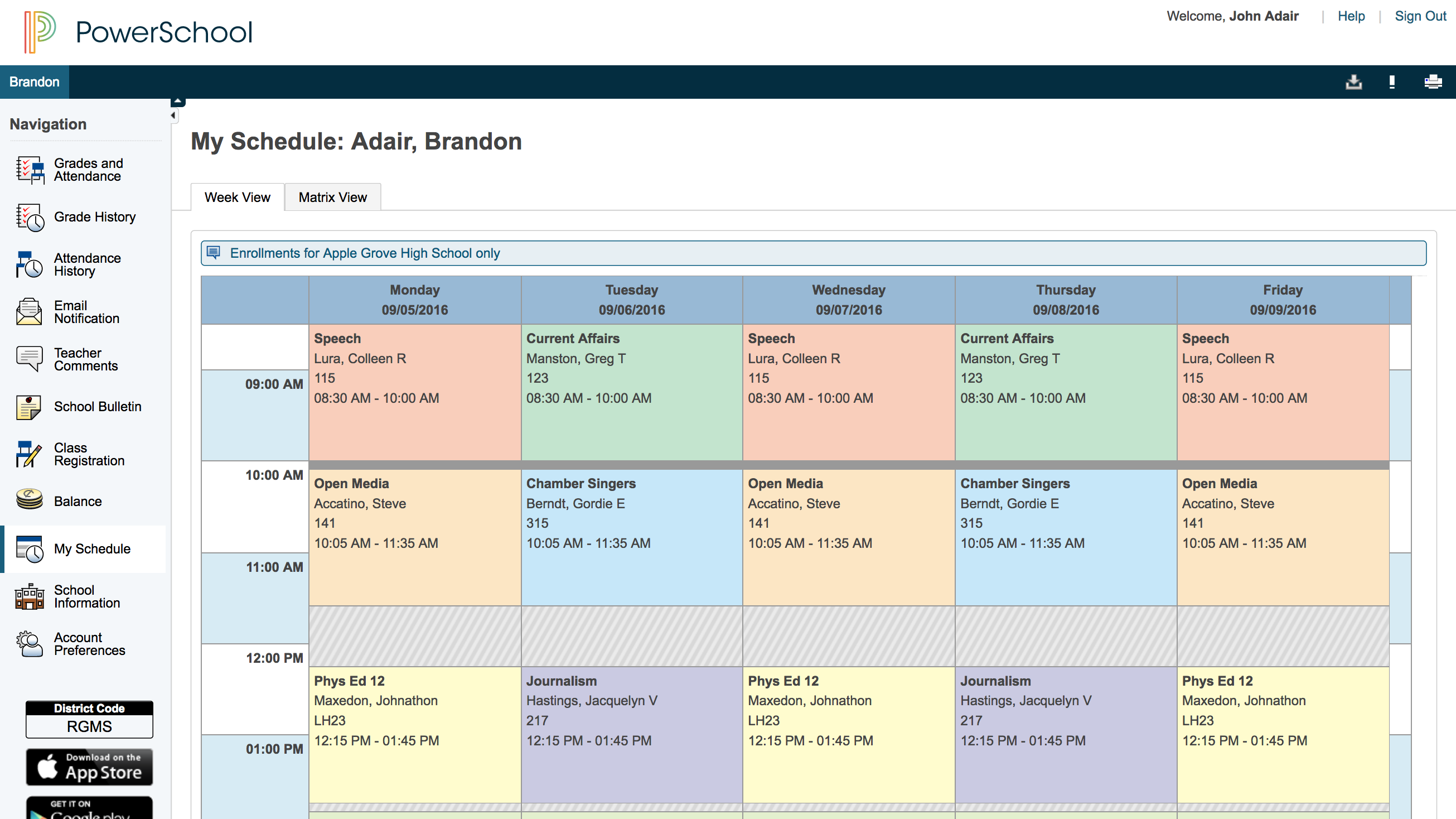
PowerSchool SIS
Score8.4 out of 10
Mid-Size Companies (51-1,000 employees)
The PowerSchool Student
Information System covers administrative needs, such as scheduling, attendance,
reporting, data management, faculty management, emergency/medical and health
management, registration, and more for K-12 schools and districts. It is easy
to use and boasts an industry-leading gradebook, PowerTeacher Pro. Users enjoy
a fully web-based SIS that is flexible, configurable, and scalable with
real-time updates on any operating system, browser or device.
PeopleSoft Campus Solutions is a fully robust solution for large campuses and University systems. The tools it provides are powerful and scalable. It can handle anything from 1,000 students to over 100,000. The issue because spreading that cost around. Smaller schools will probably need a dedicated functional staff and an information systems staff to handle the chore of managing the system. Although many of the tools allow for automated processing it take a considerable amount of effort to get to that point and the upfront and maintaining costs should be considered.
A de minimis incentive was given to thank the reviewer for their time. The incentive was not used to bias or drive a particular response, nor was the incentive contingent on a positive endorsement. More Info
PowerSchool Student Information System is a cool software that can be highly recommended to anyone who is living in the educational management space. It is proven that this software can reduce your manual workload massively if you use it right. Plus it is really worth the price you pay. Especially if you are in the administrative field, this software will help you to minimize manual efforts put into student registrations, staffing recruitment, and main resource management processes.
A de minimis incentive was given to thank the reviewer for their time. The incentive was not used to bias or drive a particular response, nor was the incentive contingent on a positive endorsement. More Info
The Query Manager tool is useful - especially for users who are not comfortable writing SQL queries. Query Manager also allows Security staff to dictate exactly what access to grant to query writers.
Campus Solutions offers several batch-style functions, such as batch transcript requests and batch degree conferral. There is a Population Selection option that allows you to use a query or Excel file to specify the students who are in the batch.
The Communication Generation process allows users to create batch emails or letters that include mail-merge style data for each individual receiving the communication. There is a Microsoft Word plugin that allows you to craft the message that will be sent, and they can be sent on a set schedule or when certain trigger conditions occur.
A de minimis incentive was given to thank the reviewer for their time. The incentive was not used to bias or drive a particular response, nor was the incentive contingent on a positive endorsement. More Info
PowerSchool houses student or staff information that can be easily accessed by those teachers and administrators who need the information. This allows everyone to go to one place to access information.
Parents can view their child's grades at any time with their protected login on a parent portal. This allows teachers to keep parents informed and involved in their child's progress at school. When everyone works together it increases our students' chance for success.
PowerSchool offers videos to train new users. When we have new employees, the videos can be accessed at any time the employee needs as opposed to them waiting for someone to help them.
A de minimis incentive was given to thank the reviewer for their time. The incentive was not used to bias or drive a particular response, nor was the incentive contingent on a positive endorsement. More Info
We don't like that you cannot export student grades and information into an excel spreadsheet or document that allows you to edit when necessary. Other tools do this but for a system us robust as PeopleSoft we are surprised you are not able to do this.
Continuing with the schedule, in order to see how many students are registered in a section one has to click on that section which is another waste of time. Each section has a blue square meaning full and a green circle meaning not full. Why can't the number of students be shown instead, or in addition? And to top it off, the number of students is shown so low that one has to scroll each time to see it.
Occasionally, PeopleSoft will randomly stop work, and you will lose all the information you were working on, so I recommend saving your work frequently. PeopleSoft is also not the most user-friendly student information systems. The new update did improve its aesthetic appeal though.
Relying on Oracle system administrators to do all updates and handle any problems that may occur. Sometimes you feel a little helpless and too reliant on the vendor. It takes a while for our admins to update the software because we have so many custom configurations and custom bolt-ons so they all have to be tested thoroughly to make sure nothing breaks when migrated to production. Because of this, our university is always behind when it comes to system updates.
A de minimis incentive was given to thank the reviewer for their time. The incentive was not used to bias or drive a particular response, nor was the incentive contingent on a positive endorsement. More Info
A de minimis incentive was given to thank the reviewer for their time. The incentive was not used to bias or drive a particular response, nor was the incentive contingent on a positive endorsement. More Info
We would be starting over at square one if we did not continue our PowerSchool subscription. We do not have a program in a place that would take its place.
A de minimis incentive was given to thank the reviewer for their time. The incentive was not used to bias or drive a particular response, nor was the incentive contingent on a positive endorsement. More Info
A de minimis incentive was given to thank the reviewer for their time. The incentive was not used to bias or drive a particular response, nor was the incentive contingent on a positive endorsement. More Info
When you open a service request you will get contacted in short order. They will usually develop a patch or hot fix in a reasonable amount of time. You do usually need to keep the software updated and will want to be on the latest versions.
A de minimis incentive was given to thank the reviewer for their time. The incentive was not used to bias or drive a particular response, nor was the incentive contingent on a positive endorsement. More Info
Overall, I have not had to use support for PowerSchool Student Information System because our school district gives us training in each area in which we will be utilizing PowerSchool Student Information System. In terms of in-user support, I feel that there is mild to moderate user support that is built into PowerSchool SIS.
A de minimis incentive was given to thank the reviewer for their time. The incentive was not used to bias or drive a particular response, nor was the incentive contingent on a positive endorsement. More Info
PeopleSoft Campus Solutions has been the software of choice between Jenzebar and Campus vue as the user interface is easier, students seem to understand their progress and the system better than the other two softwares I have used. I would recommend this as all things student related are in one portal area.
A de minimis incentive was given to thank the reviewer for their time. The incentive was not used to bias or drive a particular response, nor was the incentive contingent on a positive endorsement. More Info
I have heard good things for Infinite Campus and Skyward. I would [evaluate] each of them and see what fits your needs. Each has their strengths and weaknesses and so picking the right one for your needs is important. PowerSchool [Student Information System] does have some great features, but lacks some fundamental reports and functions to make it top notch.
A de minimis incentive was given to thank the reviewer for their time. The incentive was not used to bias or drive a particular response, nor was the incentive contingent on a positive endorsement. More Info
A de minimis incentive was given to thank the reviewer for their time. The incentive was not used to bias or drive a particular response, nor was the incentive contingent on a positive endorsement. TR verified that a representative sample of customers was invited. More Info
It has created shortcuts for all staff members, saving us time.
In creating shortcuts and combining many different systems into one, it is saving our school money.
It has created a safety net for teachers because grades and student information is stored electronically, which means teachers not having to worry about losing or misplacing their grade books.
A de minimis incentive was given to thank the reviewer for their time. The incentive was not used to bias or drive a particular response, nor was the incentive contingent on a positive endorsement. More Info