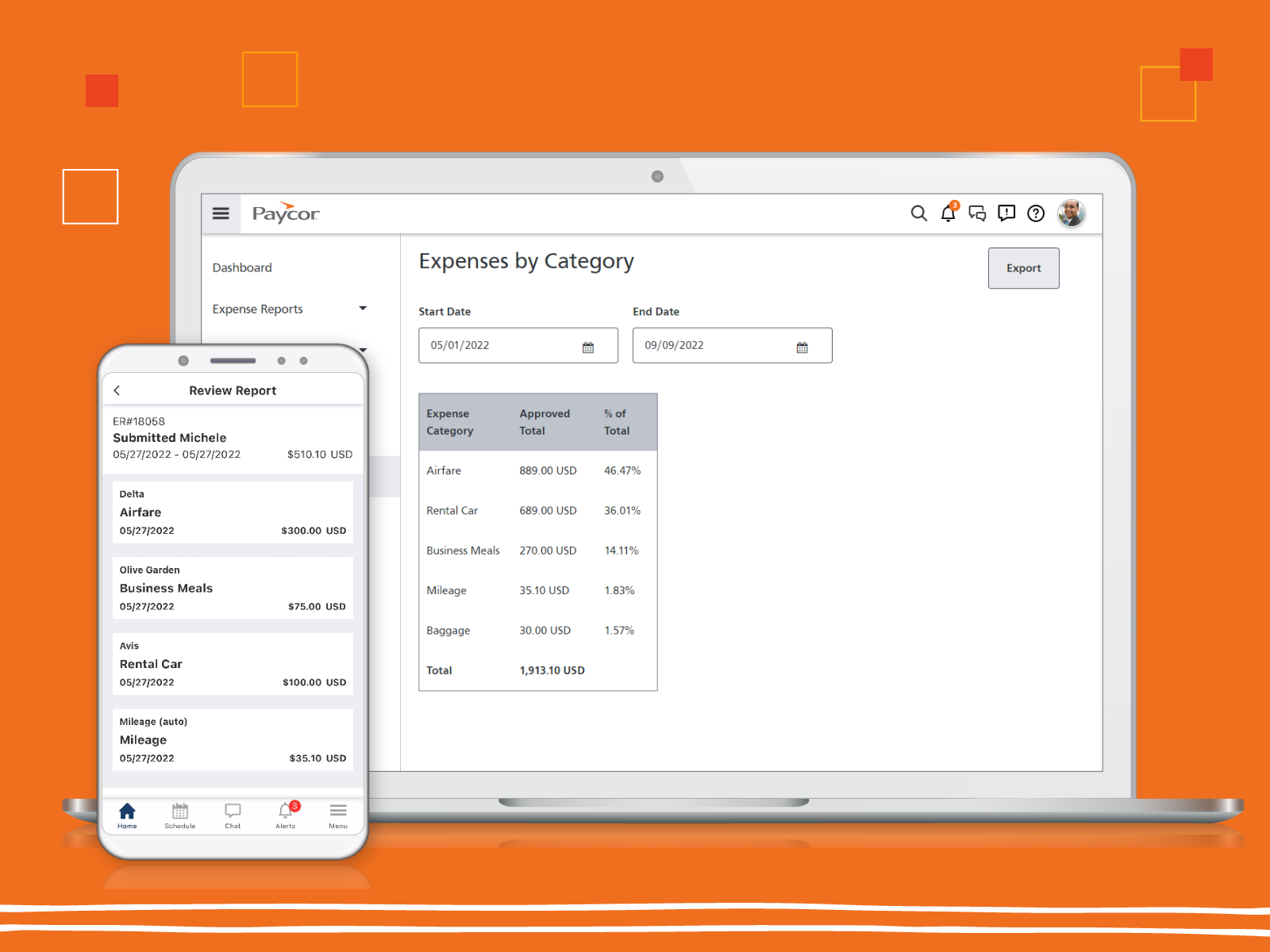
Paycor provides core HR functions scaled towards small and mid-sized businesses. Paycor offers an integrated benefits platform for interfacing directly with insurance carriers and an adaptable time management platform.
N/A
Sage HRMS
Score9.8 out of 10
N/A
Sage HRMS is an HR management solution that integrates payroll, benefits, recruiting, employee self-service, and analytics capabilities.
N/A
Pricing
Paycor
Sage HRMS
Editions & Modules
No answers on this topic
No answers on this topic
Offerings
Pricing Offerings
Paycor
Sage HRMS
Free Trial
Yes
No
Free/Freemium Version
No
No
Premium Consulting/Integration Services
Yes
Yes
Entry-level Setup Fee
Optional
No setup fee
Additional Details
Paycor's pricing for small, mid, and enterprise companies varies based on product bundle and company size. Because Paycor HR software is built to help businesses scale and grow, plans are based on the mix of HR products needed, and company size. Payroll is at the core of Paycor's offering, and their products are sold as a part of their payroll and HR platform.
—
More Pricing Information
Community Pulse
Paycor
Sage HRMS
Considered Both Products
Paycor Inc
No answer on this topic
Sage
Verified User
Chose Sage HRMS
I currently use Paycor. It is a good platform for the organization. Sage HRMS was good software, but didn't support some of the more quirkier states like PA and IN for payroll. Paycor had similar constraints. Neither is a great fit if you are doing business across multiple …
A de minimis incentive was given to thank the reviewer for their time. The incentive was not used to bias or drive a particular response, nor was the incentive contingent on a positive endorsement. More Info
In my experience, Paycor is well suited for organizations such as my own where the hiring process and fairly straightforward. A company that values ease of use, consistency, and organization will have great results with Paycor Recruiting. The system is also especially helpful when a company like mine must frequently recruit for the same exact role over and over again. That is where the customizable templates really come into play! On the other hand, a company that has a more specialized or complex recruiting process may struggle with using the platform. If more advanced integrations or data analytics are required then they would likely need a platform that is more robust in those areas.
Sage HRMS is a software that fits in all organizations whether small or large and this makes it the most suitable HR solution as it will help you manage your workforce even if it may appear small. The software has analytics and reporting tools that are applicable in performance management where you will use them in assessing the productivity of your employees and plan on how to improve further as a workforce. It further helps in employee on-boarding, payroll management, and talent management
A de minimis incentive was given to thank the reviewer for their time. The incentive was not used to bias or drive a particular response, nor was the incentive contingent on a positive endorsement. More Info
Onboarding works very well for us with a lot of Self-Service for employees it gives us time back and ensures data accuracy is in the employees control.
Recruiting works well because it links to specific jobs and automatically posts jobs when an employee is separated from service.
Tax filings work fairly well for us and have always been accurate.
A de minimis incentive was given to thank the reviewer for their time. The incentive was not used to bias or drive a particular response, nor was the incentive contingent on a positive endorsement. More Info
A de minimis incentive was given to thank the reviewer for their time. The incentive was not used to bias or drive a particular response, nor was the incentive contingent on a positive endorsement. More Info
Administrative/C-Suite level of canned reports and dashboards
Displaying company reminders or documents to sign that are urgent in a way that doesn’t allow an employee to clock out until they have completed the task.
A de minimis incentive was given to thank the reviewer for their time. The incentive was not used to bias or drive a particular response, nor was the incentive contingent on a positive endorsement. TR verified that a representative sample of customers was invited. More Info
A de minimis incentive was given to thank the reviewer for their time. The incentive was not used to bias or drive a particular response, nor was the incentive contingent on a positive endorsement. More Info
Price point is the biggest driving factor. Paycor has made some strides in the customer service area and we've seen enough improvements that renewing our contract has become more a reality than a pipe dream. The system functions well and our employees are familiar with how it works, so to make a change would be a huge lift for our team
A de minimis incentive was given to thank the reviewer for their time. The incentive was not used to bias or drive a particular response, nor was the incentive contingent on a positive endorsement. TR verified that a representative sample of customers was invited. More Info
I do not work with this software anymore, and I am not involved with the renewal of it. However, if I were, I would still suggest using it unless something better was introduced
A de minimis incentive was given to thank the reviewer for their time. The incentive was not used to bias or drive a particular response, nor was the incentive contingent on a positive endorsement. More Info
Glitches. So many glitches. The customer service number provides basic troubleshooting, which doesn’t help; some issues take weeks to resolve, with no apparent reason why they occur. The system does not work on Safari. We have dealt with Payroll not working, which has caused a manual payroll to be run. Paycor representatives do not provide any assistance.
A de minimis incentive was given to thank the reviewer for their time. The incentive was not used to bias or drive a particular response, nor was the incentive contingent on a positive endorsement. More Info
I feel like Paycor is always up and running! If they are planning downtime, they communicate it clearly. Every once in a while, I get something that says the system isn't working but it is usually back up within the hour. I typically find by the time that the employees complain about it, that it is resolved within the system.
A de minimis incentive was given to thank the reviewer for their time. The incentive was not used to bias or drive a particular response, nor was the incentive contingent on a positive endorsement. TR verified that a representative sample of customers was invited. More Info
For the most part, everything moves super fast. There are a few sections (Expense Management) that sometimes take a bit to load correctly. Or if they are interesting, it takes a minute to talk to each other! But reports are quickly downloaded and available! Even data heavy reports run fairly fast!
A de minimis incentive was given to thank the reviewer for their time. The incentive was not used to bias or drive a particular response, nor was the incentive contingent on a positive endorsement. TR verified that a representative sample of customers was invited. More Info
I feel like support will transfer you back and forth between departments and put you on hold forever. I believe it is very difficult to see the status of an open ticket. During my experience, it feels like the client has to push all communication and request updates from support regularly.
A de minimis incentive was given to thank the reviewer for their time. The incentive was not used to bias or drive a particular response, nor was the incentive contingent on a positive endorsement. TR verified that a representative sample of customers was invited. More Info
The online trainings are super helpful. They have user guides that you can read through, interactive training that will walk you through it as well as plain web based ones. I've actually never had an in-person training but all of the information you need can be found online. They also will do individual support training if you are struggling with a certain area.
A de minimis incentive was given to thank the reviewer for their time. The incentive was not used to bias or drive a particular response, nor was the incentive contingent on a positive endorsement. TR verified that a representative sample of customers was invited. More Info
Implementation of any new software is going to be challenging, especially if you are maintaining an existing program concurrently. When it is time for dual-processing (both old and new software) prior to going live, be prepared to be stressed. But trust the process and it will be over soon.
A de minimis incentive was given to thank the reviewer for their time. The incentive was not used to bias or drive a particular response, nor was the incentive contingent on a positive endorsement. More Info
They seemed similar but Paycor was cheaper at the time. However, Paycor has so many fees they tack onto every invoice that may not be the case anymore. The support services supposedly were better at ADP but that was an unknown
A de minimis incentive was given to thank the reviewer for their time. The incentive was not used to bias or drive a particular response, nor was the incentive contingent on a positive endorsement. More Info
Sage HRMS was very cost effective for a non-profit. It does all that we needed as a company and more. It also allows us to handle payroll ourselves instead of outsourcing [it].
A de minimis incentive was given to thank the reviewer for their time. The incentive was not used to bias or drive a particular response, nor was the incentive contingent on a positive endorsement. More Info
I gave it a 10 because we only use it across one organization. However, it has allowed us to break it into multiple departments and layers of management. It is also easy for us to utilize across different locations but still under one master company. They have always provided us support when we decide to change something on an organizational level
A de minimis incentive was given to thank the reviewer for their time. The incentive was not used to bias or drive a particular response, nor was the incentive contingent on a positive endorsement. TR verified that a representative sample of customers was invited. More Info
Number wise, this takes field employees LESS time to execute their process THUS saving money in the field.
This takes the office staff MORE time to process what the field is doing and costing MORE money on an executive level as opposed to an hourly or field level.
The ROI was not considered while joining as the amount of employees involved necessitated a change in the previous system.
A de minimis incentive was given to thank the reviewer for their time. The incentive was not used to bias or drive a particular response, nor was the incentive contingent on a positive endorsement. TR verified that a representative sample of customers was invited. More Info
A de minimis incentive was given to thank the reviewer for their time. The incentive was not used to bias or drive a particular response, nor was the incentive contingent on a positive endorsement. More Info