Patriot Software headquartered in Canton, Ohio offers Patriot PAY, their benefits administration and payroll software.
$174
QuickBooks Desktop Premier
Score 8.1 out of 10
N/A
QuickBooks Desktop Premier is an installed version of QuickBooks for general business, contractors, manufacturing and warehouse accounting, as well as nonprofits, professional services, and retail.
N/A
Pricing
Patriot Payroll
QuickBooks Desktop Premier
Editions & Modules
Basic Payroll
$17/mo + $4 per employee/contractor
Accounting Basic
$20/mo (unlimited use)
Accounting Premium
$30/mo (unlimited use)
Full Service Payroll
$37/mo + $4 per employee/contractor
No answers on this topic
Offerings
Pricing Offerings
Patriot Payroll
QuickBooks Desktop Premier
Free Trial
Yes
No
Free/Freemium Version
No
No
Premium Consulting/Integration Services
No
No
Entry-level Setup Fee
No setup fee
No setup fee
Additional Details
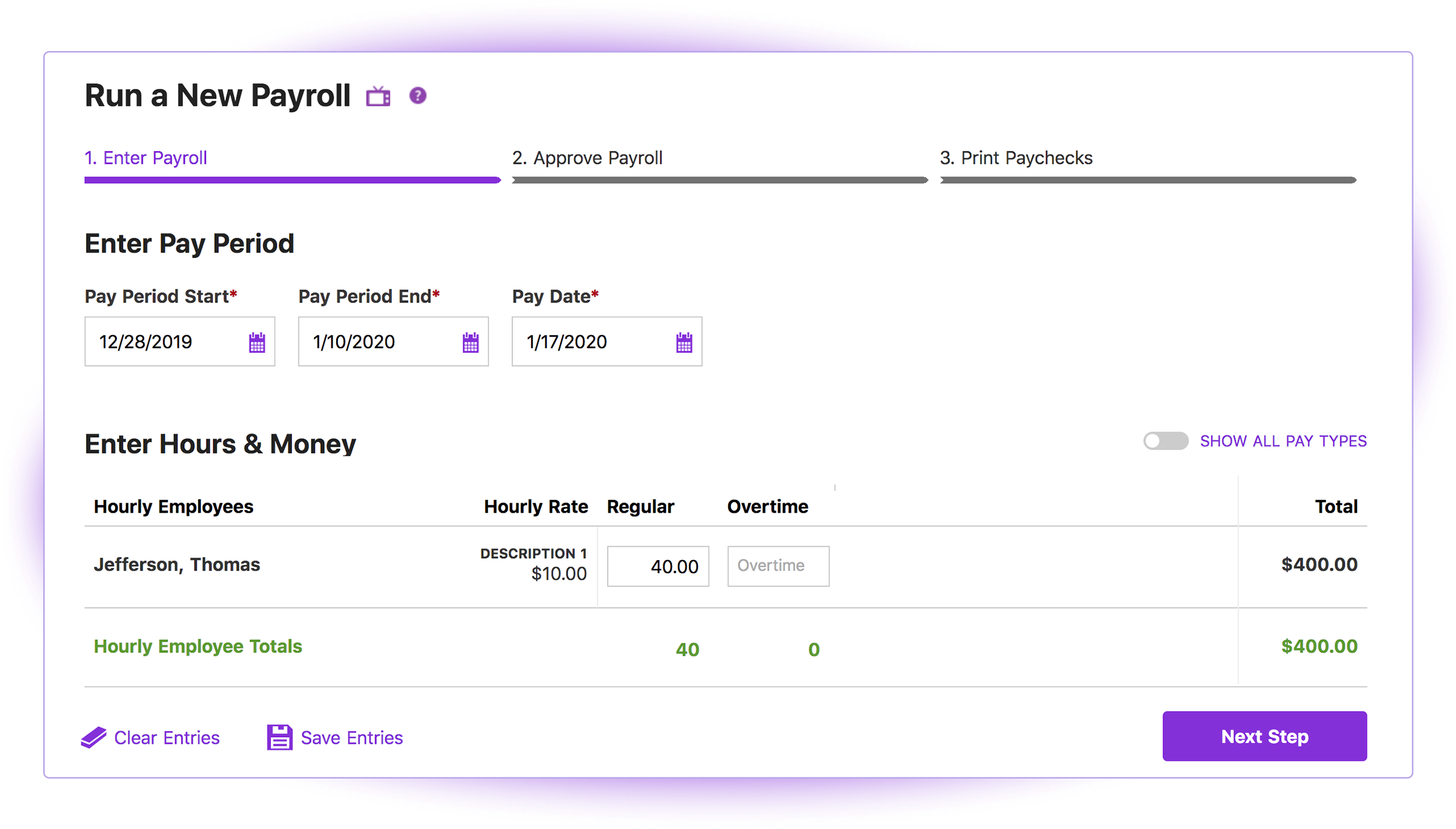
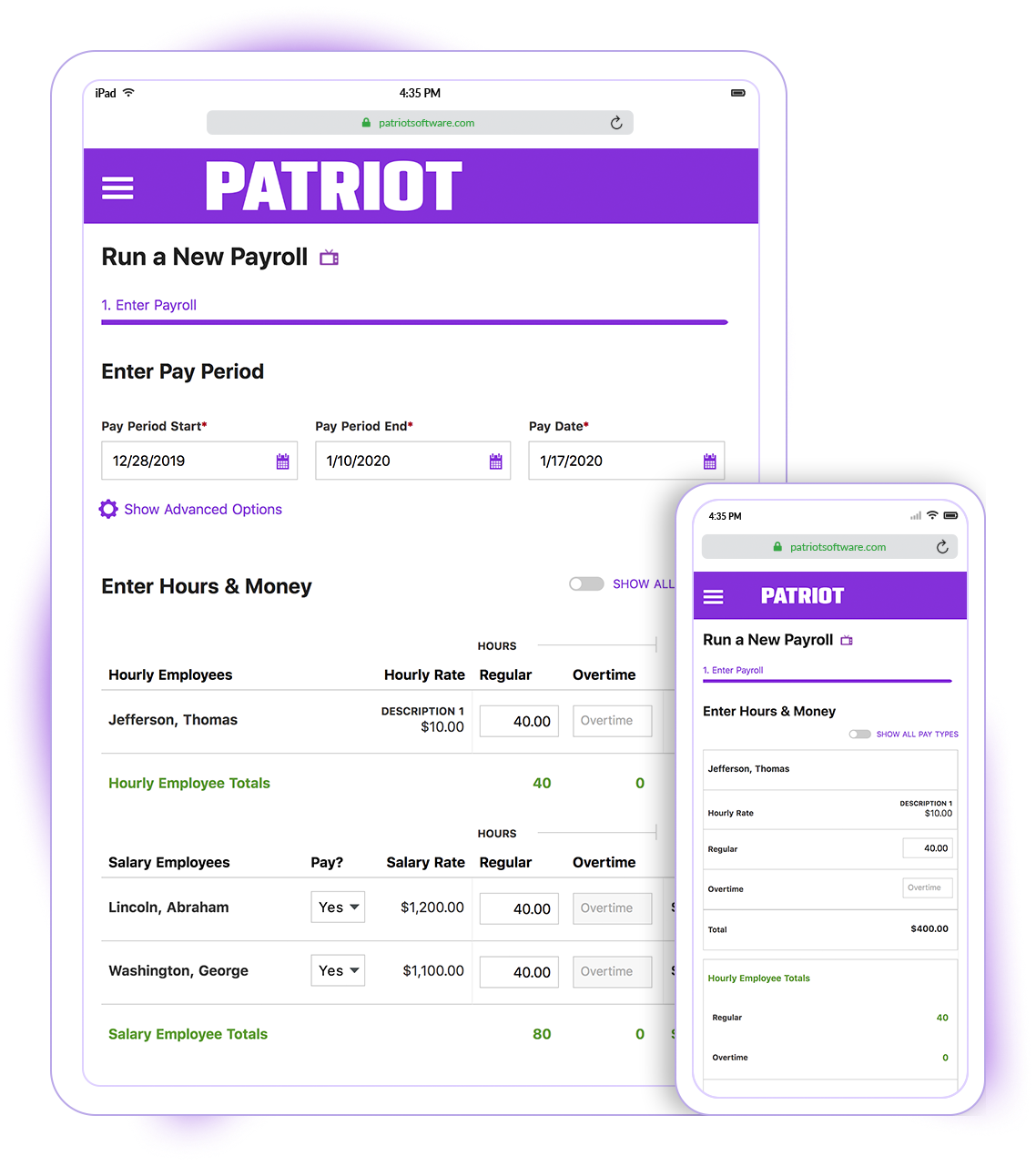
Patriot Software has two payroll options to choose from: Basic Payroll, and Full Service payroll software. Both start with a simple three-step payroll process. With the Full Service Payroll, Patriot will collect, deposit, and file federal, state, and local payroll taxes on the customer's behalf; end-of-the-year payroll tax filing is included at no extra charge.
Print W2s on 8 x 1/2 x 11 plain white office paper to hand to employees, or post to the free employee portal. Also, Patriot Software offers free direct deposit.
—
More Pricing Information
Community Pulse
Patriot Payroll
QuickBooks Desktop Premier
Features
Patriot Payroll
QuickBooks Desktop Premier
Payroll Management
Comparison of Payroll Management features of Product A and Product B
Patriot Payroll
8.3
Ratings
1% above category average
QuickBooks Desktop Premier
9.0
Ratings
15% above category average
Pay calculation
9.50 Ratings
7.00 Ratings
Support for external payroll vendors
10.00 Ratings
00 Ratings
Off-cycle/On-Demand payment
8.70 Ratings
00 Ratings
Benefit plan administration
6.00 Ratings
10.00 Ratings
Direct deposit files
9.20 Ratings
8.00 Ratings
Salary revision and increment management
8.20 Ratings
9.90 Ratings
Reimbursement management
6.30 Ratings
10.00 Ratings
Customization
Comparison of Customization features of Product A and Product B
Patriot Payroll
-
Ratings
QuickBooks Desktop Premier
1.3
Ratings
142% below category average
API for custom integration
00 Ratings
1.30 Ratings
Plug-ins
00 Ratings
1.30 Ratings
Security
Comparison of Security features of Product A and Product B
Patriot Payroll
-
Ratings
QuickBooks Desktop Premier
10.0
Ratings
18% above category average
Single sign-on capability
00 Ratings
10.00 Ratings
Role-based user permissions
00 Ratings
10.00 Ratings
Reporting & Analytics
Comparison of Reporting & Analytics features of Product A and Product B
Patriot Payroll
-
Ratings
QuickBooks Desktop Premier
8.2
Ratings
4% above category average
Dashboards
00 Ratings
9.00 Ratings
Standard reports
00 Ratings
9.00 Ratings
Custom reports
00 Ratings
6.50 Ratings
General Ledger and Configurable Accounting
Comparison of General Ledger and Configurable Accounting features of Product A and Product B
Patriot Payroll
-
Ratings
QuickBooks Desktop Premier
8.3
Ratings
7% above category average
Accounts payable
00 Ratings
10.00 Ratings
Accounts receivable
00 Ratings
10.00 Ratings
Cash management
00 Ratings
10.00 Ratings
Bank reconciliation
00 Ratings
10.00 Ratings
Expense management
00 Ratings
10.00 Ratings
Time tracking
00 Ratings
5.00 Ratings
Fixed asset management
00 Ratings
5.00 Ratings
Multi-currency support
00 Ratings
9.00 Ratings
Multi-division support
00 Ratings
7.00 Ratings
Regulations compliance
00 Ratings
1.80 Ratings
Electronic tax filing
00 Ratings
10.00 Ratings
Self-service portal
00 Ratings
5.00 Ratings
Global Financial Support
00 Ratings
5.00 Ratings
Primary and Secondary Ledgers
00 Ratings
7.00 Ratings
Intercompany Accounting
00 Ratings
10.00 Ratings
Localizations
00 Ratings
10.00 Ratings
Journals and Reconciliations
00 Ratings
10.00 Ratings
Enterprise Accounting
00 Ratings
10.00 Ratings
Configurable Accounting
00 Ratings
10.00 Ratings
Centralized Rules Framework
00 Ratings
10.00 Ratings
Standardized Processes
00 Ratings
10.00 Ratings
Inventory Management
Comparison of Inventory Management features of Product A and Product B
Patriot Payroll
-
Ratings
QuickBooks Desktop Premier
2.9
Ratings
87% below category average
Inventory tracking
00 Ratings
1.70 Ratings
Automatic reordering
00 Ratings
1.00 Ratings
Location management
00 Ratings
8.00 Ratings
Manufacturing module
00 Ratings
1.00 Ratings
Order Management
Comparison of Order Management features of Product A and Product B
Patriot is well suited for an office with a small staff without complicated tax issues to manage. My office had 2 employees: one full-time and one part-time. There were no 1099's issued, and no special tax exemptions or other special tax situations for employees. The owner was a sole proprietor, so she was not paid as an employee through Patriot. It was easy to quickly run simple payroll tasks on a bi-weekly basis in my situation. However, I believe a more complex situation with more employees would still be suitable for this software if there was an employee dedicated to performing payroll and human resources tasks. Information must be manually entered each payroll period and submitted before 8pm to process at the scheduled pay date, so if there was not a dedicated employee for the task, it would be easy to end up paying employees a business-day late. I know that Patriot offers add-on services for human resource tasks, such as time sheets and tools to manage sick days, benefits, and record employee attendance. I did not require these extra services, but I like that Patriot offers services a la carte so that there is no need to pay for tools you do not need
QuickBooks Desktop is an easy-to-use software with good services. Their invoicing, employment, and vendor sections are all wonderful. These sections allow efficient tracking and instant business summaries and reporting. However, the pricing for additional services and upgrades and lack of good customer service makes it a less attractive software for small businesses.
Patriot's software is very easy to use for running payroll. It takes about 30 seconds to do.
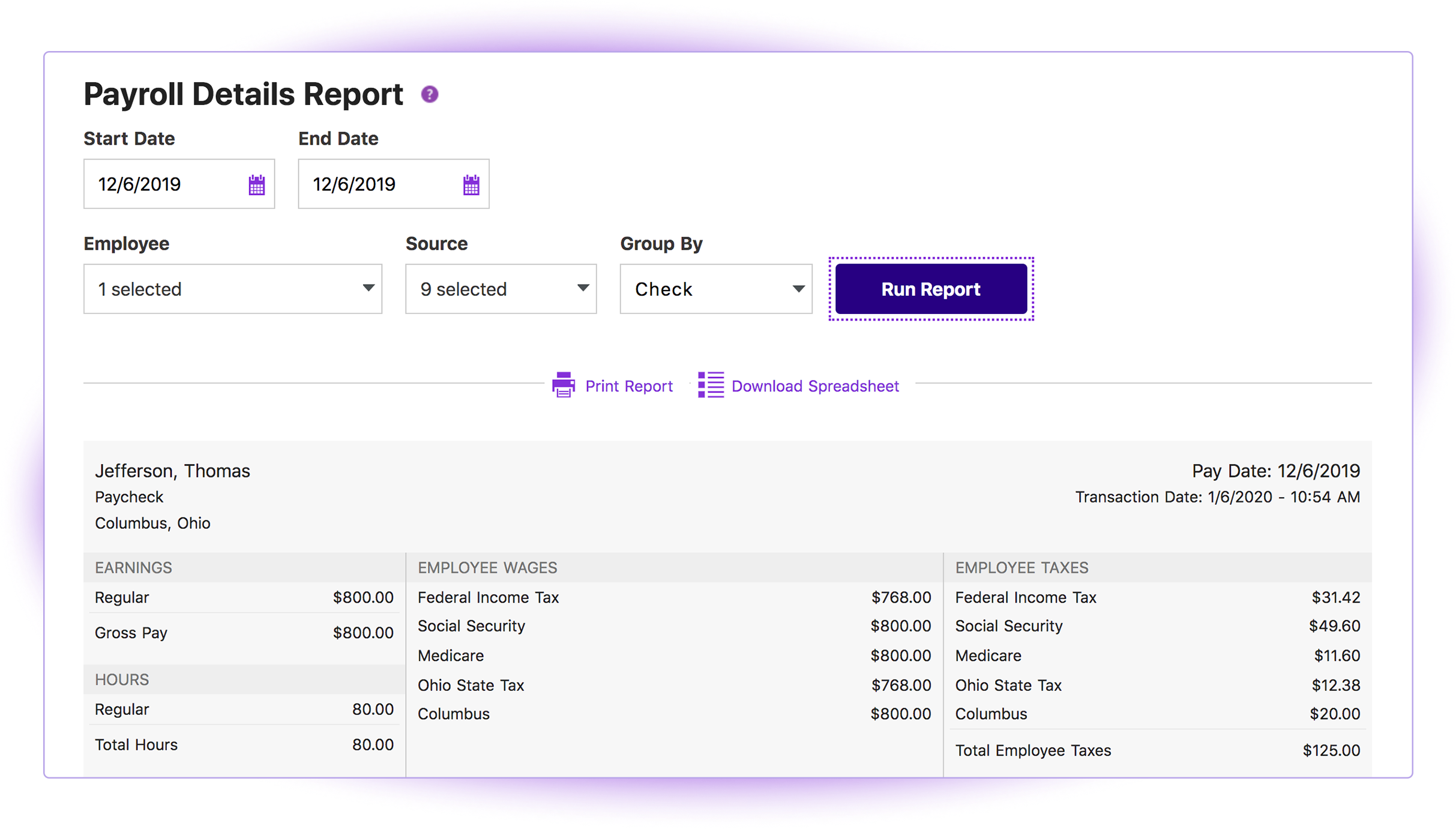
The payroll reports are abundant, easy to find and print, and make my accounting very easy.
Having a full service payroll provider as easy to use as Patriot leaves me with more availability to focus on treating patients and running other aspects of my business.
The third party direct deposit processor Patriot previously used was not particularly easy to work with...but Patriot just brought all direct deposit processing in house.
Clergy housing allowance has to be manually entered each payday. They tell me they're close to adding the capability of making it (and other similar pay types) as a recurring item.
The setup process is geared toward novice users who need to be hand-held through the process. That's great for those who need it but a more streamlined, no-frills process payroll pros would be welcome.
I would like to be able to choose how i want to view accounts receivable aging. I would like some flexibility to sort and choose how to present the data.
For a seasoned accountant, I would like to see some of the restrictive controls that are in place for novices to be able to be relaxed so that I can easily make some entries and adjust some balances that ordinarily a regular user would not be able to do.
I would like to see an easy way to clear old outstanding checks that need to be reversed without affecting prior balances/history.
Because we have been extremely happy with the product and our organization tends to be creatures of habit. We rarely leave a product that works this well for the latest and greatest. Typically we follow the "if it's not broken, don't fix it rule". While QB does make changes we typically just roll with it. If we do find something we don't like we work through it until we fully understand its functionality.
I think it is great once things are setup as for general user looking to look for simple things like a copy of a paystub or a current pay rate for an employee. However, to find specialized things like a state withholding number or payroll integration settings those do require a bit more digging to find or possibly a call to customer service for help.
We switched to a more "robust" software program with the hiring of a new CFO. The migration of historical data and ancillary information has been cumbersome and riddle with errors and issues. In hindsight much of what the new software program was touted to accomplish is not come to fruition. QB Desktop Premier was sufficient for the organization needs
Generally speaking it is pretty good that when I need to call somebody up for a payroll question I can generally within five minutes get somebody on the phone and they can help me resolve the problem or specify where specifically I need to go or contact to find my answers. However, that being said, for my specific situation as a partner my assigned contact has not always been very responsive.
This is where QuickBooks falls short. Many times my staff has had questions that have not been able to get resolved easily with a chat or call. I personally have had more general questions that have not been answered easily as well. I think QuickBooks needs to provide the resources of having readily accessible help in order to make it simpler to get solutions.
It is important to do your research. There are tutorial videos online that could help new user of this accounting system. These tutorials are straightforward and easily understandable.
Cost is the major factor here, but the ease of use (and design of the interface) is a big advantage for Patriot PAY. Items are (ironically) more "intuitive" to find and manage in Patriot PAY than Intuit.
Patriot PAY is closer to ADP/Gusto/Paychex in how it looks and feels and operates in a full-service capacity, but it is much more affordable.
We've used QuickBooks Desktop Premier for many, many years. We've not reviewed any other accounting products internally - but have a handful of the customers that use Cyma (mentioned above). While I've never had occasion to functionally use Cyma, I have had to install and troubleshoot problems with it. Put simply... not impressed. I found installation a bit confusing, and once started up, I wasn't able to easily find anything I would have wanted to find - where conversely, QuickBooks Desktop Premier excels on both of these fronts.
Patriot allows the entire team to be on the same page when it comes to a campaign or donor. All of the information is in one place to see how much a donor gave or communication with that donor by a specific team member.
It provides comparative historic data and donor analysis. The organization of donations by appeal allows teams to know which campaigns were successful in previous years.
Most of our business clients use QuickBooks which makes it efficient for us to work on clients that use the program. We can import QuickBooks data into our software which adds efficiencies to our tax practice.
Having staff that are familiar with the software enables our firm to provide quality service to the clients that use QuickBooks.
We receive referrals from satisfied QuickBooks clients.