TrustRadius: an HG Insights company

Save this comparison

Save this comparison

Add Product

Recommended Comparisons

    Overview
    ProductRatingMost Used ByProduct SummaryStarting Price

    Bitwarden

    Score9.4 out of 10
    N/ABitwarden headquartered in Santa Barbara offers open source password management solutions for individuals, teams, and business organizations.

    $48

    per year per user

    Passwork

    N/AN/AA self-hosted password manager for businesses. Passwork supports teamwork by keeping corporate passwords in a safe environment where employees can quickly access their passwords, while the rights and actions are closely supervised and managed by local system administrators. All data is encrypted using the AES-256 algorithm while being securely stored on an on-premise server and managed solely by system administrators. Passwork runs on PHP and…

    $480

    one-time fee Flat Rate

    Pricing
    BitwardenPasswork
    Editions & Modules
    Teams
    $4
    per month (billed annually) per user
    Enterprise
    $6
    per month (billed annually) per user
    Standard license type for 50 users
    1 560
    one-time fee Flat Rate
    Advanced license type for 25 users
    1 380
    one-time fee Flat Rate
    Standard license type for 100 users
    2 880
    one-time fee Flat Rate
    Advanced license type for 50 users
    2 520
    one-time fee Flat Rate
    Advanced license type for 100 users
    4 560
    one-time fee Flat Rate
    Standard license type for 10 users
    $480
    one-time fee Flat Rate
    Standard license type for 25 users
    $840
    one-time fee Flat Rate
    Standard license type for more than 100 users
    On request
    one-time fee Flat Rate
    Advanced license type for more than 100 users
    On request
    one-time fee Flat Rate
    Offerings
    Pricing Offerings
    BitwardenPasswork
    Free Trial
    YesYes
    Free/Freemium Version
    YesNo
    Premium Consulting/Integration Services
    YesYes
    Entry-level Setup FeeNo setup feeNo setup fee
    Additional Details—The payment for the software is a one-time fee, which also includes a one-year subscription to updates and technical support. You can extend your subscription or increase the number of users for a fee.
    More Pricing Information
    Community Pulse
    BitwardenPasswork
    Considered Both Products
    Bitwarden
    No answer on this topic
    Passwork
    No answer on this topic
    Key User Insights
    Would buy again
    100%
    Would buy again
    8 Answers
    No answers on this topic
    Delivers good value for the price
    100%
    Delivers good value for the price
    8 Answers
    No answers on this topic
    Happy with the feature set
    100%
    Happy with the feature set
    8 Answers
    No answers on this topic
    Lived up to sales and marketing promises
    100%
    Lived up to sales and marketing promises
    5 Answers
    No answers on this topic
    Implementation went as expected
    100%
    Implementation went as expected
    8 Answers
    No answers on this topic
    Best Alternatives
    BitwardenPasswork
    Small Businesses
    RoboForm
    Score9.9 out of 10
    RoboForm
    Score9.9 out of 10
    Medium-sized Companies
    1Password
    Score9.5 out of 10
    1Password
    Score9.5 out of 10
    Enterprises
    KeePass
    Score8.8 out of 10
    KeePass
    Score8.8 out of 10
    All AlternativesView all alternativesView all alternatives
    User Ratings
    BitwardenPasswork
    Likelihood to Recommend
    9.7
    (7 ratings)
    -
    (0 ratings)
    Usability
    9.7
    (3 ratings)
    -
    (0 ratings)
    User Testimonials
    BitwardenPasswork
    Likelihood to Recommend
    Bitwarden
    Bitwarden supports various forms of two-factor authentication, including time-based one-time passwords (TOTP), Duo, YubiKey, and other hardware-based tokens. This integration enhances the security of the Bitwarden account and allows to store and manage their 2FA credentials for other applications within Bitwarden itself.
    Incentivized
    Read full review
    Passwork
    No answers on this topic
    Pros
    Bitwarden
    • Their Browser extension seamlessly integrates into your workflow
    • Collections keep information very organized within your Vault
    • Vault Health Reports help identify weak or reused passwords
    • Their built-in password generator is quick and easy to use
    • UI is very user-friendly
    • Video tutorial's are very helpful on their website
    Read full review
    Passwork
    No answers on this topic
    Cons
    Bitwarden
    • Bitwarden has great functionality all around, however, I would in the future like to see this product as an SSO/IDM distributor.
    Incentivized
    Read full review
    Passwork
    No answers on this topic
    Usability
    Bitwarden
    Easy to use, just missing a few quality of life features. Nothing to suggest it's not awesome as it is, just bells and whistles to make it more convenient.
    Incentivized
    Read full review
    Passwork
    No answers on this topic
    Alternatives Considered
    Bitwarden
    Other solutions felt more clunky or were significantly higher priced. Bitwarden seems to straddle the consumer/prosumer/SMB fence more than adequately by designing their user experience to feel welcoming but also trustworthy and reliable. The other tools seem to assume that users are ok with struggling in their onboarding process.
    Read full review
    Passwork
    No answers on this topic
    Return on Investment
    Bitwarden
    • Gives employer the piece of mind knowing that passwords are safely stored in one place
    • If an employee leaves, you don't have to go searching for passwords, they should all be in one place in Bitwarden.
    Incentivized
    Read full review
    Passwork
    No answers on this topic
    ScreenShots

    Bitwarden Screenshots

    Screenshot of the Bitwarden Vault, where users can generate, autofill, and share unlimited credentials and other sensitive data from any browser, mobile device, or desktop application.Screenshot of the Bitwarden browser extension that protects passwords and digital secrets in a vault, auto-fills them, and generates new passwords that are fully encrypted end-to-end (even the Bitwarden team can’t access them).Screenshot of Bitwarden's password generator, used to generate strong and unique passwords, including usernames. It also integrates with email alias services for additional security. Using the strong generator tool keeps personal info like anniversaries and pet names out of your passwords, out of the dark web, and out of hackers’ hands.Screenshot of Bitwarden Send, a feature that lets users quickly share encrypted files and text with another individual via a private link. It can also be used to automatically share vault items using collections in a Bitwarden organization.Screenshot of Bitwarden's sync feature, that syncs passwords and other sensitive data (like identities, addresses, and credit cards) across devices, including mobile devices.Screenshot of where Bitwarden can auto-fill login information into websites. Autofill can be used across browsers, mobile apps (Android and iOS), and other places using associated URIs.

    Passwork Screenshots

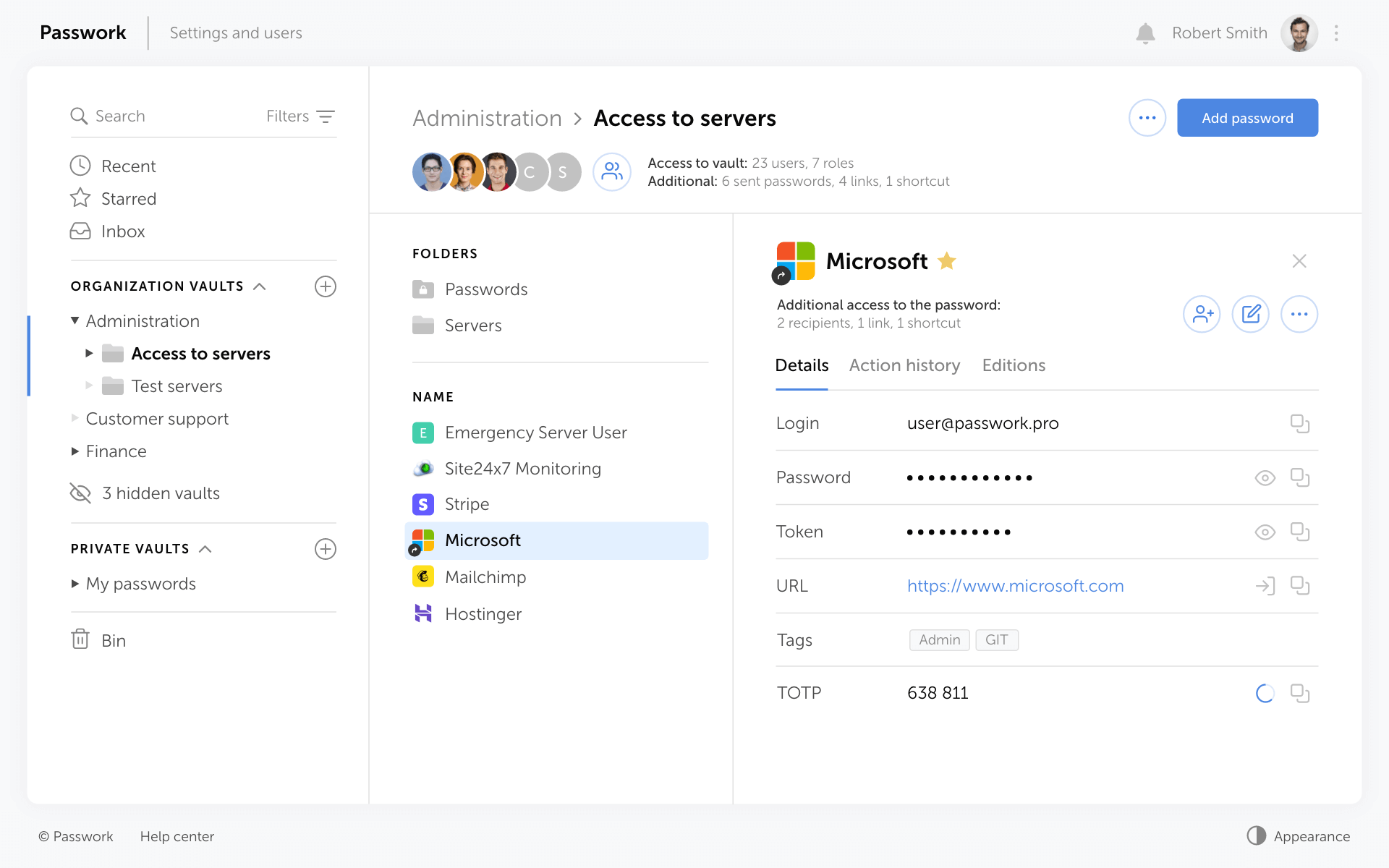
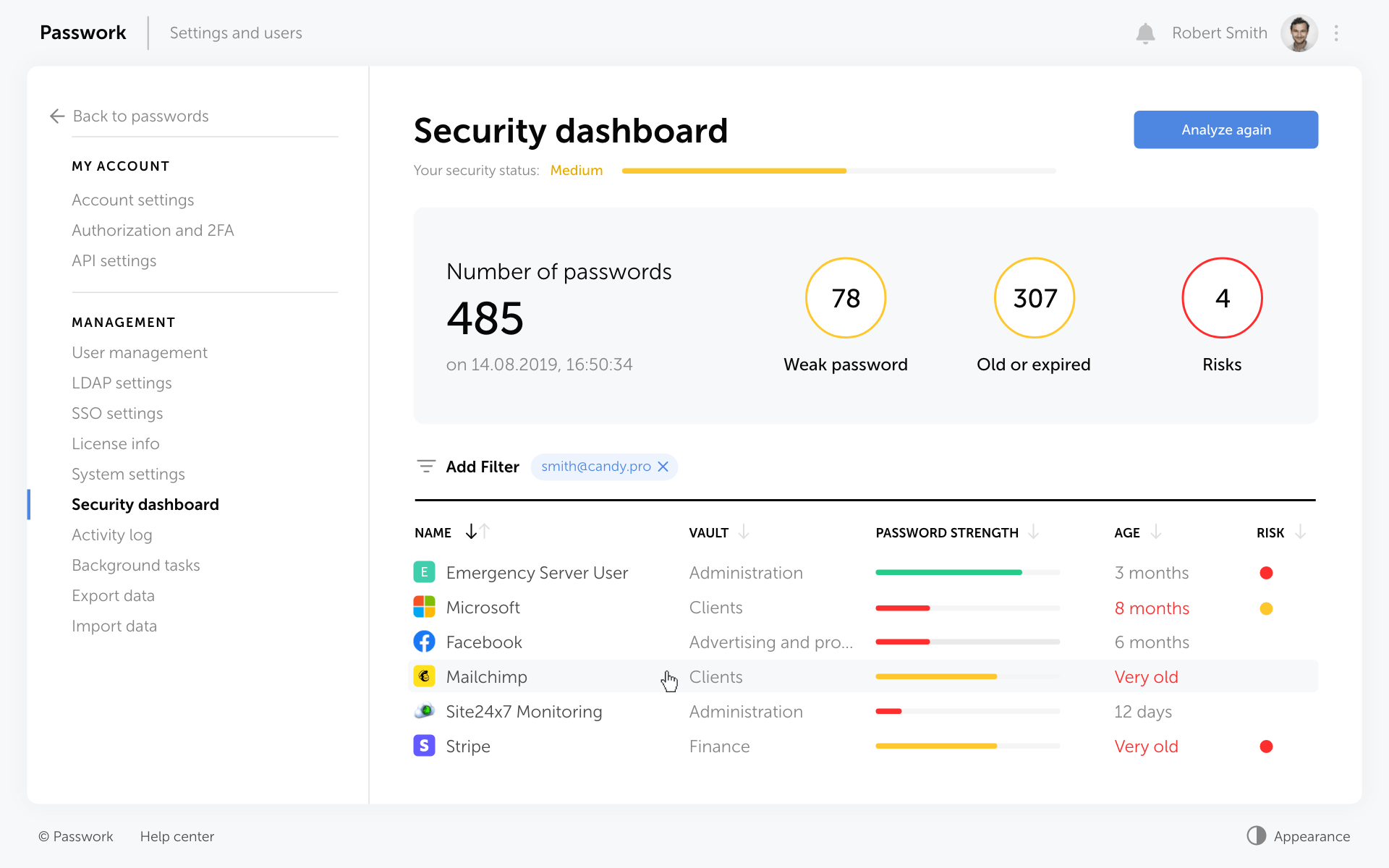
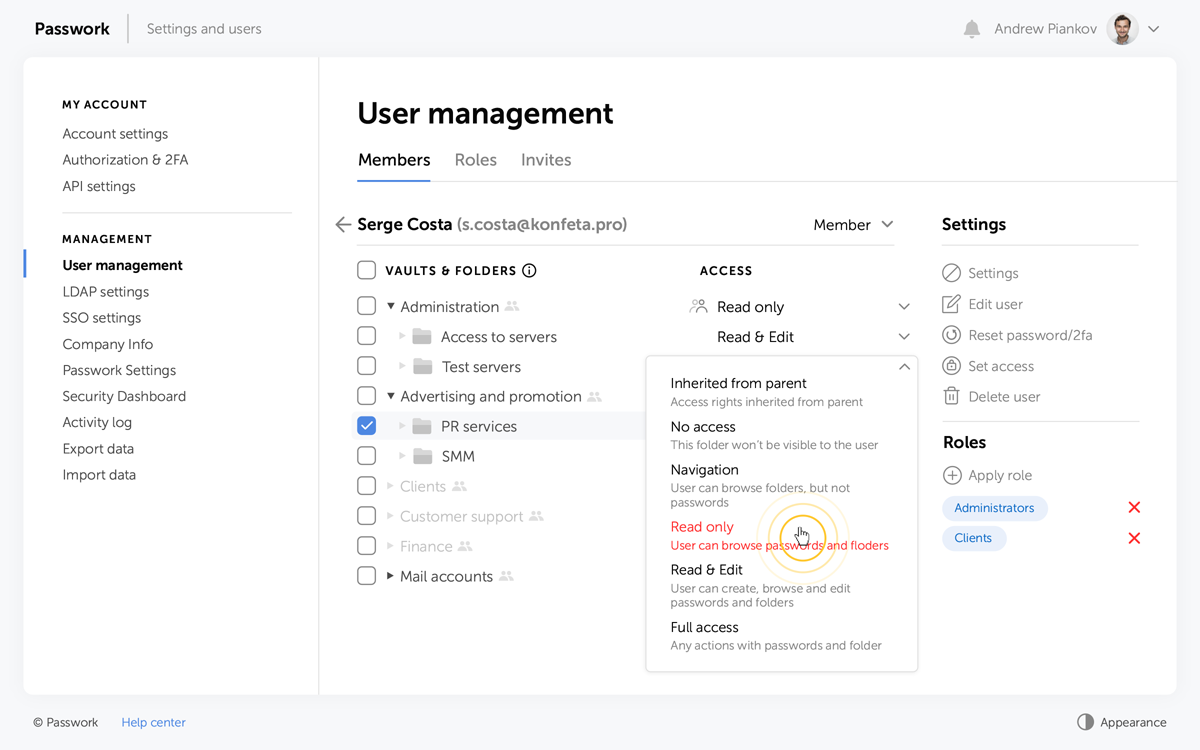
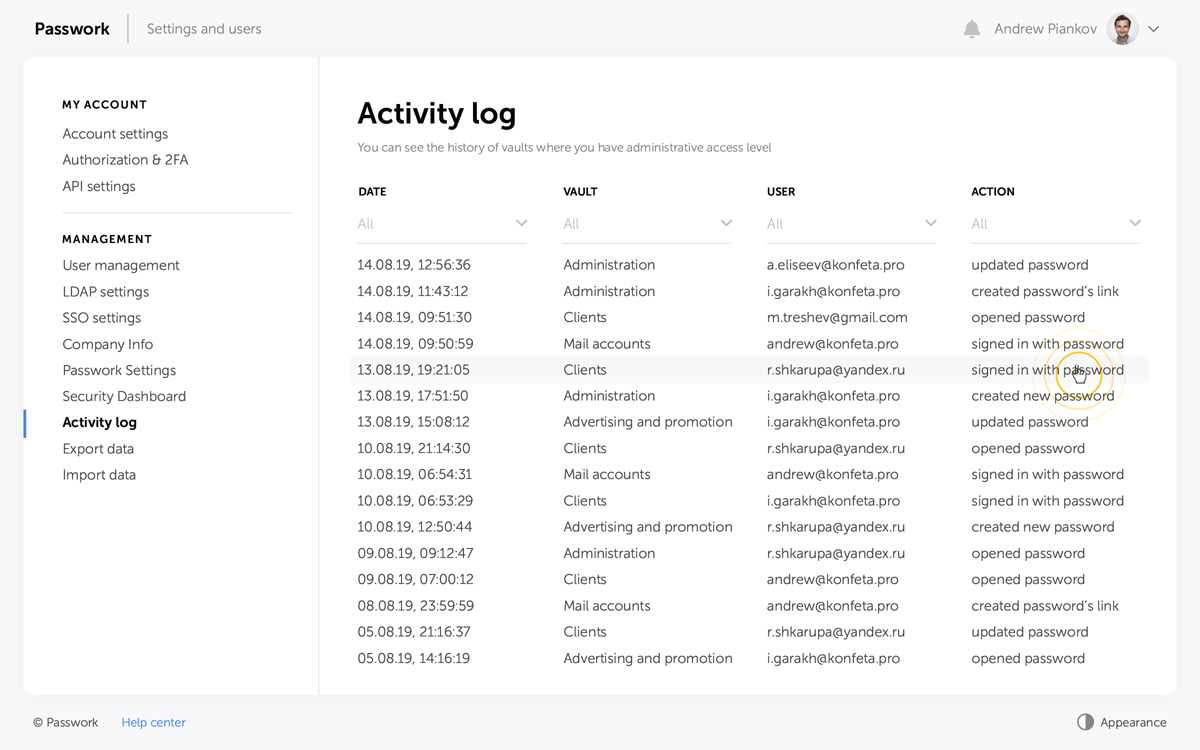
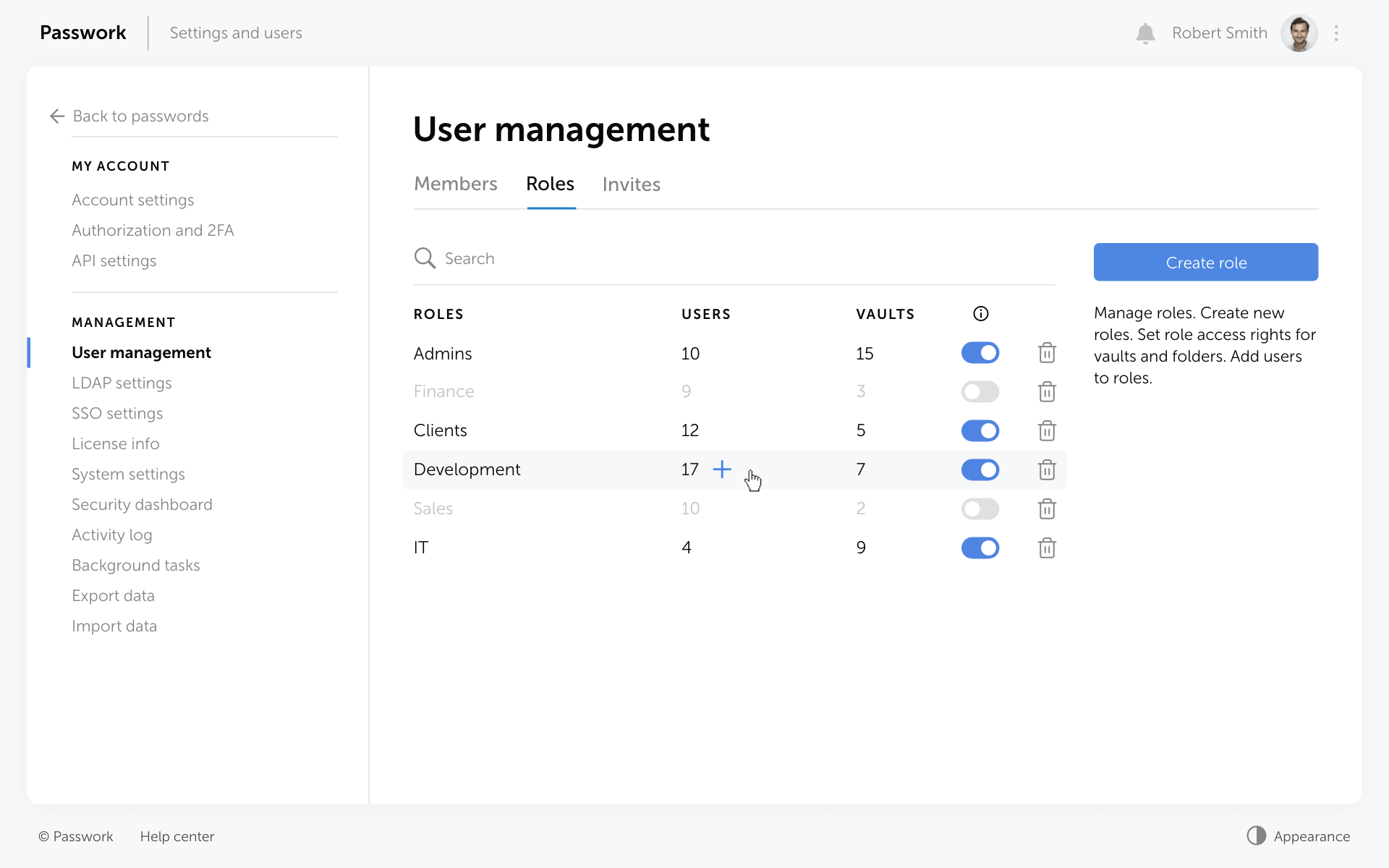
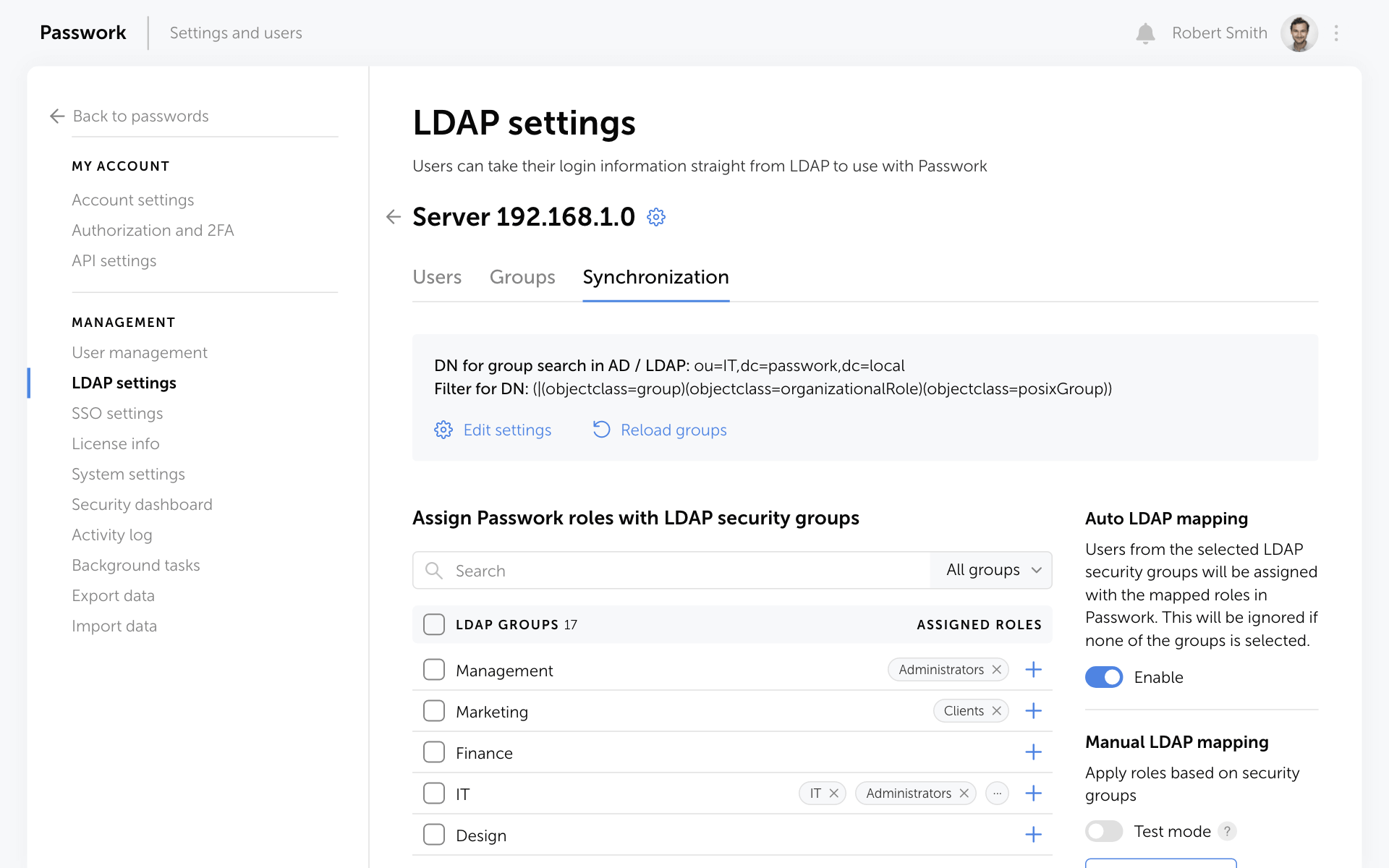
    Screenshot of Passwork structured password storageScreenshot of Passwork security dashboard, which helps eliminate unsecured, old, weak, or compromised passwordsScreenshot of the custom permissions available for vaults and foldersScreenshot of activity tracking, and the interface to switch back to old passwords if necessaryScreenshot of role-based access controlScreenshot of the integration with AD, Azure AD and LDAP