The OutSystems Platform is a Platform-as-a-Service solution for rapid delivery of responsive web and mobile applications. It includes functionalities required to develop, deploy, manage and change web and mobile applications. It is targeted at the delivery of enterprise applications that require integration with backend systems, complex business rules and logic, usable interfaces and flexibility to change. It can be deployed in the cloud, on-premises or in hybrid environments.
$4,000
per month
Progress Telerik
Score10 out of 10
N/A
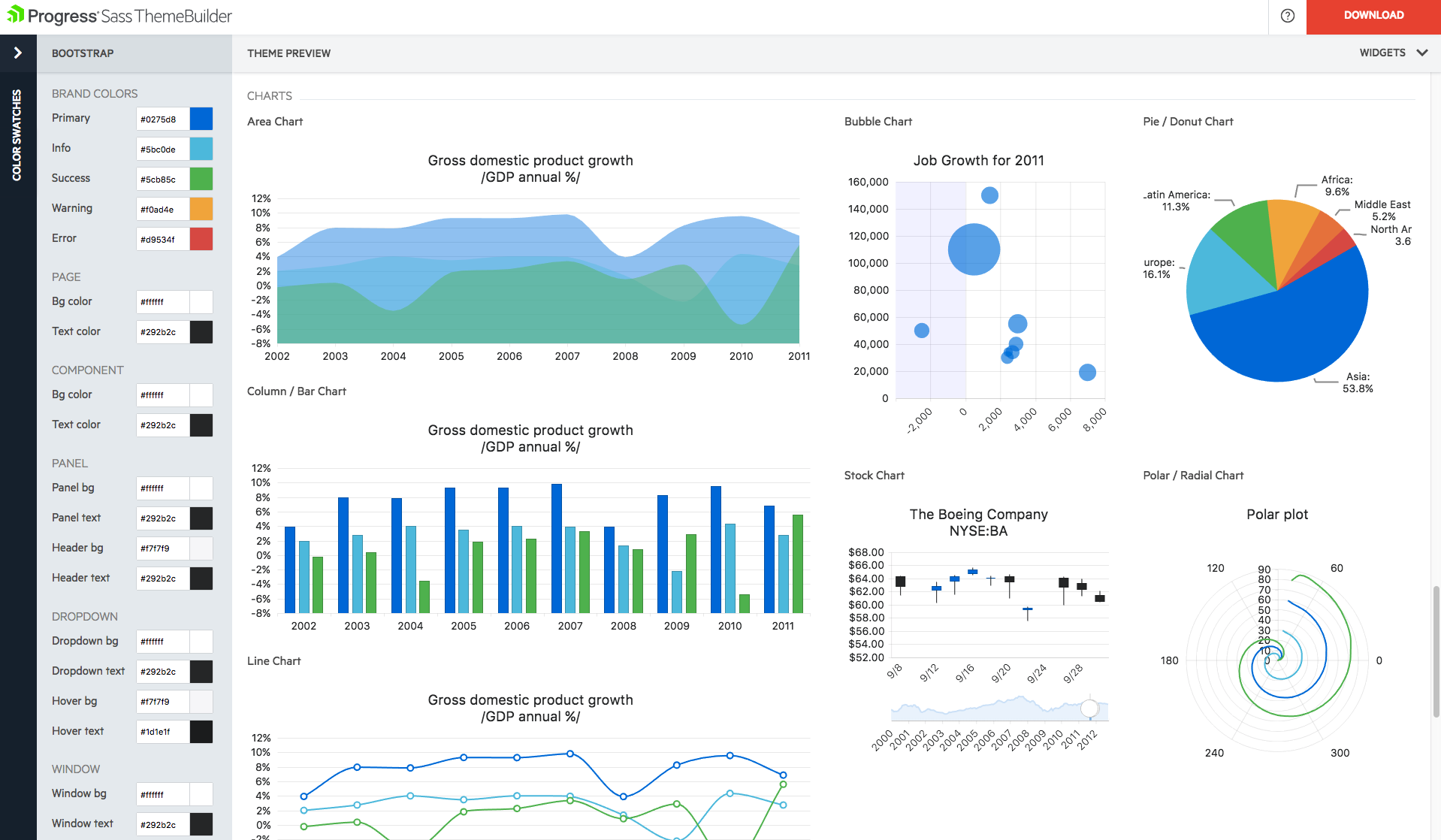
With Telerik UI libraries, Progress aims to equip .NET ninjas with a full arsenal of weapons, helping to create beautiful, modern and future-proof applications quickly and intuitively. The vendor states that with its over 1,250 UI components for all .NET platforms, as well as various themes, skins and customization options, Telerik users report cutting development time by up to 50 percent. Web
Well suited for internal exposure of business processes (invoicing, API layer to other systems, customer maintenance etc), whether a UI is required or not. Not so well suited for full fledged web design. An OutSystems application must serve one particular business need, if gets too much functionalities and responsibilities it tends to get chaotic and complex.
A de minimis incentive was given to thank the reviewer for their time. The incentive was not used to bias or drive a particular response, nor was the incentive contingent on a positive endorsement. More Info
We have used the Telerik UI controls for our Admin user experience. We found that this lead to consistent user experience, with feature rich functions already provided. Effectively this meant that hour for hour, using the Telerik UI improved productivity in creating screens with more functions than using the default controls in ASP.NET. At this point most of our focus with the Telerik controls is User Interface oriented.
A de minimis incentive was given to thank the reviewer for their time. The incentive was not used to bias or drive a particular response, nor was the incentive contingent on a positive endorsement. More Info
A de minimis incentive was given to thank the reviewer for their time. The incentive was not used to bias or drive a particular response, nor was the incentive contingent on a positive endorsement. More Info
Price – The licensing model of OutSystems is very expensive and not suitable for small scale developments. This is offset by the time to develop and stability for larger scale developments
Flexibility on PaaS version – The PaaS hosted version of OutSystems limits your flexibility to access the front end and backend database systems which can significantly restrict your options on high data volume developments or where anything requiring slightly out of the ordinary access is required
Same price for PaaS and self-hosted system. Licensing model dictates that you pay the same price even when you host the system on your own hardware which effectively means you pay more to manage the infrastructure yourself
A de minimis incentive was given to thank the reviewer for their time. The incentive was not used to bias or drive a particular response, nor was the incentive contingent on a positive endorsement. More Info
A de minimis incentive was given to thank the reviewer for their time. The incentive was not used to bias or drive a particular response, nor was the incentive contingent on a positive endorsement. More Info
We are very happy with OutSystems and our developers deliver good work. OutSystems lets us build new software on a regulare (2 weekly) basis, which is highly flexible and adjustable. Even without very much experience, our developers manage to build usefull software, which is working a lot better than our previous (legacy) software.
The Telerik UI has become part of our staple development tools. We can not be as productive without the feature set available to us in the Telerik UI ASP.NET AJAX control package.
OutSystems has a feature in which we can develop a functionality in a application and can use that functionality in another application without developing it again. That is main plus point for the development team so they can work with different functionalities rather focusing on the same thing again and again. if we want to make any change on the user side then we can make it live with just the deployment using the service center.
A de minimis incentive was given to thank the reviewer for their time. The incentive was not used to bias or drive a particular response, nor was the incentive contingent on a positive endorsement. More Info
Progress Telerik UI is very usable and one of the best tools to use by the front-end development engineers in our team. It has helped us to improve the overall design of our existing and new applications. Also, the time to build applications has also been reduced effectively and we are able to focus on other areas of improvement to deliver a better user experience for our customers.
A de minimis incentive was given to thank the reviewer for their time. The incentive was not used to bias or drive a particular response, nor was the incentive contingent on a positive endorsement. More Info
The tech support is very reachable. Usually by [email] from but also by phone if needed. We had some difficulties at the start with understanding "what our machine was doing" under high performance load. After some good sessions understanding our needs they delivered good solutions for our problems we had in the beginning.
Telerik UI support is what you are paying for. If something does not work you ask them for an example of how to solve your use case. The SEO on their sites is awesome and so well bedded into Google. The videos are good, [they're] not used much but their examples and DoJo examples make all the difference.
The online training material is well designed and explanations are step by step, helping trainees to understand and follow each exercise and new concept.
In a large company, patiently and consistently work the behind the scenes politics with business and IT partners across the firm. This is transformational - you will need a solid set of key business partners to lock arms together to move forward.
A de minimis incentive was given to thank the reviewer for their time. The incentive was not used to bias or drive a particular response, nor was the incentive contingent on a positive endorsement. More Info
A de minimis incentive was given to thank the reviewer for their time. The incentive was not used to bias or drive a particular response, nor was the incentive contingent on a positive endorsement. More Info
I tried to use WordPress with some success. Also looked at Joomla. But when I saw OutSystems I knew I had been wasting my time there. It takes you longer to get going with OutSystems - but even I as a novice realized immediately that Outsystems is simply in another league. Outsystems is powerful. (Can you compare WordPress and Joomla to Outsystems - I don't think so).
Progress Telerik UI provides a large amount of language support, demos, and documentation. While the competition is still great in their own right, Progress Telerik UI has provided enough resources to cover a number of current and future projects without having to expand to other libraries.
A de minimis incentive was given to thank the reviewer for their time. The incentive was not used to bias or drive a particular response, nor was the incentive contingent on a positive endorsement. More Info
The ease of use of the OutSystems development process has been the biggest ROI for us. We have developed our Framework product and maintained/enhanced it with only 4 workers.
OutSystems has enhanced their product very significantly over the last 4 years. They have gone from a simple to use tool to a very simple to use sophisticated tool that covers the standard mainframe-based computing apps and the apps used on handheld mobile devices all using the same basic set of development tools.
A de minimis incentive was given to thank the reviewer for their time. The incentive was not used to bias or drive a particular response, nor was the incentive contingent on a positive endorsement. More Info
A de minimis incentive was given to thank the reviewer for their time. The incentive was not used to bias or drive a particular response, nor was the incentive contingent on a positive endorsement. More Info