Out'n About! For Outlook vs. Time Doctor

Overview
ProductRatingMost Used ByProduct SummaryStarting Price
Out'n About! For Outlook
Score 7.3 out of 10
Mid-Size Companies (51-1,000 employees)
Out’n About! for Outlook is a time tracking solution that is designed to replace an in/out status board. The vendor says their solution makes it easy for businesses to manage their workforce availability and timesheets. This solution enables businesses to use their existing Outlook environment, and employees can easily track their work hours. This solution is customizable and businesses can control what information is seen on the status board.  Custom reports are…
$349
per server
Time Doctor
Score 8.8 out of 10
N/A
Time Doctor offers in-depth productivity analytics, giving business owners insight on how to improve performance and scale. Going beyond tracking and monitoring, Time Doctor’s suite of tools put data-driven improvement front and center, helping to ensure that teams of all sizes are actively working on the right things while also offering actionable insights to maximize performance and efficiency. Time Doctor tracks the collective hours a team puts in. But it also provides a…
$7
per month per user
Pricing
Out'n About! For OutlookTime Doctor
Editions & Modules
Out'n About! For Outlook
$349
per server
Basic
$7
per month per user
Basic
$7
per month per user
Standard
$14
per month
Standard
$14
per month per user
Premium
$20
per month
Premium
$20
per month per user
Offerings
Pricing Offerings
Out'n About! For OutlookTime Doctor
Free Trial
YesYes
Free/Freemium Version
YesNo
Premium Consulting/Integration Services
NoNo
Entry-level Setup FeeNo setup fee$9.99 per user
Additional DetailsFree upgrades and free support. You can connect an unlimited number of clients to a single purchased server. No per-user fees.
More Pricing Information
Community Pulse
Out'n About! For OutlookTime Doctor
User Ratings
Out'n About! For OutlookTime Doctor
Likelihood to Recommend
8.0
(0 ratings)
8.0
(0 ratings)
Likelihood to Renew
-
(0 ratings)
10.0
(0 ratings)
Usability
-
(0 ratings)
10.0
(0 ratings)
Support Rating
-
(0 ratings)
5.0
(0 ratings)
Implementation Rating
-
(0 ratings)
10.0
(0 ratings)
User Testimonials
Out'n About! For OutlookTime Doctor
Likelihood to Recommend
1,- If the organization have 365 I recomended the integration with Out'n About 2.- If your organization does not have 365 I not recomended the solution because the integration is not easy 3.- In Europe there are many legal requirements to comply with the GDPR with employees and the sharing of information. Express authorizations and many requirements, and one emplyee can say not to the authorization. 4.- Need best performance in big organizations 5.- Not work in MAC properly
Read full review
Time Doctor is great if you need to time how long you spend on different projects throughout the day. I am editing multiple books at once and I need to keep track of how long I spend on each one. It is not worth it if you don't need to keep track of how long you spend on a large project. I find it too cumbersome to time individual tasks and not useful enough to time just one project.
Read full review
Pros
  • Outlook Contact Synchronization automatically
  • Time sheet informs for the remote workers
  • Sensing presence for remote workers and local employeers
Read full review
  • One click to choose projects and tasks you've already created so that you can quickly choose what you're working on and basically set it and forget it.
  • Automatic screenshots so that I can always reference back to what I was working on.
  • The reports! There are reports for every project and time use. Helps me see exactly where my time is going and how I can better maximize it.
Read full review
Cons
  • Panel department it is not easy to implement
  • 365 compatibility need to improvement
  • Remote mobile commands many times not working
Read full review
  • When checking/viewing Web and App Usage, I wish there's an option on this page to update or change the app's rating without going to settings page. It will be a lot easier for us to update the ratings on the Web and App Usage.
Read full review
Likelihood to Renew
No answers on this topic
This is user friendly and can be tailored to our business' needs
Read full review
Usability
No answers on this topic
I use this daily and it is very simple to use. The setup is very easy and customizing the fields is simple enough. Editing it is also very easy to do.
Read full review
Support Rating
No answers on this topic
The support was terrible! They never responded in sufficient time and their assistance was always super vague. I never felt like they had an actual solution to my concerns. They were nice, but I don't feel like they were trained in their own system. It felt like I was talking to a wall.
Read full review
Implementation Rating
No answers on this topic
Other than we are happy with the way Time Doctor works for us, no key insights.
Read full review
Alternatives Considered
Sheqsy We evaluate for 2 months and does not working well with 365 and does not support in Europe. It is good for control remote workers, but not for a colaboration tool and integration in organizations with more than 500 users. It is good also because sale in SaaS mode but for the GDPR law in Europe not offers regulatory compliance guarantees regarding sensitive employee data. For the sales people in the field can be good, but is not easy to achieve good results
Read full review
We previously used the time tracking component within Kanbanflow.com. However, it was confined to a specific task and we needed something more holistic. Enter Time Doctor! The difference between the two was night and day. I know there are other similar time tracking apps that exist that we could have investigated. We started with Time Doctor Lite and that gave us enough of a taste to upgrade to Pro.
Read full review
Return on Investment
  • In this moment we expect to improve the control of remote workers in a 100%
  • The control of the remote worker can suppose to a 25 % more in the productivity
  • The investment is relatively low with the expected benefits
Read full review
  • It helps me to use my time more effectively.
  • For a small amount each month I believe I get a huge return on investment in form of traceability of my hours spent. The major factor that made me choose Time Doctor was the price and the value. I don't think I would still be interested if it was more expensive.
Read full review
ScreenShots

Out'n About! For Outlook Screenshots

Screenshot of Main Screen Features
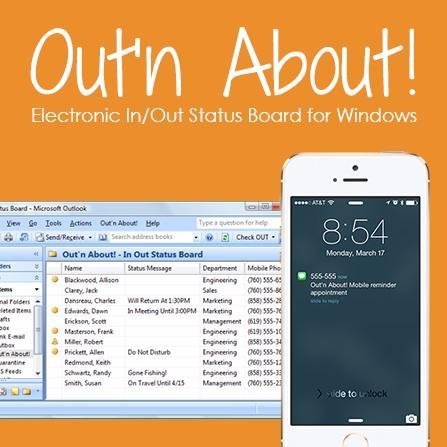
Your employees can connect to Out’n About! for Outlook via Microsoft Outlook.

A small Outlook addin adds all the Out’n About! In/Out Status Board features directly into the Outlook interface so you can continue to manage all of your information using a common interface.Screenshot of Presence Sensing

Out’n About! for Outlook contains a presence sensing feature that automatically alerts you when you use your computer and are currently Checked Out to ensure you have not forgotten to check In when returning to the office.Screenshot of Outlook Calendar Integration
Out’n About! for Outlook allows you to schedule future status events (e.g., meetings, travel, or vacation) based on Outlook Appointment items.

Department Panel
Organize your workforce into easy to use departments.

The Out’n About! Department Panel allows users to quickly select different departments for viewing. The panel also contains a filter dialog which allows users to filter users by different search criteria.

Time Doctor Screenshots

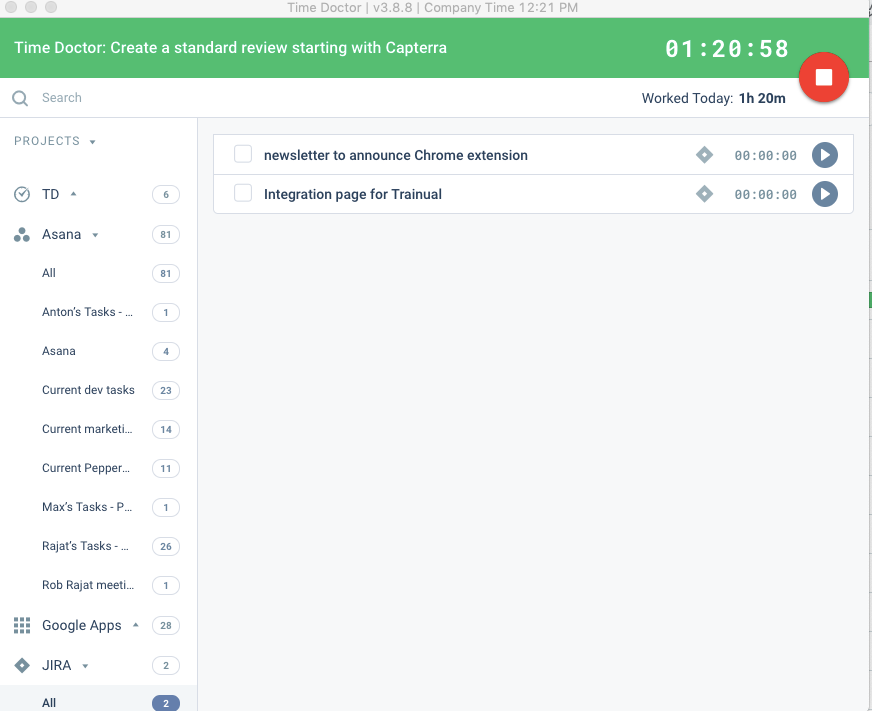
Screenshot of the Time Doctor web app and usage reportScreenshot of a timeline reportScreenshot of Time Doctor's realtime dashboardsScreenshot of an attendance reportScreenshot of a real-time email notificationScreenshot of the interactive desktop app