Out'n About! For Outlook vs. Patriot Payroll

Overview
ProductRatingMost Used ByProduct SummaryStarting Price
Out'n About! For Outlook
Score 7.3 out of 10
Mid-Size Companies (51-1,000 employees)
Out’n About! for Outlook is a time tracking solution that is designed to replace an in/out status board. The vendor says their solution makes it easy for businesses to manage their workforce availability and timesheets. This solution enables businesses to use their existing Outlook environment, and employees can easily track their work hours. This solution is customizable and businesses can control what information is seen on the status board.  Custom reports are…
$349
per server
Patriot Payroll
Score 9.7 out of 10
N/A
Patriot Software headquartered in Canton, Ohio offers Patriot PAY, their benefits administration and payroll software.
$174
Pricing
Out'n About! For OutlookPatriot Payroll
Editions & Modules
Out'n About! For Outlook
$349
per server
Basic Payroll
$17/mo + $4 per employee/contractor
Accounting Basic
$20/mo (unlimited use)
Accounting Premium
$30/mo (unlimited use)
Full Service Payroll
$37/mo + $4 per employee/contractor
Offerings
Pricing Offerings
Out'n About! For OutlookPatriot Payroll
Free Trial
YesYes
Free/Freemium Version
YesNo
Premium Consulting/Integration Services
NoNo
Entry-level Setup FeeNo setup feeNo setup fee
Additional DetailsFree upgrades and free support. You can connect an unlimited number of clients to a single purchased server. No per-user fees.Patriot Software has two payroll options to choose from: Basic Payroll, and Full Service payroll software. Both start with a simple three-step payroll process. With the Full Service Payroll, Patriot will collect, deposit, and file federal, state, and local payroll taxes on the customer's behalf; end-of-the-year payroll tax filing is included at no extra charge. Print W2s on 8 x 1/2 x 11 plain white office paper to hand to employees, or post to the free employee portal. Also, Patriot Software offers free direct deposit.
More Pricing Information
Community Pulse
Out'n About! For OutlookPatriot Payroll
Features
Out'n About! For OutlookPatriot Payroll
Payroll Management
Comparison of Payroll Management features of Product A and Product B
Out'n About! For Outlook
-
Ratings
Patriot Payroll
8.3
Ratings
1% above category average
Pay calculation00 Ratings9.50 Ratings
Support for external payroll vendors00 Ratings10.00 Ratings
Off-cycle/On-Demand payment00 Ratings8.70 Ratings
Benefit plan administration00 Ratings6.00 Ratings
Direct deposit files00 Ratings9.20 Ratings
Salary revision and increment management00 Ratings8.20 Ratings
Reimbursement management00 Ratings6.30 Ratings
Best Alternatives
Out'n About! For OutlookPatriot Payroll
Small Businesses
Traqq
Traqq
Score 9.1 out of 10
Dayforce Powerpay
Dayforce Powerpay
Score 9.5 out of 10
Medium-sized Companies
TimeClock Plus
TimeClock Plus
Score 9.5 out of 10
Paypro Workforce Management
Score 9.7 out of 10
Enterprises
Zoho People
Zoho People
Score 8.4 out of 10
Infor Human Resources
Score 7.1 out of 10
All AlternativesView all alternativesView all alternatives
User Ratings
Out'n About! For OutlookPatriot Payroll
Likelihood to Recommend
8.0
(0 ratings)
9.7
(0 ratings)
Likelihood to Renew
-
(0 ratings)
9.0
(0 ratings)
Usability
-
(0 ratings)
9.3
(0 ratings)
Support Rating
-
(0 ratings)
8.7
(0 ratings)
User Testimonials
Out'n About! For OutlookPatriot Payroll
Likelihood to Recommend
1,- If the organization have 365 I recomended the integration with Out'n About 2.- If your organization does not have 365 I not recomended the solution because the integration is not easy 3.- In Europe there are many legal requirements to comply with the GDPR with employees and the sharing of information. Express authorizations and many requirements, and one emplyee can say not to the authorization. 4.- Need best performance in big organizations 5.- Not work in MAC properly
Read full review
Patriot is well suited for an office with a small staff without complicated tax issues to manage. My office had 2 employees: one full-time and one part-time. There were no 1099's issued, and no special tax exemptions or other special tax situations for employees. The owner was a sole proprietor, so she was not paid as an employee through Patriot. It was easy to quickly run simple payroll tasks on a bi-weekly basis in my situation. However, I believe a more complex situation with more employees would still be suitable for this software if there was an employee dedicated to performing payroll and human resources tasks. Information must be manually entered each payroll period and submitted before 8pm to process at the scheduled pay date, so if there was not a dedicated employee for the task, it would be easy to end up paying employees a business-day late. I know that Patriot offers add-on services for human resource tasks, such as time sheets and tools to manage sick days, benefits, and record employee attendance. I did not require these extra services, but I like that Patriot offers services a la carte so that there is no need to pay for tools you do not need
Read full review
Pros
  • Outlook Contact Synchronization automatically
  • Time sheet informs for the remote workers
  • Sensing presence for remote workers and local employeers
Read full review
  • Patriot's software is very easy to use for running payroll. It takes about 30 seconds to do.
  • The payroll reports are abundant, easy to find and print, and make my accounting very easy.
  • Having a full service payroll provider as easy to use as Patriot leaves me with more availability to focus on treating patients and running other aspects of my business.
Read full review
Cons
  • Panel department it is not easy to implement
  • 365 compatibility need to improvement
  • Remote mobile commands many times not working
Read full review
  • The third party direct deposit processor Patriot previously used was not particularly easy to work with...but Patriot just brought all direct deposit processing in house.
  • Clergy housing allowance has to be manually entered each payday. They tell me they're close to adding the capability of making it (and other similar pay types) as a recurring item.
  • The setup process is geared toward novice users who need to be hand-held through the process. That's great for those who need it but a more streamlined, no-frills process payroll pros would be welcome.
Read full review
Likelihood to Renew
No answers on this topic
It works well because it is cheap for us.
Read full review
Usability
No answers on this topic
I think it is great once things are setup as for general user looking to look for simple things like a copy of a paystub or a current pay rate for an employee. However, to find specialized things like a state withholding number or payroll integration settings those do require a bit more digging to find or possibly a call to customer service for help.
Read full review
Support Rating
No answers on this topic
Generally speaking it is pretty good that when I need to call somebody up for a payroll question I can generally within five minutes get somebody on the phone and they can help me resolve the problem or specify where specifically I need to go or contact to find my answers. However, that being said, for my specific situation as a partner my assigned contact has not always been very responsive.
Read full review
Alternatives Considered
Sheqsy We evaluate for 2 months and does not working well with 365 and does not support in Europe. It is good for control remote workers, but not for a colaboration tool and integration in organizations with more than 500 users. It is good also because sale in SaaS mode but for the GDPR law in Europe not offers regulatory compliance guarantees regarding sensitive employee data. For the sales people in the field can be good, but is not easy to achieve good results
Read full review
Cost is the major factor here, but the ease of use (and design of the interface) is a big advantage for Patriot PAY. Items are (ironically) more "intuitive" to find and manage in Patriot PAY than Intuit.

Patriot PAY is closer to ADP/Gusto/Paychex in how it looks and feels and operates in a full-service capacity, but it is much more affordable.
Read full review
Return on Investment
  • In this moment we expect to improve the control of remote workers in a 100%
  • The control of the remote worker can suppose to a 25 % more in the productivity
  • The investment is relatively low with the expected benefits
Read full review
  • Patriot allows the entire team to be on the same page when it comes to a campaign or donor. All of the information is in one place to see how much a donor gave or communication with that donor by a specific team member.
  • It provides comparative historic data and donor analysis. The organization of donations by appeal allows teams to know which campaigns were successful in previous years.
Read full review
ScreenShots

Out'n About! For Outlook Screenshots

Screenshot of Main Screen Features
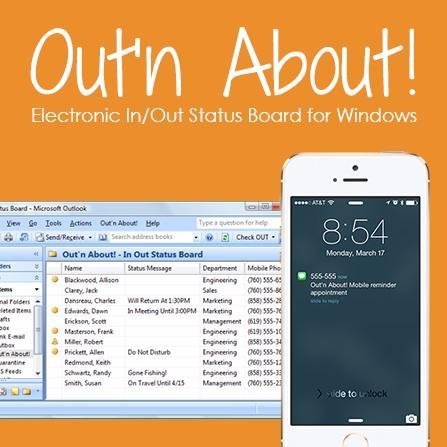
Your employees can connect to Out’n About! for Outlook via Microsoft Outlook.

A small Outlook addin adds all the Out’n About! In/Out Status Board features directly into the Outlook interface so you can continue to manage all of your information using a common interface.Screenshot of Presence Sensing

Out’n About! for Outlook contains a presence sensing feature that automatically alerts you when you use your computer and are currently Checked Out to ensure you have not forgotten to check In when returning to the office.Screenshot of Outlook Calendar Integration
Out’n About! for Outlook allows you to schedule future status events (e.g., meetings, travel, or vacation) based on Outlook Appointment items.

Department Panel
Organize your workforce into easy to use departments.

The Out’n About! Department Panel allows users to quickly select different departments for viewing. The panel also contains a filter dialog which allows users to filter users by different search criteria.

Patriot Payroll Screenshots

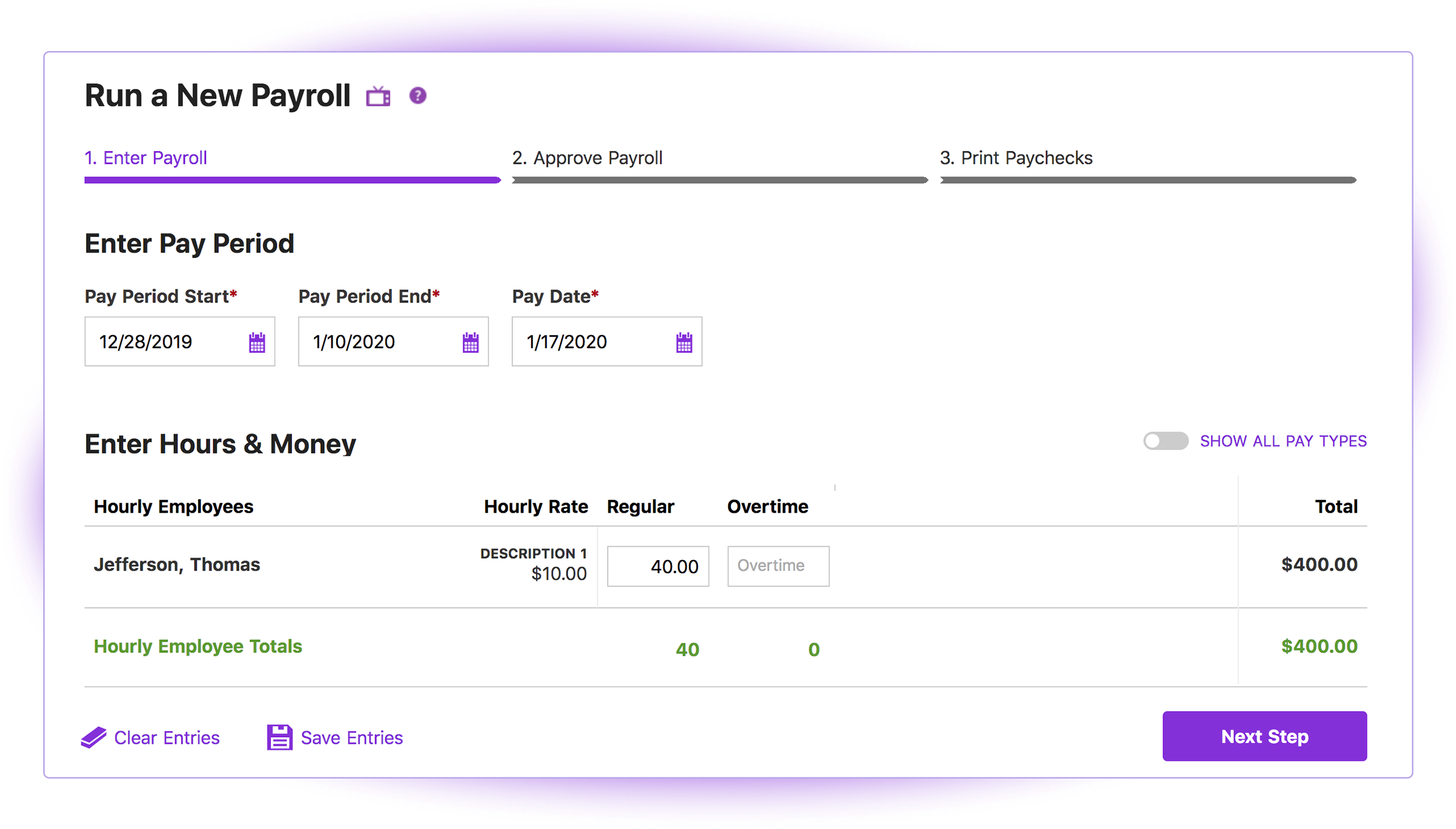
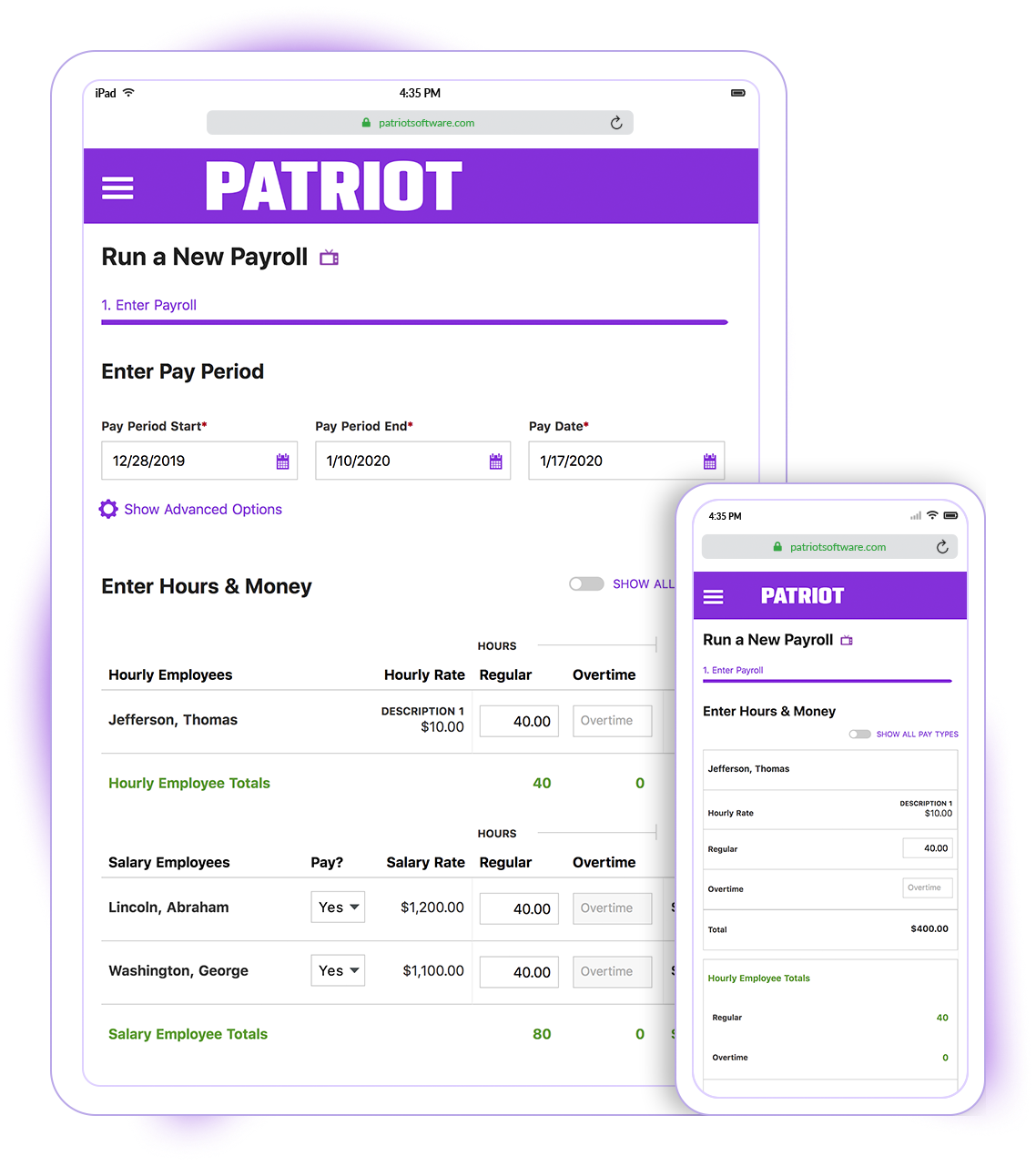
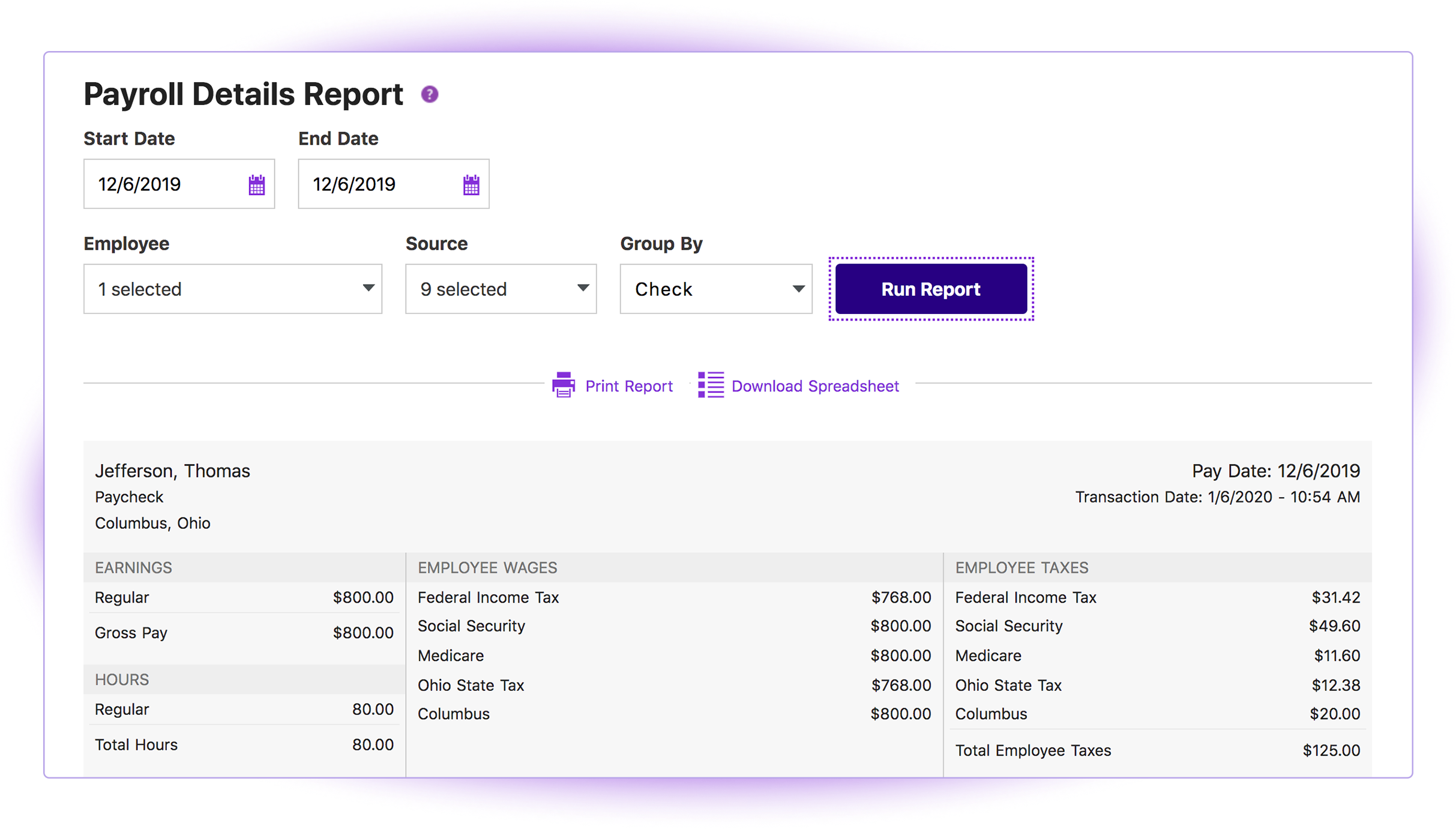
Screenshot of the 3-step process to carry out payrollScreenshot of the Payroll interface, which can be used run payroll on any device with internet or data connection. There is no need to download and maintain a separate payroll app.Screenshot of a payroll report, to sort by work location, employee, and date range.